RDM Drive Mapping not working with Cyberark (no plugin used)

Hi,
I use RDM to connect to Windows VMs in an environment that recently adopted Cyberark (but without the specific RDM plugin).
If it is possible I'd like to know if the drive mapping that does not work is an intended feature (maybe to incentivate the purchase of the plugin) or if it is an issue.
If it is indeed an issue could you provide some help?
Here I give you in advance some info about the config I use in my current attempts:
General Tab config: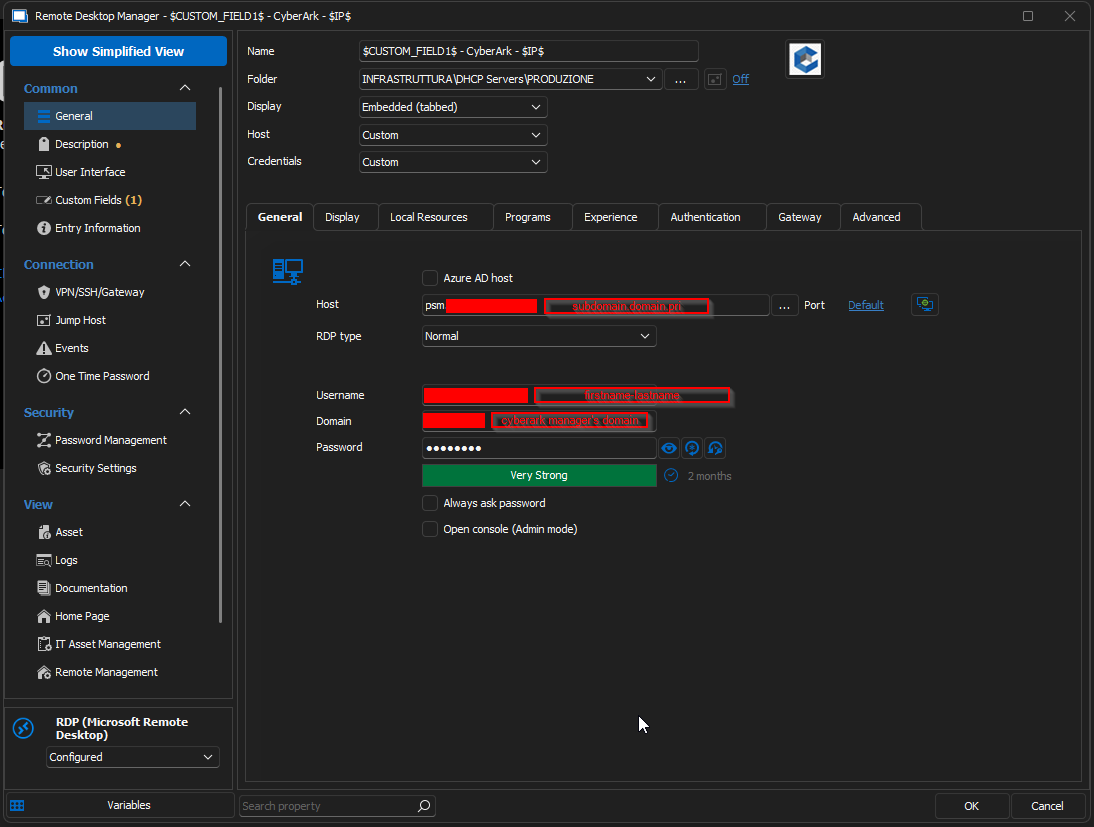
Local Resources Tab config: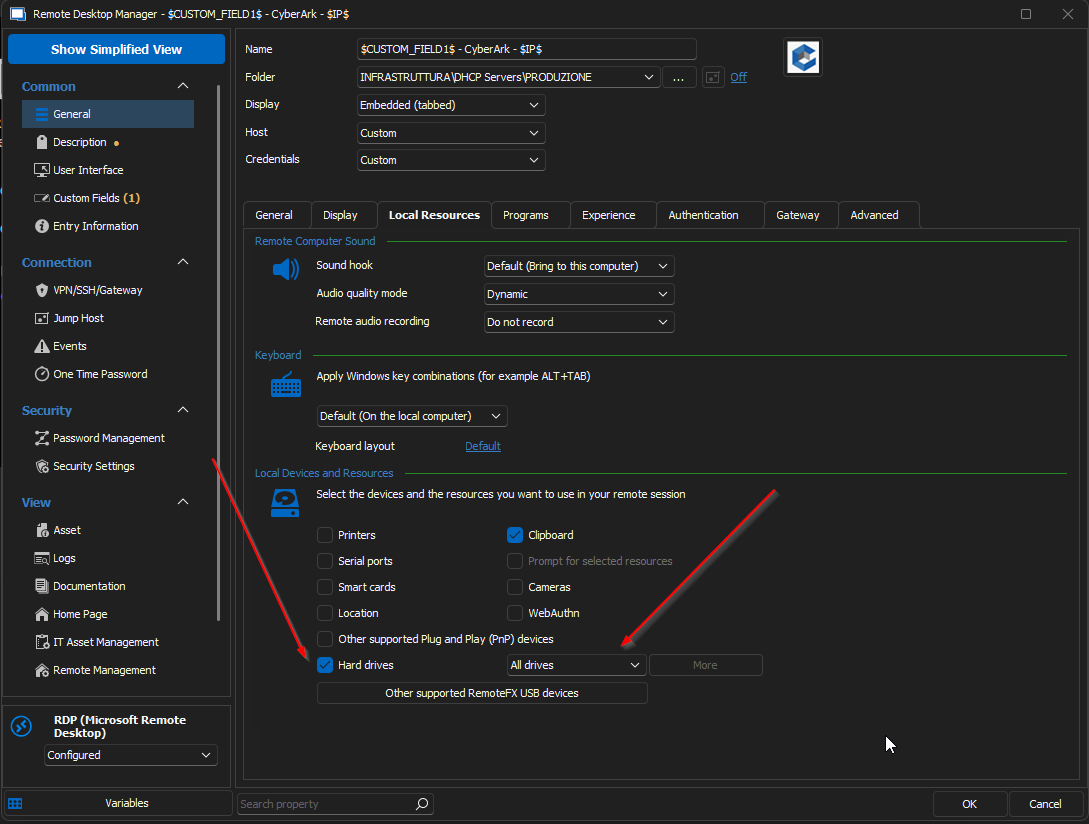
Programs Tab config: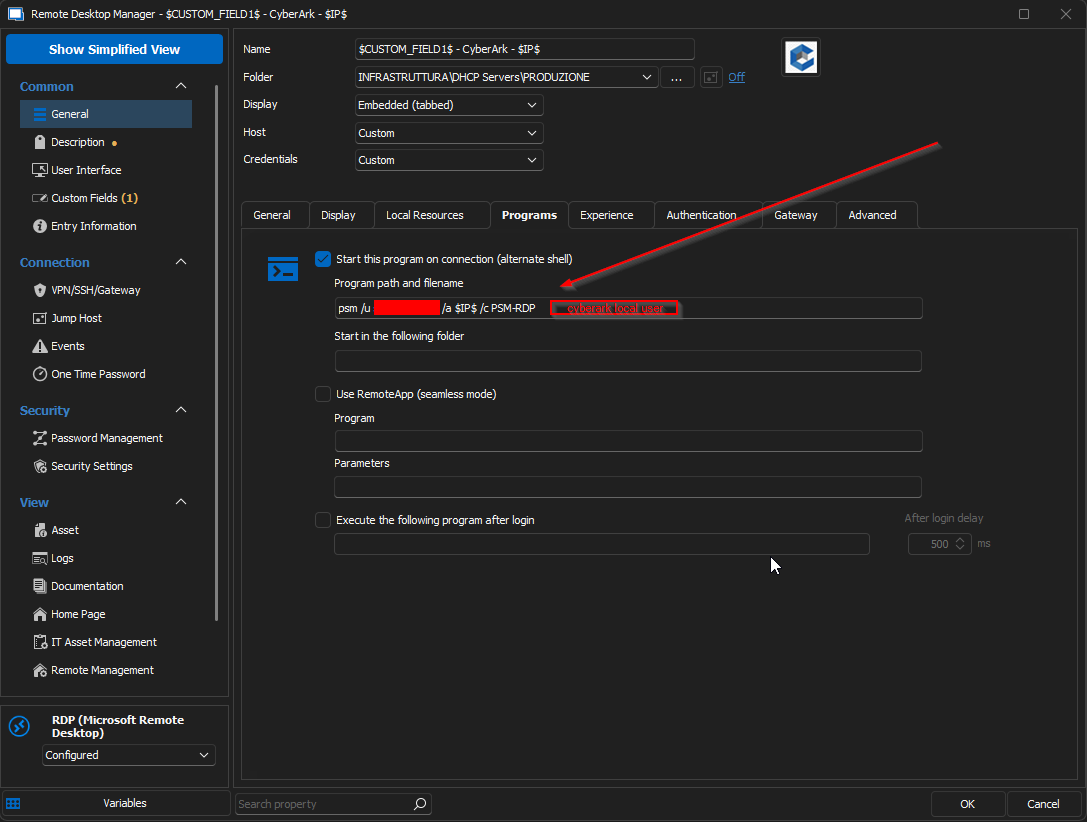
Advanced Tab config: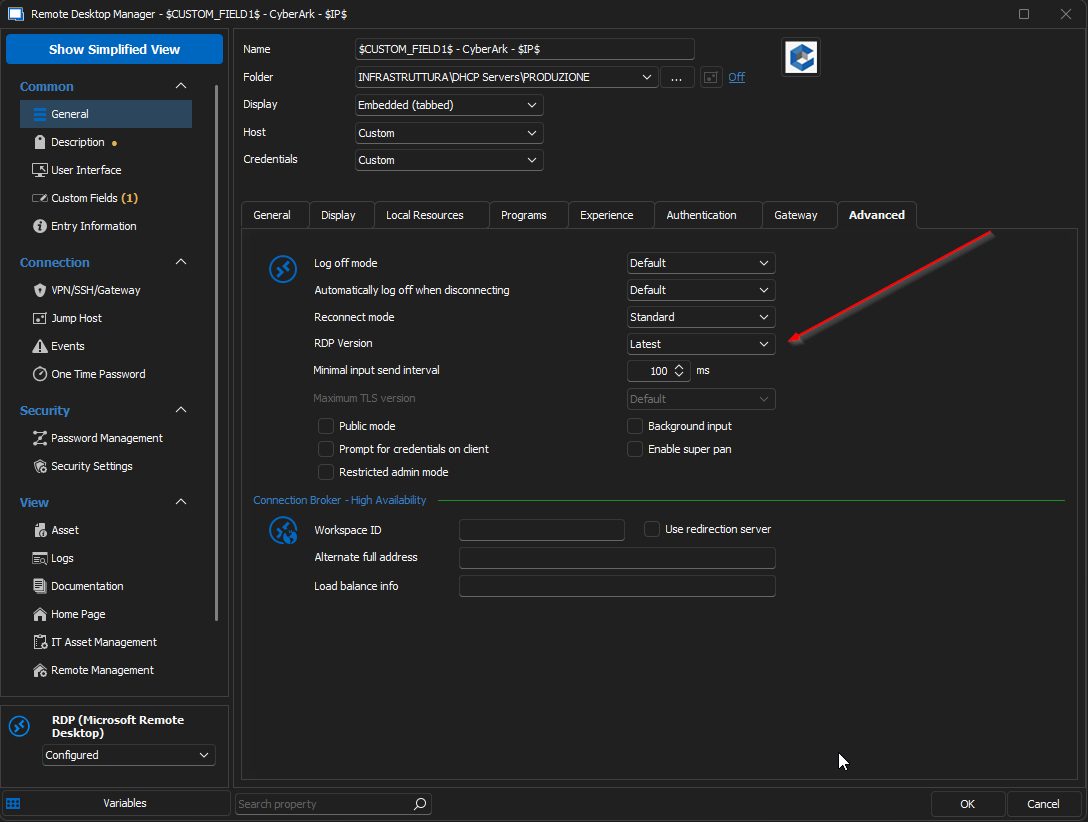
The configs in the Display, Experience, Authentication and Gateway should be the default ones but I can provide them if needed.
Custom Fields page config: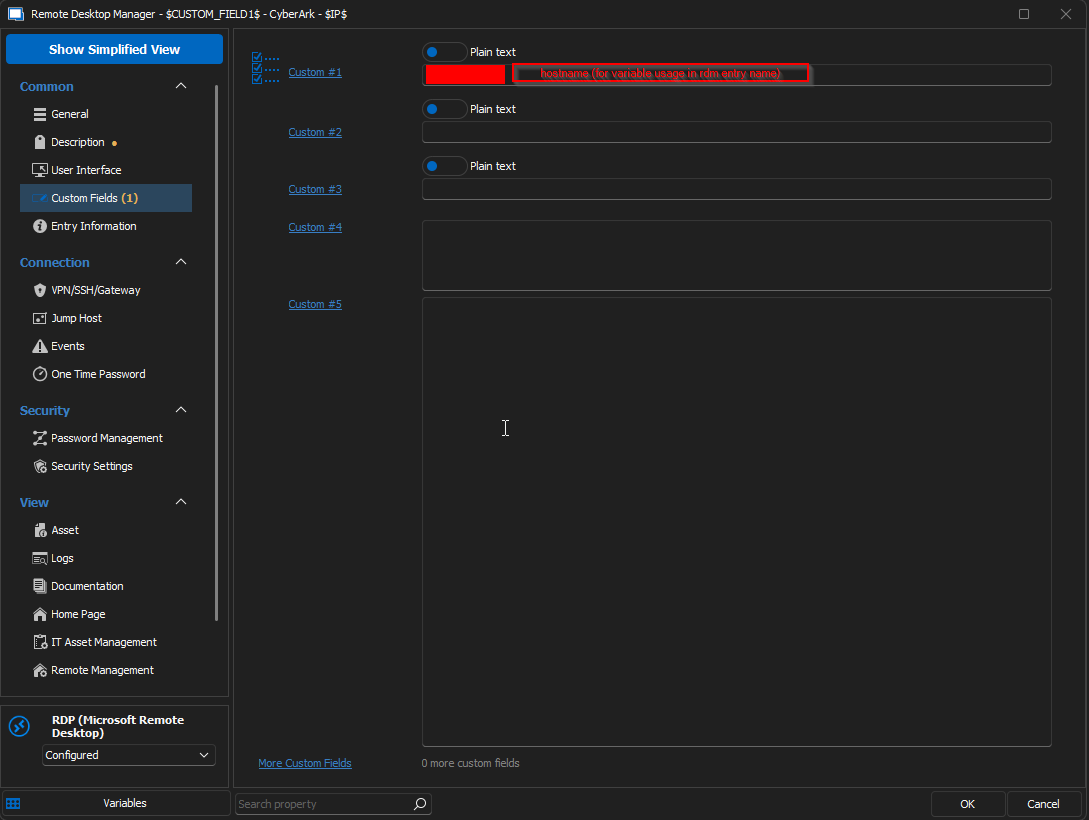
Asset page config: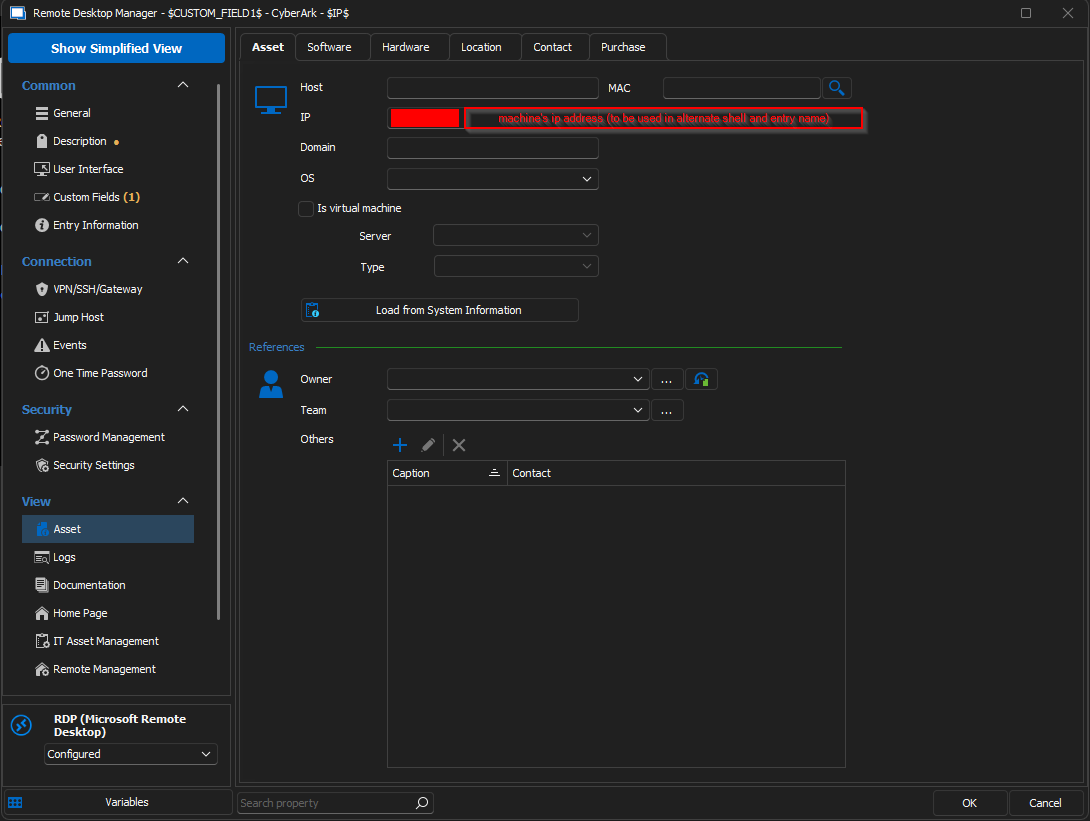
Although everything looks fine to me (and the connection works as expected) the drives mapping does not work and since I often need to move files between my host machine and the guests VMs I am forced to use the PVWA browser portal (which is inconvenient).
I noticed that by changing the RDP protocol to "FreeRDP" in the advanced tab for some days the mapping has worked but then we had troubles with the PSM server and were forced to use the "Latest" RDP again.
Best wishes to you guys and thanks in advance,
Giacomo
e61aa718-eb33-4f94-a606-58d37d124f9c.png
3b5ba946-b866-4796-9d69-773d3b52ef56.png
af968f50-2d5f-4097-840d-cd3406c13784.png
7bff79f7-ca38-4289-b7f1-4addb219f7fc.png
47e6020b-8ac2-40dc-a575-eebea7d10fb1.png
2ace642d-31ae-422f-9612-073f84c9d74d.png
All Comments (9)
+1 Upvote, troubleshooted the problem for days with Cyberark support with no apparent resolution.
Hi,
If it is possible I'd like to know if the drive mapping that does not work is an intended feature (maybe to incentivate the purchase of the plugin) or if it is an issue.
Drive mapping should work the regular way, it is definitely not blocked on our side based on a specific license.
This being said, the drive redirection code with the RDP ActiveX is the one from Microsoft, and we just enable it. Switching to FreeRDP was a good idea to try, but as you said, it only worked for a few days. Can you elaborate on the symptoms observed when it doesn't work? Are the drives listed, but don't work, or are they not listed at all? Does it work for "fresh" RDP sessions, after the server has been rebooted, but then end up not working after a few reconnections?
One other thing you could try is installing MSRDC and using it instead of the built-in RDP ActiveX, sometimes it's sufficient to make RDP ActiveX regressions "disappear": https://blog.devolutions.net/2022/03/msrdc-is-now-supported-in-remote-desktop-manager/
Best regards,
Marc-André Moreau
@Marc-André Moreau
Hi,
thanks for the super quick answer!
1) Of course I can elaborate on the symptoms: after accessing the VM with the above mentioned configs when I go inside "This PC" there is no disk that is mapped to my host one. I think it should be the equivalent of a "tscClient" when using pure windows RDC and thus look like a network drive.
2) The drives are not listed at all.
3) If by "the server has been rebooted" you mean the guest VM then it does not work whether trying to connect after a fresh restart or trying to connect to a machine that has been up for months (in short it has never worked). If you mean the PSM server then I have to check with my colleagues who manage Cyberark (but again the drive redirect never worked so I would not think this matters).
4) I'll try right away to install the MSRDC (if I'm not mistaken it's Microsoft Remote Desktop Client, and again if I understood properly it should force some kind of "reset" of ActiveX).
On a side note I managed to connect the "old(est) way" (aka clean RDC) to a test machine that was one of the few outside of Cyberark scope.
This is what I see and this is also what I saw with RDM before Cyberark.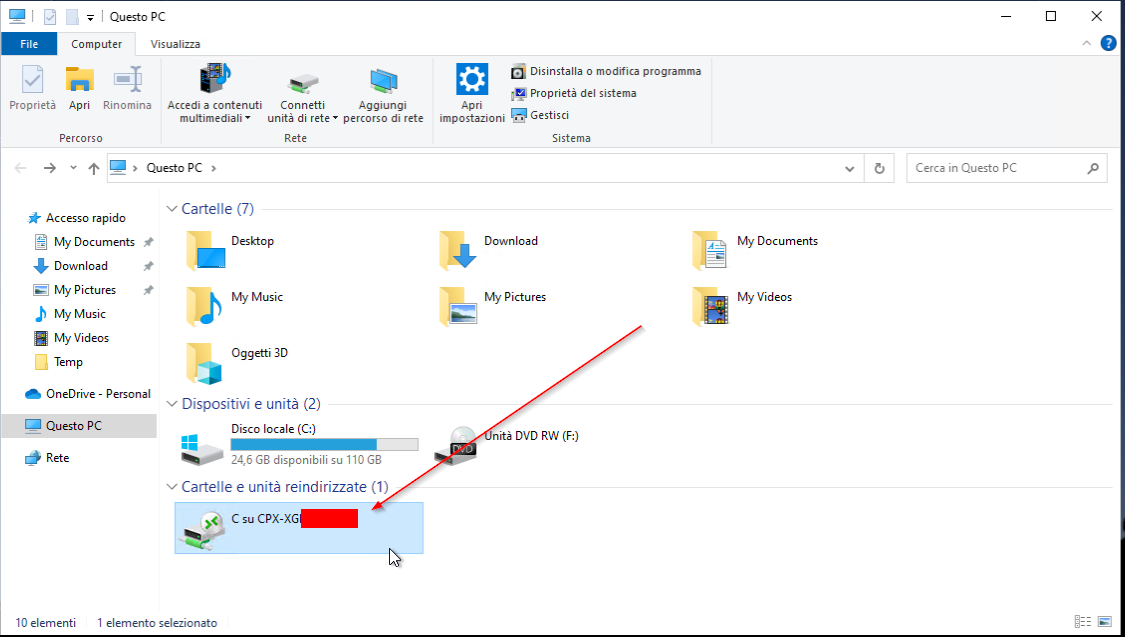
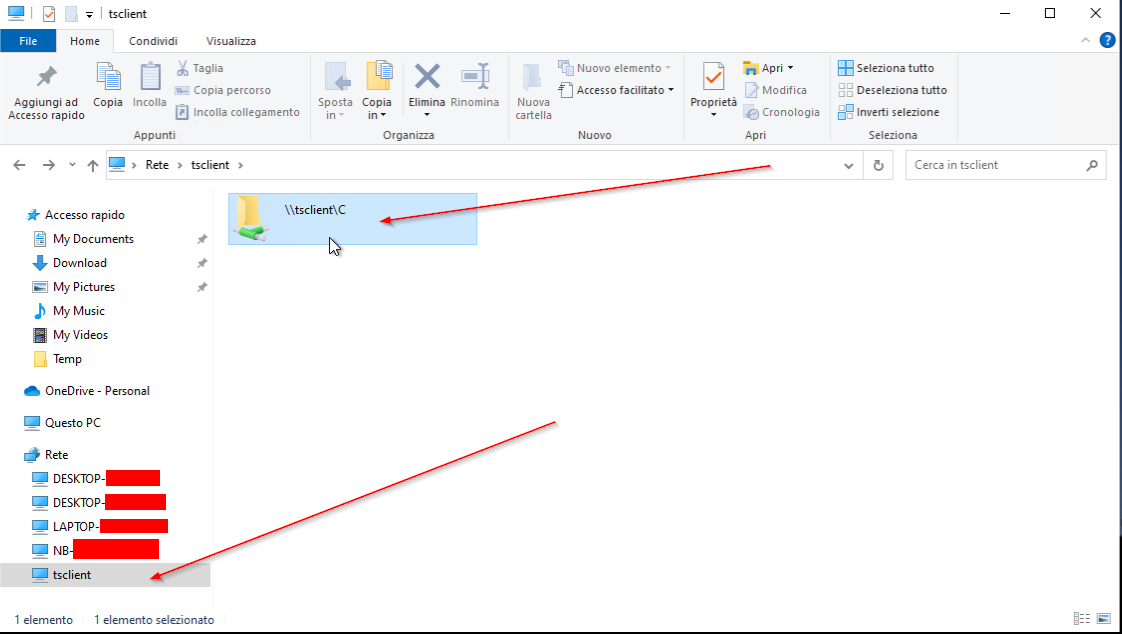
This is what I get now: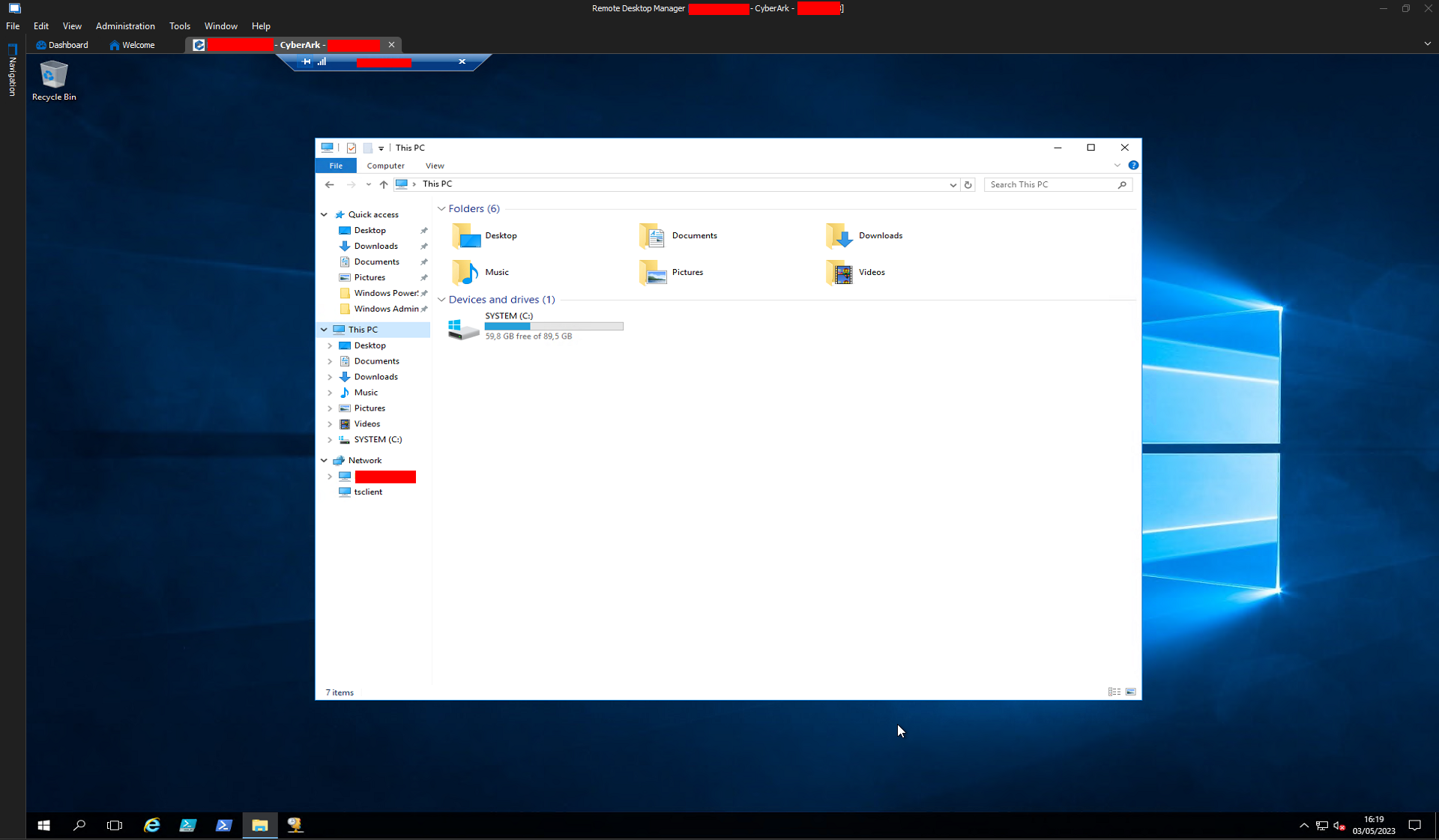
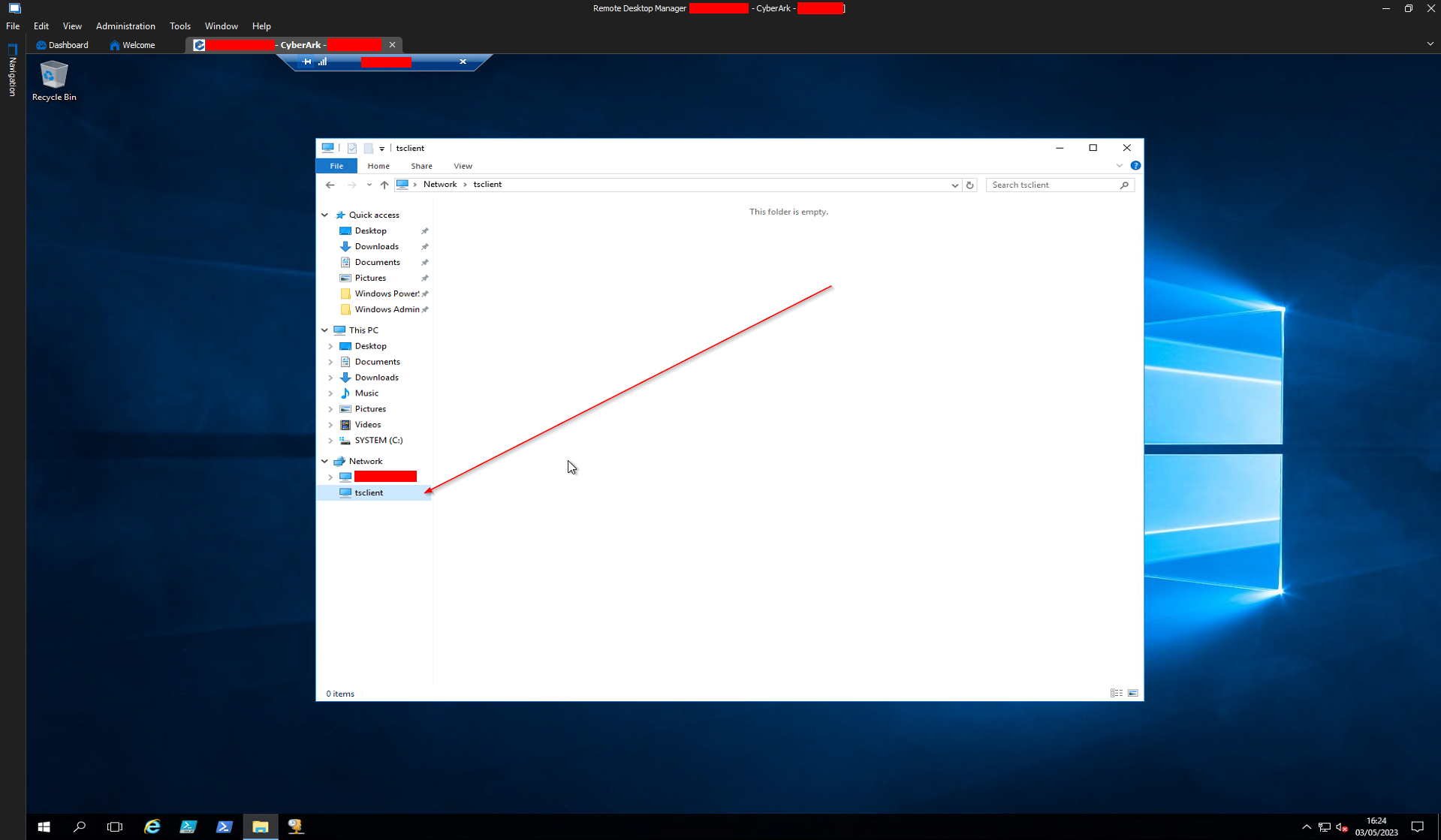
P.S.: it was tsclient and not tscClient, my bad.
Thanks again for the help, I'll let you know about MSRDC.
Bye,
Giacomo
788f01c7-707f-4446-8689-c77db9893f9d.png
195c99d0-8952-4c4d-b92e-ae24154f85da.png
c9d42589-36b1-4b1d-aef1-2aad77df6883.png
e370d0ba-2024-433f-9651-67cab757fdcb.png
Ok I have feedback on the MSRDC proposed solution:
Here are the steps I followed:
1) found this link https://it.cornell.edu/virtual-desktop/install-remote-desktop-client-windows and from this downloaded msrdc from the link they provided (https://go.microsoft.com/fwlink/?linkid=2068602).
2) launched the RemoteDesktop_1.2.4157.0_x64.msi and installed msrdc client.
3) set the "RDP Version" field in the "Advanced" tab of RDM to "MSRDC".
4) rebooted my host.
5) launched RDM.
I see a difference both when full screen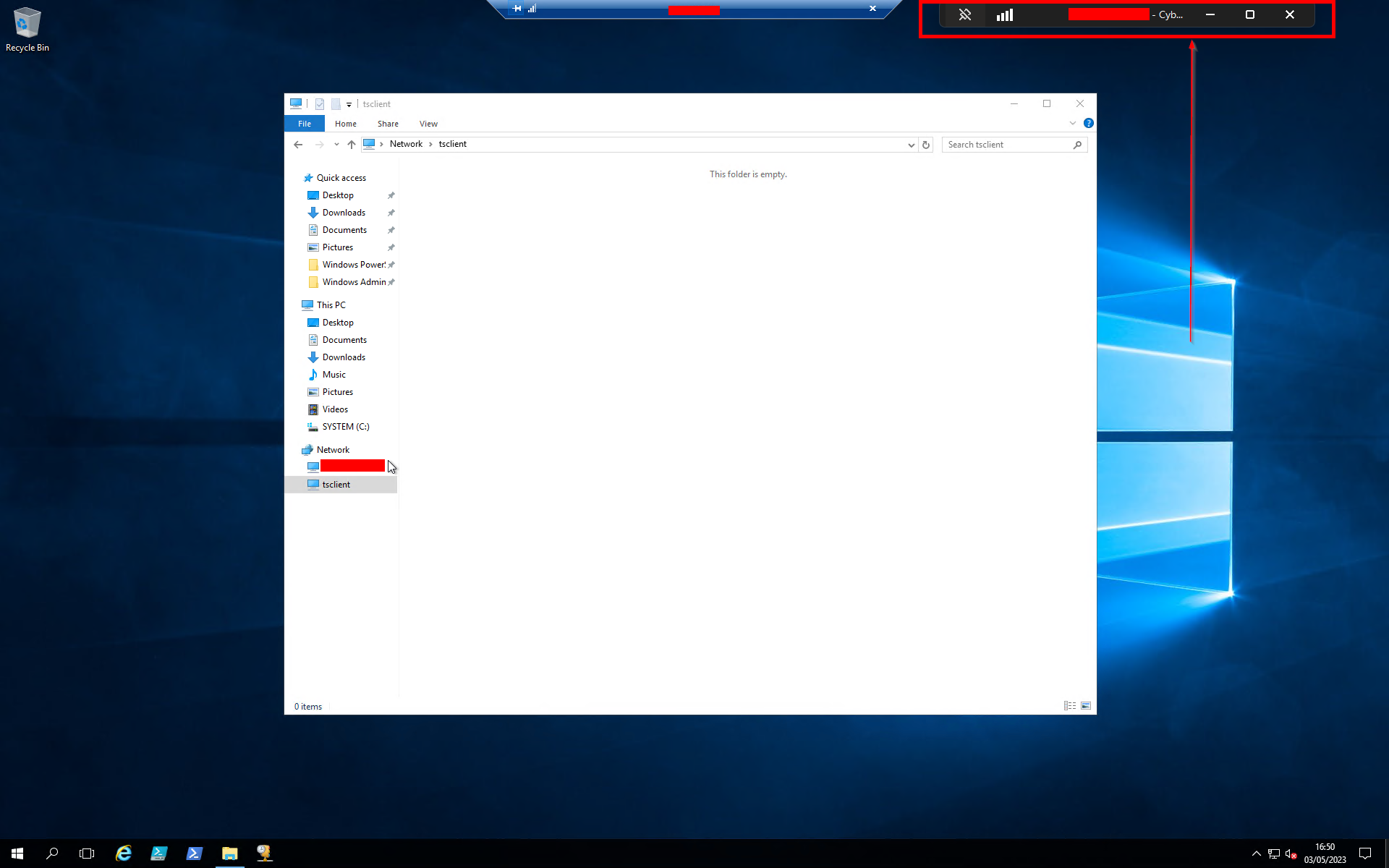
and in the desktop mini window so I think I'm using msrdc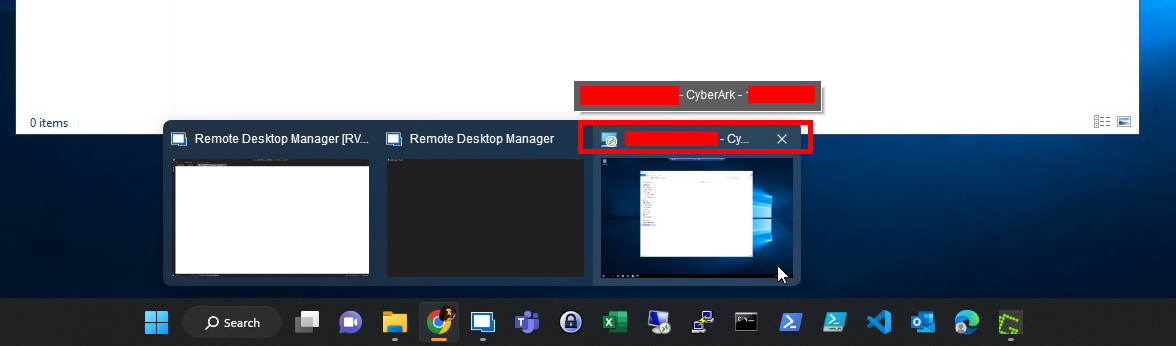
but still no drive mapping/redirect, as you can see below: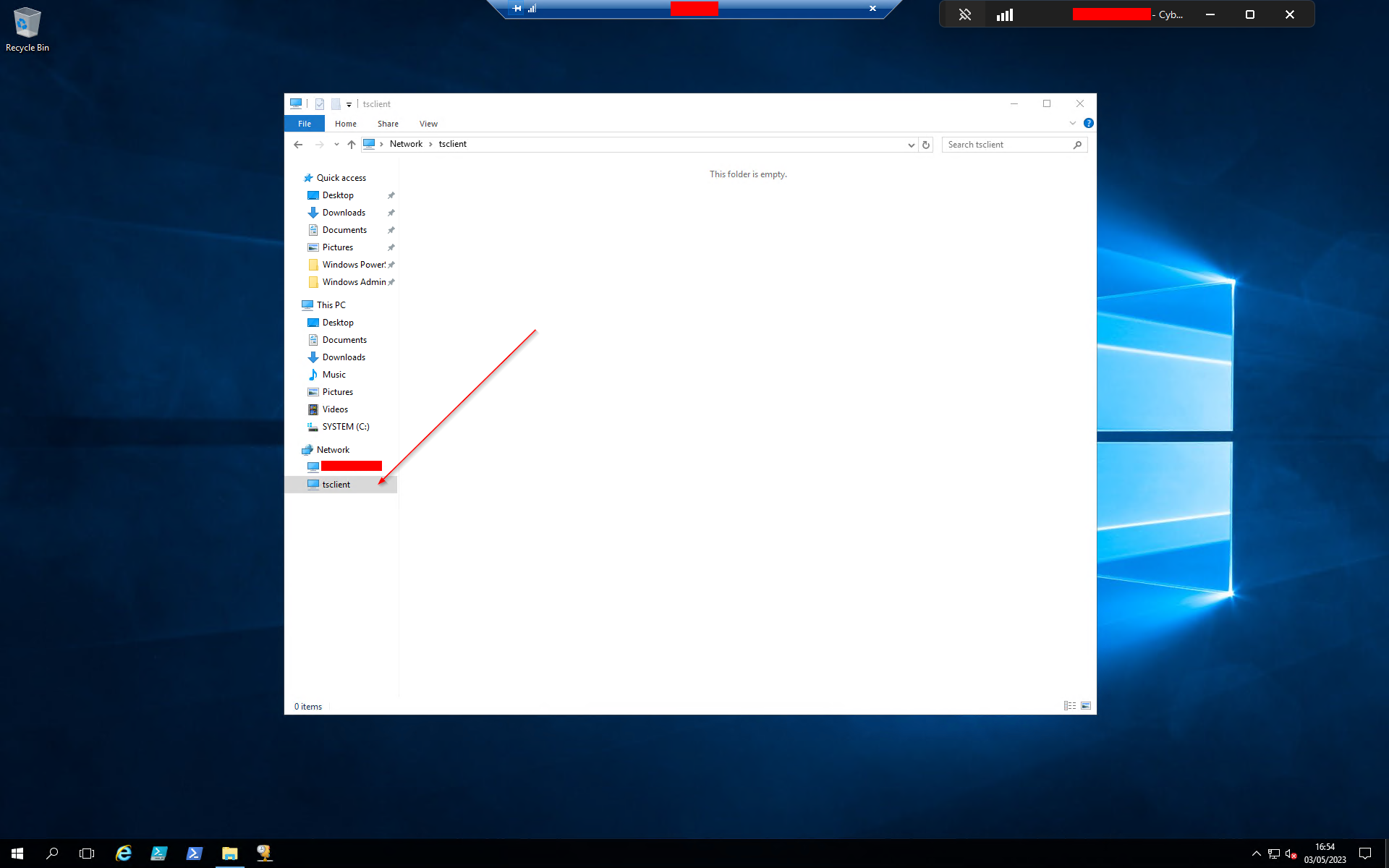
Best regards,
Giacomo
51b82be6-43d8-4d58-b5b9-a404401ff20c.png
598f3b1d-4b7f-4a28-921c-daa4fdc86cec.png
ea54b2ff-c260-4735-8e84-400ac2dc3581.png
Hi,
It's unclear what could cause the issue, it could be either in the RDP client or RDP server, but given that drive redirection works fine in the RDP client in other cases, I have a feeling that something's off in the RDP server. In hope of getting a hint, have you tried doing a fresh RDP session to then look at failures in the Windows event viewer? The regular Windows event viewer is difficult to use to find a needle in a haystack, I'd recommend using the NirSoft FullEventLogView + changing the default options to collect all logs from the last 15 minutes (the default is 7 days, which is very slow to load). It will then give you a single list of all Windows events which you can scroll quickly to see if anything suspicious comes up in relation to drive redirection: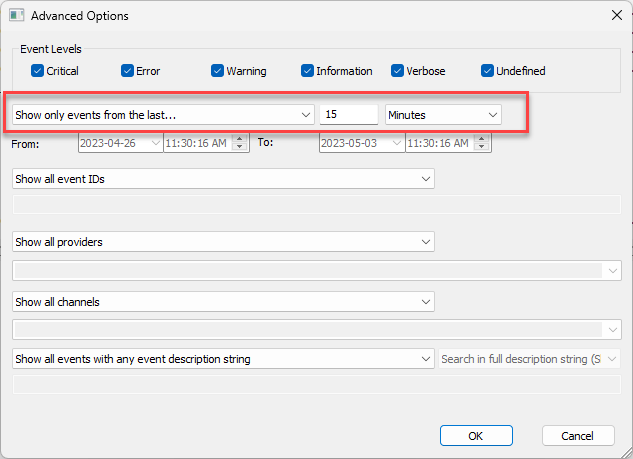
Best regards,
Marc-André Moreau
c0d05fb0-f834-4ede-acc6-1ac0b47e3675.png
@Marc-André Moreau
Hi,
thanks for the suggestion.
Given the simplified model of:
RDP client (host) --> PSM Server (Cyberark) --> RDP server (guest VM)
I tried to connect to both a server that doesn't map and the machine that maps and then gathered some logs.
I found server thousands lines for each machine for just 10 minutes of login attempts, I hope I didn't miss anything crucial.
The things that looked more promising from the PSM Server are this:
and this:
and this:
On the RDP server I found this (lines 24 and 25 then started repeating in the following seconds):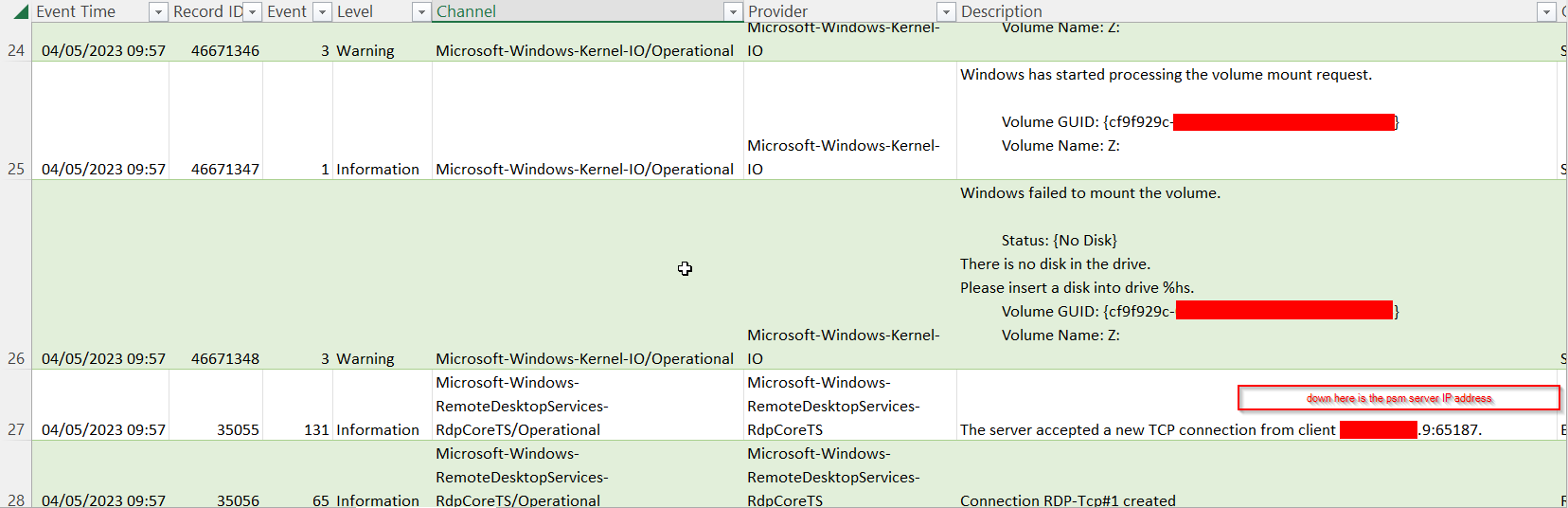
I found nothing that clearly indicated a successful drive mapping on the test machine (it had the worst logs to parse) that I used to show you that connections with old RDC actually do map drives.
Again, I hope I haven't missed anything crucial but I have the excel with the logs in case further analysis is due.
What do you think about the picture drawn by these logs?
Best regards,
Giacomo
ea04eff1-98b8-4875-a4cd-e44fad4e4799.png
dfe82440-17fd-4d16-8750-b7a82554b170.png
48aab647-c788-4441-8e9c-cc6c0d0ec4ca.png
fd7456fd-f90c-4193-a60d-3a17107edbe0.png
Hi,
I see the drive redirection fails with the PSM server first, so it won't work for the destination VM as well
Can you review the following troubleshooting steps for RDP drive redirection?
https://learn.microsoft.com/en-us/troubleshoot/windows-server/remote/local-drive-redirection-isnt-working
https://www.anyviewer.com/how-to/local-drive-redirection-not-working-in-rdp-session-2016-2578.html
Best regards,
Marc-André Moreau
Hi Marc-André,
Thanks again for the support.
Unfortunately everything that was proposed in the links of the previous post was tested by my security colleagues and everything was found to be properly configured.
Here I have some screenshots the colleagues gave me:.png)
.png)
Here are the checks: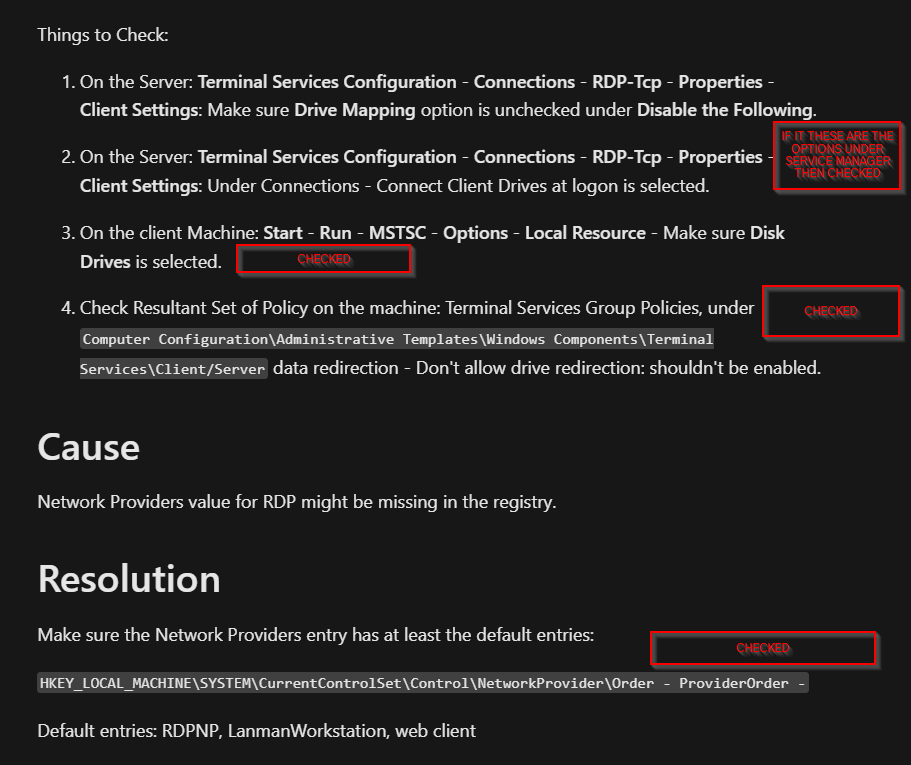
https://www.anyviewer.com/how-to/local-drive-redirection-not-working-in-rdp-session-2016-2578.html
Part1: Checked
Part2: Checked
Part3: Checked
Part4: Checked
If this can help also gathered the information that shadow users used by Cyberark were created after the hardening of the PSM. Those shadow users are used with PVWA sessions which can redirect drives. Unfortunately since PVWA is forcibly load balanced on the PSM cluster it is almost impossible to gather logs about PVWA serverside operations.
P.S.:
I actually noticed whe "webclient" entry is missing from the registry key. I have contacted yet again security to try and make them add it.
Nevermind just got an answer: webclient is not added since we do not use RDP with http/https.
Are there any options left?
I'm afraid I will be stuck with the PVWA forever...
Best Regards,
Giacomo
0f0d1011-80b6-4a8b-80ec-442f7d538098.png
image (3).png
image (2).png
Hi,
Can you tell me which version of Windows is used on the PSM server, and destination RDP server? It would greatly help if you could confirm the issue happening separately from CyberArk with a regular RDP connection configured in a similar way. If it's possible to do so, can you try making an RDP connection to the PSM server directly, without using the CyberArk PSM? Does drive redirection work in that case?
Also, someone else in this thread mentioned they've troubleshooted this with CyberArk without conclusive results, have you tried reaching out to CyberArk? Maybe they've got additional error reports from customers in the meantime, it would be worth inquiring with them to see where they are in their investigation of the problem, and point them to this thread for a history of what has already been tried.
Best regards,
Marc-André Moreau
