Win 10/11 Hyper-V VMs

I've dug through some 2-year-old threads about this topic but nothing seemed to come of them.
Has anyone gotten RDM to work with Hyper-V local on Windows 10 and 11? I develop local VMs and usually have 3-4 of them open at a time. I'd love to use something like RDM to have a tabbed interface with all of them running at once but no matter what I try I can't get them to work.
If I connect using the settings in the other threads for Hyper-V embedded, it seems to connect to my local machine but says it can never get a list of VMs and auth is wrong (it is not). If I try to connect to RDP or xRDP (Linux) on the VMs based on their vnet IPs I cannot.
Just wondering if anyone figured this out.
All Comments (3)
Hello,
I will have to check with the engineering department, keep you updated on that!
Best Regards,
Etienne Lord
Sweet! Thanks, Etienne! If there is anything I can do to help test or such just let me know.
Hi,
To use Hyper-V, create an RDP entry, change the RDP type to "Hyper-V (embedded only)", set the Host to the Hyper-V host (use localhost for the local system), then click "..." to select the VM and obtain its VM ID required for the connection. You will see a new Hyper-V tab when selecting the Hyper-V RDP type, the "Use current user credentials" is checked by default, which matches the behavior seen in the Hyper-V manager. If you set a non-localhost Hyper-V host, you'll need to set credentials on the entry to connect to the Hyper-V host. There is no Hyper-V guest login integration possible, since it's not exposed at the protocol level, unfortunately.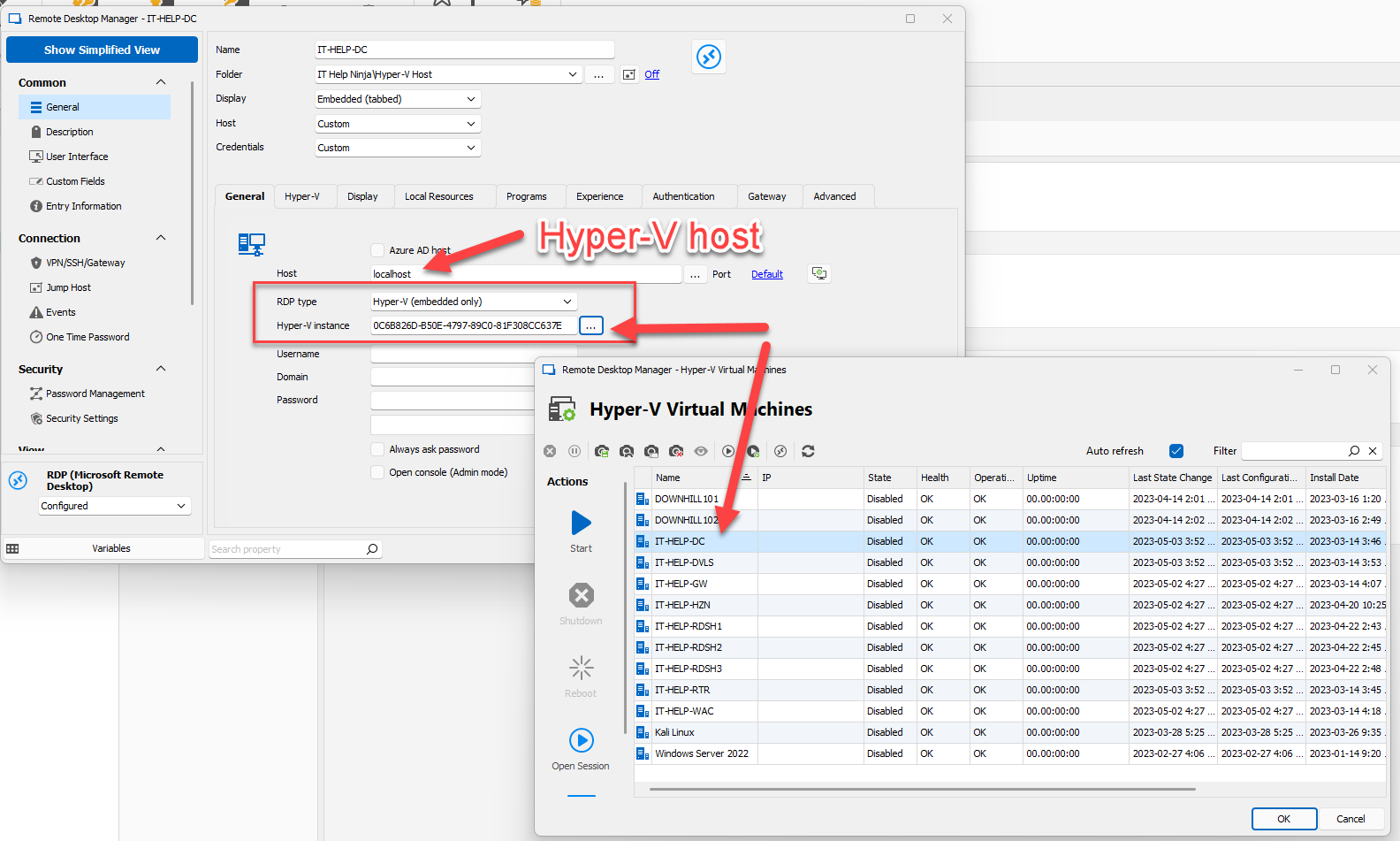
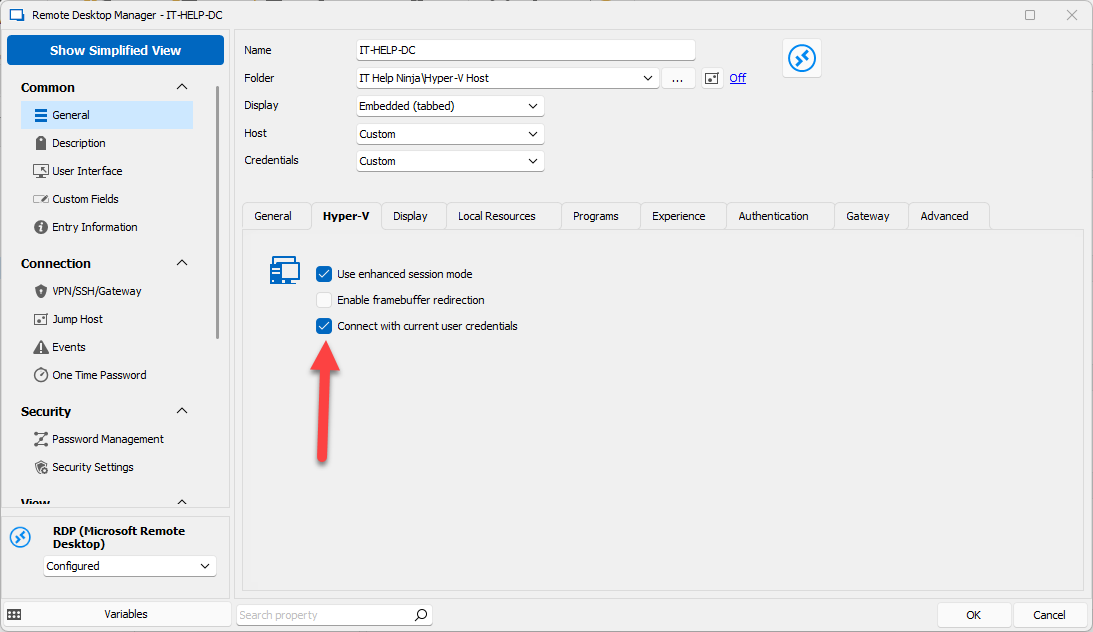
One more thing: the VM needs to be running already, we mostly replace vmconnect, the RDP client launched by Hyper-V Manager, not the full Hyper-V Manager interface.
Best regards,
Marc-André Moreau
5259d819-67a4-44b1-a174-87604a4b3203.png
5648ac3e-8563-41e7-83c3-cef718c2ce1f.png