RDM Website Entry autofill credentials admin.microsoft.com

Hello,
I am so close to getting my Edge website entry to open admin.microsoft.com, set the username, password and OTP with autofill and just log us in.
However it does not work completely.
Then i open the website entry it opens admin.microsoft.com -> applies the username -> Next to password section -> applies the password -> And it stops here. We then have to press the next button our self and it comes to the OTP section which it does not apply, but we are apple to autofill the OTP from the autofill credentials button in the top.
I would I make it autofill this flow completely? Could we do something in the custom options?
Extra info:
- We get the username, password and OTP from a passwordstate password entry which as seen on the pictures in choosen on this website entry.
- I am not sure if the One time password ID is correct, it does autofill it as said when we press the autofill button.
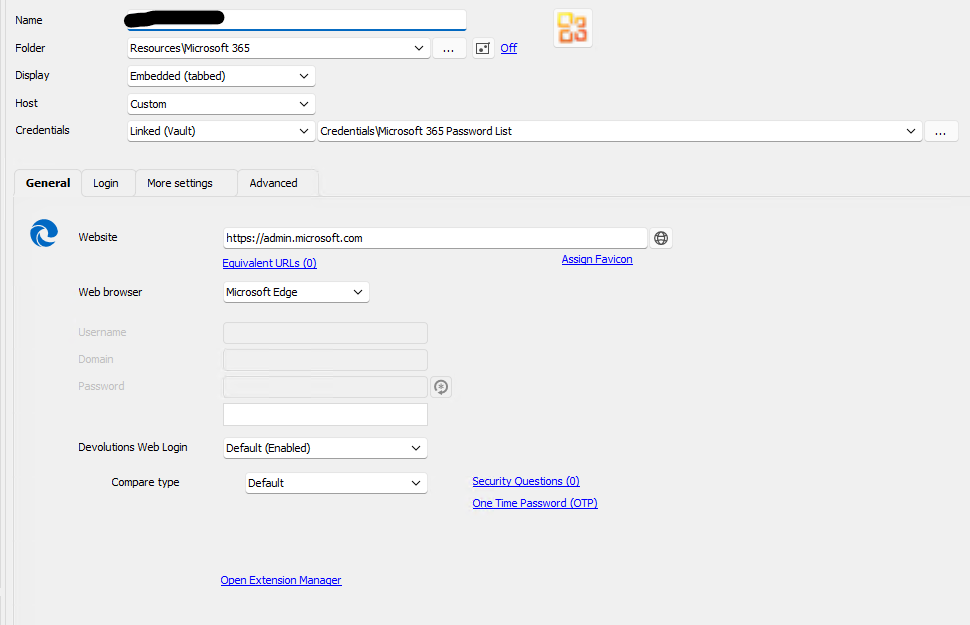
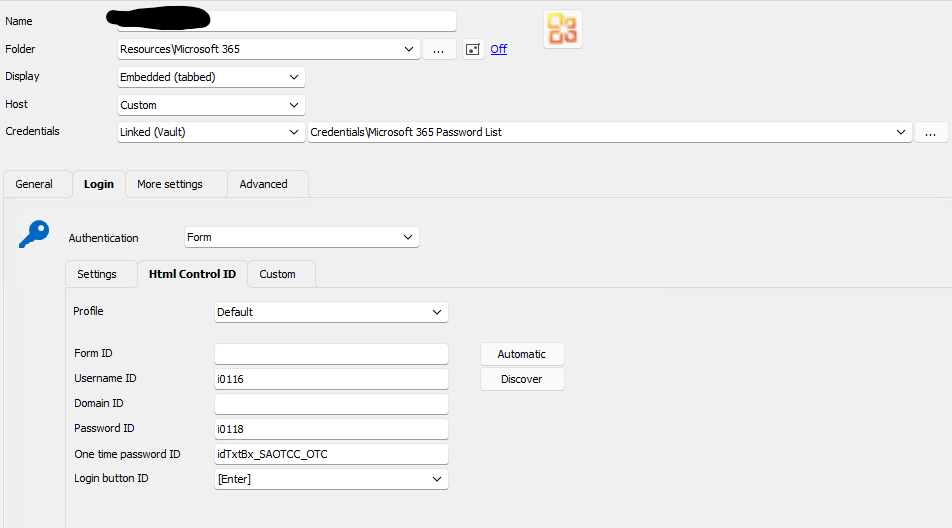
eebd7cd2-459d-439e-ac05-de4621363c6d.png
7a3872c7-5018-4459-ad75-38158d69e64f.png
All Comments (3)
Hello,
Thank you for getting in touch with us. To better assist you, could you please confirm the version of RDM you are currently using?
That being said if you go under the "Login" -> "Settings" section of your entry "Properties" is the option "Auto Submit" enabled?
Additionally, I would like to inquire if you have followed method #2 mentioned in this knowledge base article: https://docs.devolutions.net/kb/devolutions-web-login/how-to-articles/website-authentication/#method-2
It would be helpful if you could provide us with a screenshot of the inspection results for the OTP field.
Please let us know if you have any further questions or concerns.
Best regards,
Samuel Dery
Hi Samuel,
We are using version: 2023.1.23.0
Yes auto submit is enabled: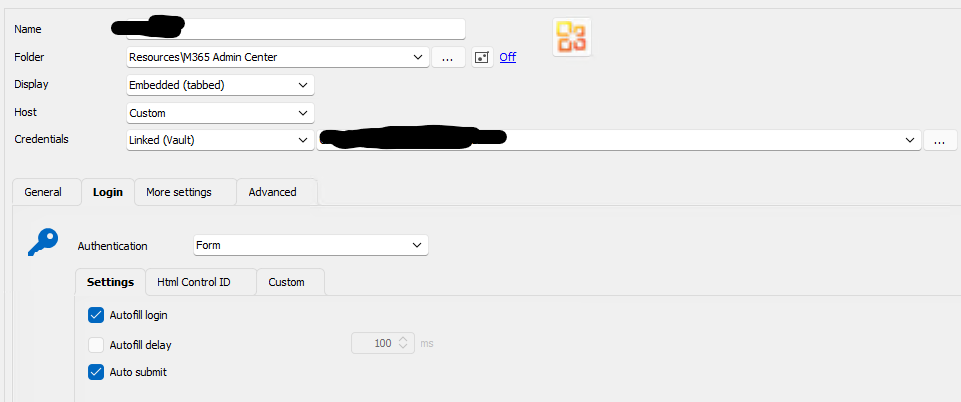
I followed method 2 in the link you provided to get username, password and OTP ids. Here is the result of the OTP inspect: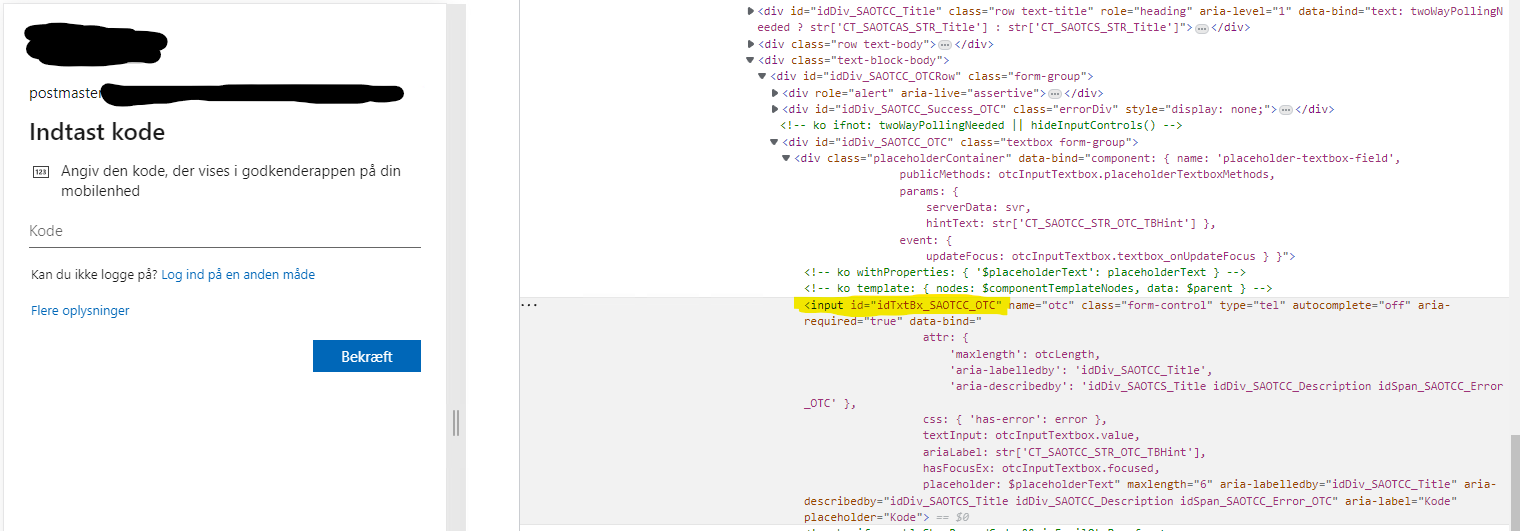
cc1d2fc7-9cd5-41b3-aba2-2a69fc6688ec.png
c43c2552-f507-45f0-960a-6ea26d166ca4.png
Hello,
Thank you for your reply and for the screenshots,
I can see from the second screenshot that the value "Autocomplete=off" is present for the OTP field, I suspect this is the cause of your issue in this case,
I'm afraid that when this value is present RDM will unfortunately be unable to autofill the credentials in Embedded.
Perhaps you could test in "External" mode with our "Devolutions Web Login" extension to see if it works for you?
Let me know,
Best regards,
Samuel Dery