u2f security key support for Keeper integration
1 vote

Hi,
as I have most of my passwords in Keeper I was excited to see that there is an integration between RDM and Keeper.
However as my Keeper is secured using my U2F key (Yubico) I'd like to use that as well.
There only seems to be support for using TOTP from Google Authenticator (or similar)
Thanks.
All Comments (21)
Hello,
This is a good suggestion, and it's supported by their API. We'll open a ticket to take a look at this and notify you of any progress.
Regards
Jonathan Del Signore
Hi,
is there any progess on this ?
I can see that Keeper integration is more mature now, and I'm sure a lot of people like using their Yubico/U2F keys to authenticate.
Regards
Bruce
Hello,
We are currently reworking Keeper to their new login method, and support for the security key seems relatively simple. These are big changes and we're currently planning to do this for 2025.2 if all goes well.
Regards,
Hubert Mireault
Thanks for the update, I look forward to 2025.2
Regards
Bruce
Hi,
I’m wondering where things stand with this feature request - are there any updates?
Thanks!
Hello,
Nothing new for now but I will check with our dev who is more familiar with Keeper if this can be added in-between two larger development tasks.
Regards,
Hubert Mireault
I also would love to have this feature. Always having to pull out the phone when I need a secret is so annoying!
Thanks for looking into it!
Hi Hubert,
I am checking back in for this request.
How is the status?
Thanks
Hello,
Sorry for the delay on this, we'll raise the ticket priority and do our best to squeeze it in the 2026.3 release.
Regards
Jonathan Del Signore
Hello,
I can now confirm support for security keys will be included in version 2026.3.
Regards
Jonathan Del Signore
Hi Jonathan,
thank you very much for your efforts and for taking our feedback into account!
May I kindly ask whether this specifically refers to signing in with a FIDO2 security key as a second factor, or whether passwordless sign-in via WebAuthn is also supported?
Hello,
This is specifically for 2FA via security keys. Full passwordless support would need more testing/investigation (I'm not entirely sure this is fully supported by the library).
If you'd like to open a separate feature request, we could better keep track of it and see about integrating it for 2027.1.
Regards
Jonathan Del Signore
Hi,
I updated to version 2026.3.8.0, but it seems for me the new feature seems not to work: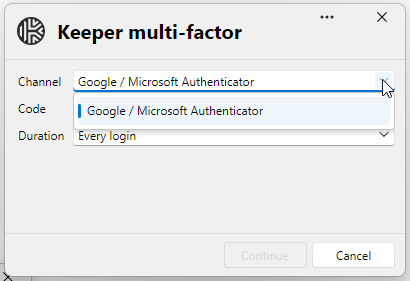
Kind regards
7296b1cf-fb5e-4b82-85a9-7d21b76ef1c5.png
Hello,
Could you please tell me more about your setup? Is your security key entered via the 'Two-Factor Authentication' menu shown here? And if so, which type of key are you using exactly?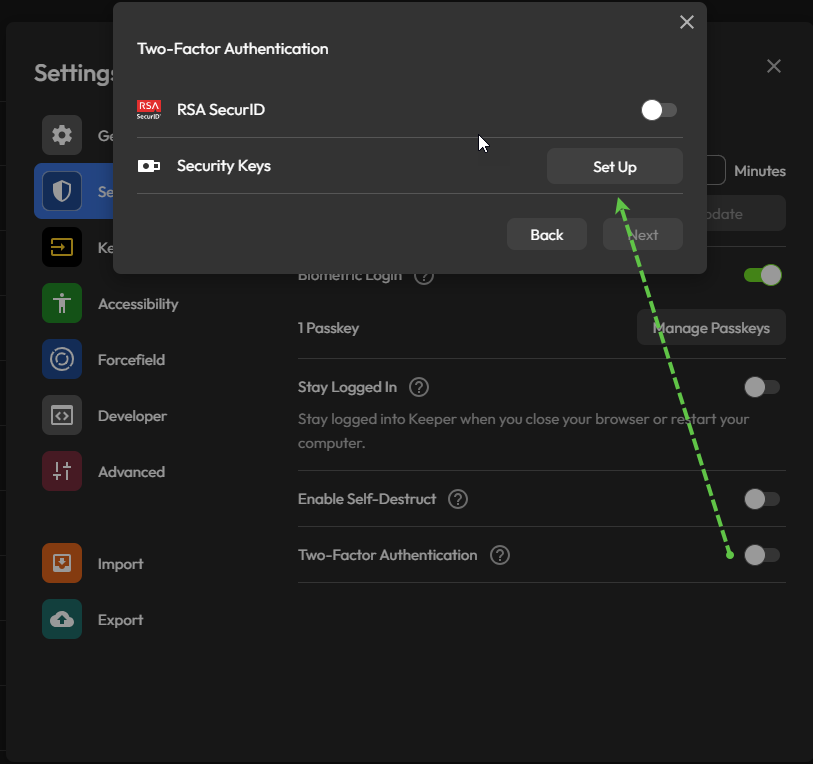
Thank you
Jonathan Del Signore
1e4faa2b-da10-4ed6-95e7-0740f69105e2.png
Thanks for your quick reply.
I am using a Yubico YubiKey 5 NFC.
Yes, it is setup as second factor in Keeper as shown on your screenshot.
90b656da-23c8-464b-bb67-c721b5b39943.png
Ok thank you. There might be an issue when multiple 2FA solutions are enabled. I'll do some testing and come back to you.
Jonathan Del Signore
I'm having trouble reproducing the issue. While I investigate further, could you please specifiy:
- The login type of your entry (Vault login, SSO, Domain)
- The cache mode you have set in File - Settings - Entry types - Credential management - Keeper
- This one is far fetched but worth confirming: Was your key added to Keeper relatively long ago, and could be considered as using the legacy UF2 protocol? I'm not sure how that would show up in keeper, as it doesn't seem supported anymore. But it might be worth a try removing and re-adding the key to make sure it's correctly registered as FIDO2.
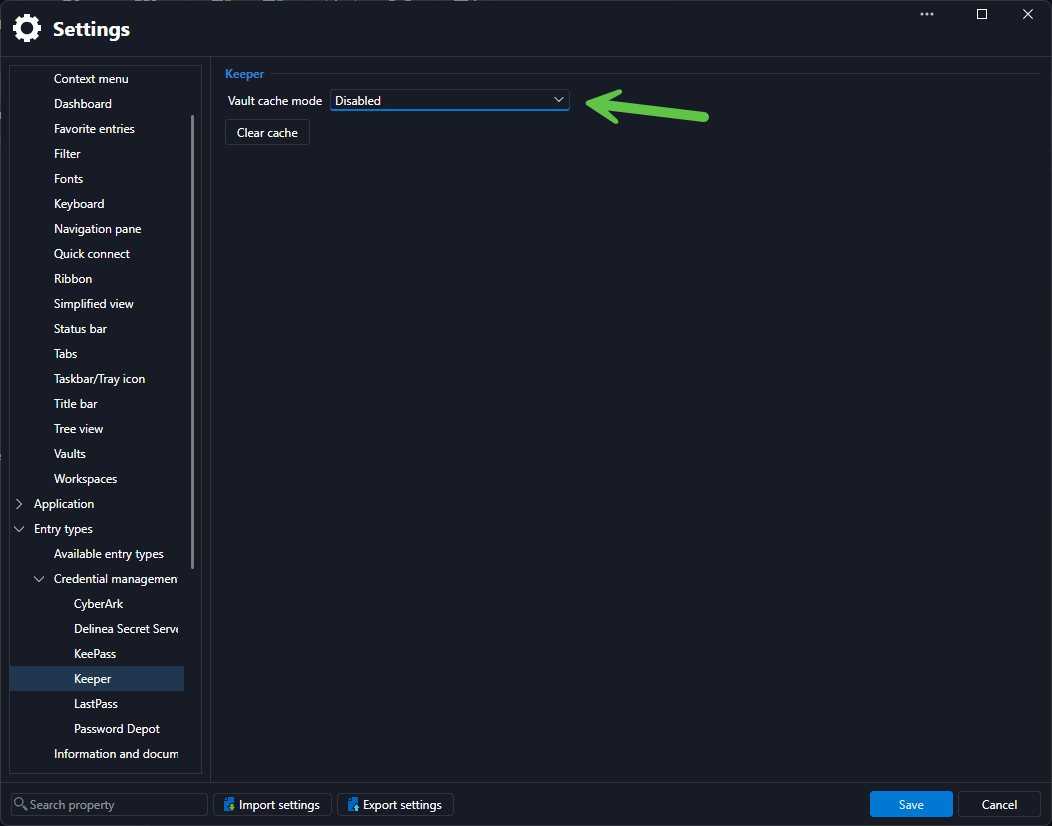
Thank you
Jonathan Del Signore
7bbbfc6c-9a5b-4cd3-a2e5-09f89cf392a0.png
Login type: Vault login
Cache mode: disabled (would like be able to set it to 15min,30min,1hour, etc.)
I readded the YubiKey but it did not change the behavior (previously I added it in nov 2024).
Additionally I also have a PIN requirement set.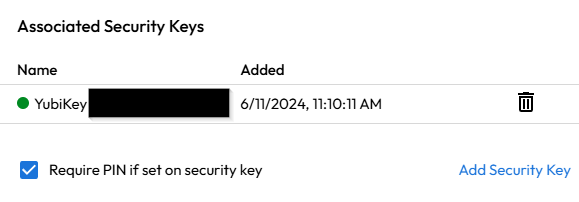
27fbb253-776d-4344-a37c-79213b23fe86.png
Thank you, I can reproduce the issue with a 'Vault login' account.
We'll investigate and let you know once a fix is ready.
Regards
Jonathan Del Signore
We have a fix ready, it will be included in version 2026.3.10.0
Regards
Jonathan Del Signore
Thank you very much for your quick help Jonathan.
It's really refreshing to experience such dedicated support.
Much appreciated!