password generator copy to clipboard doesn't work

Hi,
I am use version 2023.1.10.0 64 bits
I cannot copy generated password from password generator when I click on copy to clipboard button. Any idea? 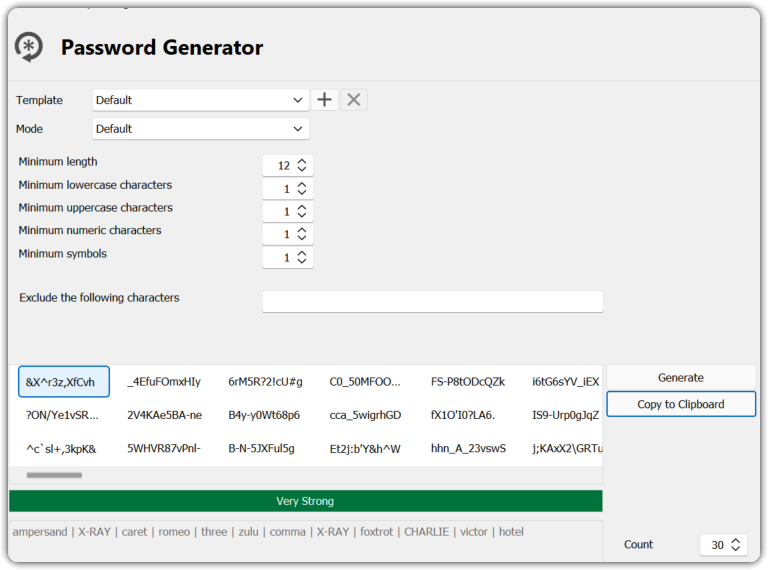
d9ff34bf-f898-4ba5-a28c-a807fc5867e0.png
All Comments (9)
Hello,
Thank you for reporting this behaviour.
What data source type are you connected to?
Could you please follow the instructions on the Clipboard Diagnostic article?
Let us know if that helps to solve your problem.
Best regards,
Érica Poirier
Hi,
It can paste to notepad, but it cannot paste into sublime text, anyway to solve this?
Hello,
Thank you for your feedback.
Our engineering team has improved the behaviour of the clipboard in the Password Generator dialog. This may help for your issue. This improvement will be included in the next RDM 2023.1.23 that should be soon released.
Best regards,
Érica Poirier
Hi,
I had a quick look at Sublime Text. The issue here is that when Sublime Text opens the clipboard but it does it without identifying itself. Since RDM can't identify the requester therefore the request is refused.
How do we do this? We call the GetOpenClipboardWindow function. In the case of Sublime we get NULL.
Remarks
If an application or DLL specifies a NULL window handle when calling the OpenClipboardIf the function succeeds, the return value is the handle to the window that has the clipboard open. If no window has the clipboard open, the return value is NULL. To get extended error information, call GetLastError
There is a workaround, you can disable this feature:
- Close RDM
- Find your
RemoteDesktopManager.cfgfile and add the following line to the file
<Option>
  ...
  <DisableClipboardNullRequesterCheck>true</DisableClipboardNullRequesterCheck>
  ...
</Option>
- Start RDM
- Test copy/paste
Best regards,
Stéfane Lavergne
Thank you, it works.
Thank you for the update.
We will expose the setting via the UI to make it easier for users to activate/deactivate the setting.
Best regards,
Stéfane Lavergne
Hi All, I've the problem my RDP is 2024.1.20.0 64-bit
I've set the flag "disable null requeste check" but I cannot copy the password. Do you have any suggestions?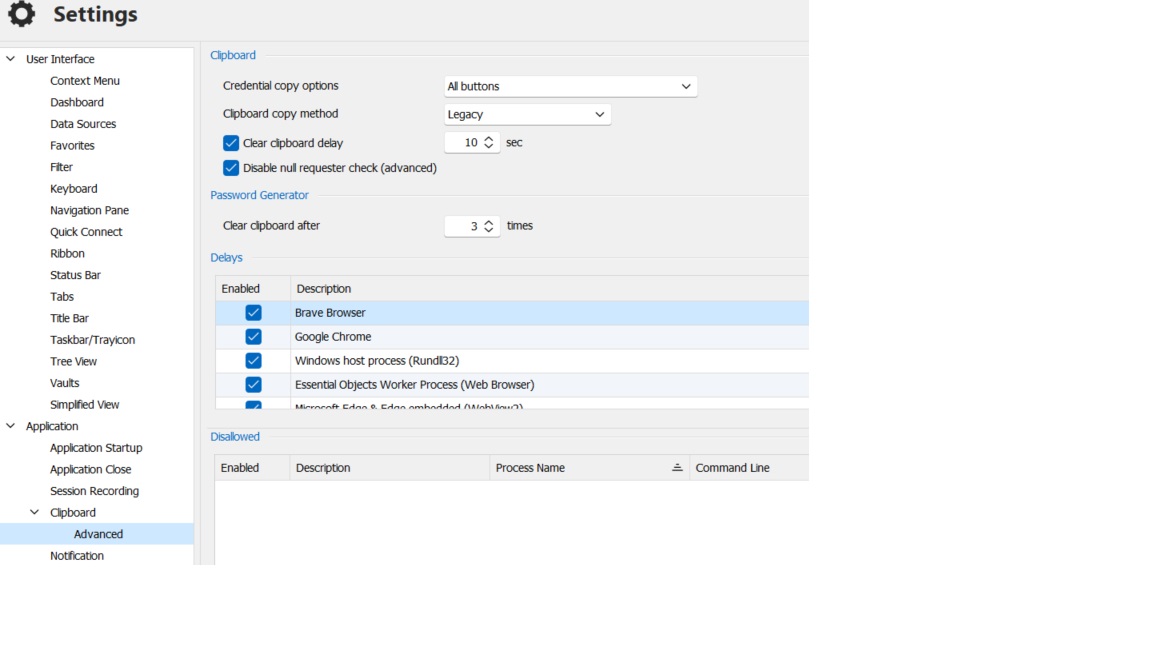
clipAdvance.jpg
@aldozeppa
- Open the Clipboard diagnostic window (
Help>Clipboard diagnostic) Debug(tab) (see below)- Click
Paste once - What process took the value from the clipboard
- In my case here, it's a process called
StorageExplorer(see below)
- In my case here, it's a process called
- Now decided what to do with it.
- Blocklist it?
Configuration(tab) >Disallowed>New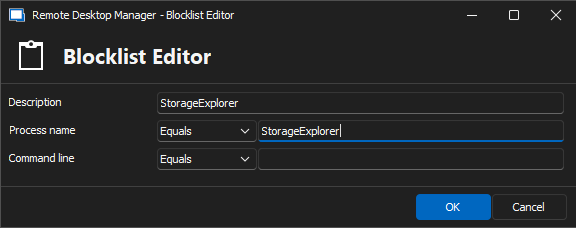
- Delay it?
Configuration(tab) >Delays>New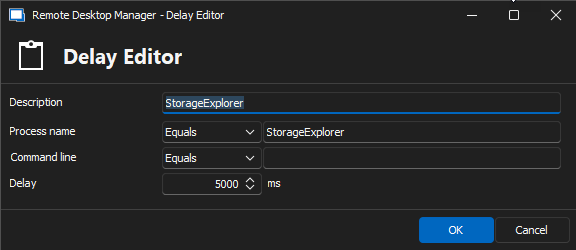
- Blocklist it?
- Go to the Status (tab)
- Clear both lists (right-click > Delete)
- Back to step #2
Best regards,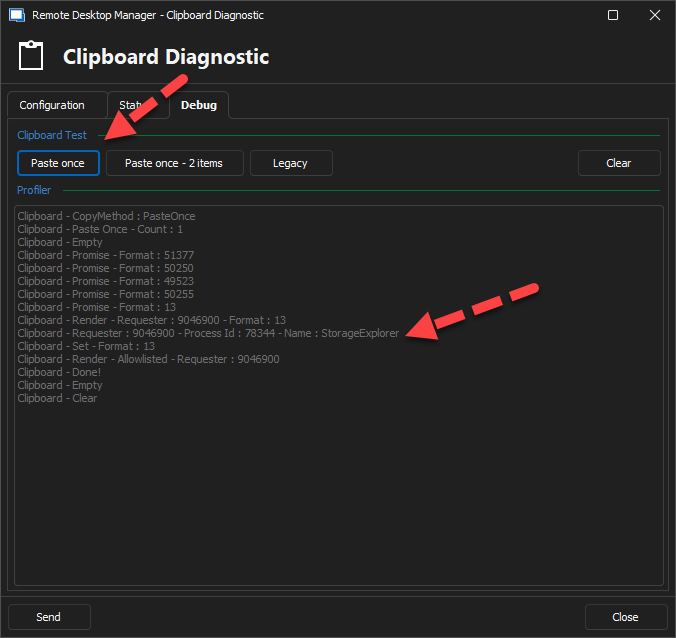
Stéfane Lavergne
bcc4adad-2640-49d4-8030-261242b22f88.png
dd6a6a05-1cd6-4b30-95c5-886a4c6f6eb2.png
8dfd1cee-2557-42c0-a471-d73061cde861.png
Thanks Stéfane,
in my case was an other process: DesktopExtension I've excluded it and now work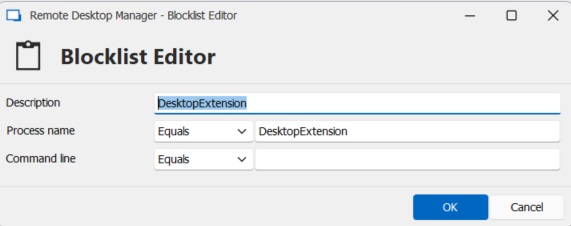
blocklist.jpg