User Specific Settings

We use Remote Desktop Manager with User Specific Settings to log in with Named accounts.
Now we want to know which user uses these USS in specific entries, not the information itself.
Is there a way to get this information out of RDM?
All Comments (3)
Hello Rvandommelen,
Thank you for contacting us on that matter.
RDM has a good feature that is called Activity logs, in this one, you could see all the traffic in your database.
This information is under View -> Activity Logs.
For your User-Specific Settings, the user name could be consulted at the end of the list under the tab (Connection User).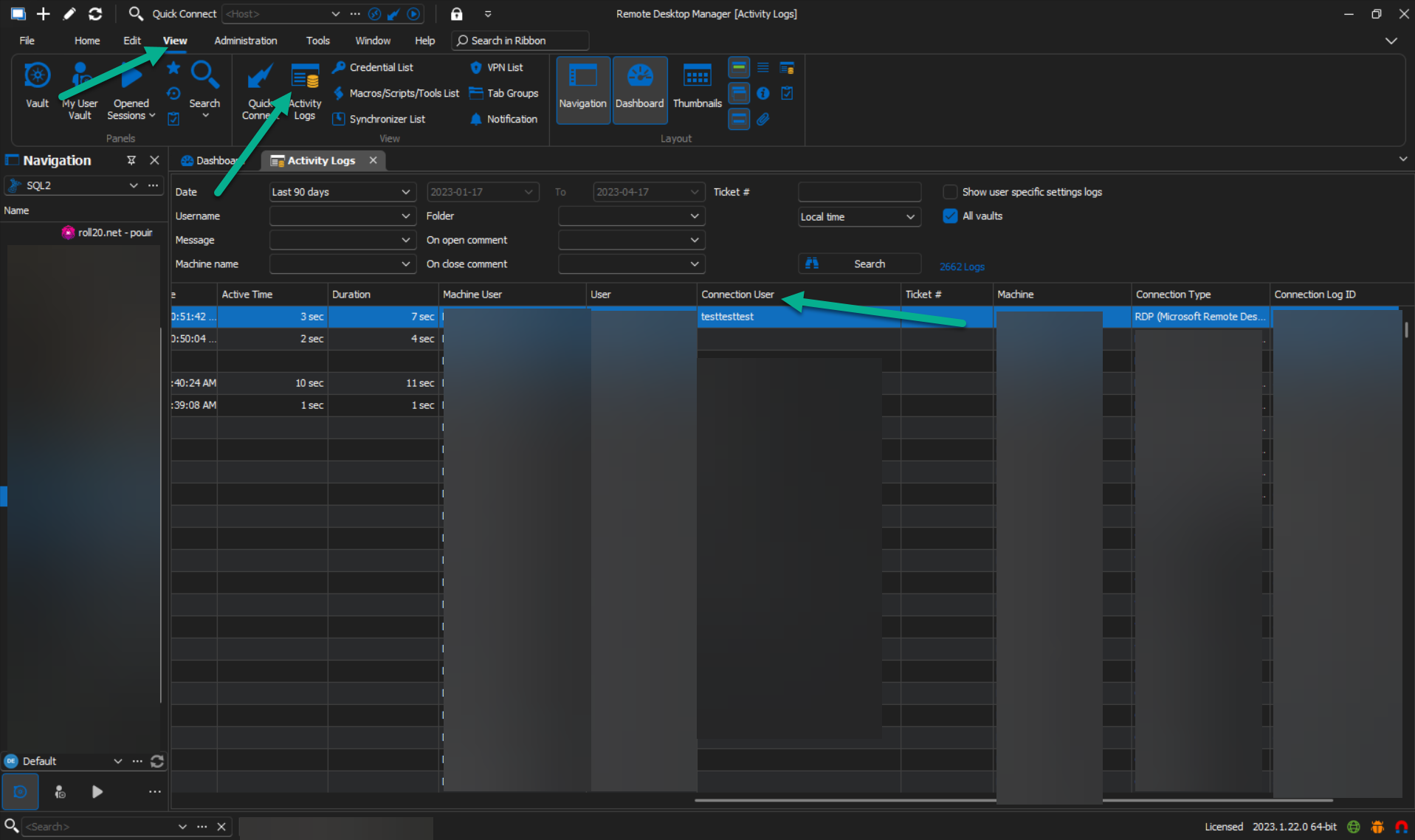
Let me know if a can do anything else for you.
Best regards,
Patrick Ouimet
activity.png
Thanks for the reply. This helped me to get information from our users in RDM.
I will elaborate on the issue.
We have ±40 users which use RDM with +200 entries. Some entries have named accounts which are user specific.
The user enters the information in the User Specific Settings and is able to connect with these credentials.
Me as an administrator can't access these settings, when the user leaves the company we need to create a list of named accounts the user has. We don't need the credentials themselves but the fact that from a certain connection User Specific Settings are entered for that user. Is this in any way possible?
Hi Rvandommelen,
Thank you for getting back to me.
Just to clarify, the "Connection User" column in the entry refers to the User Specific Setting credential used by the user. As an admin, you can view all the information in the log.
To give you an example, I have named my username in the entry as "UserSpecificSetting" and there is another username called "test".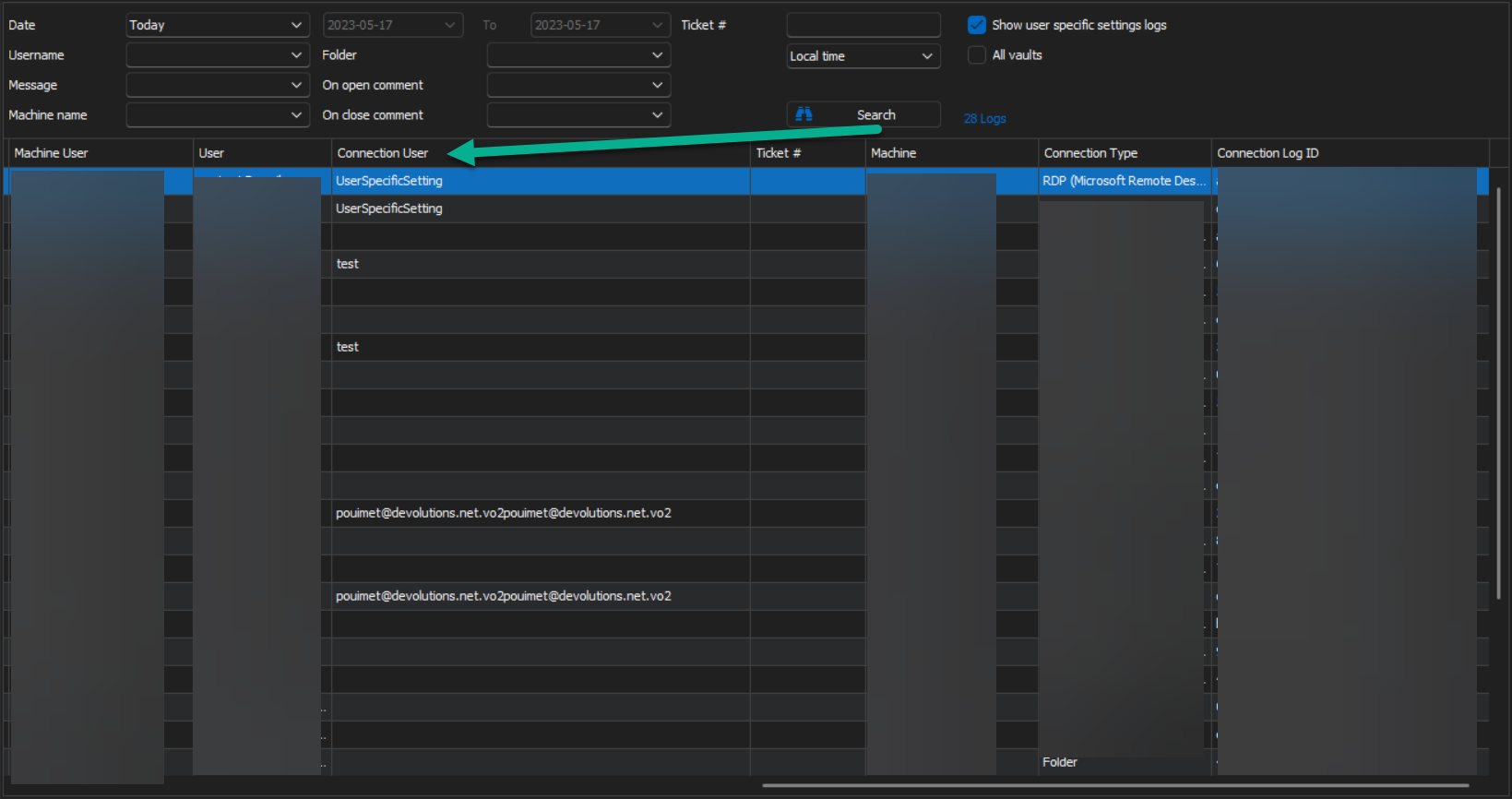
Also, please keep in mind that the log can be filtered by username, machine name, and folders.
Hope this helps!
Best regards,
Patrick Ouimet
userspecificsetting.png