Everything gone after update

Hey,
I just updated from version 2022.02 to 2023.1.20.0 and as the title says it, everything is gone. All the passwords, all the connections I created, just gone.
I tried to follow this topic but I couldn't find a connections.mdb-file anywhere.
https://forum.devolutions.net/topics/864/all-connections-gone
I looked on the whole C-drive and well I didn't find any mdb-file when I searched for *.mdb.
Each time when I opened the program it asked for a master password which I gladly entered when needed and I even stored some entries where had to reenter my password each time, just to be safe. Sadly I have no idea where to look now and I kinda knew I should have waited with the updates but well, updated to be rather safe then sorry. :/
Any idea for me on what to do now?
All Comments (9)
Hello,
There seem to be an error in David's answer, I believe he meant connections.db* which would be located under %LocalAppData% - Devolutions - RemoteDesktopManager/RemoteDesktopManagerFree
If you are using the Free edition, you can the content of %LocalAppData% - Devolutions - RemoteDesktopManagerFree and move it to %LocalAppData% - Devolutions - RemoteDesktopManager (You can make a copy that last folder beforehand, in case anything goes wrong)
Best Regards,
Etienne Lord
Hello,
There seem to be an error in David's answer, I believe he meant connections.db* which would be located under %LocalAppData% - Devolutions - RemoteDesktopManager/RemoteDesktopManagerFree
If you are using the Free edition, you can the content of %LocalAppData% - Devolutions - RemoteDesktopManagerFree and move it to %LocalAppData% - Devolutions - RemoteDesktopManager (You can make a copy that last folder beforehand, in case anything goes wrong)
Best Regards,
I tried that earlier and it just gave me an error message.
"The upgrade failed, please make sure the user has the required privileges on the database server to perform the modifications.
file is not a database
file is not a database"
Sidenote, I'm the admin.
Also when starting the program, it asks me "Create Your Data Source", Local, Online or Team are the options. I'm sure I stored my entries all locally. Not a fan or storing everything in the cloud. And when pressing Skip or local I get the same error. :/
Hello,
Could you send in a screenshot of the error message? I will investigate on that.
And just to confirm, if you head over to File -> Data Sources -> Edit Data Source (Pen Icon) and click on the [...], you should be able to fetch your connections.db file, could you try that? 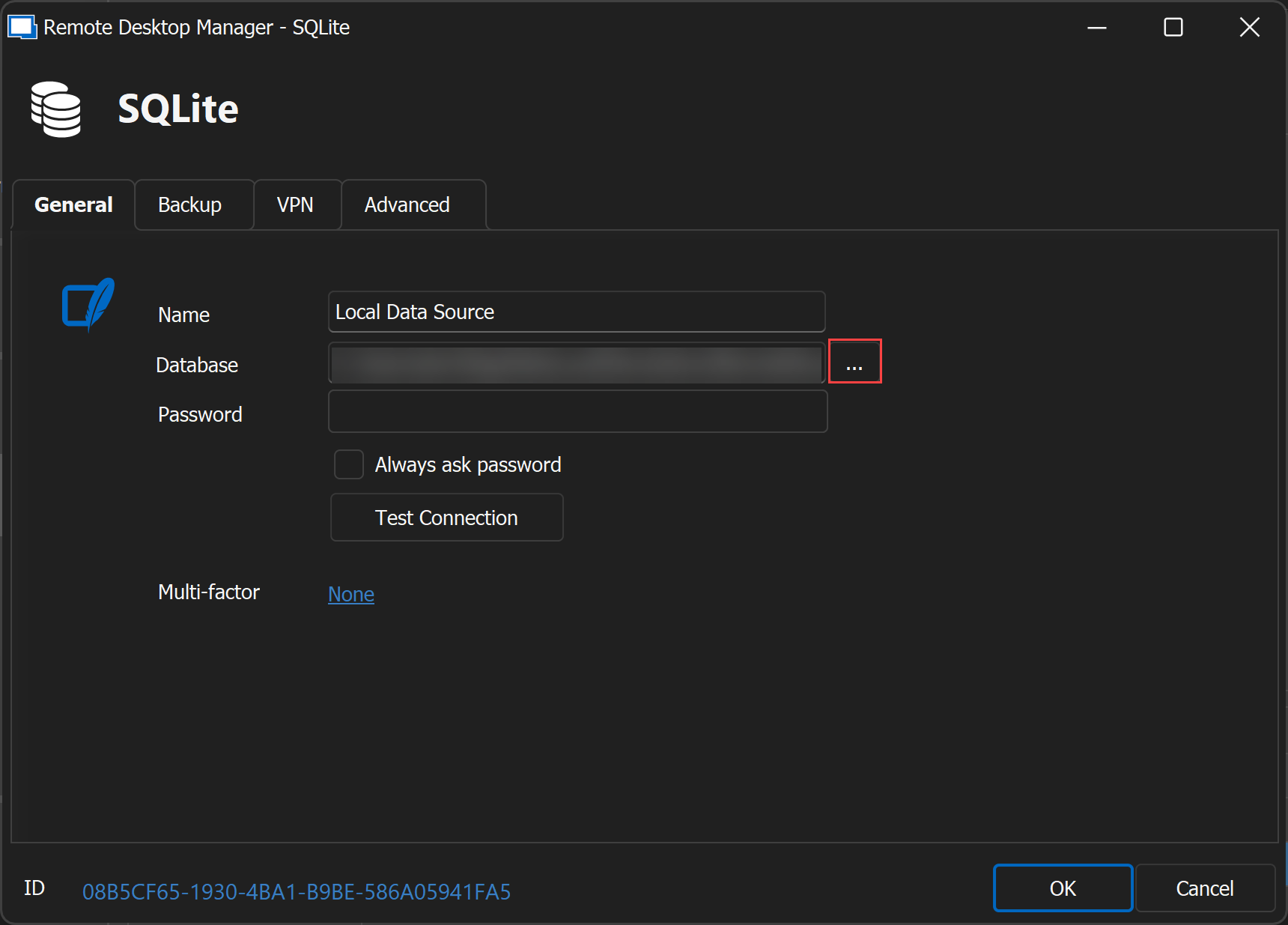
Best Regards,
Etienne Lord
ab2baaff-b7b7-48c2-af64-46af2879fb6b.png
It's weird. When I add it manually like you said, it worked. But when I restart the program it goes the same as before. It doesn't even ask me for the password that I've put. As if it's going back to being unconfigured. :/
I also can't find any safe button to store the current settings.
Here are the screenshots you asked for.
Step 1 on startup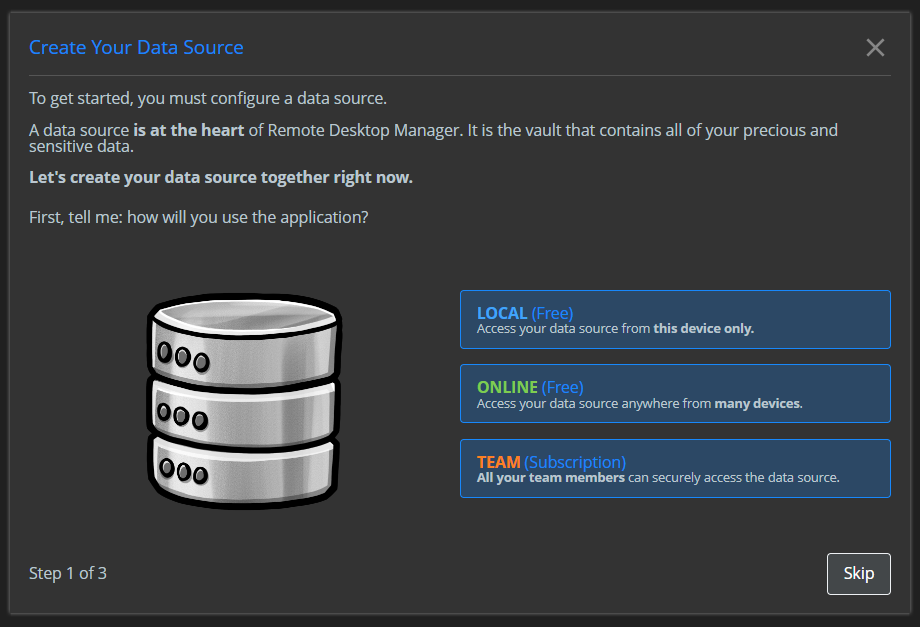
Step 2 on startup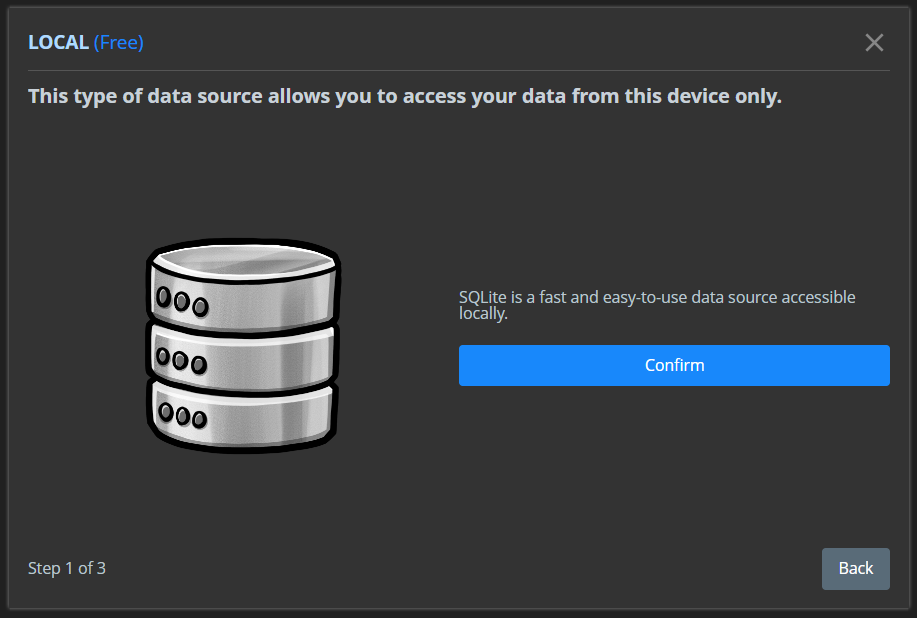
Step 3 on startup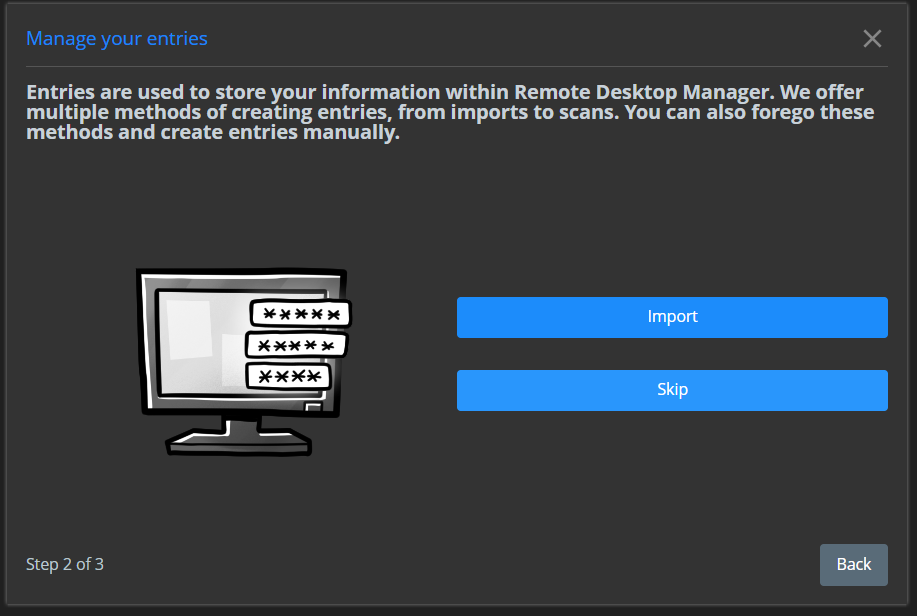
Step 4 on startup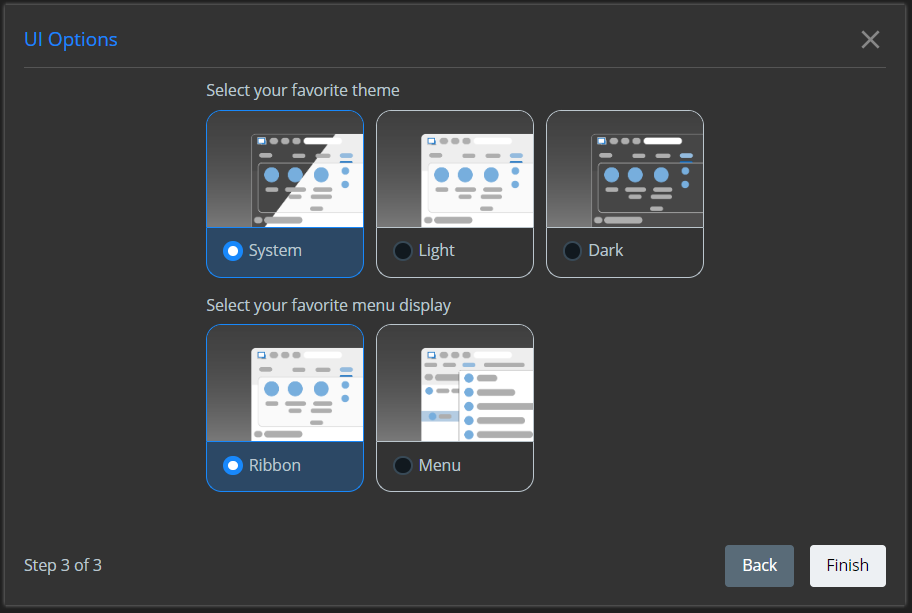
Step 5 on startup (error message)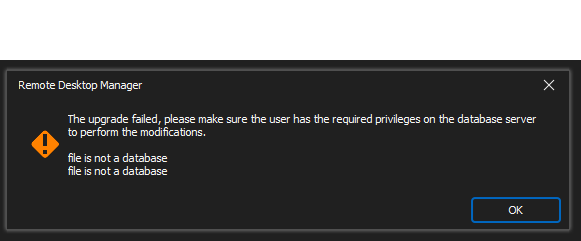
Remote 5.png
Remote 4.png
Remote 3.png
Remote 2.png
Remote 1.png
Hello,
I would like to have a look at your case with a Remote Session, I created a case on our ticketing system and will send you a link to schedule a session!
Best Regards,
Etienne Lord
Sorry. Since it's on a company PC I cannot give you access to my workstation where I'm using it. I suppose I will have to remove everything and start from scratch with setting this up since I'm using the free version. :/
So unless I can do the things you need to do for you without connecting, I will have to decline the remote session. It's the best I can do for you if you want to further analyse the issue.
Hello,
Not a problem, I will continue to investigate and come back to you!
Best Regards,
Etienne Lord
Hey,
Got an update. The issue is now solved on my end. But I don't know what exactly solved it.
What I did was remove the program all together. Downloaded the latest version (Setup.RemoteDesktopManager.2023.1.25.0.exe) from your website (https://devolutions.net/remote-desktop-manager/home/download) and installed it.
Next I opened it. Closed it. Went to Appdata Local. Renamed the new Devolution folder. Renamed the first old folder, opened, same issue but without the setup prompt. Renamed the second old folder, opened, same issue but without the setup prompt. Created a copy of the new folder and only copied "Connections.db" into the new folder. Then it still had one issue, where it didn't open right away. I enabled File > Data Sources > Always ask password. Clicked OK. Entered the password. Restarted the program. Problem solved.
My guess is, something broke during the update from Version 2022.02 to now and it prevented a proper setup. Still got all the files from the appdata folders. Not sure if they might be of any use for you. Of course I would need to remove any company related details like names, etc.
Hello,
Glad that you were able to find the solution. I do not believe I've seen the error that you receive in the past which is why I was a little confused here. We did some big changes from 2022.3 to 2023.1 so I do not believe this would occur again. I will mark the forum as resolved but do not hesitate if you have any further issues!
Best Regards,
Etienne Lord