Password cannot be copied when opening a PowerShell to Exchange Online
Password cannot be copied when opening a PowerShell to Exchange Online

Hi RDM Support,
when I establish a PowerShell connection to Exchange Online the Microsoft login dialog comes up (as it should), now when I open the context menu of the connection in RDM to copy the stored password the context menu closes immediately so I can't copy the password.
Regards
Jens
All Comments (4)
Hello Jens,
Thanks for reaching out.
Can you provide us with the RDM version and the data source type please?
Can you see if File > Options if disabling "Auto Focus Dashboard" would help?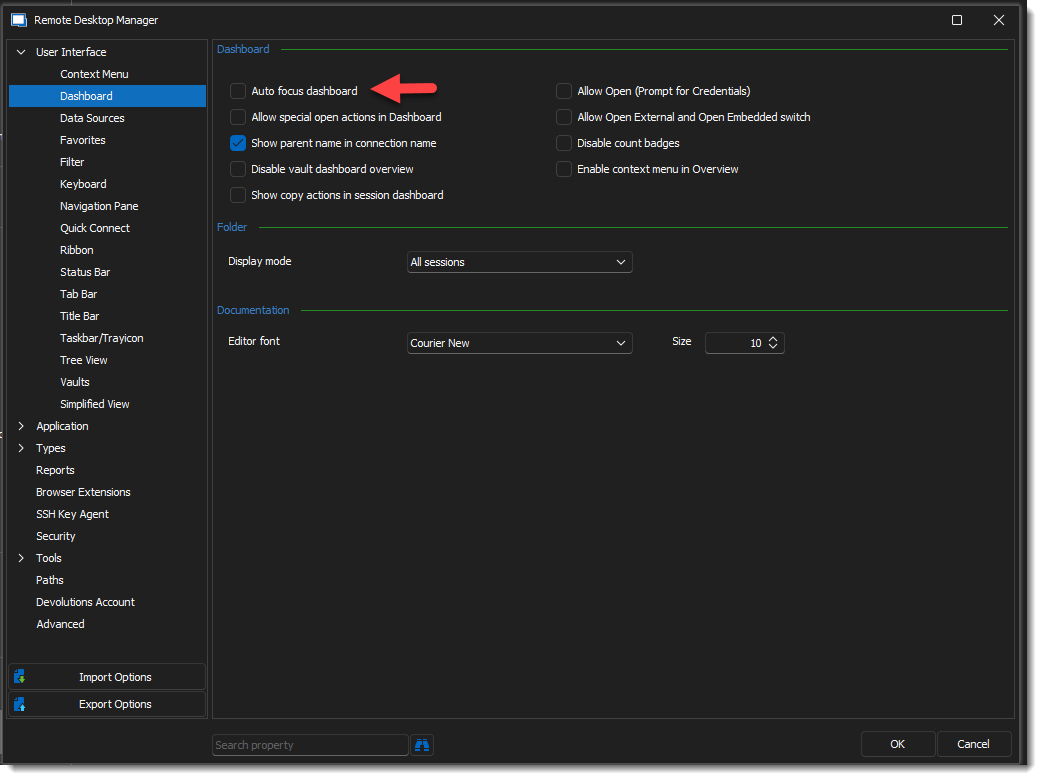
Thanks for letting me know.
Best regards,
Alex Belisle
2023-04-11_12-50-12.png
Hello Alex,
we use the current version 2023.1.20.0 with Azure SQL as data source.
File > Options disabling "Auto Focus Dashboard" does not change the behavior.
Best regards,
Jens
Hello Jens,
Sorry for the delay, I can't replicate the issue on my side.
It seems like the PowerShell Window is stealing the focus from RDM.
I will open a case for us to exchange more sensitive information, and maybe perform a remote session to see what's going on.
Stay tuned!
Best regards,
Alex Belisle
Hello,
After investigating, we could fix the behavior by using PowerShell 7 instead of 5, and combining the "Auto Focus tab on item select" and "Auto Select Item on tab focus". (Both from the File > Options > User Interface > Tree View, in the Option Grid)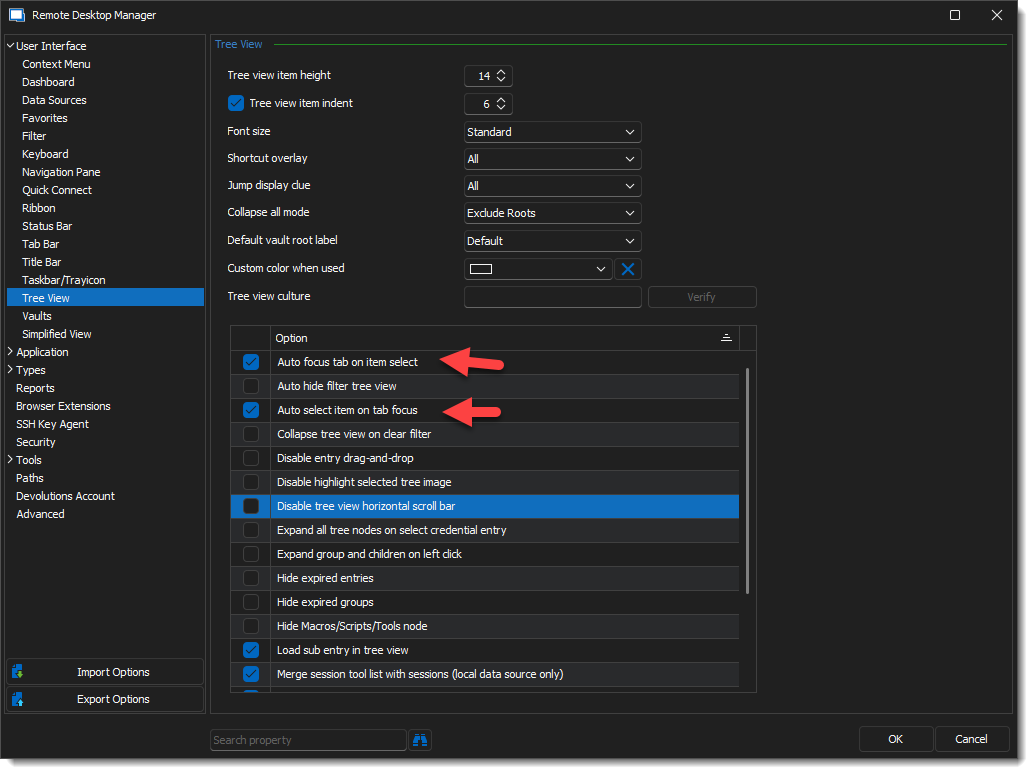
Glad I could help!
Best regards,
Alex Belisle
2023-04-24_13-44-01.png