Migration to newest RDM-Version not showing up any connections
Migration to newest RDM-Version not showing up any connections

Hello,
I bought a new license and wanted to migrate our MySql-Database to the newest version of RDM. So I installed the newest RDM on my PC and was asked if the database should be migratedt. It proceeded without errors. But after migration there were zero connection-entries. I had a look in the mysql-database "connections" and all entries exist.
Any hints appreciated.
All Comments (4)
Update:
If I add new entries to this empty data source, they also do not appear.
In the trash bin I can see deleted connections (which were already deleted before the migration).
Hello,
Thank you for contacting us on that matter! I have also noticed that you have opened a support case with us as well.
This issue has been reproduced by our engineering department and they are currently working on a fix. Until then, there are 2 ways to fix this:
1- Restore a backup of your database and perform the database upgrade once more but this time, choose "No" when you will receive the "Version Management Window"
2- Go to Administration -> System Settings -> View History: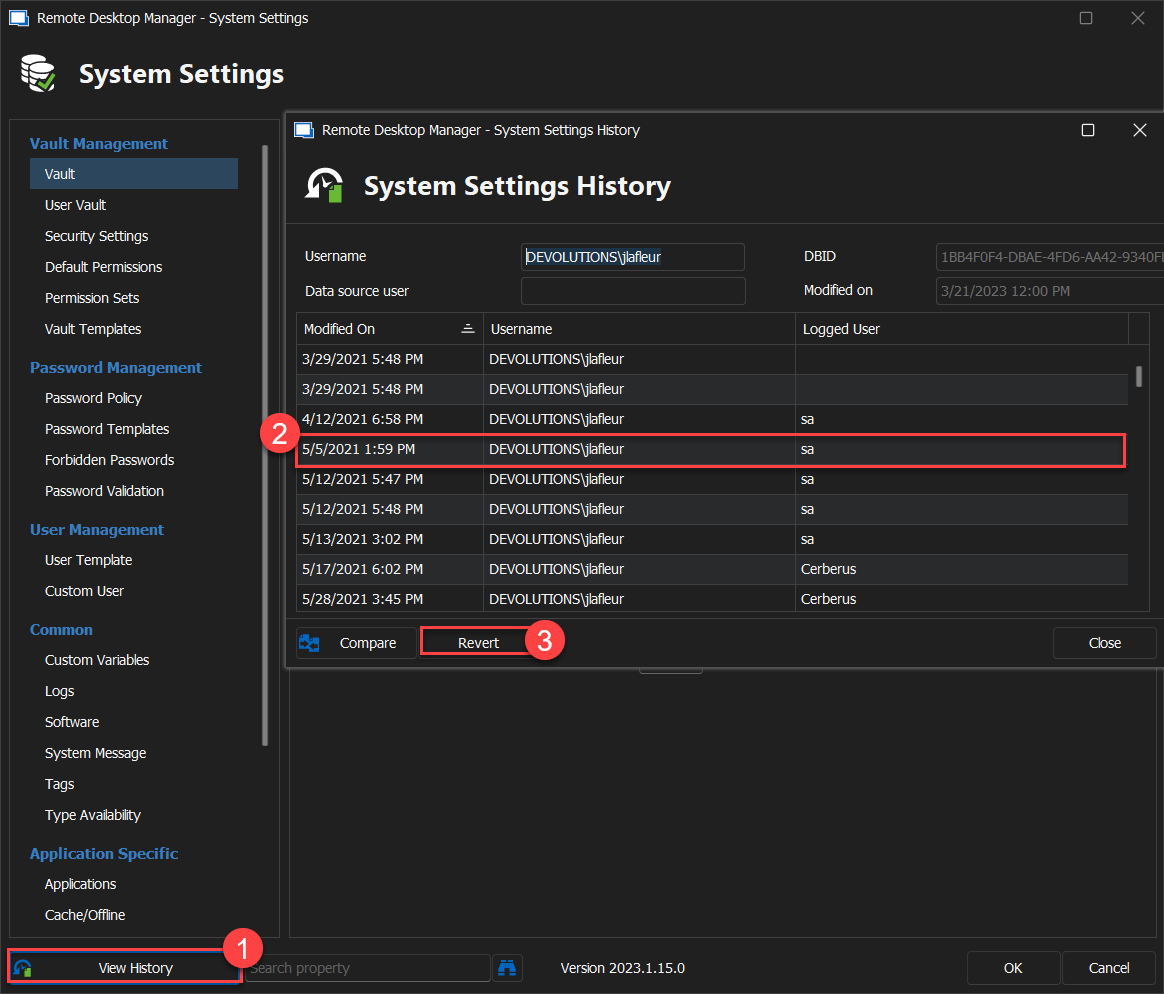
Then, select a date before your database was updated and press "Revert". Once this is done, you should have access to your entries.
Let me know if this works for you.
Best regards,
James Lafleur
2023-04-11_08-27-38.png
Hello James,
thanks for this solution! It worked well for us.
Our MySql-Database is now up to date. Next step is to migrate it to Azure SQL...
Hello Jens,
Thank you for your swift reply! I am glad to see that it worked for you.
To help you with your migration, I would recommend consulting this link: https://docs.devolutions.net/kb/remote-desktop-manager/how-to-articles/sql-server-database-migration/
Let us know if you require further assistance.
Best regards,
James Lafleur