Load from System Information
0 vote

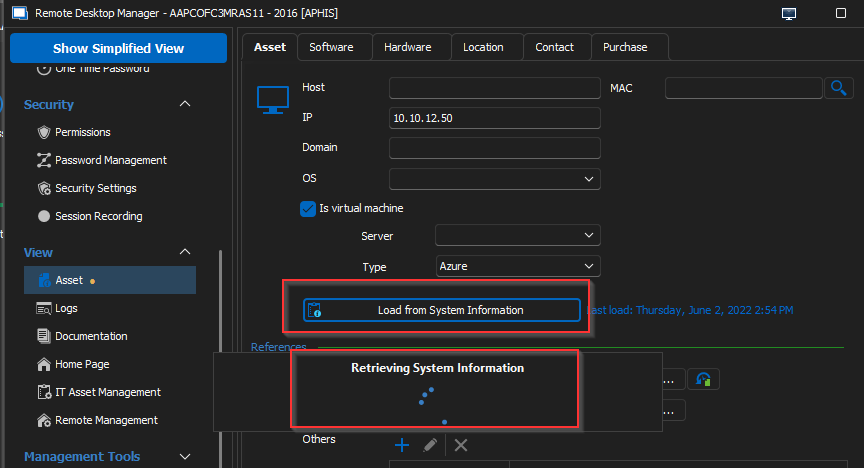
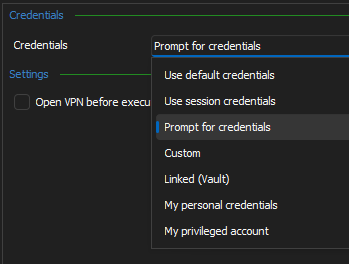
On an RDP Session, under Properties, then "View" there is an "Asset" tab where one is offered the option to “Load from System Information”. Please add and option under the "Tools" section to force, when the “Load from System Information” button is clicked, to use a "Smart Card" to connect to the computer/server and pull the System Information.
All Comments (3)
Hi,
Do you wish to use smartcard credentials for a user other than the current one? This uses WMI under the hood, which *should* work just fine within an interactive session using smartcard credentials. As for creating a new user context using smartcard credentials, I would be surprised if we ever tested this scenario, so it is unlikely to work.
However, if there's one thing I know about smartcard authentication in Windows, is that it requires Kerberos to work correctly, and I see from your screenshot that you're connecting using the IP address of the host instead of the fully-qualified domain name. Using the IP address instead of the FQDN will cause a downgrade to NTLM, so maybe try using the FQDN to see if you're getting a different result?
Best regards,
Marc-André Moreau