execute powershell commands in Windows Terminal session?

I want to run something like
Connect-ExchangeOnline -UserPrincipalName $USERNAME$
when starting a windows terminal session but I get
[process exited with code 1 (0x00000001)]
a powershell session in windows termin inside RDM runs perefectly. what am I doing wrong?
All Comments (11)
Hello perler,
Do you want to run the cmdlet as an "After Open" event? If possible, provide us with a screenshot of where you want to execute it.
Can you also confirm if you are on Win10 or Win11? Are you using PowerShell 5.1 or 7?
Best regards,
Richard Boisvert
yes, I would like to start powershell and connect directly to exchangeonline (in this case).
it's windows 10 and 11 (two installations) and powershell 5.1.22621.963
Hello Perler,
Unless the Terminal or the PowerShell window is already open on the machine you are connecting to, or that it is set under the startup of the machine, it would not be possible to send the command if you want it to run on the machine.
If the window is already open, you could use {WINDOW:???} to switch the focus to the window in the after-connect macro section and then use Connect-ExchangeOnline -UserPrincipalName $USERNAME$ . For more information: https://docs.devolutions.net/kb/remote-desktop-manager/how-to-articles/entry-types-events-settings/event-auto-typing-macro/
You could use PSRemoting or Invoke-Command in the after-open event, but nothing would be displayed on that machine, it would just run in the context of that machine.
Best regards,
Richard Boisvert
ok, I am not quite sure I understand the reasoning here. What prevents RDM to run powershell.exe in a windows terminal, wait until it is loaded and execute the cmdlet?
Hello Perler,
The issue is starting the PowerShell after you have established the connection to the remote session. Typing macros are available, but we cannot send the Windows key.
Best regards,
Richard Boisvert
ok, either I have a misconception here or I am asking the wrong question :)
As I see it, the windows terminal session (this thing: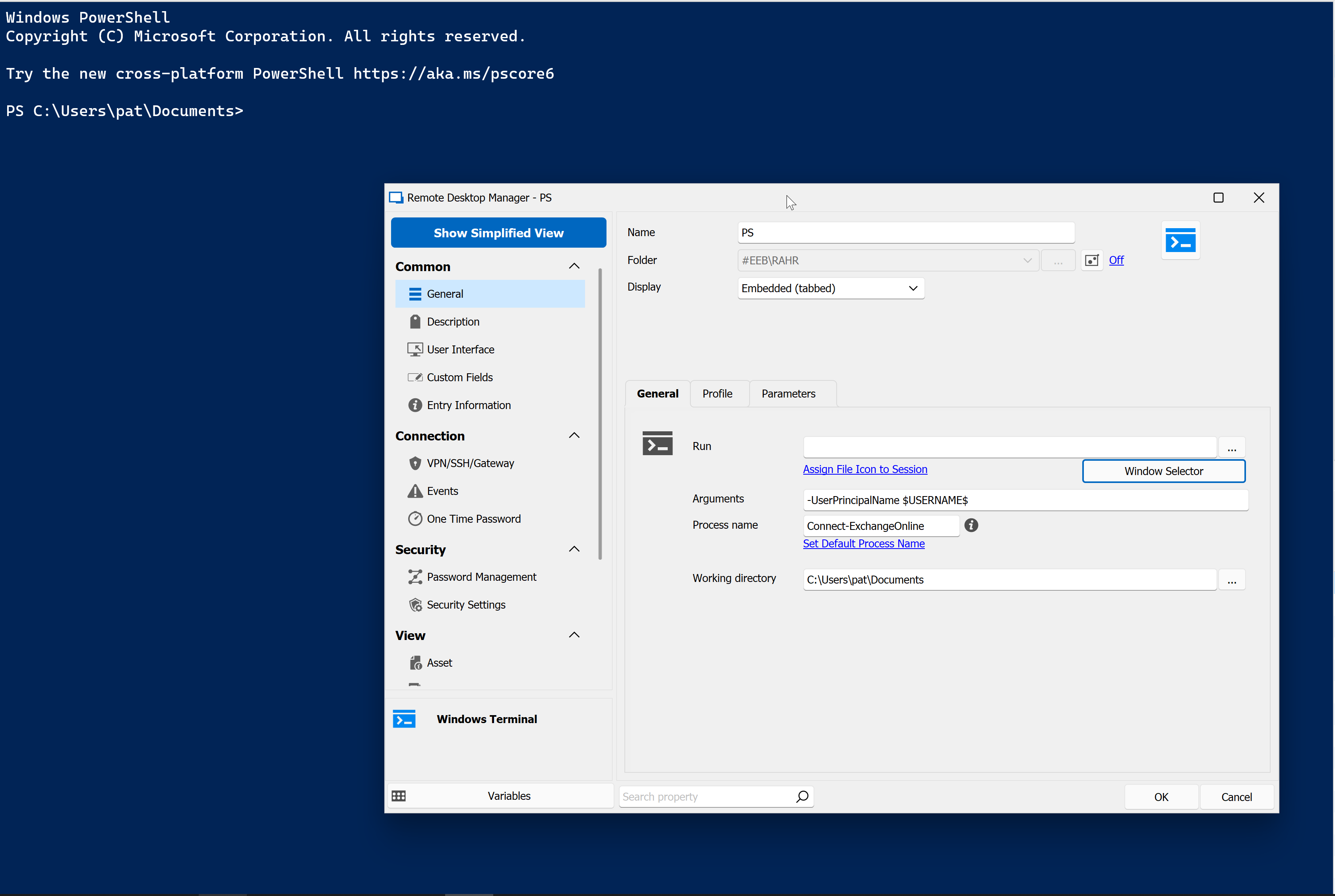
is running locally and I just want to execute some commandlets in it.
are we talking about the same thing?
73ae73f8-b96b-405d-b09c-a66bd6fa0dda.png
Hello Perler,
My misunderstanding, I thought you wanted to establish an RDP session to a server and then launch PowerShell and then execute the cmdlet.
In your case, you could simply use a PowerShell session. The Windows terminal is more to launch an executable or a script.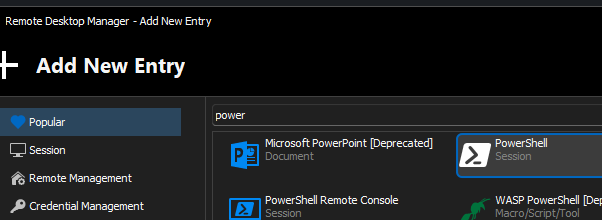
And then put the script you want in it: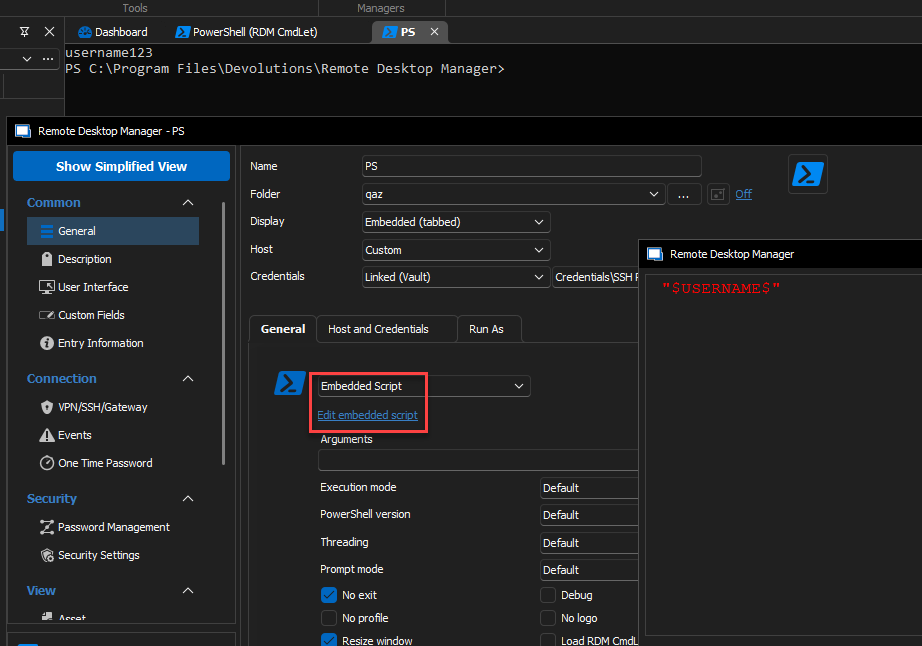
Best regards,
Richard Boisvert
cec44517-da0e-45c7-8acc-b8f6fa7d01d0.png
339594f4-5493-4c4a-a25a-b71c4b539765.png
Hi,
I think I understand where the confusion is, so tell me if I got it wrong: are you looking for a way to inject a command, with variable substitution, inside the new PowerShell terminal launched within Windows Terminal, as if you had manually typed it in? the "Arguments" field here is really mapped to what is passed to Windows Terminal as the initial command, so if you're launching pwsh.exe, it will expect PowerShell command-line arguments. We have ways of injecting commands on startup for other connection types, with variable substitution, but this field isn't one of them.
I will inquire with the developer that worked on the initial Windows Terminal integration and see if there's currently a way to achieve this, or if we'd need to make further improvements to support that properly. For now, can you confirm that this is what you were trying to do?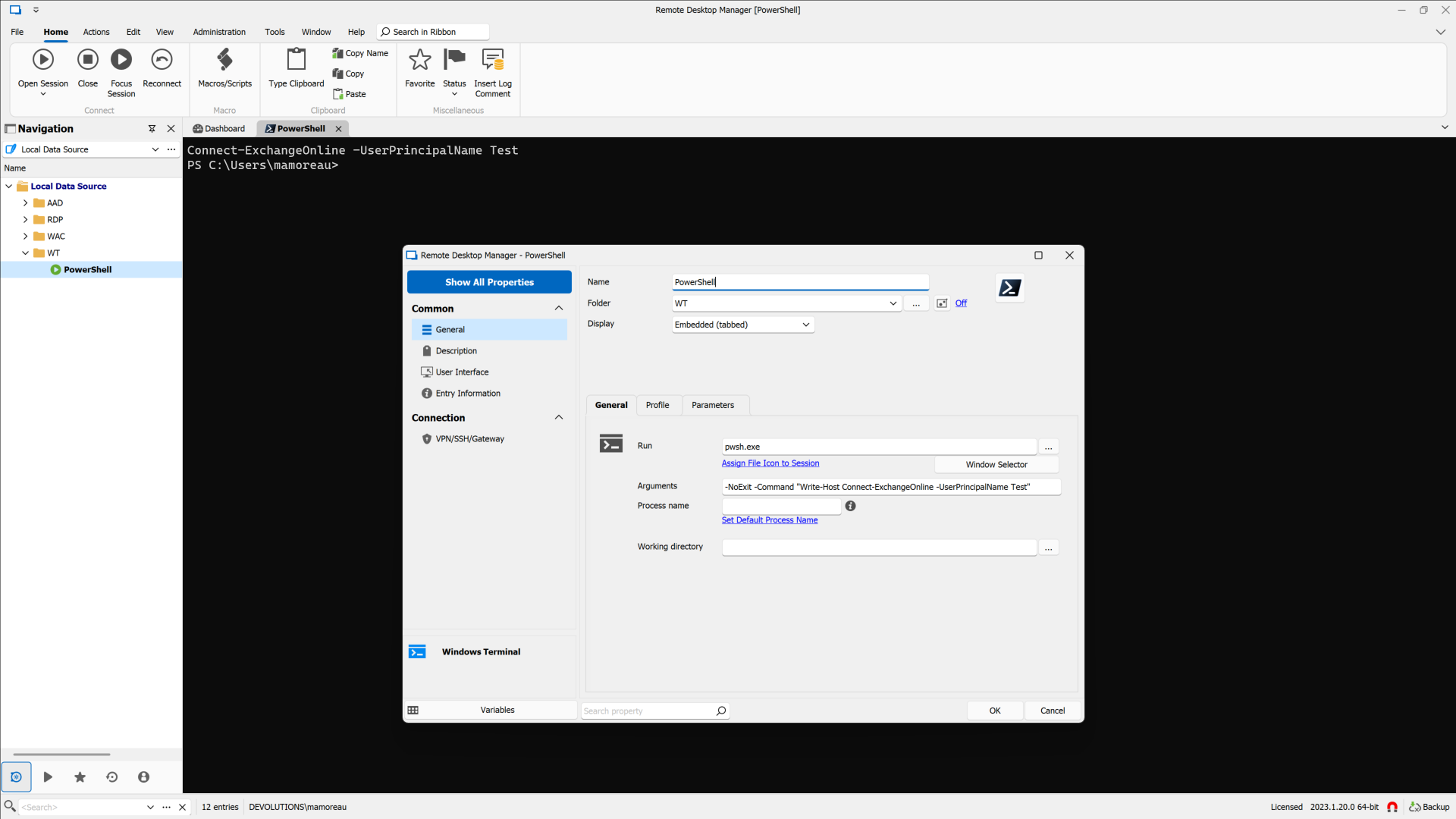
Marc-André Moreau
be213e3b-ad50-4321-8ee2-8ee57f765d74.png
yes! this is exactly what I want to do, so, please have a look at a possible implementation there. a powershell session is an alternative but it is not very elegantly implemented (not RDMs fault, but it's just not made for integration I assume) so I would really like to use the shiny new windows terminal here. especially as windows terminal can directly access WSL sessions so I could execute shell scripts in an ubuntu session!
Hello,
We have a ticket opened to let you decide which type of terminal (conhost or Windows terminal) you want to use alongside a Powershell session.
We'll increase the priority and let you know as soon as we have an update.
Regards
Jonathan Del Signore
ok, I gave this a spin in the new 2023.2.9.0 (and I think it would have worked in 2023.1 as well, but I didn't find the time) and it works kind of with this setting: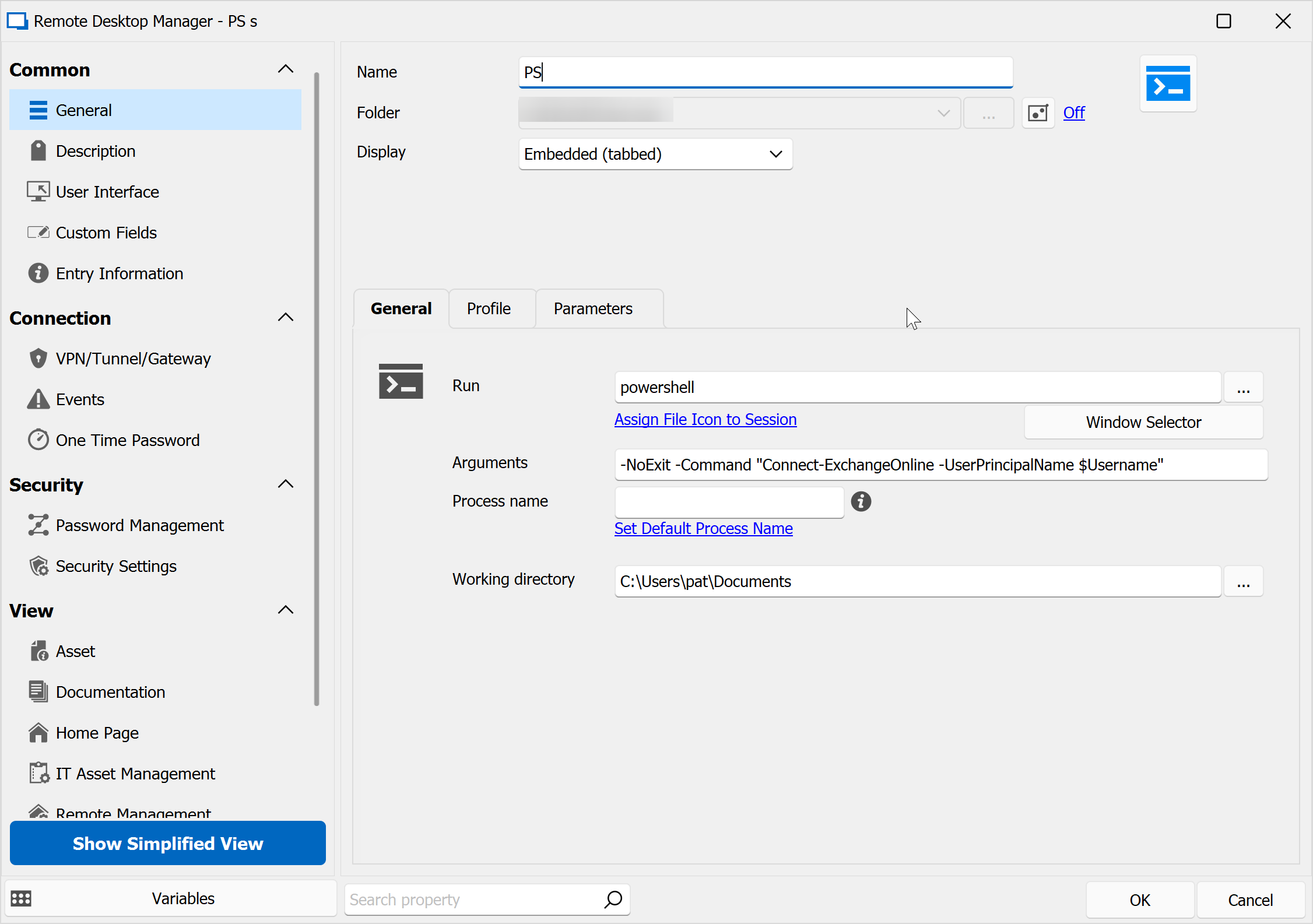
the problem is, that the powershell session started seems to be global. So, if I have twp such sessions in RDM and I log into exchangeonline with identity A in the first session, I will be logged into the same identity in the second powershell session.
would it be possible to have seperate powershell sessions similar to how this is handled in edge web sessions sind 2023.2 where each session has it's own identity?
f24c9e86-4475-44bf-b8fa-f6996c2822af.png