Import document/database variables via JSON
0 vote

Hello,
I have a powershell script that will read an Excel workbook and then outputs a JSON with all the appropriate connections i need (SSH, Web, Credentials, Folders, etc) for importing into RDM. It works great. In my use case each JSON document is a SQLlite database 1:1. Each database is a customer's worth of servers/credentials/etc.
I would like to add importing of document variables. This could change between JSON imports/customers. So it has to be document based, not application based. I have it working manually--I have $<VARIABLENAME>$ in the connection string and it imports fine. I then manually create the variable and it works.
But I cant figure out how to import a variable. I've tried to reverse engineer it and export the document with the variable to JSON, but it doesnt seem to export either.
Am i missing something or is this not possible?
FYI: I'm importing on both Mac and Windows, but the variable is mostly for use on Mac. I am using IPv6LL addresses and on Mac it requires appending the "%enX" number for for your ethernet adapter. (Windows seems to manage with just the IPv6LL address). The enX changes depending on which USB adapter i use. Sometimes it's en8, en10, en14, etc. So a variable with this would be great. (i'm not sure if MacOS permanently assigns the same enX to USB adapter everytime you use it)
The connection string i create in the JSON is like this:
fe80::1234:56ff:fe78:9ABC%en10
I would like to create
fe80::1234:56ff:fe78:9ABC$INTERFACENAME$
And then import a variable $INTERFACENAME$ as "%enX" as part of the JSON. Then i can change it in one place across the whole document.
Thank you!
All Comments (22)
Hello,
Would it be possible to provide us with the PowerShell script and a sample Excel file so we can test it on our end? If you prefer, you can send them to service@devolutions.net.
Best regards,
Richard Boisvert
No. This is just part of a much much much bigger script. And I don't see how or why it's relevant.
The question is not about PowerShell. The question is what is the syntax for importing document level variables via JSON regardless of how that JSON is derived.
Do you support importing variables as part of the JSON import?
I don't see them when I manually create them in a database and then export that to JSON.
Hello,
Could you confirm where the variable is located in the document entry? Is it in the path when using the a "link to file"? I did a quick test and if there is a variable at that level, it does not seem to be supported.
Best regards,
Richard Boisvert
I'm not sure I understand your question.
Here is what I'm looking for. Maybe asking it the wrong way. Not in front of a computer to add screen shots. Sorry.
- Create new sqllite database
- Create at least one object. Anything. Folder ssh rdp etc
- Right click on top level folder and go to properties. Then variables bottom left of dialog box.
- Add and define variable. This variable should be able to be used by any object in the document.
This is the variable I'm talking about. How do I import a variable (along with all the ssh objects created by my script) into a blank database?
If it's not possible, can you make a feature request for it?
Can we import variables attached to lower level folders?
Hello,
The custom variables cannot be exported or imported at this time. I have moved your request to the feature request section of the forum.
Best regards,
Richard Boisvert
Ok. Thank you for the assistance and checking on that.
Hello,
I have discussed your query with our engineering team, and currently, there are no plans to allow the direct import of custom variables from a file. However, our PowerShell team will explore the possibility of adding this feature to the Devolutions.PowerShell module. I have created a feature request on your behalf, and we will keep you updated on its progress.
Best regards,
Richard Boisvert
Ok. Thank you for the follow up.
I know of the powershell module, but it doesnt suit my purpose. I am creating the JSON and frequently have to send it to someone else (customer, etc) when we are working remotely with the customer. I tell him to download RDM from your site and i send the JSON to them via email or thru our zoom meeting. I realize this is an edge case and not the typical use case.
In my case, i can just manually create the variable in the database once the JSON is imported, and the pre-defined values will just pick it up. Not a big deal. Was hoping there was a way to be more automated.
Thank you for your help!
Hello! Is there any update to this? Is it possible to import variables via JSON? Using the powershell module could be an option, but it would be easier for me to add the creation of the variables into the JSON and import the variable with the JSON. Thank you!
Hello,
I want to confirm with you, are you talking about the custom variables configurable in either File > Settings, at the Vault level, or at the System Settings level?
This is what it looks like for the ones in File > Settings: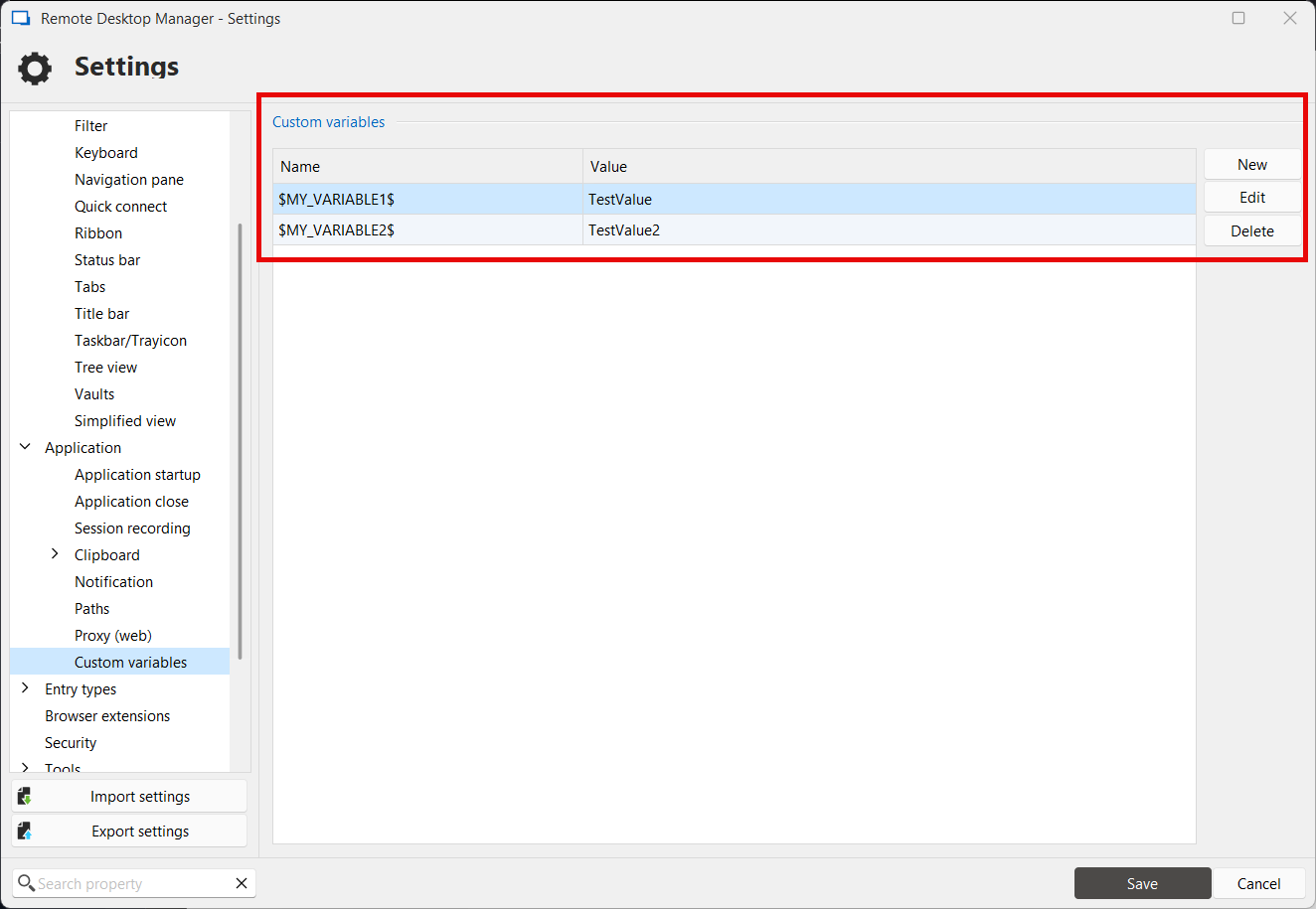
If that is the case then we could add an import/export feature to these lists in JSON.
Regards,
Hubert Mireault
e19b00b0-efd9-46d6-9647-81708995b26a.png
Hi Hubert, Thank you for the quick reply.
I'm asking about variables at the Vault level. I was hoping they could be part of the JSON that defines all teh SSH sessions, folders, etc and then imported with that. I have a powershell script that creates the JSON based on an Excel workbook of IPs, hostnames, etc. And then creates the JSON and i import it and i have everything i need. It's for setting up new customers, so while it varies by IP address and hostname and quantity of new hosts, it's usually the same process
Thank you!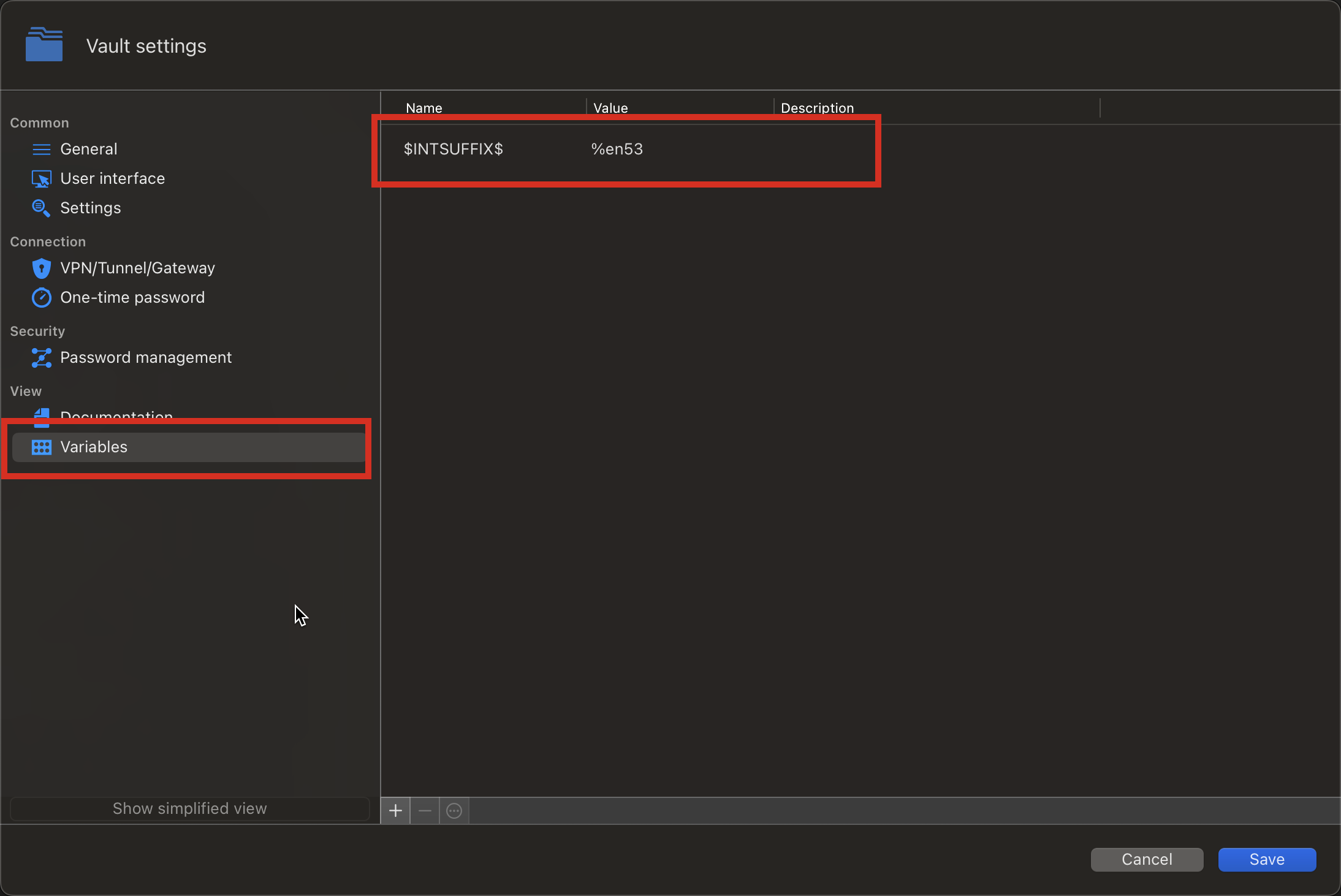
11ea094b-8ef0-48bf-9359-085b25b62e69.png
To add to that, I mainly use Mac version but sometimes use the windows version as well.
We'll have to brainstorm how best to implement this. At the moment the entry import/export feature is meant to only carry information related to entries. The variables are stored in a completely different location and including it in the current export format may not be appropriate.
Do you think what I suggested in my previous post could be a good workaround for you? It would require performing two imports for a new vault (one of the entries which you already perform, and one of the variables). I understand it's less convenient, but maybe this can get you most of the way there, rather than manually entering a bunch of variables, especially assuming you have multiple.
Regards,
Hubert Mireault
Ahhhh...now I understand.
I guess two imports is better than manually creating them.
Right now I have only one variable. It can change from time to time or user to user. But it has to be set up for every vault created. But I was looking to incorporate additional variables for more flexibility. Change the value in one place and it updates all the sessions.
Thanks for revisiting this topic! I appreciate your help!
Hello,
I'll open a ticket to add the import/export buttons to the UI. I'll also see if it's possible to improve our Powershell module to support importing these same files, so that it could be scripted and made easier to accomplish over a large amount of vaults.
We'll keep in mind your feedback to further improve this functionality but at the moment I don't have a better solution.
Regards,
Hubert Mireault
Thank you! Now that i understand it's a different section of the application, that makes sense. It would be nice to have the variables imported directly into the vault with the JSON but i see how that could be a challenge.
I dont/havent use the Powershell module. I'll look at that. I am just generating a huge JSON and exporting it to a text file from my script and then importing that to the vault.
I'm also going to try to use some global variables instead. That may work for me instead of creating per vault. I'm only working on one customer at a time, so i can modify the value to the variable as necessary. They are mostly to help direct IPv6LL traffic via a particular interface (or "zone index" in IPv6 terms) but also for VPN and specifying SSH jump host setting.
Hello,
Starting with our next major Windows version, 2025.3.0, it will be possible to import and export custom variables in JSON format. This functionality will be available at all levels where custom variables are supported: File > Settings, Vault Settings, and System Settings.
Our macOS development team plans to implement this feature in the near future as well.
Regards,
Léon Le Brun
Hello,
Starting with our next major Windows version, 2025.3.0, it will be possible to import and export custom variables in JSON format. This functionality will be available at all levels where custom variables are supported: File > Settings, Vault Settings, and System Settings.
Our macOS development team plans to implement this feature in the near future as well.
Regards,
Léon Le Brun
@Léon Le Brun
That's great news!! Thank you for remembering this and coming back to update the thread. Thank you!
Hi @Léon Le Brun Any update on this for the Mac version? Thank you!
Hi @doslager,
Pretty good timing, I am going to release a version for RDM Mac containing this feature this week.
Best regards,
Jesse Galarneau
Hi @doslager,
Pretty good timing, I am going to release a version for RDM Mac containing this feature this week.
Best regards,
@Jesse Galarneau
Perfect timing! Thanks for the quick response. I'll be watching the updates page this week. Thanks!
I tried to reverse engineer it by exporting a variable in the Windows side but when i looked at the JSON i couldnt find it. I'm using the latest version on Windows, too.
Hello,
Thank you for being so patient!
I'm pleased to inform you that a new version of RDM (2026.1.11.3) has been released, featuring the requested feature.
Latest Version: Download RDM
Please let us know if this works or if you encounter any issues.
Best regards,
Maxim Robert