Is it possible to exclude (some) keyboard keys from passing to a remote (RDP) session?
Is it possible to exclude (some) keyboard keys from passing to a remote (RDP) session?

I have the application AutoHotKey installed and created a script to map the alt+f9 button to minimize my (active) windows.
This works with RDM open except when I'm connected to a RDP session. With a connected RDP session the key combo is passed to the RDP session and does not minimize the RDM window.
Is there a way around this? Can I for instance exclude the F9 key from passing to a RDP session?
All Comments (11)
Hello Kroontje,
Thank you for contacting us on that matter.
Could you try to disable the key grabbing in RDM by clicking the magnet at the bottom right corner?
The magnet should gray out when the grabbing option is disabled.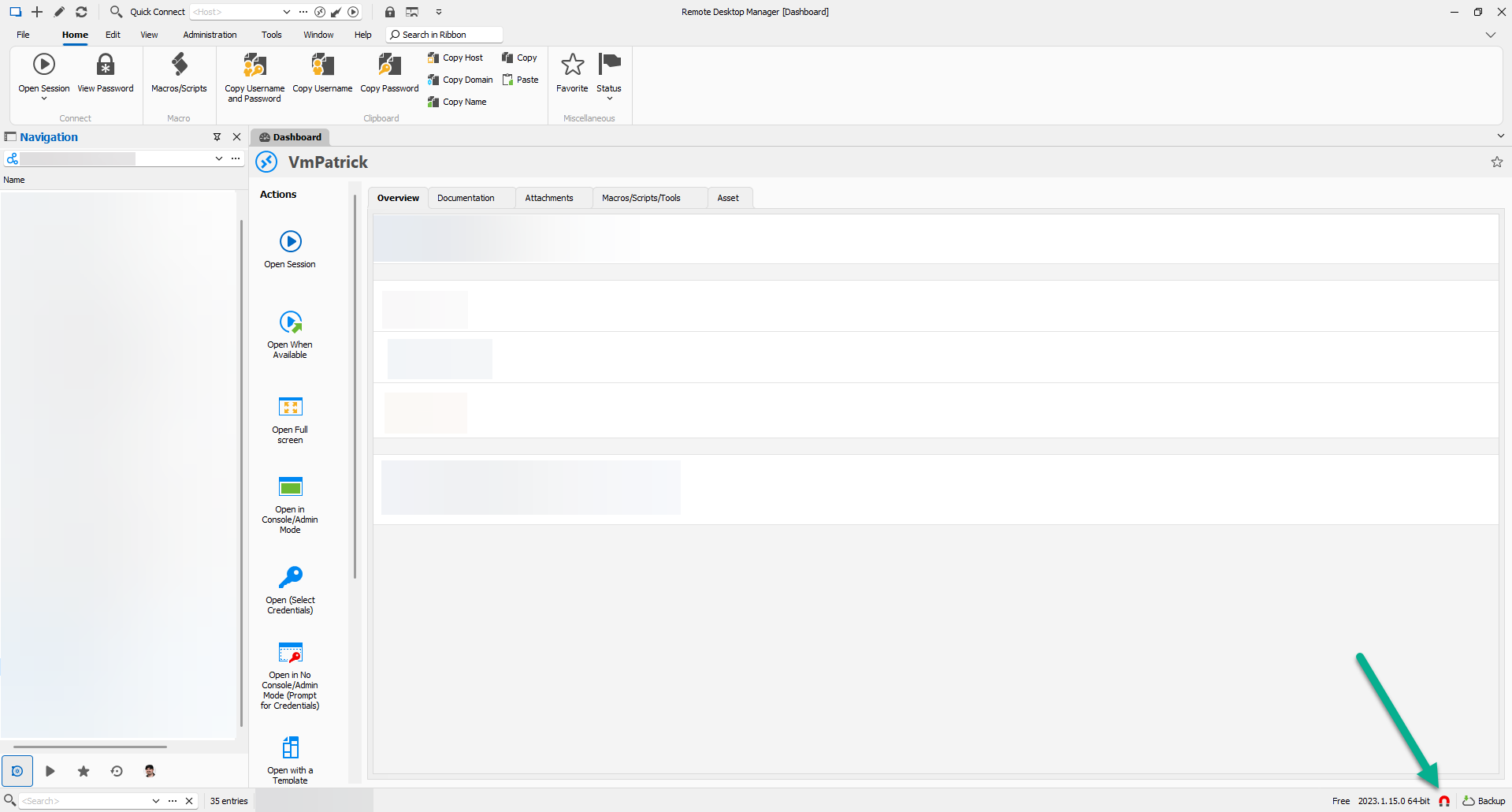
Best regards,
Patrick Ouimet
magnet.png
Thanks for the reply!
I can't find the magnet icon on my install (Free version - 2023.1.14.0 64-bit).
Though I have a button named "Windows key on external computer". If I disable that it does work.
But... my Windows key (of course) is not passed to the RDP session.
Hello Kroontje,
Thank you for this comeback.
Could you share us your complete RDM UI, I want to check why you don’t have any magnet.
As you can see in my screenshot, it’s an RDM free edition.
Please make to not share any sensitive information with your screenshot.
Best regards,
Patrick Ouimet
Hi Patrick,
Here is a screenshot of my setup: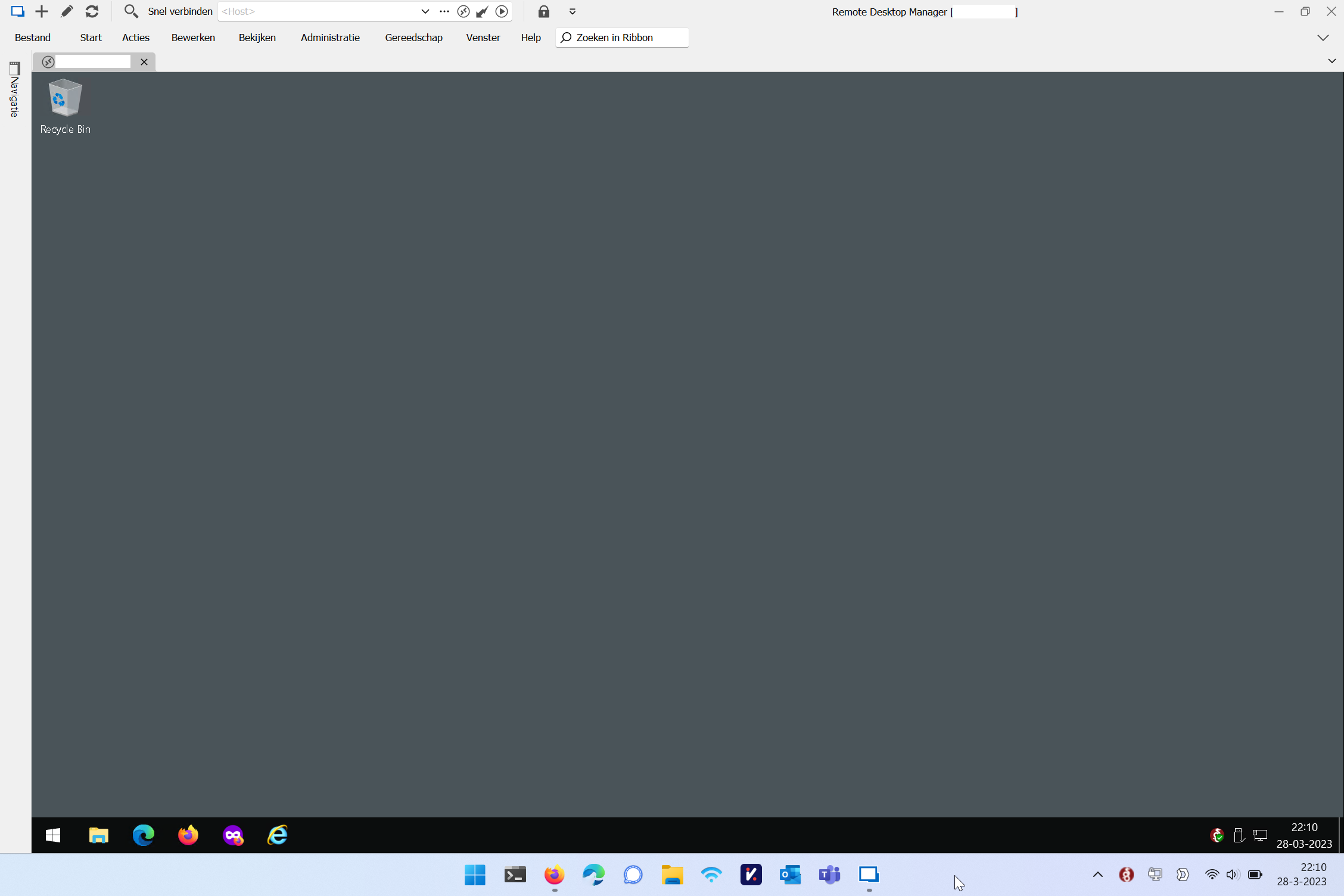
Screenshot - 2023-03-28 at 22.10.50.png
Hello,
Could you try to reset your layout in RDM and try to see if you have the magnet?
Just go to the Window -> Reset Layout -> make sure to select all the option -> ok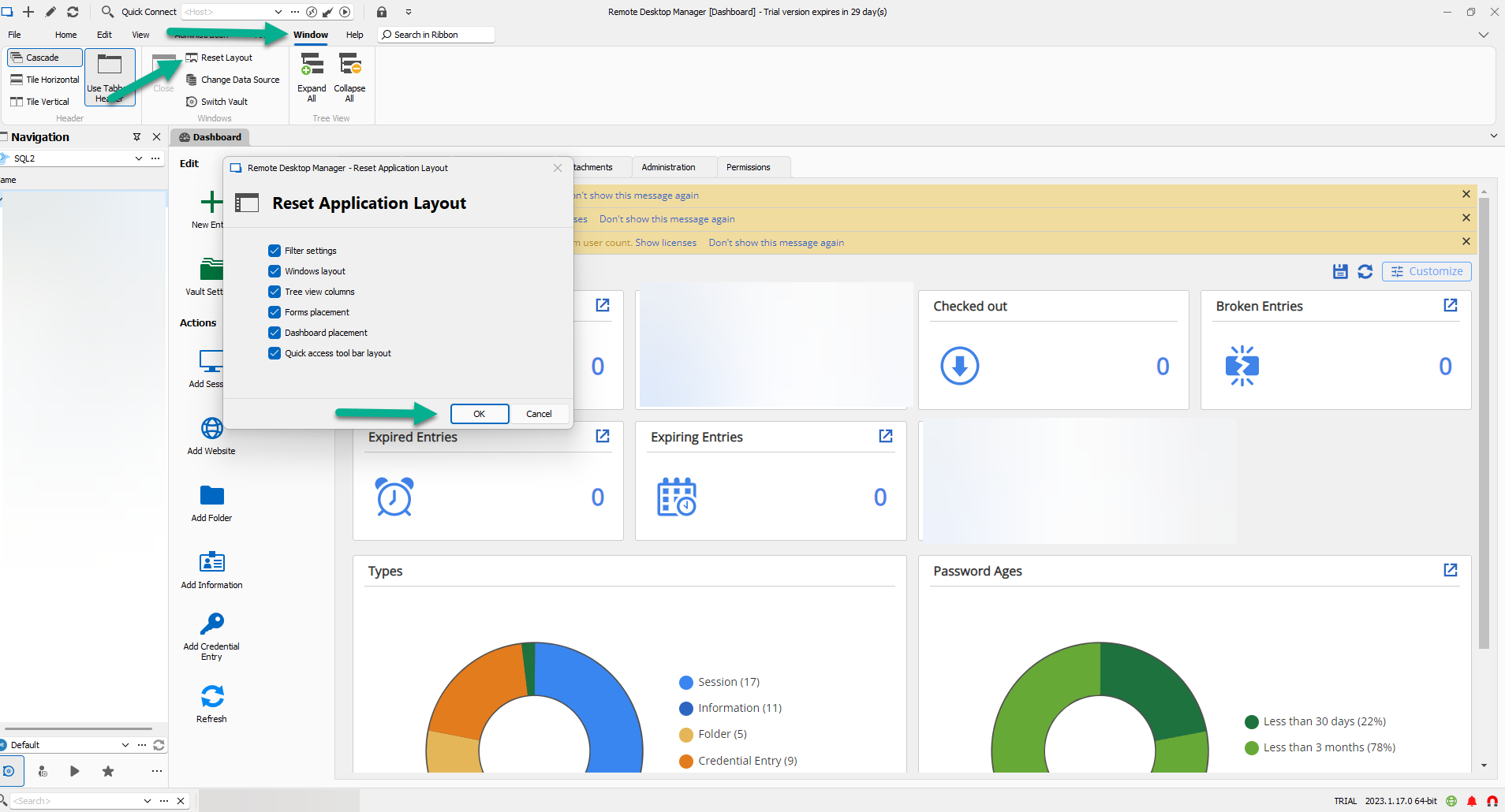
Best regards,
Patrick Ouimet
resetlayout.png
I just did a reset and I now have the magnet in the lower status bar.
Though disabling or enabling does not make a difference. I cannot minimize RDM with my key-combo when connected to a RDP session.
Hello Kroontje,
Thank you for the swift reply.
Could you check if your keyboard hook in your RDP session is on your local computer?
Go to Files -> Options -> Types -> Remote Desktop -> Keyboard Hook -> and make sure it’s set to "On the local computer."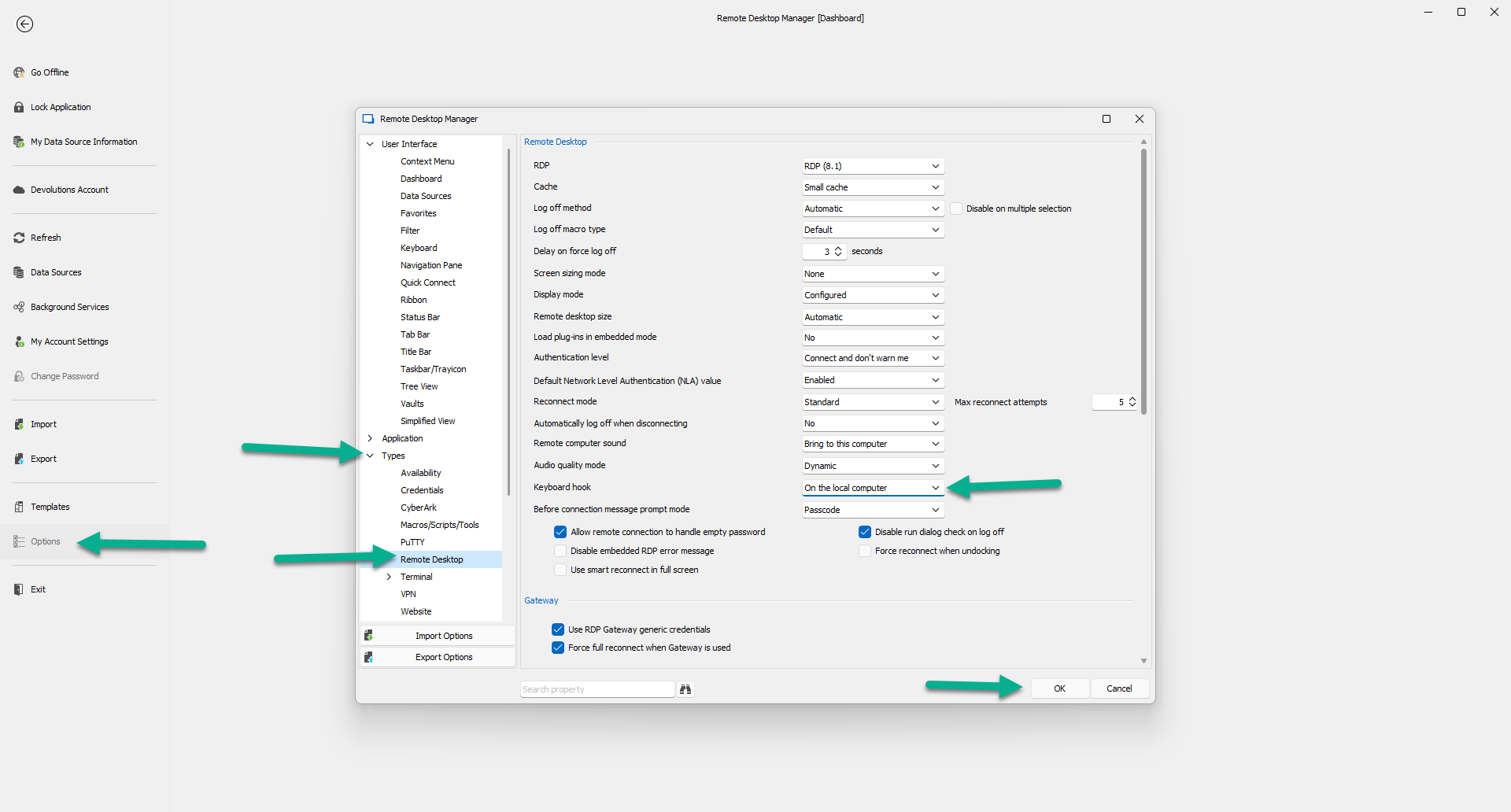
Could you check this option in one of your RDP entries by going to properties -> General -> Local Ressources -> Keyboard -> Apply Windows key combinations.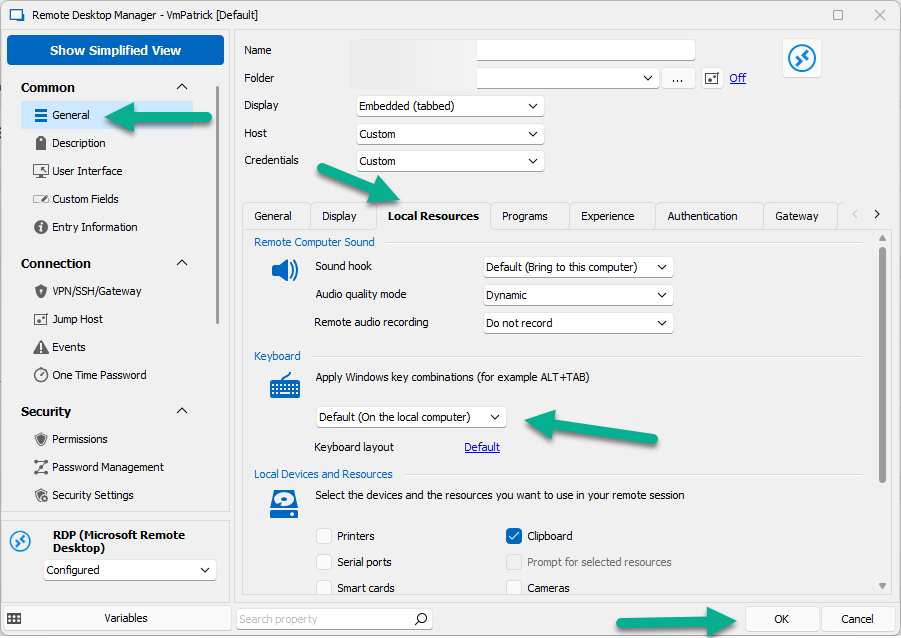
Best regards,
Patrick Ouimet
hook2.png
hook.png
When I change it to "on the local computer" my key combo works.
Except (of course) my Windows key is not passed to the local machine.
Is there a way to have all keys passed to the RDP session except for a key I specify?
This way I can exclude my key combo to pass to the RDP session.
Hello Kroontje,
Thank you for this quick reply.
By default, It’s an on-or-off option. But if you want to play with the shortcut in RDM, you could set all of your shortcuts in RDM by going to file -> Options -> Keyboard -> and setting them to your specific needs.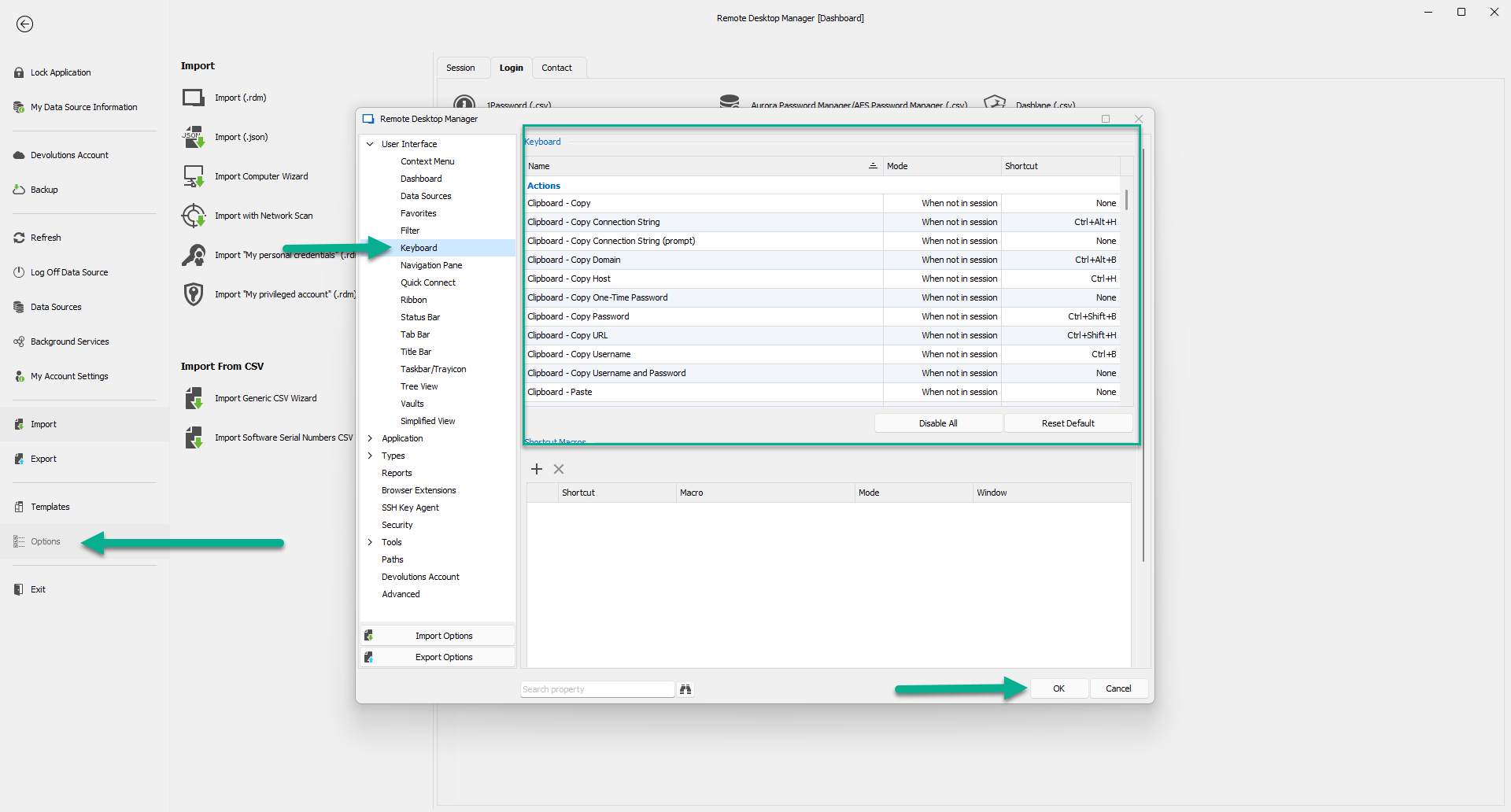
Best regards,
Patrick Ouimet
shortcut.png
Thanks Patrick, I'll have a look if I can tweak the keyboard a little.
Great! We will wait for your return to confirm that it worked.
James Lafleur