After upgrading RDM 2023.1.15.0 I can't access inside one of my DB
After upgrading RDM 2023.1.15.0 I can't access inside one of my DB

Hello Dear Support,
I Updated my rdm client to the latest version 2023.1.15.0.
It asked me if I wanted to upgrade my databases. No errors, all went fine.
If I connect the first SQL database, I can connect, and see the folders inside.
If I connect the second, I can connect but noone of the folders appear.
For example, on this db, the add button is greyed.
It looks like I lost some acces rights
On administration-> User, my account is still administrator.
Connecting the databases by SSMS, all is fine.
Please, could you help me to find what I'am missing?
All Comments (8)
Comparing to my other DB, I can see on Administration -> Security provider, the certificate is missing, I reapplied it but still no folders appears.
On file-> Datasource -> The PB DB, Upgrade, Test database and Test host are OK.
Hello,
Thank you for contacting us on that matter!
Have you received the version management prompt when you made your database upgrade? If so, do you remember which choice have you taken?
Best regards,
James Lafleur
Hello.
If I remember well it asked me If I wanted to update my DB Version and clicked OK.
I created on this DB a new folder Test, It works. I asked a DBA if he could find the missing folders in SSMS.
On the Impacted DB, on Tables, On dbo.connections, we found the missing folders name plus the new folder name Test.
It's like they're still somewhere on the DB but I lost the possibility to access it On RDM. A right is missing somewhere but I can't find what. 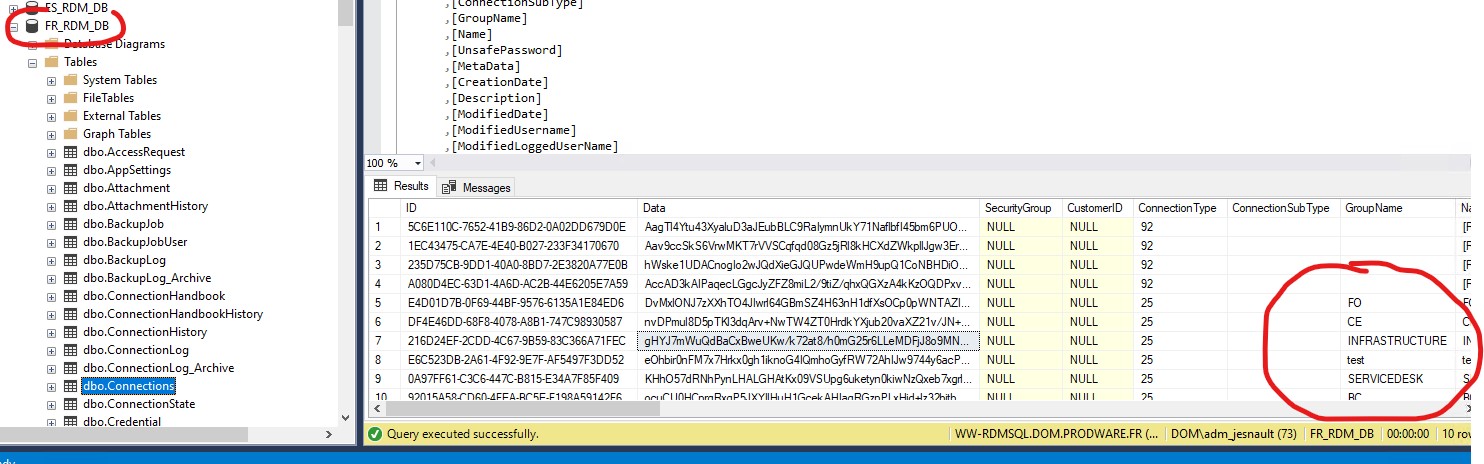
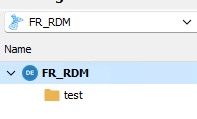
SQL.jpg
RDM.jpg
Hello,
Thank you for your swift reply!
Do you happen to have access to the credentials of your SA account? If so, would it be possible for you to use them under File -> Data sources to connect with this account and then do the following:
1- Go under Administration -> Users
2- Select your regular account
3- Use the "Fix SQL Login" button
4- Reconnect with your regular account
5- See if these folders are still missing.
Best regards,
James Lafleur
Hello James,
I connected the DB with the SA account, even with this account, I could only see the Test folder. But I applied the fix sql login on my regular account. Same issue, folders are still missing.
I'm thinking of recreating the missing folders, recreates the links with the RDM Roles and moving on because I need to move forward on this project.
I really hope it'll not reproduce again
Regards,
JV
Hello,
This issue is peculiar, your administrator accounts, and even more, your SA account, should not be limited by the permissions set on your various folders.
Would you be interested in having a remote session on that matter to have a closer look at this issue?
Best regards,
James Lafleur
Hi,
Sorry for the late delay,
It was emmergency after emmergencies this week.
Sure I'll apreciate it. At least to understand because we're close to the go for 8 different databases for 8 countries.
Could you send me a teams meeting next week please?
Regards,
JV
Hello,
Thank you for your reply!
Your case number is 00026537. I will send you a link to schedule the remote session at your convenience shortly.
Best regards,
James Lafleur