Can't open RDP sessions when running RDM as a different user.
Can't open RDP sessions when running RDM as a different user.

Hello.
If I open RDM as another user ('run as different user' windows option, my domain admin user in this case) can't connect to any computer through RDP.
Here is the error message:
[Window Title]
Remote Desktop Connection

[Content]
An authentication error has occurred (Code: 0x800706be).

Remote computer: XXXXXX

[^] Hide details  [OK]
[Expanded Information]

Error code: 0x0

Extended error code: 0x0

Timestamp (UTC): 03/23/23 05:35:30 PM

Activity ID: 0a9c26b5-579d-4a6c-9568-a7bb151d0000
If I open RDM normally, as my local admin, I can open RDP sessions without problem, but Hyper-V hosts don't populate and some tools don't work.
Any solution or work around?
Thanks.
OS: Windows 11 Enterprise 64-bit version 22H2 build 22621.1413
RDM version: 2023.1.15.0 64-bit
All Comments (7)
Ok, so I can see th VMs in the Hyper-V hosts adding the password in the general tab (I preffer to be asked but it works).
Didn't have the same luck with that approach with the Tools (ie. Services) for any connection.
Related question, is there a way to have this Macros/Scripts/Tools for the VMs in the Hyper-V dashboard?
Regards.
Hello,
Thank you for contacting us on that matter!
Would it be possible for you to go under the "Advanced" tab of your RDP entry, change the "RDP version" to "RDP (FreeRDP Latest)" and see if the same issue occurs when RDM is run as another user?
Also, would it be possible for you to provide us with a screenshot of the configuration of the general section of your RDP entry?
As for your other question, are you referring to the "Macros/Scripts/Tools" tab found in the dashboard of RDM?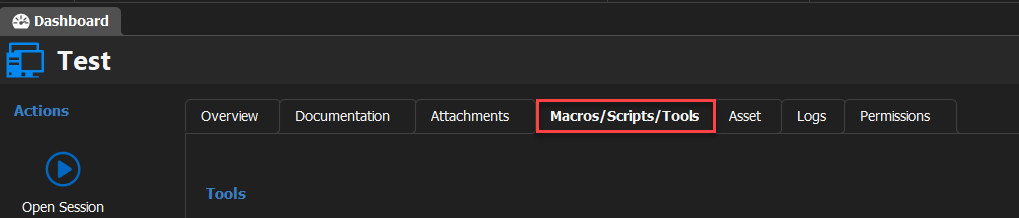
Best regards,
James Lafleur
image.png
Hello James, thank's for your answer.
After switching the RDP Version to "RDP (FreeRDP Latest)" it works, although the image is pretty blurry, I can't get used to it.
None of the RDP (x.x) versions work.
The general section of the entry is pretty standard, default port, RDP type: normal.
"As for your other question, are you referring to the "Macros/Scripts/Tools" tab found in the dashboard of RDM?".
Yes.
Ok, so filling or inheriting the credentials or checking the 'Always ask password' box did the trick, everithing is working as expected.
I'm new to this tool so maybe this is the expected behavior?
Anyways, thank's for your time.
Regards.
Great news! I am glad to see that you have found what was missing.
Is there anything that remains unresolved? If so, I could open a support case on your behalf and assist you.
James Lafleur
Thank you James, but there's no need for opening a case at the moment, everything is working fine.
Regards.
You are more than welcome! Thank you for letting me know.
James Lafleur
