What happened to the menu at the RDM icon next to the clock (lower right corner)
What happened to the menu at the RDM icon next to the clock (lower right corner)

What happened to the menu at the RDM icon next to the clock (lower right corner)
There was some stupid scrolling in version 2023.1.13.0 if I go back to version 2022.3.35.0 everything looks wonderful (the number of menu items is the SAME in both versions)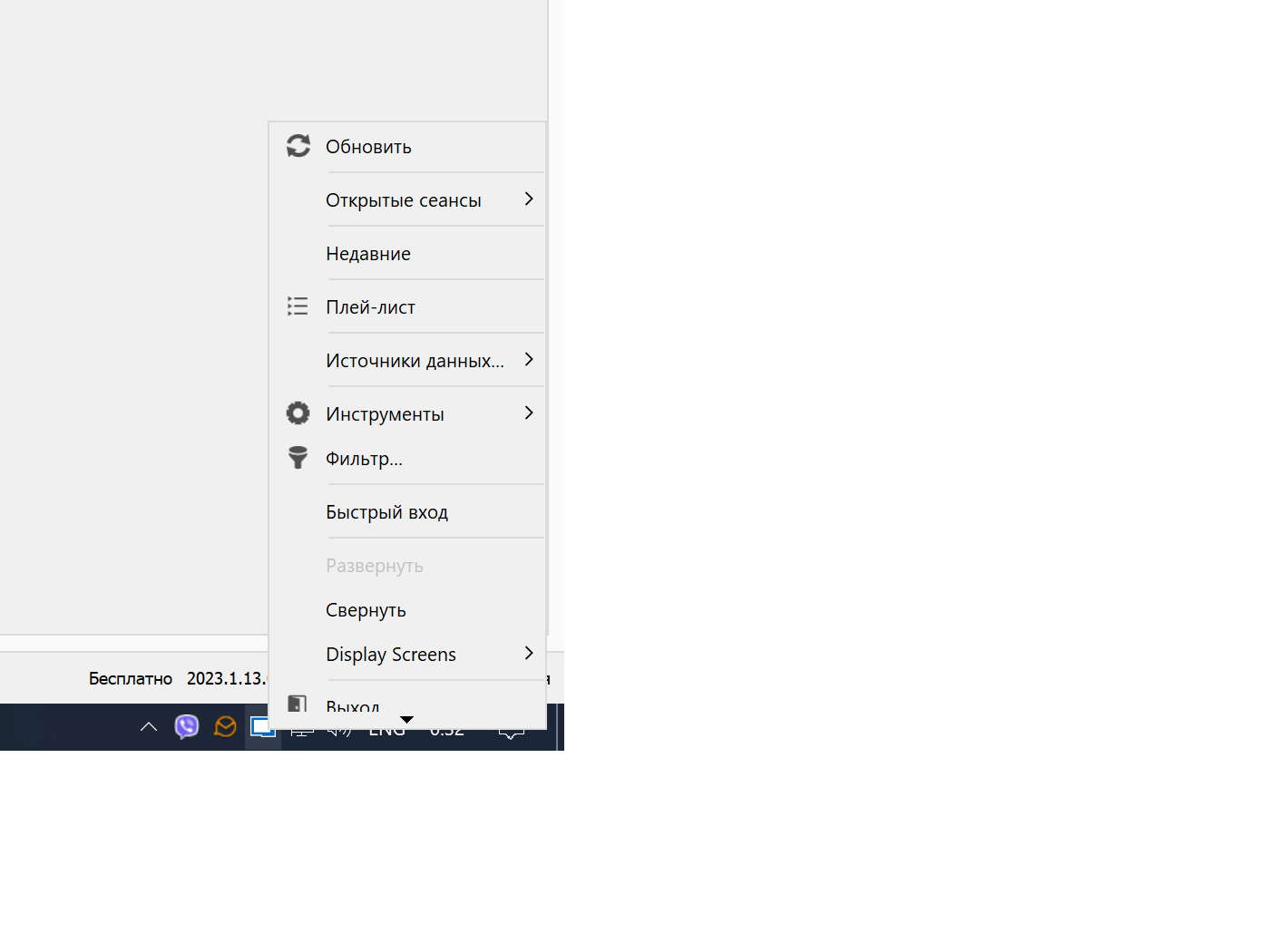
error3.png
All Comments (3)
Hello Vitexeon,
Thank you for contacting us on that matter.
I was unable to reproduce your issue on Windows 10 and windows 11.
Could you tell me what resolution you are currently using?
How many screens you are using?
Are you using a 4K screen?
Are you using a widescreen?
What version of Windows are you using?
What theme are you using?
In what language your Windows is set?
Best regards,
Patrick Ouimet
There is a problem on Windows 10 and on Windows 11, I also tried on Windows Serer 2022 and Windows Serer 2019 there is the same problem (if it rolls back to the old version 2022.3.35.00, the problem will disappear)
Monitors of 27 and 32 inches are used, with 4k resolution, there is a problem on any (if it rolls back to the old version 2022.3.35.00, the problem will disappear)
Scaling both the standard 150-175 and the increased 200-350 on any scale is a problem (if it rolls back to the old version 2022.3.35.00, the problem will disappear)
The Windows language is used as English, German, Russian and Spanish, there is a problem in any language, it does not depend on it (if it rolls back to the old version 2022.3.35.00, the problem will disappear)
The Windows theme is used standard out of the box (no individual themes are installed)
Hello,
I'm pretty sure that this is the same problem than the one you have with the context menu. We are actively investigating.
Regards
David Hervieux