Tag based hiding of entries in the tree view / objects

Hello,
we started to rebuild/build a new tree-structure/vaults, to seperate items in different vaults for security reasons.
We've done a lot so far with rights-management.
Only problem is, "hiding" entries is some kind of unconvenient or I just don't know, how to do things easier.
E.G. / Screenshot: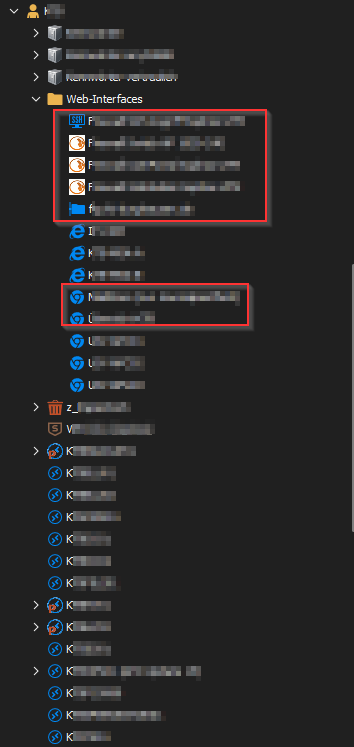
I moved this whole folder via ex-/import to a new vault.
After that, I configured the basic rights, so e.g. servicedesk users may not view passwords etc.
Now, I wanted to "hide" certain entries (red boxes), so that servicedesk-users could neither see these entries or use them.
What's the easiest way? I don't want to edit each entry seperate (setting rights on each object manualy) and the folder-structure should stay the same.
Is there a way to tag multiple objects with a tag (e.g. "hide") by selecting them with ctrl/shift and afterwards set the
rights tag-based or is there maybe another, better way?
I'm curious for your thoughts/hints/tips
Best regards,
Daniel
image.png
All Comments (3)
Hello,
The easiest way would be with a Batch Edit to edit the permissions on those specific. You can select the entries -> Edit -> Batch Edit -> Edit Entries (General Settings), you can then head to the Permissions Tab, override the permissions and set the permissions accordingly to your users.
Best Regards,
Etienne Lord
Hello Etienne,
thanks for your input. I will try that.
So, tag based rights-management is not yet possible, right?
Best regards,
Daniel
Hello,
That is correct, we do not have permissions based on tags!
Best Regards,
Etienne Lord