RDM Windows to MacOs

I'm used forum search and I can't find solution or answer:
Is it possible and how to full screen from [RDM Free] Windows to MAC?
All Comments (6)
Hello,
Just to confirm what you're doing, are you doing an Apple Remote Desktop connection to a Mac machine, and you would like to have the possibility to full screen?
If that is the case, we will open a ticket as I don't believe this is supported currently.
Regards,
Hubert Mireault
No, that's not the case. Trying to get "full screen" when connecting: [Windows Remote Desktop Manager Free] to [MAC computer].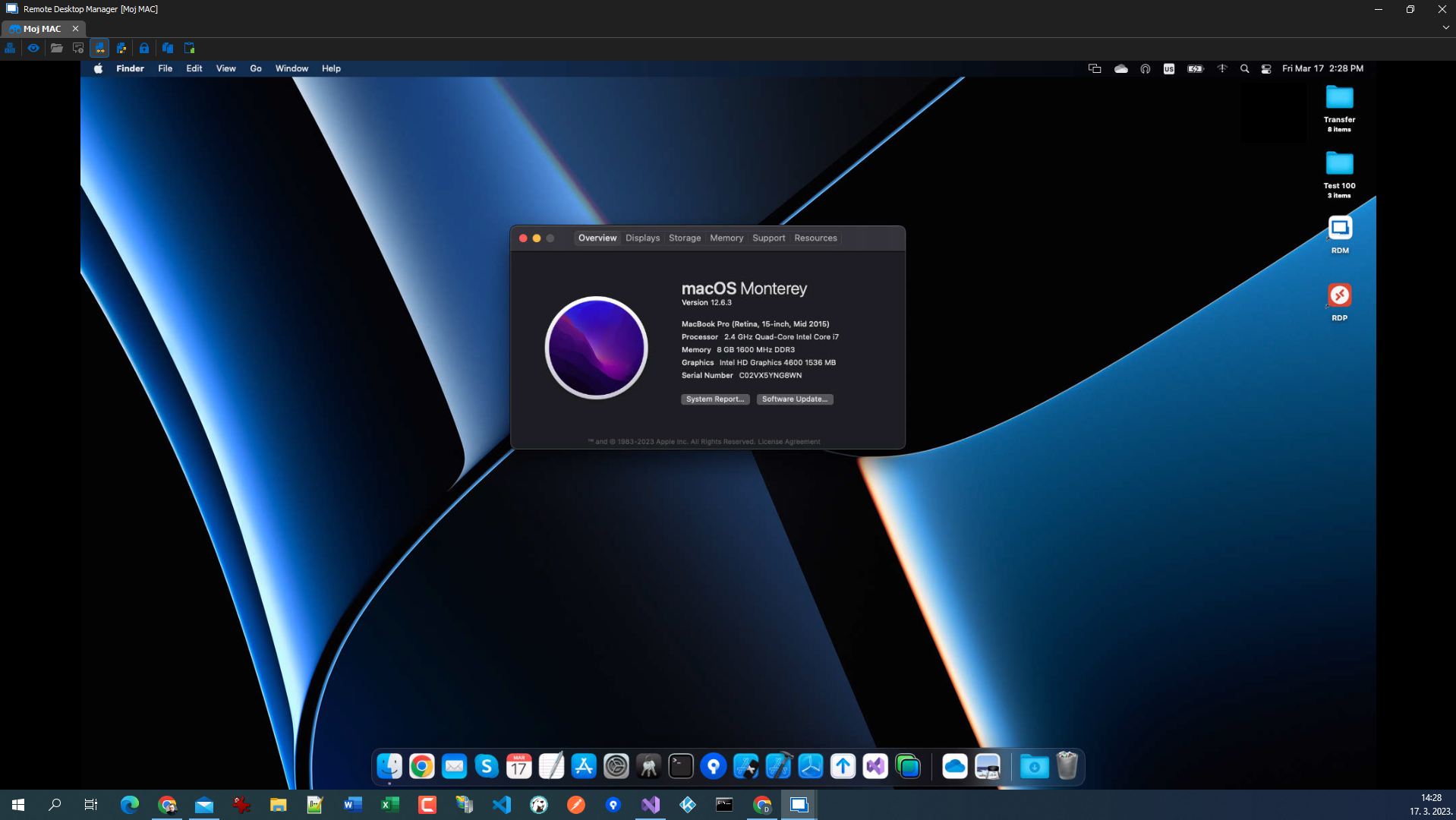
image.png
I have opened a ticket, we will see what we can do to add this.
Regards,
Hubert Mireault
Hello
The 2023.3 release of RDM is available, and supports full screen mode for Apple Remote Desktop and VNC sessions. Once you update, please let me know if you have any issues or questions about that.
Thanks and kind regards,
Richard Markievicz
What do I have to do? There is not just an icon presenting "full screen" mode. The window looks as before.
RDM v2023.3.20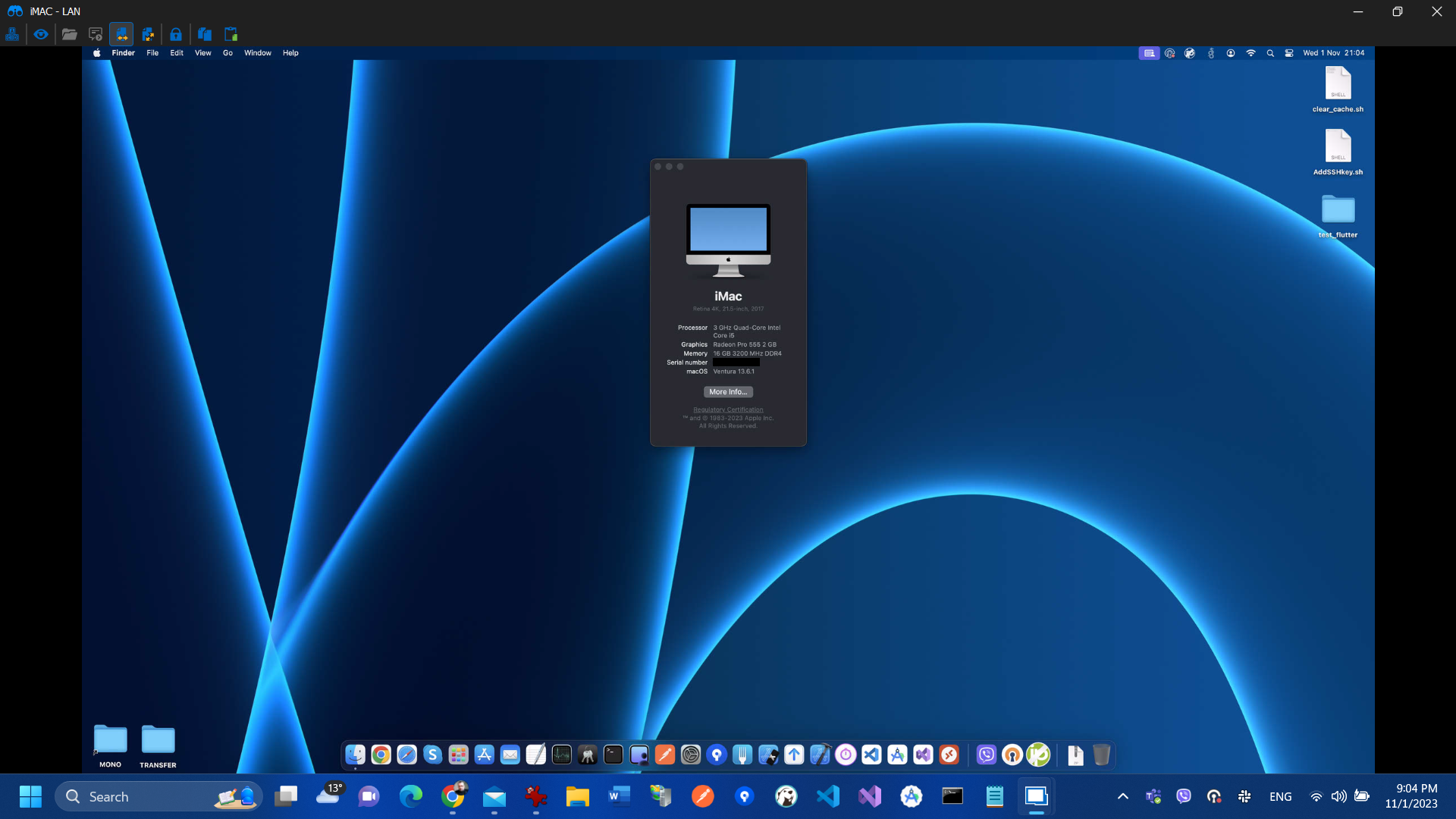
6eacedf6-7c7a-4c2b-bf68-9851a5ca6807.png
Hello
It should work the same as RDP. To that end, you have buttons in the "Display" section of the "Actions" ribbon tab: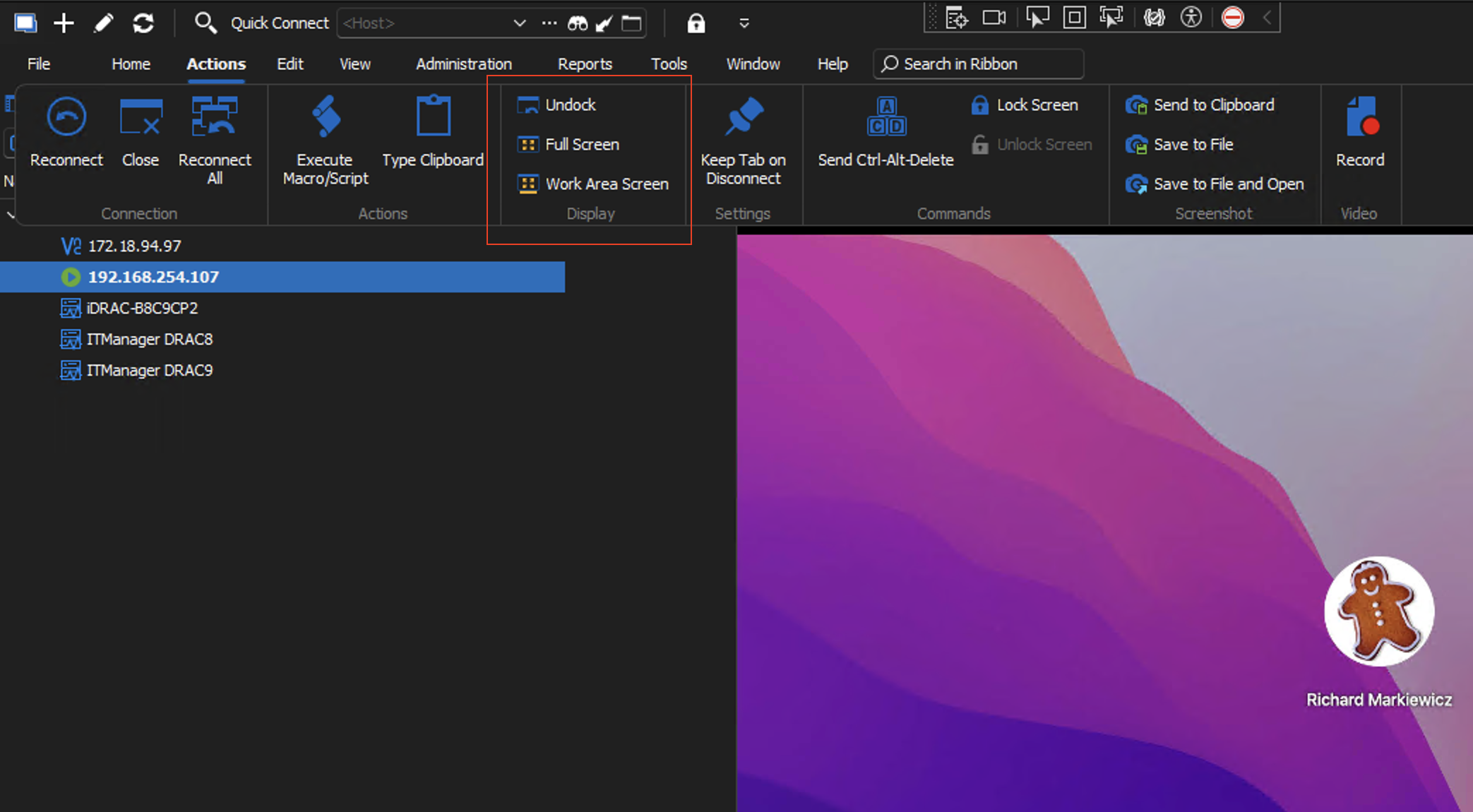
The same options are also available in the right-click context menu of the session (just right-click it's tab or undocked window toolbar):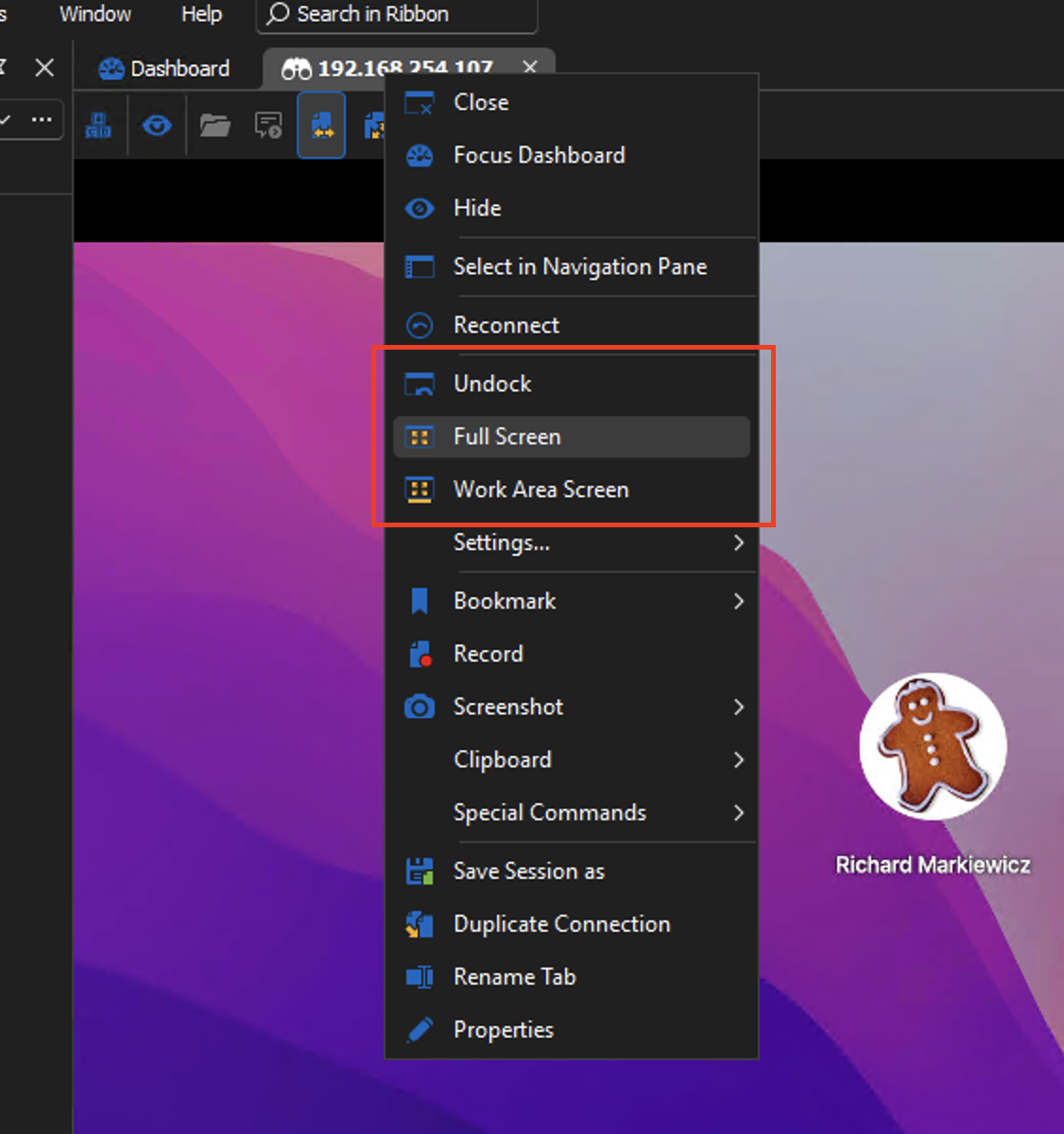
Within the session, you'll get the floating toolbar (that can be pinned or unpinned) to allow exiting full screen mode. Unlike RDP, the floating toolbar is shown on both "Full Screen" and "Work Area Screen" modes:
I hope it helps. If you have any questions or problems please don't hesitate to post back!
Kind regards,
Richard Markievicz
Screenshot 2023-11-01 at 19.50.28.png
Screenshot 2023-11-01 at 19.50.03.png
Screenshot 2023-11-01 at 19.49.50.png