SSH Link settings not working since upgrading to 2023.1.5.0

Hi guys.
Since the last update I'm having trouble with SSH Link (which I see was renamed).
I have sessions set to inherit the VPN/Gateway settings, some go maybe 3 folders deep before they get the settings. Some appear to be working but some are not.
In addition, I have some sessions where I edit them to set the SSH Link up on them, and they are not honouring the settings. I press ok, wait for 'Loading Connections' to finish, go to edit it again and the settings are reverted.
The same thing is happening if I create a new session. The SSH Link setting doesn't stick.
Are there some issues with this change?
Thanks
All Comments (12)
Hi,
I'm not aware of this issue, but we will open a ticket to investigate this.
Can you tell my what data source type your are using?
We'll post back when we have more information.
Best regards,
Xavier Fortin
Thanks for the quick reply Xavier!
I'm using a SQLite database.
Hi,
I realise that I confused what you were talking about, I was personally thinking about the "VPN Link" entry. Could you share a screenshot of the exact feature you are having an issue with?
Best regards,
Xavier Fortin
HI Xavier
Sure. At a higher level folder I have this configured..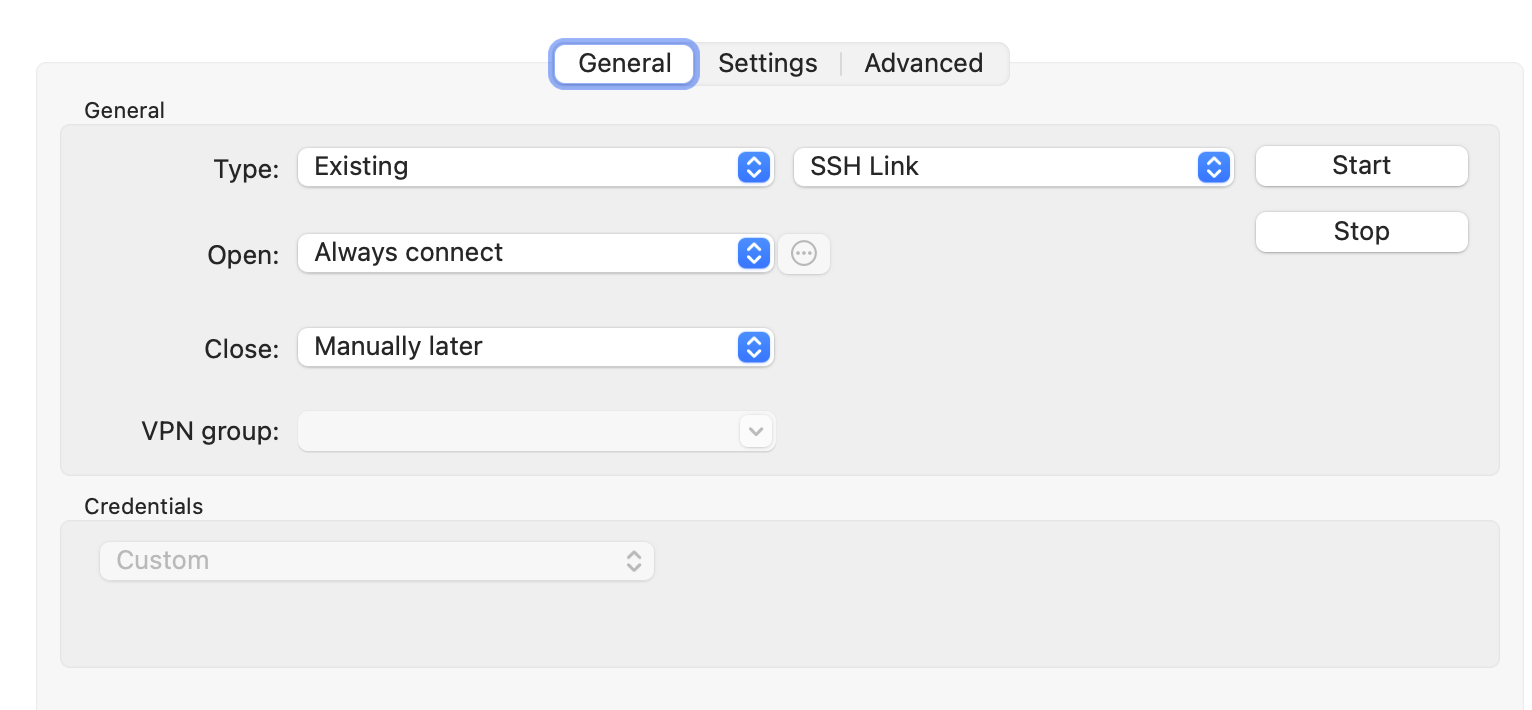
Then in subfolders, I have them set to Inherited.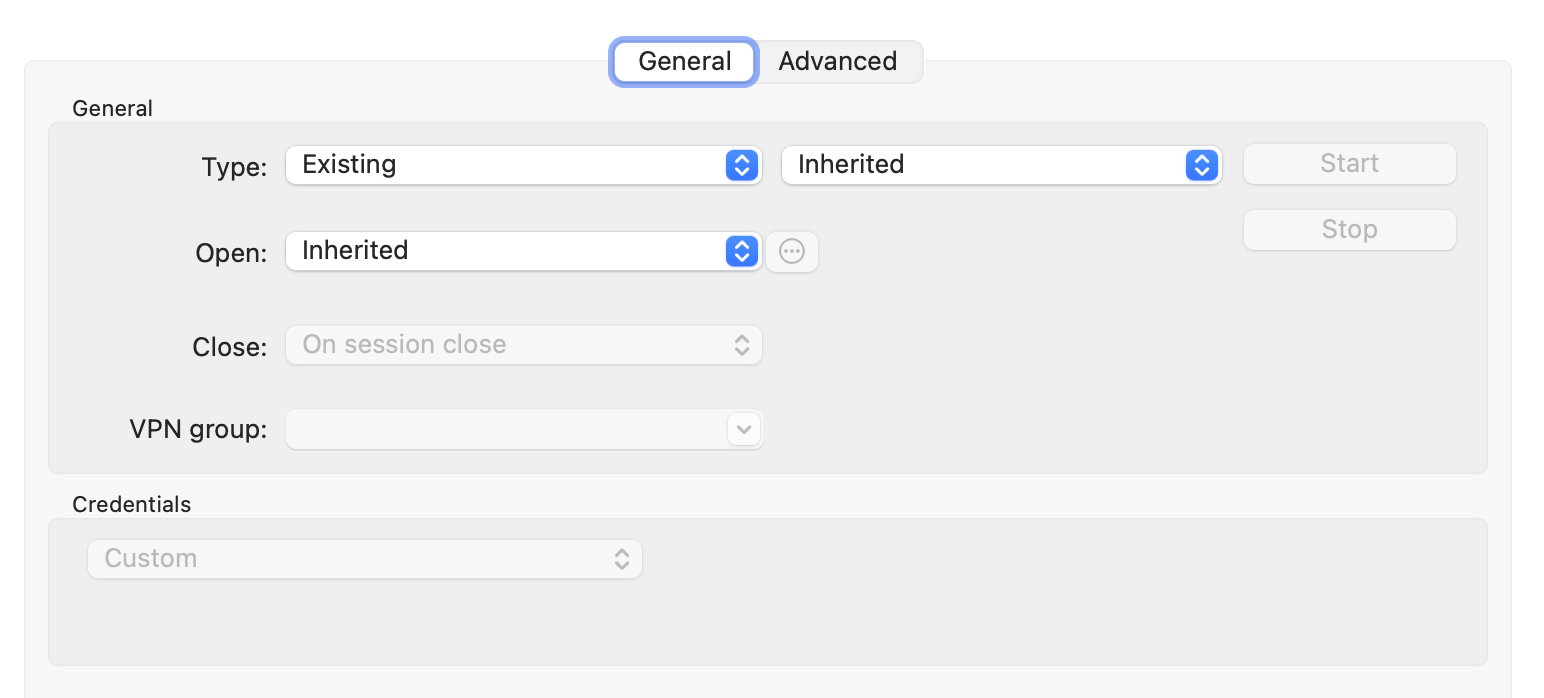
However, when I try to modify a session to make it Inherit, or create a new session, it will not honour that setting, instead, after I click ok and then re-open the properties, I find it has reverted to the default of..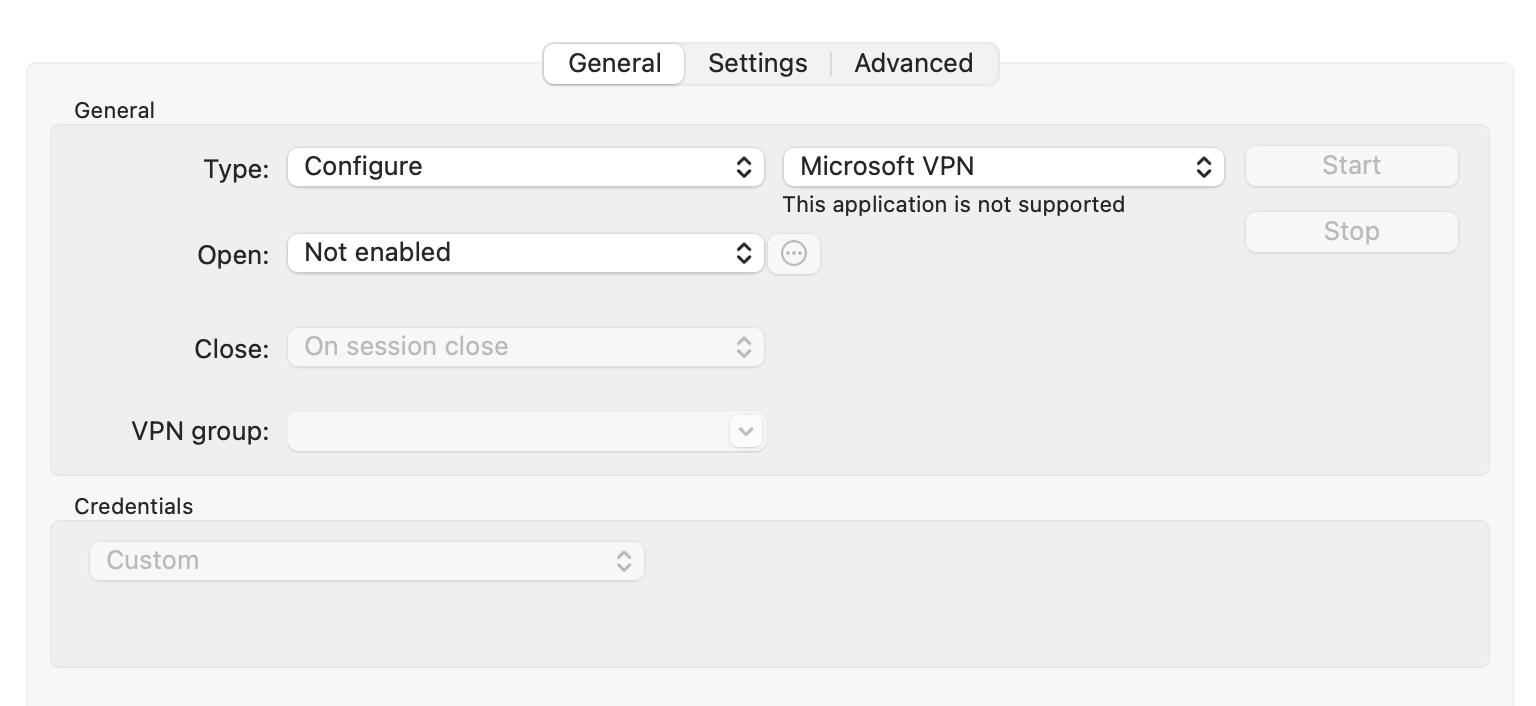
Hope this helps.
Screenshot 2023-03-17 at 08.20.36.png
image.png
Screenshot 2023-03-17 at 08.18.08.png
I've also noticed that since the upgrade, any of my sessions now do not automatically start the SSH session, so it's like they are no longer honouring this setting.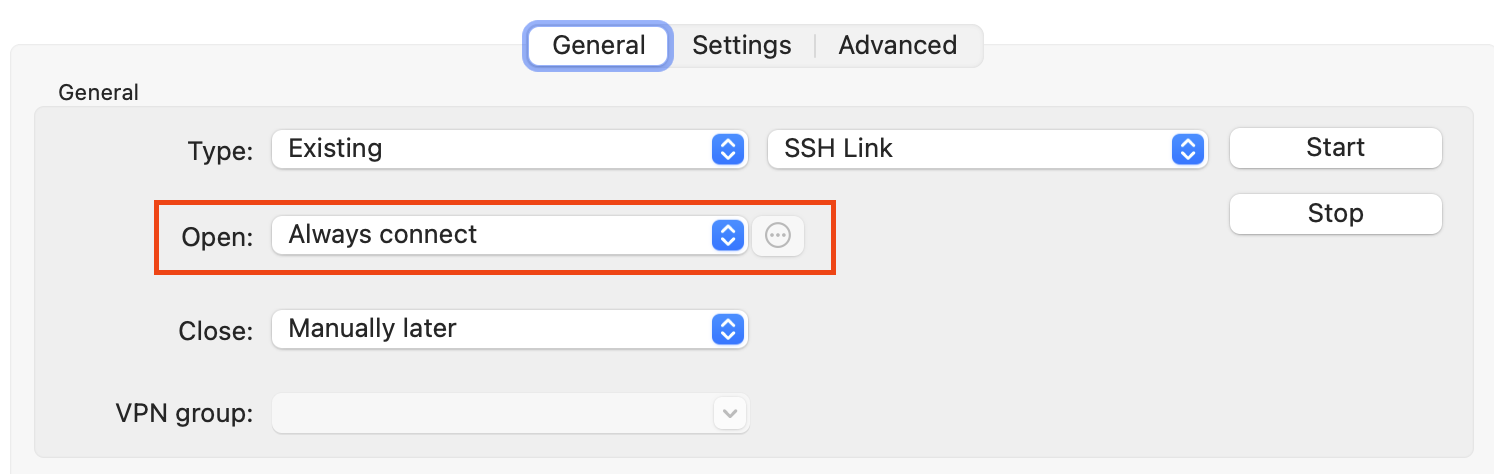
I have to find the SSH session and open that manually first, then my other sessions will use it.
image.png
Hi,
Thanks for this!
For the save issue, it's (i.e. the setting not being remembered when saving the entry), this is a known issue that is already fixed internally. The fix will be available in the next release.
For the setting not "working", I'm less sure, we'll have to investigate further.
Best regards,
Xavier Fortin
Thanks Xavier!
Is there a workaround I can use in the meantime for the save issue, until the next release is available?
Unfortunately, not that I'm aware of. Although, since you use a SQLite data source, you can just rollback to a previous version in the meantime (https://cdn.devolutions.net/download/Mac/Devolutions.RemoteDesktopManager.Mac.2022.3.19.0.dmg).
Best regards,
Xavier Fortin
Thanks Xavier, that will do the trick for now :)
Hi,
We've release version 2023.1.7.0, it solves the issue with edit, but I'd like to validate if you still reproduce any issue with it.
Best regards,
Xavier Fortin
Hi Xavier.
I've just installed the new release and so far, so good! I'll let you know if I run into trouble.
Thanks very much for your support!
Perfect! Glad to hear it works for you!
Do not hesitate if you have any other issues.
Best regards,
Xavier Fortin