Need Step-By-Step-instruction for KeePass integration

Hi there,
I don't get it - how do I connect RDM to KeePass?
I am using RDM free (at home) / Team at work for several years now.
And I am using Keepass/Keepass XC for years now.
So, I recently decided to connect my current Version of RDM to my current version of KeePass/KeePass XC just to prevent multiple credential management.
But the only tutorials/howTos/plugins I found deal with older versions of RDM and Keepass.
Even most topics in this board are older than 6 years.
RDM natively offers a KeePass XML Synchronizer-File to connect.
There is no plugin for RDM containing "keepass"
The only way I know, getting a XML-File from KeePass is manually export the database to it.
But this is not "synchronizing".
So I am just overseeing something.
My environment:
Remote Desktop Manager 2022.3.24.0 64 Bit
=> No installed Plugins
=> Database: password-secured SQLite-DB "Connections.db"
KeePass 2.53.1 (64 Bit)
=> No installed Plugins (except Browser-Integration)
=> KeePassDatabase.kdbx
Thank you very much for your help.
Patrick
All Comments (12)
Hello,
For the KeePass integration, you need to install the KeePass Plug-In installed on your machine.
Here is the article that explain how to integrate KeePass in RDM.
https://kb.devolutions.net/rdm_download_keepass_plugin.html
Let us know if that works.
Best regards,
Érica Poirier
Hello,
not really.
I found this tutorial in the past.
It's saying you have to install the plugin to the installation-path of keepass.
OK, I did it - several times. Plugin is detected in Keepass.
The main problem is:
3.In RDM create a KeePass entry and validate that the KeePass plug-in is now installed.
I don't have any enty of this type, only the KeePass XML (synchronizer) - which needs a XML-File.
I do not find any possibility to create a new entry which can connect to a kdbx-database.
I also do not find any plugin which would extend the RDM-Session-Types.
I think the solution is quite easy - but I don't get it.
Thank you for your help.
Patrick
Hello,
What RDM version are you using?
What data source type are you connected to?
The KeePass entry is located in the Credential entries section.
If you are connected to an Advanced Data Source like DVLS or SQL, could you please check in Administration - System Settings - Common - Type Availability if the KeePass entry is checked?
Best regards,
Érica Poirier
Hi again,
as mentioned I am using the following version and datasource:
Remote Desktop Manager 2022.3.24.0 64 Bit
=> No installed Plugins
=> Database: password-secured SQLite-DB "Connections.db"
I am trying this at home with the free version.
At work I didn't try it - there we use PasswordSafe instead of KeePass.
And there we use Remote Desktop Manager Enterprise Edition with a MS SQL-Database
Thank you very much for your help.
Patrick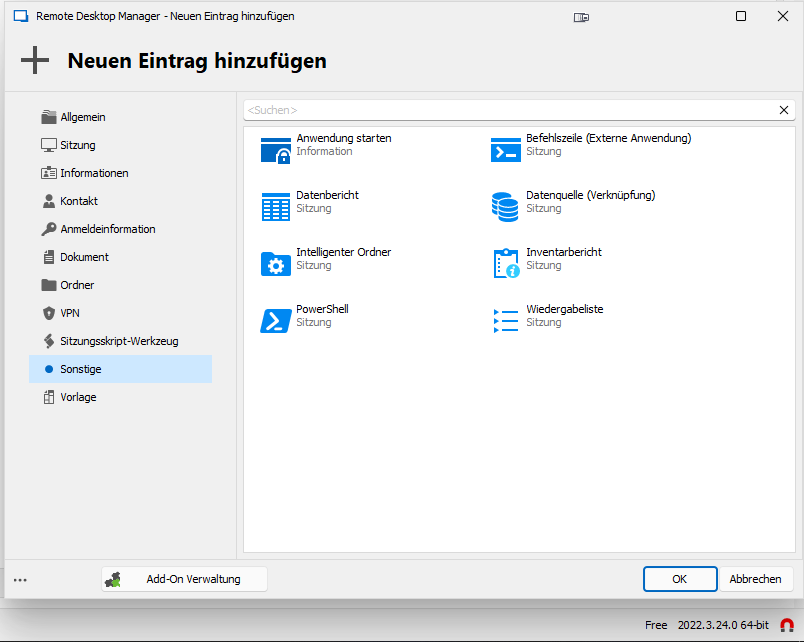
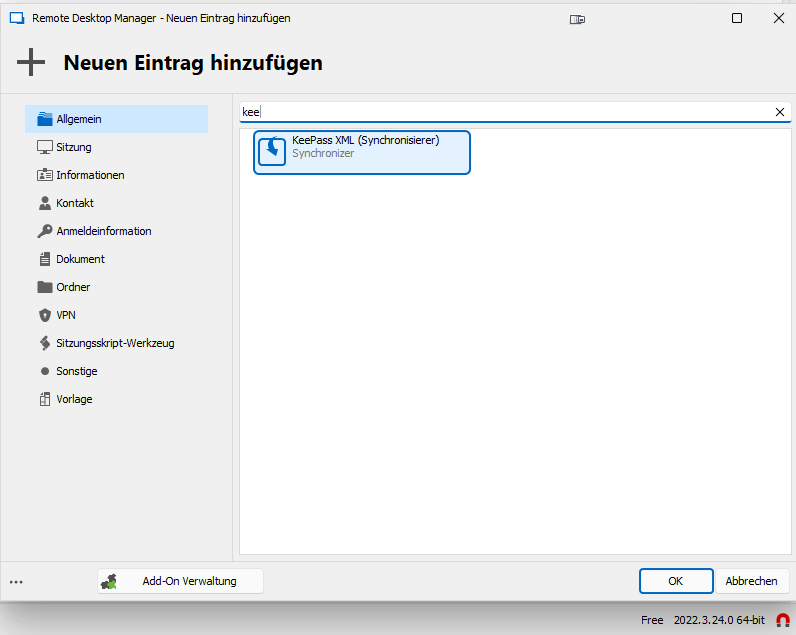
RDM_Add_Entry_Keepass_XML.png
RDM_Add_Entry.png
Hello,
Thank you for your feedback.
The KeePass credential entry is only available with licensed RDM application like any other external Credential Managers. It is not available on the Free version.
We will update our online documentation to mention this important information.
Thank you for understanding.
Best regards,
Érica Poirier
Hi Erica,
yes, that is an very important information :-D
Thank you for your time.
Unfortunately I will not be able to test it at work - I am working at a local governmental institution - we are not allowed to use KeePass.
BTW I am really wondering which company uses KeePass as their professional PasswordManager.
Two further questions (sorry):
1) KeePass on old Enterprise (I guess we are customers since 2012) vs new Team-Version: purchase and serial registration
In the past we registered RDM Enterprise Edition Site License with the delivered serial at work within the local installed application at multiple clients - some admins used local datasources, some used local installed MySQL-Databases.
The About-Windows always showed the license and the expiration time (3 years).
Times are changing. In the following years Devolutions experimented a bit with their licensing models.
Now, after changing the versions to TEAM there is no possibility of entering the serial directly into the application anymore.
Even with a puchased license it says free when using a local data source - we had to add a MS SQL-datasource and enter the serial in this source to use functions of the Enterprise Version.
So, just for understanding as we don't use KeePass: If you install the Team-Version with the purchased Enterprise license with a local data source on a notebook (because you are member of the technical field service) and you install keepass - you won't be able to connect RDM to KeePass?
What about other functions depending on the registered version?
2) KeePass XML Synchronizer
May I ask what the "KeePass XML (Synchronizer)" is?
Does it import Keepass-XML-Exports?
Thanks again
Patrick
Hello,
Thank you for your feedback.
1) Regarding the licensing, have you tried to add your RDM license in Administration - License? You must only be connected to a SQLite data source or Password Hub personal to have access to the License option in the Administration menu.
2) That's right, the KeePass XML Synch imports XML KeePass exports.
Let us know if you have further questions about it.
Best regards,
Érica Poirier
Hi Erica,
I think my initial question is solved and I am getting more and more OFFTOPIC.
But every answer raises new questions...
1)
You are right - something seend to went wrong when updating the last version...
- First start I entered the new serial.
- Then the RDM mentioned that I had to add a new datasource - because local Access-database and MySQL-database-support expired.
- I added a SQLite-datasource and a MS-SQL-datasource.
- Now, looking into Administration/Licenses only the MS-SQL-datasource is registered
SQ-Lite (Administration/Licenses)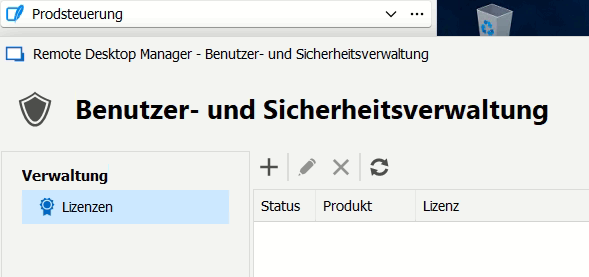
MS-SQL (Administration/Licenses)
The "new" licensing-conditions are a bit confusing. Also the license-handling.
In 2019 I had some conversations with David and Gab explaning our situation.
Gab suggested to renew out RDM-SITE-R3-licence.
So, until last expiration-period we had the Enterprise site-licence RDM-SITE-R3 for our governmental office.
In the beginning it was unrestricted to the amount of installations/users.
With the last renewal the Enterprise-license changed from RDM-SITE-R3 to SRDM-SITE-R3 and is limited to 50 installations/users now.
If one day in the future the amount of colleagues using the RDM will exceed 50 we will have to contact sales again.
It seems that I have to enter the serial for each datasource to register the RDM now.
So, how exactly are licenses counted (by accident you might cause some licence-jumble using multiple datasources...like I did)?
- I entered the serial for the MS-SQL-datasource before and it also shows "Registered" when switching the datasources...
- This MS-SQL-datasource is only used in my office (the "room" I am sitting in with my two colleagues)
- Looking into the license-section of User-Management (Administration/User/Licenses) it looks slightly different (here we also have active users):
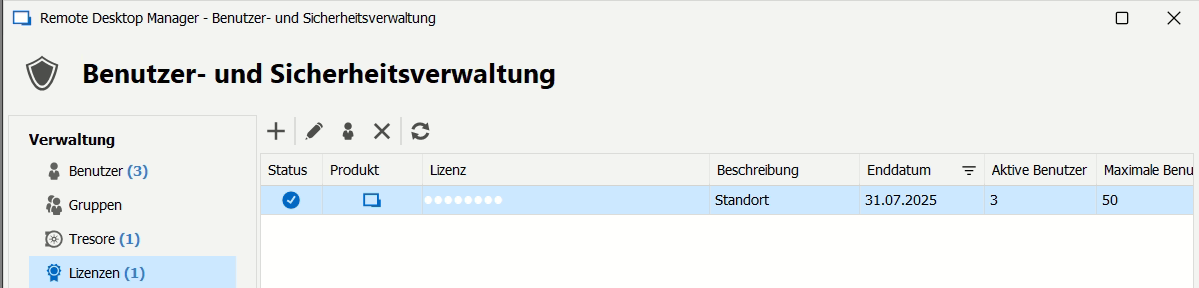
- I additionally entered (as you mentioned) the serial for my local SQLite-datasource at work and now RDM shows "Registered" in the Footer.

- Now I could add a new KeePass-Connection!
Do I (and each of my colleagues) use 2/50 licenses now?
Is "50" the amount of local installations, datasources, users accessing datasources (on demand), users accessing datasource (in total), users within a centralized datastore?
Are users allowed within our institution to use "only" the free version of RDM if they only use it as local installation without needing a centralized datasource or extended features?
I did not find any document dealing with the different licensing models...
Could you please send me/upload here the license agreement-documents for both licenses:
- RDM-SITE-R3
- SRDM-SITE-R3
2) OK, then I will try this way
Thank you very much.
RDM - 20230314-0900.png
RDM - 20230314-0821.png
RDM - 20230314-0808.png
RDM - 20230314-0807.png
Hello,
All our licenses are calculated per named user.
The 50-user limit is the number of users allowed to access the data source in total.
If some users don't need a centralized data source or extended features, they can use the RDM Free Edition without any problems.
For the license agreement, I will send you the applicable EULA in an email.
Best regards,
Mat
Mathieu Desroches
Thank you for your support.
Hello,
I created a KeePass XML synchro entry and it is working fine to create the full structure.
However, if I make a modification in KeePass and generate the new XML and if I try to synchronize in RDM, the mofifications are not applied (whereas the synchronization is OK).
The only solution is to remove the destination folder in RDM and to resynchronize from scratch.
The other issue is that the XML export from Keepass is not secured (clear text): is there a solution to synchronize RDM with the KeePass database itself?
Regards,
Yann
Hello Yann,
For your KeePass XML synchronizer, setting the Action on entry mismatch to Delete should help to apply the modifications.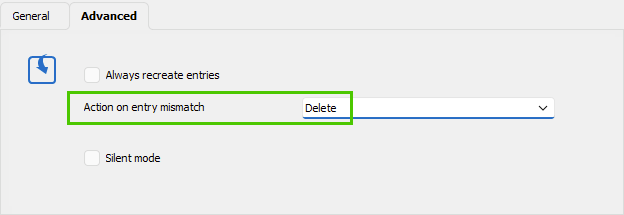
Sadly, there is no method available to synchronize all entries directly with the KeePass database. The only method is to manually create individual KeePass credential entries or import them like you do with an XML file.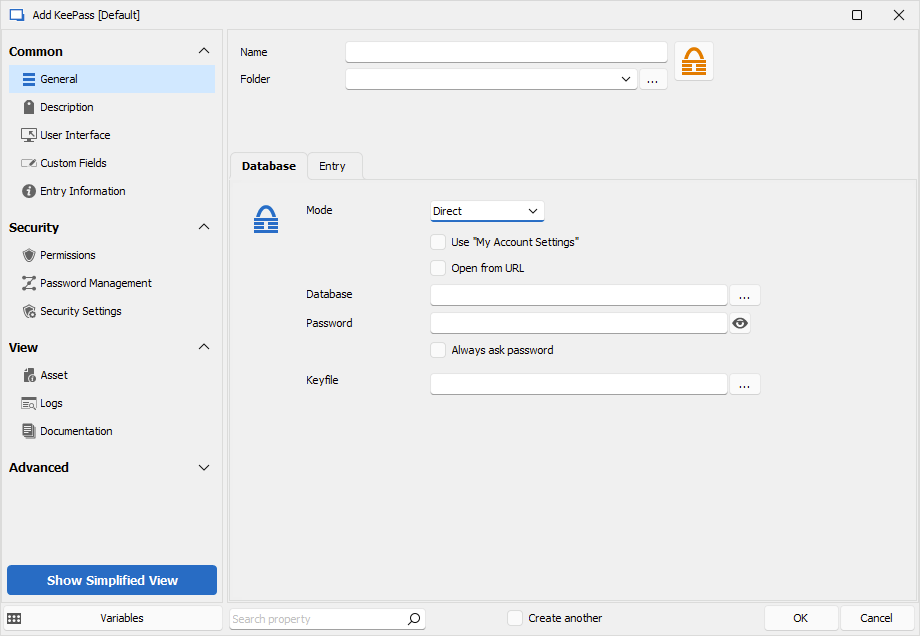
Best regards,
Érica Poirier
3a94798b-263e-4484-9dea-e06d7fa33ac5.png
96099adb-52bf-455c-9485-ab49ab8aa8fd.png