Bomgar Representative Console - unable to load executable

I'm new to Devolutions and trying to configure a Bomgar Representative Console session. The Bomgar Representative Console and some sites are installed on my local machine and work without issue... I just launch the application, input my credentials and everything works... When I try to configure it with the Devolutions Remote Desktop Manager, I create a new entry, select the Bomgar Representative Console option, however, in the properties section the Bomgar site field in the image below is not editable. I would think this field would point to the sites I use with the native app on my machine at the following locations:
C:\Program Files\Bomgar\Representative Console\Site1
C:\Program Files\Bomgar\Representative Console\Site2
C:\Program Files\Bomgar\Representative Console\Site3
Can anyone point me in the right direction?
Thanks.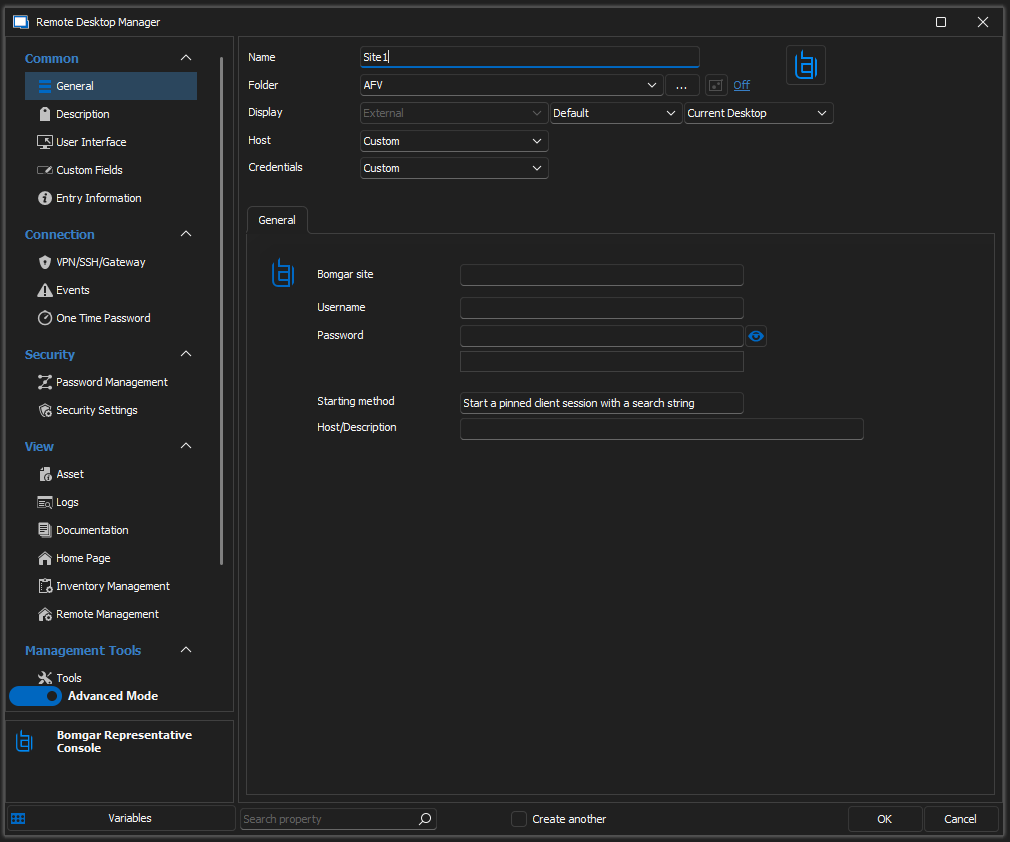
bomgar_screenshot.png
All Comments (6)
Hello Stixrudbob,
Thank you for contacting us on that matter.
If I get it right, Bomgar is a cloud service to connect to other devices.
Could you try to enter the link of your login page from the Bomgar cloud services, the username, and the password, and try again?
Let me know if this works for you.
Please note that this feature only allows you to only open it as an external display, this means that RDM will open the webpage and input credentials for you.
Best regards,
Patrick Ouimet
Where should the link be entered? If you reference my original post, I mentioned that the "Bomgar site", in the image provided is not editable. Bomgar can be accessed via web or using a local client app. I'm not sure which of these options the Bomgar add-on is targeting. I am able to put a user name and password in the provided fields, but it says unable to load executable, so I'm guessing it's trying to access the local client app.
Hello Stixrudbob,
I'm still in communication with Bomgar concerning your issue.
In the meantime, could you try to set your entry properties to start a script name on the local disc and select your script site1?
Best regards,
Patrick Ouimet
Hello Stixrudbob,
I had a talk with Bomgar company and the engineering department from Devolutions.
What I learn from them is that from the point of Bomgar, the .brsc is a script that contains an access token and instructions to connect the appliance and this is mainly used by the Rep Console app, it cannot be used by an external app. when the Rep Console is aware of the script then it parses it and validate with the appliance and then if all good the appliance will allow the Rep Console to connect.
The engineering department confirms that Remote Desktop Manager will allow you to call your Bomgar-rep.exe and input credential for you. This Bomgar-rep.exe will always open as an external component. What Remote Desktop Manager will do is simply open your local or the cloud website, this allows you to centralize all your connection at the same place.
Hope this will help you.
Best regards,
Patrick Ouimet
If you are in contact with them, could you by any chance ask them for a complete example script? The online documentation does not provide very good examples of an entire script, only commands which I haven't been successful with yet.
Hello,
Unfortunately, this is not something I can do for you.
May I suggest that you contact beyond thrust if you have any issues with their system or script?
Best regards,
Patrick Ouimet