How to use Password Management under My Account Settings

Hi there
I tried to find out exactly what the "Password Management" settings under "My Account Settings" can be used for. Unfortunately, I can't find any information about it in the online help. We use 1Password to manage our passwords online. The idea now would be that we connect our entries (mainly RDP connections) to the respective entry in 1Password, so that no passwords etc. have to be stored in RDM.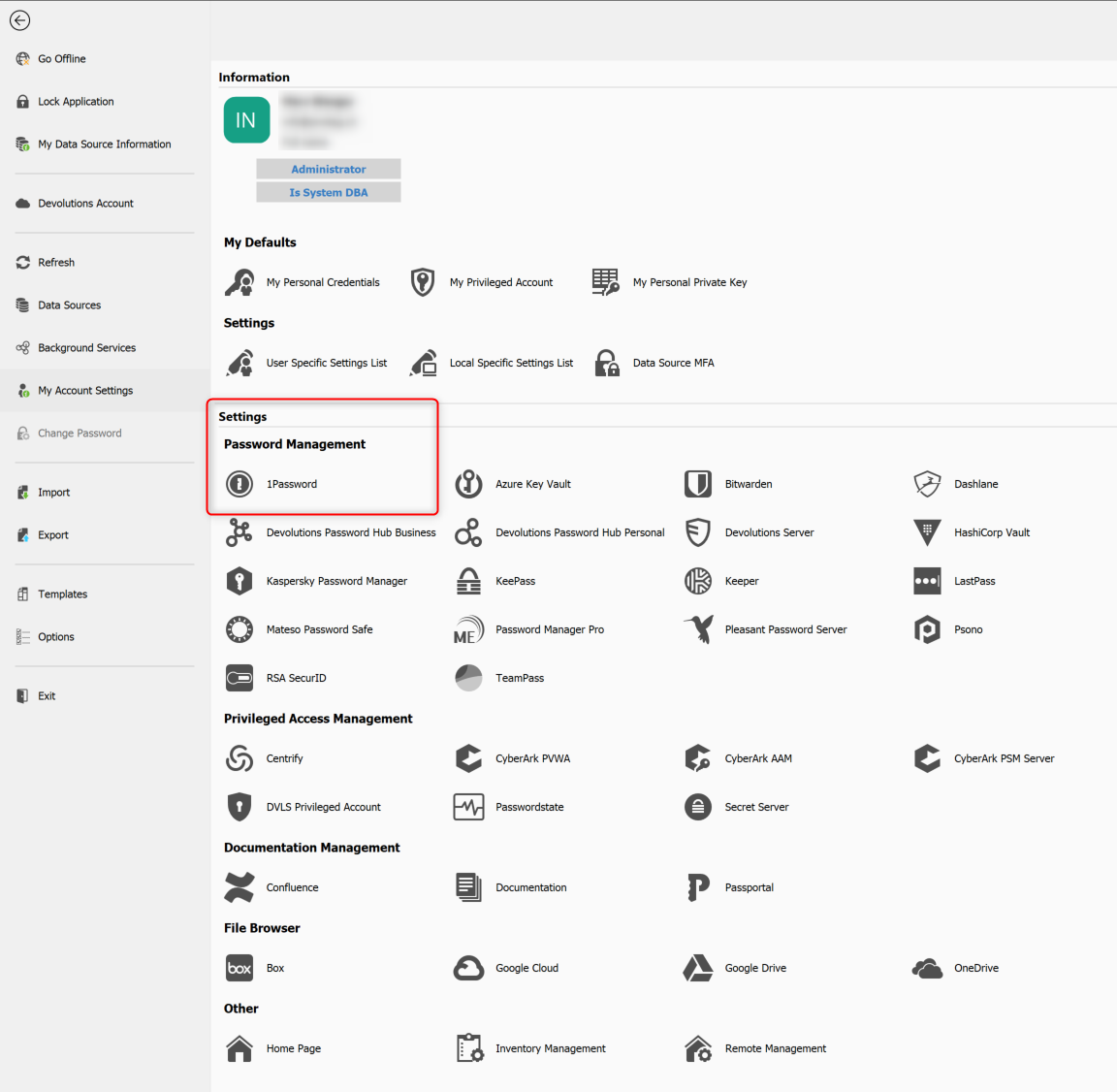
What is the correct way to use stored passwords from 1Password for connections in RDM?
Thanks a lot for your help!
Regards
Michael
2023-01-20_07h19_26.png
All Comments (1)
Hello,
Thank you for contacting the Devolutions Support Desk !
I would recommend creating a 1Password entry and using the "Linked (Vault)" credential option to connect your entries to this entry.
You could use the batch edit feature so that you don't need to configure each of the entries one at a time to use 1Password:
https://help.remotedesktopmanager.com/commands_batchedit.html
Once all your entries are configured this way, this would then allow your users to open the session and, if configured to do so with "Always Prompt with List", be prompted with a list of the passwords stored on your 1Password database.
Best Regards,