Quick Connect issues on Windows 11 22H2

Since upgrading Windows 11 to 22H2, trying to connect to anything with Quick Connect using RDP gives the following error.
An authentication error has occurred (Code:0x800706be)
At the same time, I get the following error in the event log
Faulting application name: CredentialUIBroker.exe, version: 10.0.22621.1, time stamp: 0x1a80a4b0
Faulting module name: Windows.UI.XamlHost.dll, version: 10.0.22621.608, time stamp: 0x6d3357a5
Exception code: 0xc0000409
Fault offset: 0x0000000000006bea
Faulting process id: 0x0x200C
Faulting application start time: 0x0x1D921DE4D17A94E
Faulting application path: C:\Windows\System32\CredentialUIBroker.exe
Faulting module path: C:\Windows\System32\Windows.UI.XamlHost.dll
Report Id: 109cdf77-bdea-488d-be18-b47c4241fa56
If I create an entry for the system in the Navigation tree to connect with RDP, it works.
I had seen another post where it had to do with the RD Gateway. In my Navigation tree entry, this is set to Automatically detect RD Gateway server settings. I don't see any options under quick connect, but under the Remote Desktop section in settings, I see a number of options regarding the gateway, but changing these hasn't had an effect. Any thoughts?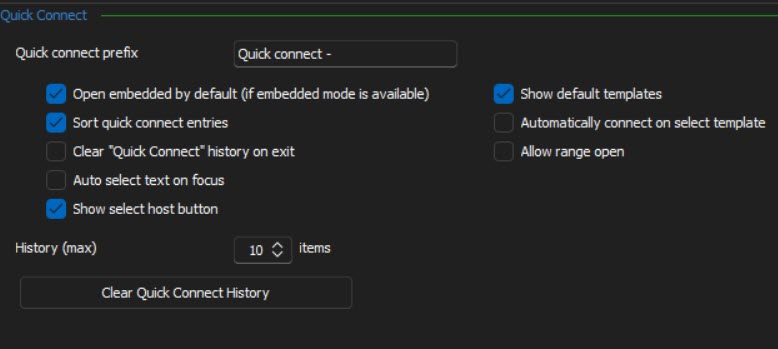
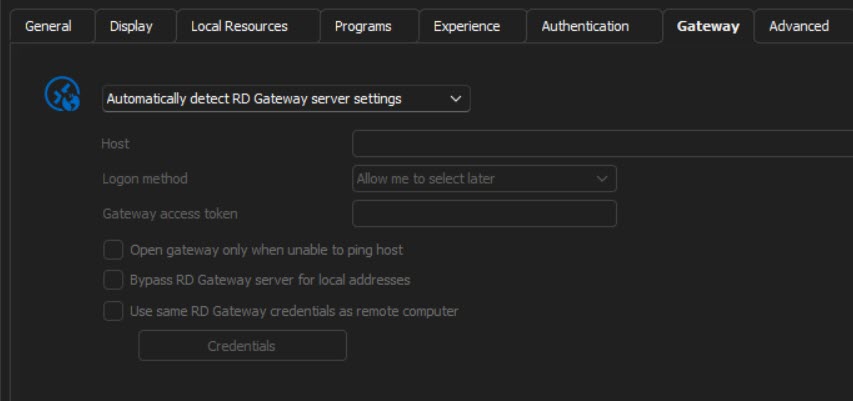
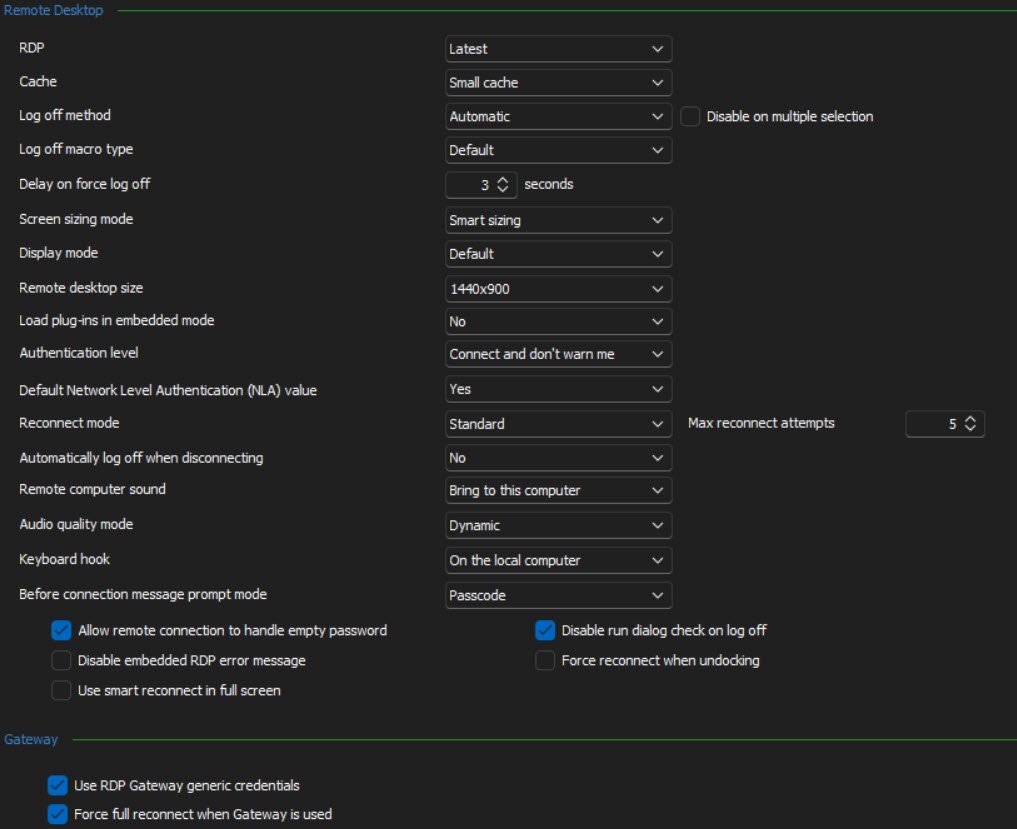
2023-01-06_6-57-19.jpg
2023-01-06_6-57-01.jpg
2023-01-06_6-56-36.jpg
All Comments (4)
Hello Randall,
All your settings seem to be the default. Could you please confirm what version of RDM you are currently using?
If you go further down in the options of the Remote Desktop, could you try to disable the API hooking and see if you have the same behaviour?
If the above does not work, as a test, would it be possible for you to create a portable installation of the latest version of RDM and see if this issue still occurs? To do so, you will need to do the following:
1- Download the .zip file below:
https://remotedesktopmanager.com/home/thankyou/rdmbin
2- Create a new folder on your Desktop
3- Extract the content of the .zip file into the folder created at #2
4- Go to this folder once the .zip file has been extracted and run remotedesktopmanager.exe
5- Connect to your data source
This test will allow us to rule out your local installation of RDM as a possible cause for this issue.
Please note that if you are using an Advanced Data Source, I would recommend skipping step #5 and using the default data source created by the portable installation of RDM instead.
If it still does not work, could you export a working RDP entry and send it to service@devolutions.net, we will review it and see if there is a setting that would need to be changed for the quick connect.
Best regards,
Richard Boisvert
I am using version 2022.3.29.0 64-bit. Disabling the API hooking did not resolve the issue. Running the portable installation did not fix the issue. I did try the local installation and the portable installation with a different user profile on the same system, and those worked. It looks like it's isolated to just the one user profile I was using it with. Since it works with a different profile, I can live with that and we can consider this resolved.
Hello Randall,
If ever you can replicate the issue, please let us know so we can investigate further, but we will consider this as resolved for now.
Best regards,
Richard Boisvert
It is resolved now. Thanks for sharing it with us. I was actually searching for this https://writinguniverse.com/free-essay-examples/music/ website online because I want to write an essay assignment on music topic and I can't write it on my own. That is why I am searching for a site online through which I can get some help.