Can't copy/view hidden custom fields without editing the entry
Can't copy/view hidden custom fields without editing the entry

I am trying to copy to the clipboard or view a custom field that has been set to "Hide the Value" by clicking on the lock icon.
When I look at the overview tab I can see the text is hidden by dots.
But I can't figure out a way to copy the value to the clipboard or view the value.
The only way is to edit the entry and click on the padlock icon.
Surely there must be an easier way that I can't figure out.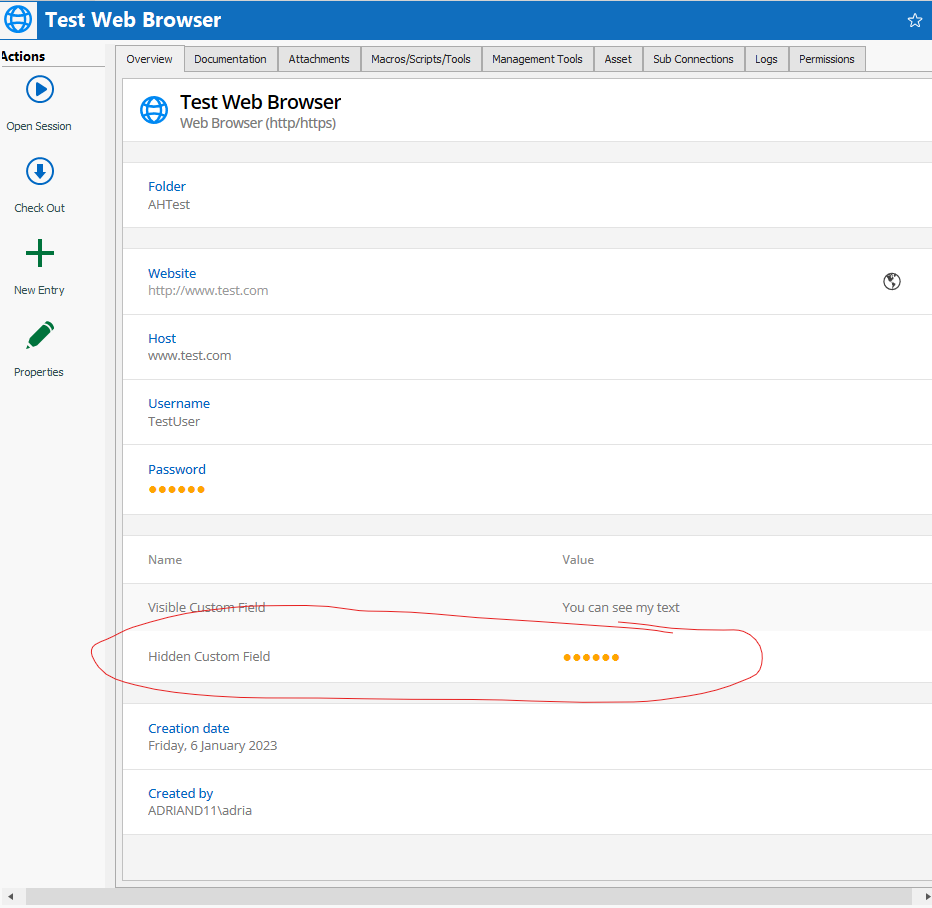
Screenshot 2023-01-06 150155.png
All Comments (1)
Hello,
To have the Copy Hidden Custom Field button available, you need the View Password permission.
Let us know if that answer your question.
Best regards,
Érica Poirier