RDM non standard scaling screen

Hi,
I use non standard scaling 115% at Windows 10 and have problem with RDM interface after update to 2022.3.29.0. In version 2022.2.29.0 everything is fine. But at latest version interfece looks like below. When I back to 125% scaling interface looks fine (bottom images).
How can I correct this? 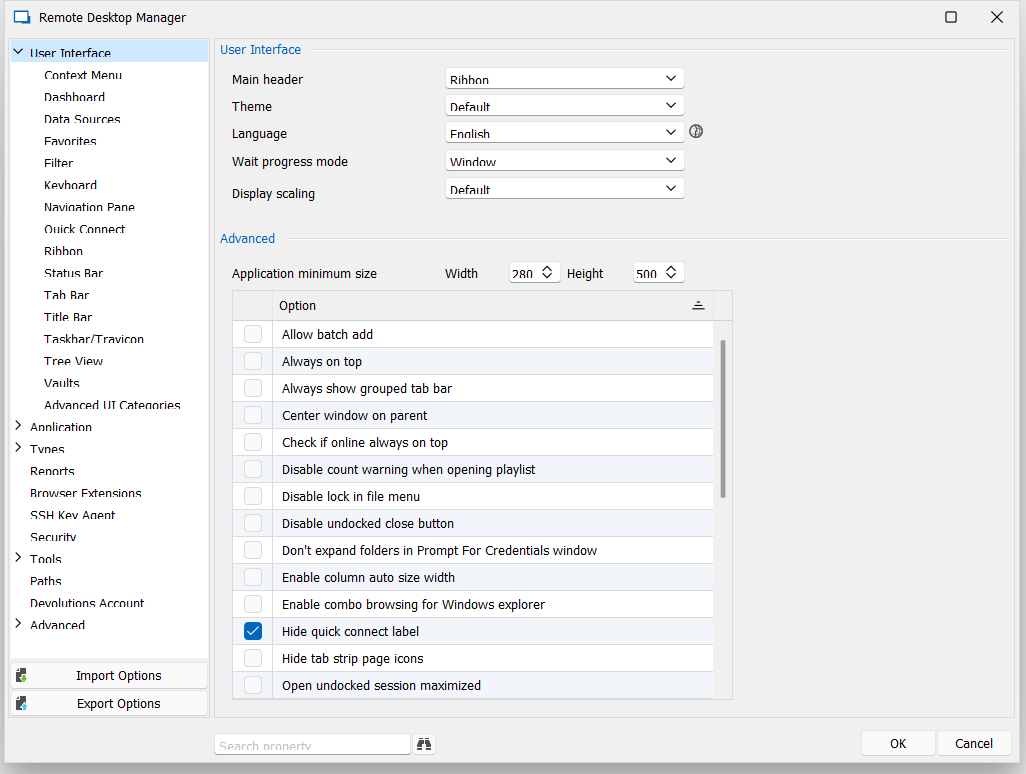
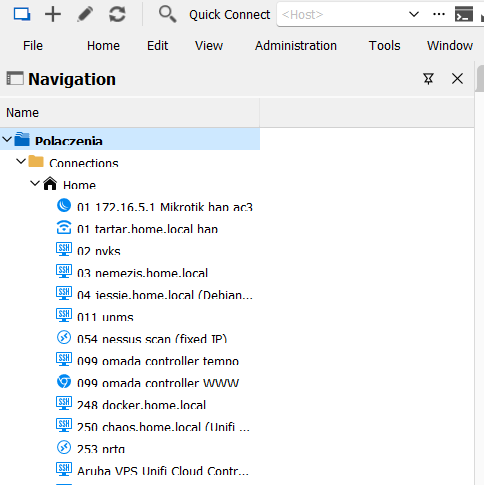
Scaling 125%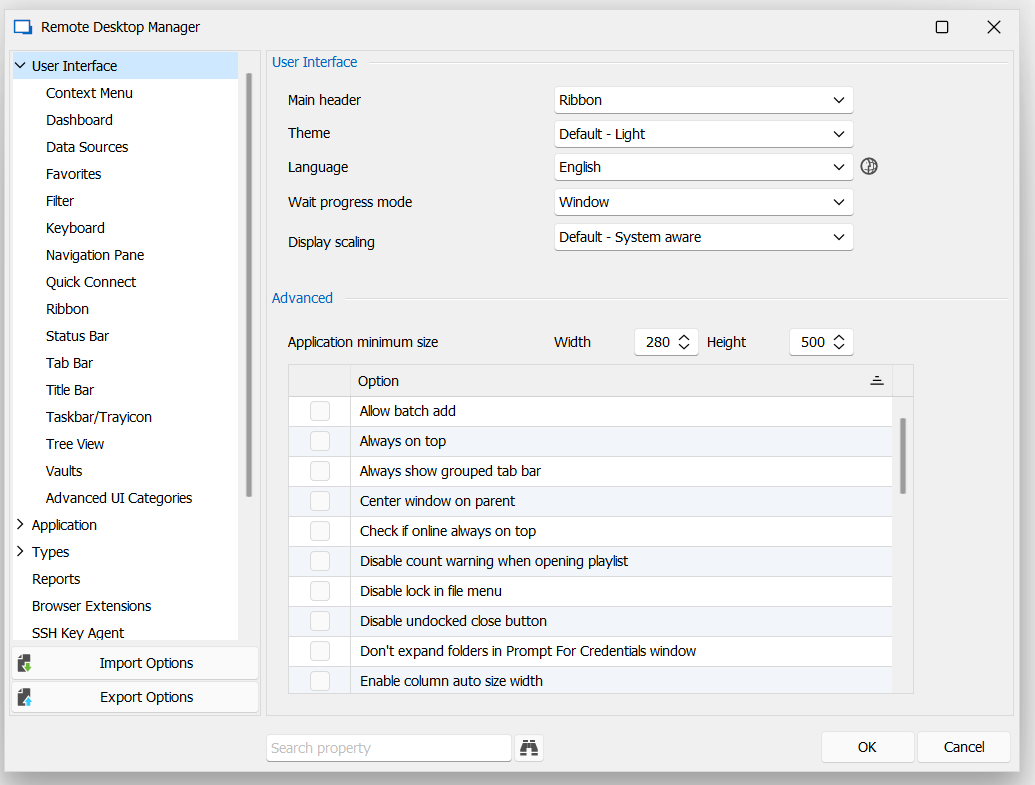
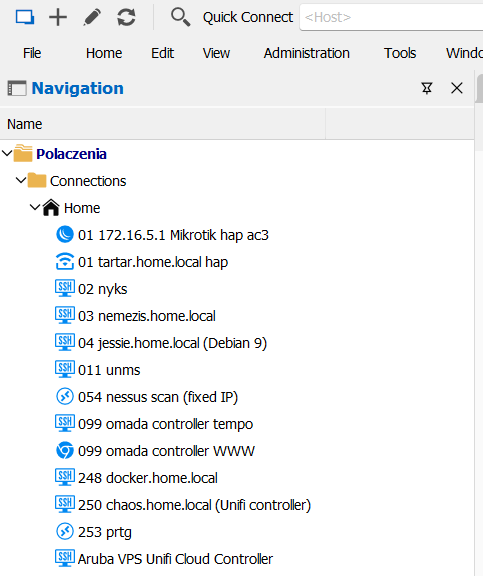
125dpi_window.PNG
125dpi.PNG
115dpi_window.PNG
115dpi.PNG
All Comments (8)
Hello,
with 115% scaling enabled, which options do you have in the scaling options?
Hello,
with 115% scaling enabled, which options do you have in the scaling options?
Hi,
Set to Default. I switched to System Aware and next to DPI unaware and nothing changed.
I've use RDM at 3 notebooks and it's the same "bug".
Hello,
Could you please try the Solution #3 on the following article?
Let us know if that helps.
Best regards,
Érica Poirier
Hello,
Please disregard my last post as I have been able to reproduce your UI issue. I have submitted a ticket to our engineering team.
Once a fix will be available, we will post it here.
Thank you for your patience.
Best regards,
Érica Poirier
Hello,
Please disregard my last post as I have been able to reproduce your UI issue. I have submitted a ticket to our engineering team.
Once a fix will be available, we will post it here.
Thank you for your patience.
Best regards,
Hi Erica,
thank You, I'll wait:)
Hello,
A fix as been implemented in the latest RDM 2022.3.31.
Could you please try it out and let us know if it's working properly?
Best regards,
Érica Poirier
Hello,
A fix as been implemented in the latest RDM 2022.3.31.
Could you please try it out and let us know if it's working properly?
Best regards,
Hi Erica, I'm sorry for answer delay. New version fixed the problem. Thank You Devolutions team :)
Hello,
Thank you for your feedback and glad the issue is fixed in the latest version.
Best regards,
Érica Poirier