RDM Android not Validating Google Drive Datasource

Hi,
I have a RDC connections file inside my gdrive which was created on pc. Now, When I try to connect to that Google Drive, I Get 127.0.0.1:45677 unreachable. Is there something wrong with the app?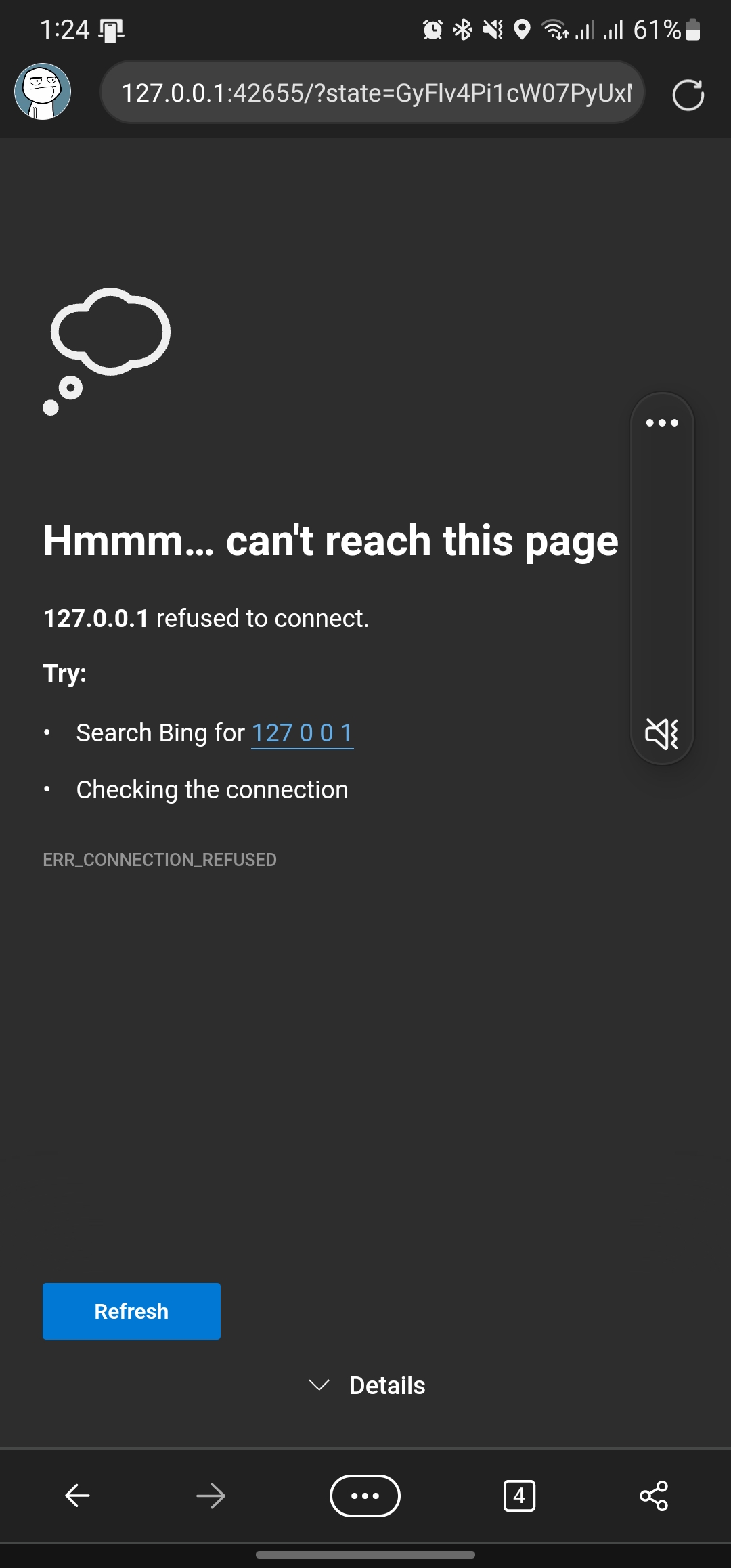
Screenshot_20221227_132452_Edge.jpg
All Comments (11)
Hello,
I will try to test this on my side, can you confirm your Remote Desktop Manager version?
Best Regards,
Etienne Lord
Hi,
It's 2022.3.2.1
And also, the device is Samsung Galaxy Note 20 Ultra.
Open UI version is 5.0
Android Version is 13
Let me know if you need to know anything else. Thanks!
Hello,
It seems like I can connect to my Google Drive Data Source without a problem, when exactly do you get that issue? Did you validate your email when adding the data source in RDM Android?
Best Regards,
Etienne Lord
The error appears when I click Validate Email
1st of all I click validate email. Then I enter my account details. Then I Log in. It asks for allowing access to the application for reading my files and other things. I give it access and then after that I see the screenshot that I shared previously with you.
Hello,
I was able to replicate the issue on my PC, after validating my account, I received the same error page, but it seems to be a redirection issue.
My account was still validated
On my S21, after, I was able to add the google drive data source without issue, there were no errors during the validation of my Gmail account. Could you verify on your mobile device if the Gmail account is still validated? if so, it should connect without problem.
Best regards,
Richard Boisvert
Hi,
No. The account isn't validated on my android. It keeps on showing the Loader with the popup.
Could it be an issue with just my phone? Or some sort of Unique permissions?
Hello,
Could you confirm that the account is validated when you use RDM on Windows? This is to confirm if the issue is with the permission or if it is an issue with the mobile version.
Best regards,
Richard Boisvert
Yes, the account is validated on Windows. Here's what it says:
This appears to be an issue with only the mobile version.
Hello Syed,
I am still unable to replicate the issue, I will verify with the QA team if they have an S20 they could test with.
Best regards,
Richard Boisvert
Hi,
Sure. Please Do. Although, the Phone I have is Samsung Galaxy Note 20 Ultra.
I'll also try checking on another Android Device.
Hello Syed,
We unfortunately do not have a Samsung Note 20 Ultra internally. The QA team tried to replicate the issue with a Samsung S6 Lite and a Samsung S21+ but was unable to reproduce it, the Google Drive data source can be added normally with both of those devices.
Best regards,
Richard Boisvert