2022.3.26.0 Show Credential Entries has no effect

After installing 2022.3.26.0 64-bit my credentials no longer respect the Navigation Options > Show Credential Entries and they remain visible in the navigation pane. Stand-alone install with local data source.
All Comments (9)
It looks like this version doesn't recognize my license, thus the missing features. I uninstalled and reinstalled a previous version to get the features back.
Hello,
Thank you for contacting us on that matter!
Could you please make sure that a valid serial of RDM has been registered into your data source and that your licenses have been assigned to your users?
To do so, please refer to this link: https://help.remotedesktopmanager.com/installation_registration_enterpriseedition.html
Please note that if you are using a local data source, you won't need to assign your license to your user. Adding it under the license menu will be sufficient.
Best regards,
James Lafleur
Arg! I found the issue: I've been using an XML data source which worked fine in 2022.2.x, but I noticed in your link above the note saying
The license menu to register Remote Desktop Manager is available for SQLite and Password Hub Personal, but not for other individual data sources.
I created a new data source as SQLite, imported all of my entries from the XML and the register now shows up in the 2022.3.x install. However, the credentials still don't show/hide with the option as in 2022.2.x builds.
Hello,
Are you referring to the show/hide option within the dashboard ? Or within the properties of the entry ?
Best Regards,
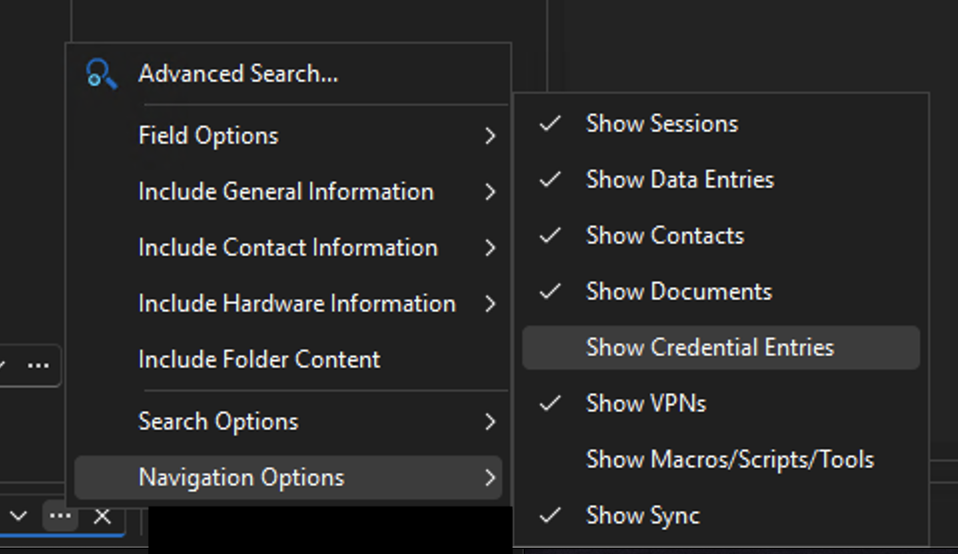
nav-menu.png
Hello,
It appears I'm unable to reproduce the issue. Could you explain to me what behavior it is that you're expecting ?
When "Show Credentials Entries" is checked, it adds credential entries to my list of search results, and when it isn't checked, credential entries don't appear in my results.
Best Regards,
The screen shot actually showed what I meant (I said search results) but I meant navigation options. When versions prior, when navigation options setting "Show Credential Entries" is unchecked any credential entries do not appear in the navigation pane whether searching or not. It is only when checking the box in Navigation Options that credentials are shown and searchable in the Navigation pane.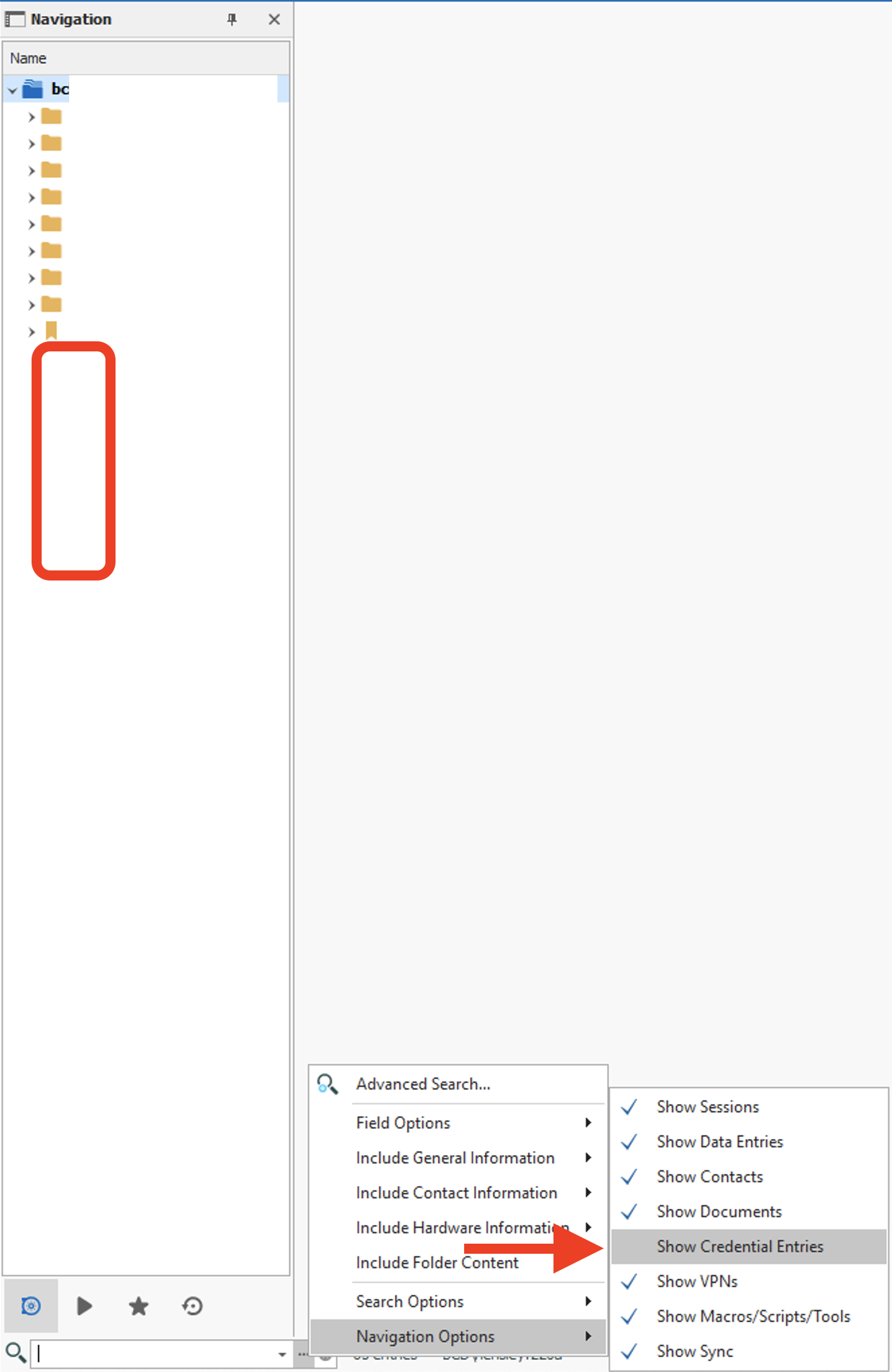
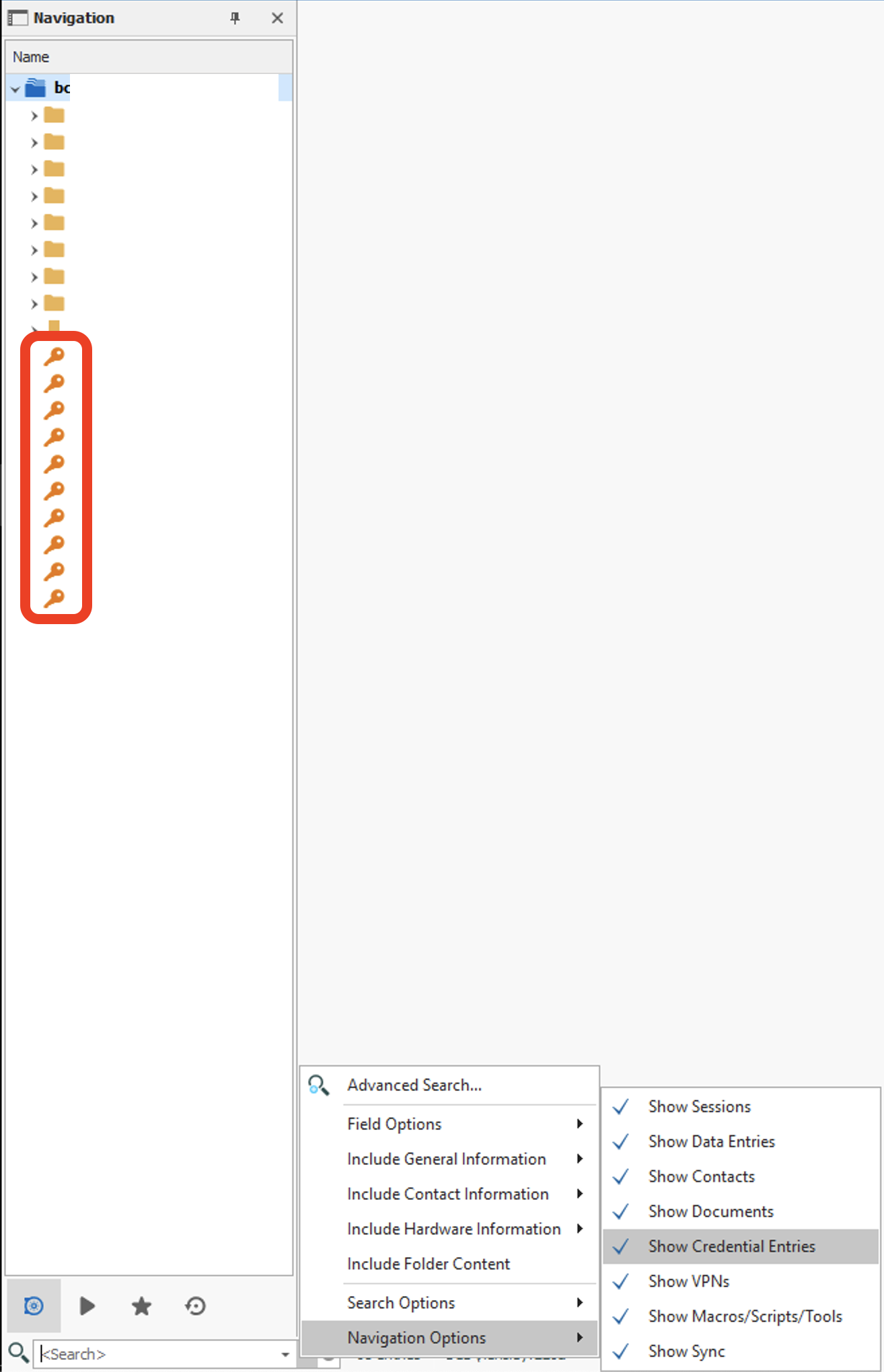
Screen Shot 2022-12-12 at 10.12.14.png
Screen Shot 2022-12-12 at 10.10.58.png
Hello,
Thanks for clarifying, I will inform our engineers internally and see if this change was intentional or if it's a possible bug.
Best Regards,
Hello,
We've replicated and fixed the issue. These changes should be available for 2022.3.28. Thanks for bringing this to our attention!
Regards,
Jafran Majeau