Cisco Anyconnect MFA not working

Hi,
I ram a new RDM user - MacOS RDM 2022.3.8.0 (Free)
I could not figure these two issues using the your docs or forum
1. typing macro stops when it encounters % in the password
2. We use Google MFA for our Cisco Anyconnect VPN
After the connect button is pressed it prompt with 3 fields username, password and OTP
the application is selecting the vpn gateway fine and putting the username and password but it does not fill the MFA
My VPN/OTP configuration is fine
any help will be highly appreciated
Thanks,
All Comments (9)
Hi alirazvi14,
I'll address each of your issue individually.
1. typing macro stops when it encounters % in the password
I'm unable to reproduce this issue, I've created a Macro entry with the "qwerty%asdfg" macro and if I execute it on, for instance, an opened RDP entry, the entirety of the string gets written without issue. Are you executing the Macro in some specific context? What version of RDM Mac are you using?
2. We use Google MFA for our Cisco Anyconnect VPN
After the connect button is pressed it prompt with 3 fields username, password and OTP
the application is selecting the vpn gateway fine and putting the username and password but it does not fill the MFA
This is normal, we've never implemented 2FA support for Cisco AnyConnect VPN entries. I'll open a ticket, but just to confirm, how did you configure your OTP? In the Connection -> One Time Password tab? And did you set the "Usage" field to "Specific to session"? Because when implemented, this is how it will work. See: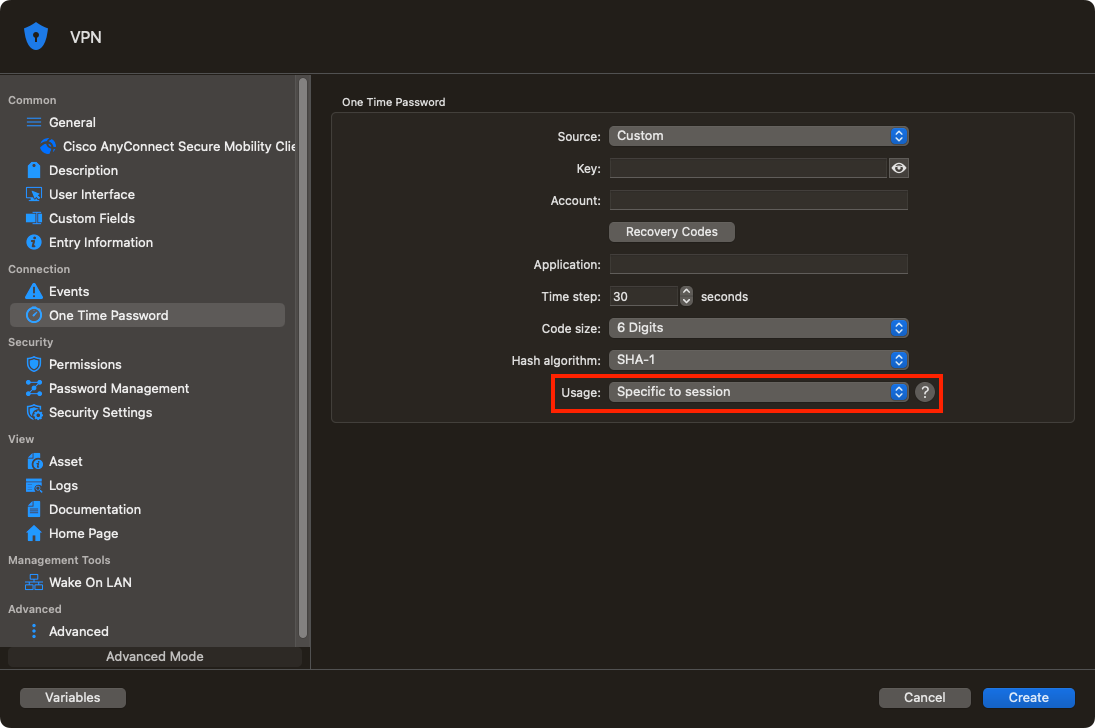
Best regards,
Xavier Fortin
SpecificToSession.png
Hi Xavier,
Thanks for the quick response
I am using RDM 2022.3.8.0 for MacOS
The typing macro stops at the % for web authentication
when I use {ALT} in it place it continues till the end by skipping the %
This is my VPN setup
VPN works fine without the OTP
I wonder how this product was hidden from me
it changed the way I worked for years in the last couple of days- just amazing
Best regards,
Ali Syed
Hi alirazvi14,
Is this on any web page? I've made a quick test to autofill in the Google search field in an embedded Website entry in RDM and the % character gets inputted correctly. What keyboard layout do you have configured on your Mac?
Best regards
Xavier Fortin
US English Physical Layout
Language - English Canada
this is the password - e9H6%RLYO!10
I still can't reproduce, even with the same keyboard layout selected and using the exact same macro value: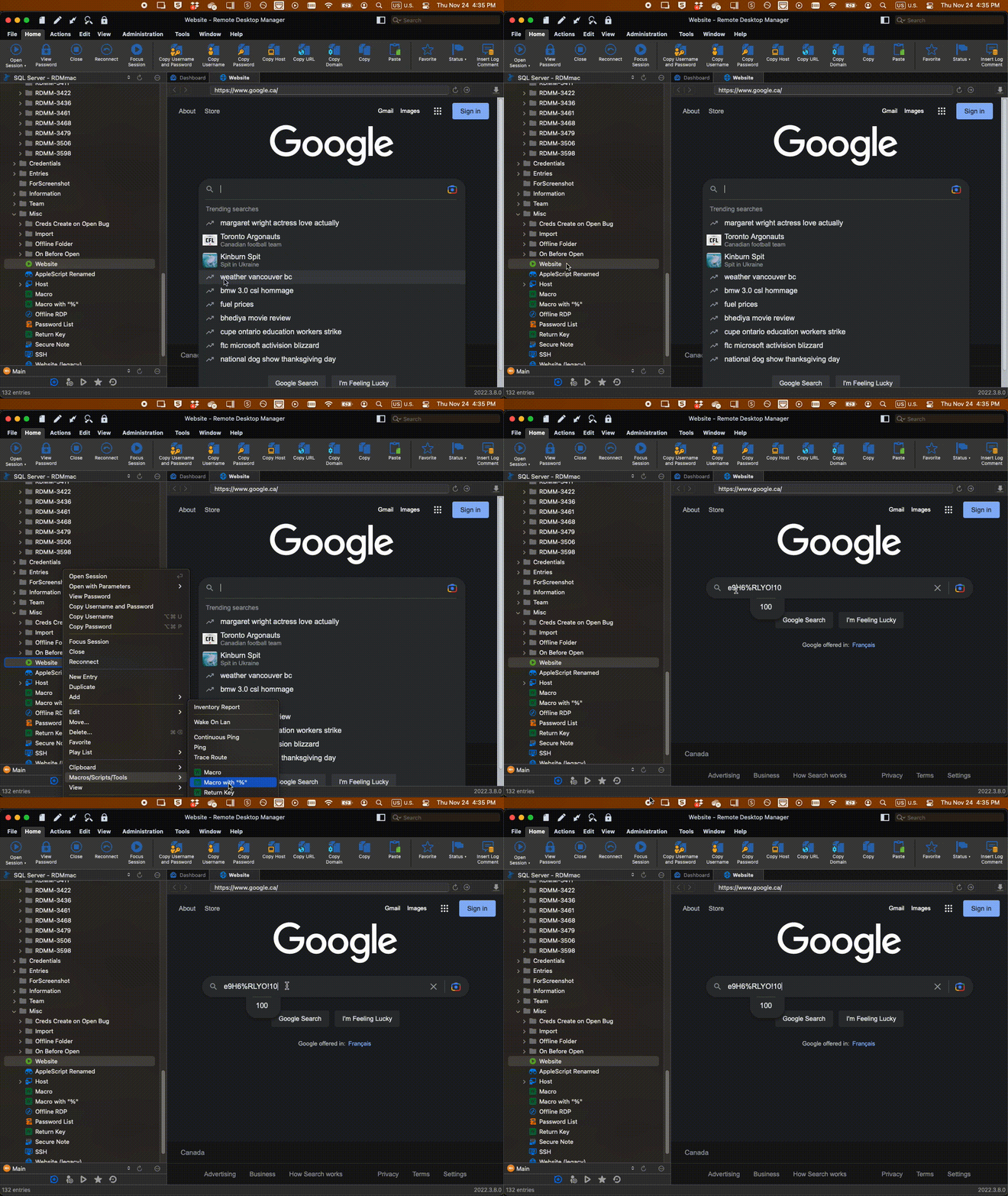
This is why I was curious to confirm if this occurs in any web pages.
Best regards,
Xavier Fortin
Macro.gif
You are right, it does not happen on all sites
If I remove {ENTER} at the end it works even on my website (https://8x8.force.com/partnerxchange/s/login/)
not sure why enter in the end is causing this issue?
Ah! I can reproduce! With the {ENTER} at the end, it does indeed stop at the first "%". I've tried adding a {DELAY} before the {ENTER} thinking it might be a question of the key somehow not registering before the enter triggers, but without success. I'll open a ticket to investigate this.
Best regards,
Xavier Fortin
Hi alirazvi14,
I have answers for your first point! We've investigated and it's because "%" (along with a few others) is a special character and coupled with the pair of "{" and "}", it's behaviour is sort of changed in the result. You may also encounter similar issue with +, ^, |, ( and ). The workaround, while not quite ideal, would be to "escape" the character in question by surrounding it with "{" and "}". So, the following:
e9H6{%}RLYO!10{ENTER}
Will output as:
e9H6%RLYO!10 (followed by a return key press)
The TL;DR is, our macro system is build to replicate the Microsoft SendKeys.Send() method: https://learn.microsoft.com/en-us/dotnet/api/system.windows.forms.sendkeys.send?view=windowsdesktop-7.0
As for your second point, the ticket is still open.
Best regards,
Xavier Fortin