Powershell Run As AND Administrator (elevated) not working together
Powershell Run As AND Administrator (elevated) not working together
0 vote

Hi
I'm usind RDM Version 2022.2.24.0 64-bit
I created a session to open a Powershell and my goal is:
Use a saved credential AND get an elevated Powershell (of course wiht uac prompt) session running as this user from the saved credentials.
My Problem:
When i cofigure the Run As part the powershell starts as this user (which works as intended) but NOT elevated!
When i check the box "Run as Administrator" it as me f username and password. So the credentials are NOT used when i request an elevation.
See the screenshots how i configured the session. It "looks" ok, but it doesn't do what i configured / want.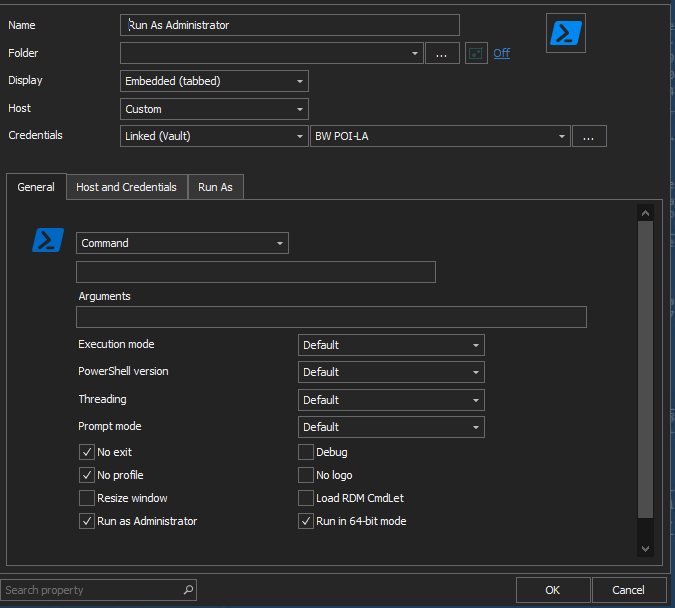
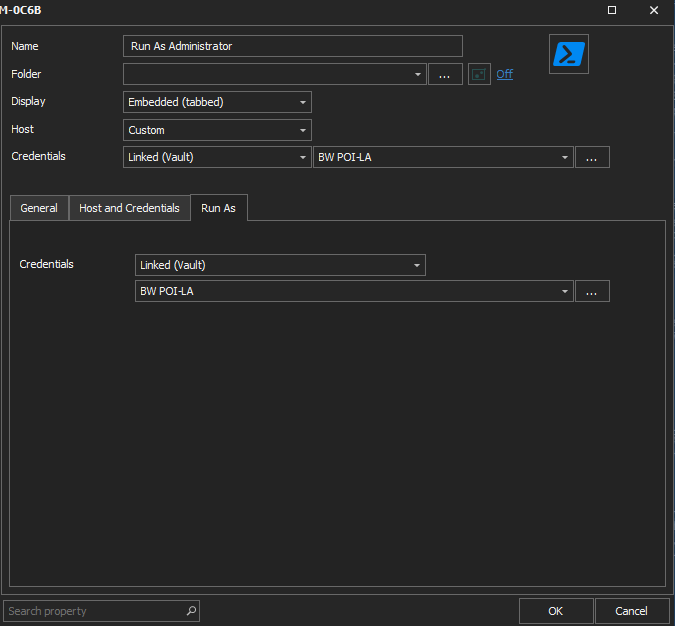
2022-11-22 10_14_21-Window.png
2022-11-22 10_15_01-Window.png
All Comments (5)
Hello,
Thank you for reporting this behaviour.
Are you able to open a PowerShell prompt in Windows using another account and running it as an administrator?
We already have received this request few months ago but we are still unable to implement it in RDM. If you know how to do it outside RDM, then with the instructions, we should be able to add this functionality in RDM.
Thank you for your collaboration.
Best regards,
Érica Poirier
I solved my requirement by installing and using gsudo.
Hello,
Thank you for the information. This has been added it to the internal ticket.
Best regards,
Érica Poirier
Is this still an issue? Im having the same problem. Powershell session wont prompt for elevation. Command Line works as a workaround.
Hello @joncavallo,
As we are unable to implement this functionality in RDM, the solution provided by Peter to install and use gsudo is the workaround you could try.
Let us know if that workaround works for you or if you know another method outside RDM to get the prompt for elevation.
Best regards,
Érica Poirier