VPXCLIENT.EXE issue (VMWare Client)

Hello,
I recently installed RDM and while configuring a connection to connect to a ESXi host using vSphere Client, RDM prompted for the path for the client app. While i supplied the path, I somehow managed to screw it up and did not entered the complete path to where VPXCLIENT.EXE is installed.
Given that I'm a noob at this, I can't seem to find where to change this setting. I've clicked everywhere I can possibly thing of and no clear option. 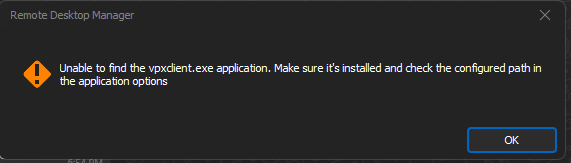
Anyone familiar with the product can point me in the right path?
2022-11-03 18_34_29-.png
All Comments (1)
Hello,
You will find the option in File - Options - Path - Configure Installation Path.
Best regards,
Érica Poirier