Problem with "Type Clipboard" in web forms

Hi - I've got a weird one.
You added a "Type Clipboard" button to the Home Ribbon like I asked in https://forum.devolutions.net/topics/36580/move-type-clipboard-to-home-menu-next-to-copy-password - this is great! I use it a lot! It works great on Windows login screens. However, when I use it on a web form, like a Synology or pfsense admin page, it does weird things that a simple control-v doesn't do, and it's somewhat dependent on whether the system entry is set to use Chrome or Edge.
So I hit Copy Username, or Copy password, and then position the cursor in the correct field. If I hit control-v, it pastes, and all is well.
But if I hit Type Clipboard, it does:
- If the entry is set to use Edge, it mostly works, but often drops characters - bbadmin comes out as bbamin or bbadmn, but about 50% of the time it works correctly.
- If the entry is set to use Chrome, it always just types the last character over and over again instead of the full text, and also sometimes drops characters - bbadmin comes out as nnnnnnn or nnnnnn or even nnnnn.
The item is correct on the clipboard - if I paste it elsewhere or view the clipboard with Windows-V, it is correct. But if I use "Type Clipboard" to type it into a web page in RDM, it's a crapshoot. I've verified this behavior on two machines running the latest version of RDM, Chrome, and Edge. It's actually a bit annoying because that type clipboard button that you put there because I asked you to is so handy, I hit copy password and then type clipboard, and am disappointed that it doesn't work.
Any thoughts?
All Comments (13)
Here's a screen cap of the behavior
Remote Desktop Manager [Synology - Chrome] 2022-09-17 11-45-13-1.m4v
Hello,
Thank you for contacting us on that matter!
Allow me to ask you a few questions to help us investigate this issue.
- What version of RDM do you currently use?
- Are there any public websites on which you encounter this issue that we could use to test?
Best regards,
Gabriel Degrandpré
RDM version is 2022.2.23.0 64-bit and I've confirmed the behavior on two machines, my workstation and laptop, both running Win 10 Pro 21H2 19044.2006, Chrome Version 105.0.5195.127 (Official Build) (64-bit), and Edge Version 105.0.1343.42 (Official build) (64-bit).
Sitewise, I made it happen with the Google login page in a test, attached. Website entry, browser is set to Chrome, username is set to andrewsolmssen@gmail.com in the entry, hit copy username, type clipboard, and you can see the result. I'm not using any third-party clipboard software, but I do have the clipboard history turned on in Windows for Windows-V pastes.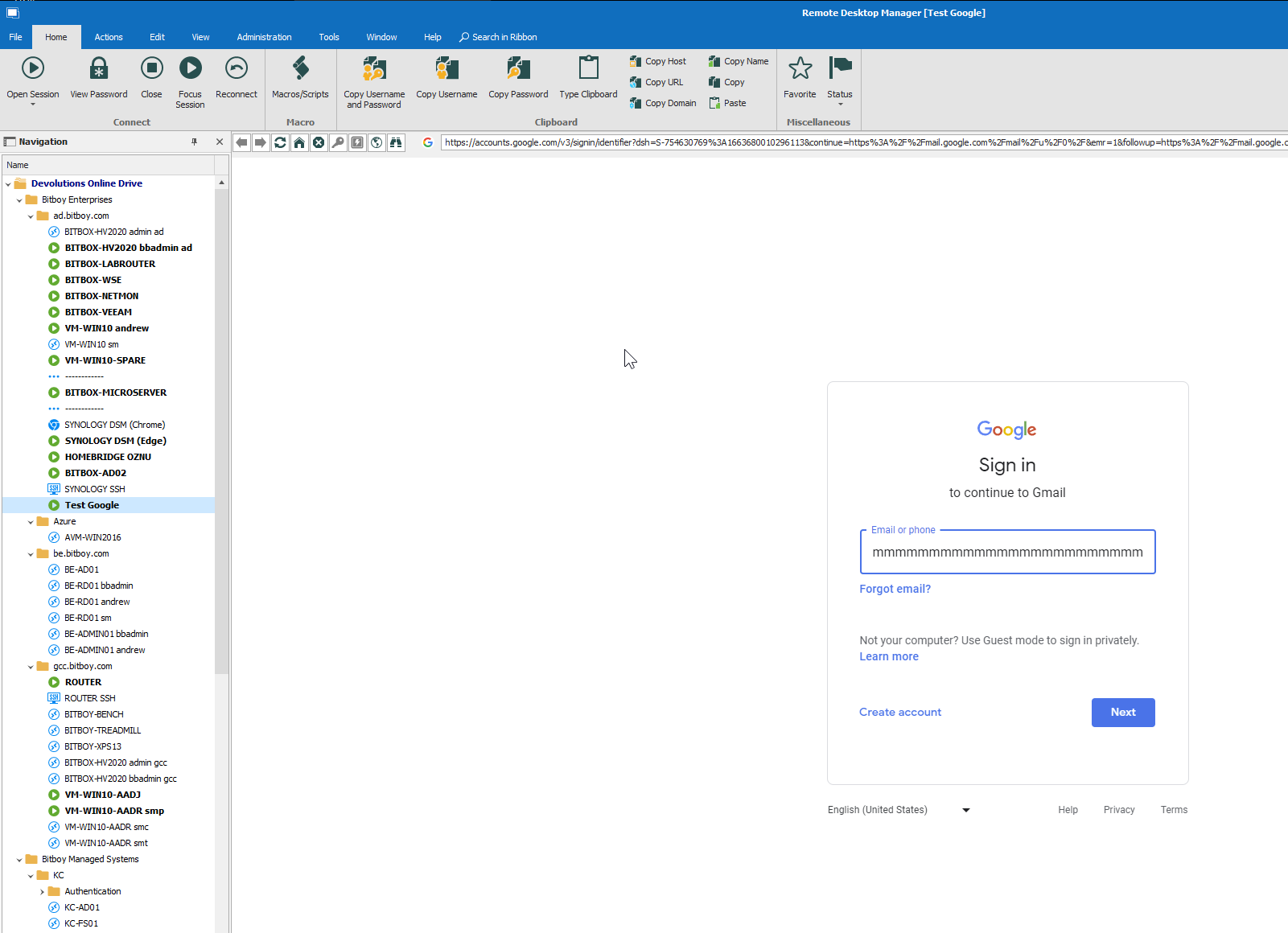
2022-09-20 06_20_55-Remote Desktop Manager [Test Google].png
Hello,
Thank you for your response!
There is definitely some weirdness in the embedded Chrome browser regarding the Type Clipboard feature. On my side it is frequently skipping characters. However, it does not type a series of repeated characters. I seem to be getting the behavior you described for Edge on both browsers.
I would be curious to verify if disabling the Clipboard History in Windows changes the behavior you encounter in Chrome. This feature is known to interfere with a lot of copy/paste features within RDM.
Best regards,
Gabriel Degrandpré
I disabled Clipboard history and the behavior was the same.as before in both Chrome and Edge - repeated last character in Chrome, dropped characters in Edge.
Hello,
Thank you for letting us know, an internal ticket regarding this issue has been opened and I will inform the engineers about your results regarding this test.
Best Regards,
Hello,
We've made changes to how we handle sending the clipboard to our web browser entries and this has fixed the problems you've described. This fix should be available as early as 2022.3.15.
Regards,
Jafran Majeau
Excellent! Glad to hear it! Thank you...
I've tried this in 2022.3.15 and 2022.3.16 and it's still broken for me. Usernames work fine but passwords do something weird now when I copy password and then type clipboard - it seems to type a few characters and then hit return so it tries to login and fails. Doesn't matter if I use Chrome or Edge.
2022-11-06 12-54-20.mkv
AHHHHAAAAHAAHA! if I change the password to something without a tilde (~) in it, it works! It's stopping the characters and hitting return when it hits the tilde in the password!
I'm just going to leave this here:
sent in a spirit of commiseration for how terrible computers really are :)
Hello,
Thank you for your quick reply!
I will transfer this information to our engineering department and get back to you shortly.
Best regards
James Lafleur
Hello,
We've been able to replicate this issue with special characters, and we've implemented a fix for it. Come next version (2022.1.17), this problem will be fixed. Thanks for bringing this to our attention!
Regards,
Jafran Majeau
Yay! Great - thanks for updating me...