How to batch change remote server ssh password?

Hello,
I have more than 100 servers with same passwrod, now the password need to change, but it's inefficient to change one by one.
Is there any way to do batch change, or some way I can batch change after reset these password.
I find that I can generate a password with password generator, but the generated password is not the real password, I want to set a fixed password.
Is there any way I can set a fixed password with a name?
I want to bind password to a name, I refer the password with a name in every server, then I can the password once, then all the server refer to the password name will be changed.
Thanks!
All Comments (3)
Hi,
Do the servers also use the same username? If so, you could simply link to a single Username & Password Credential entry in all of your sessions: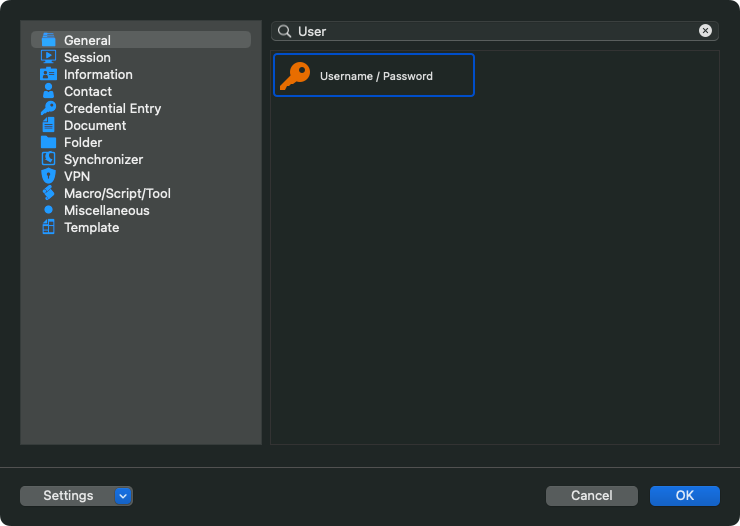
And then, in your sessions settings, you can override the credentials by using the "Linked (Vault)":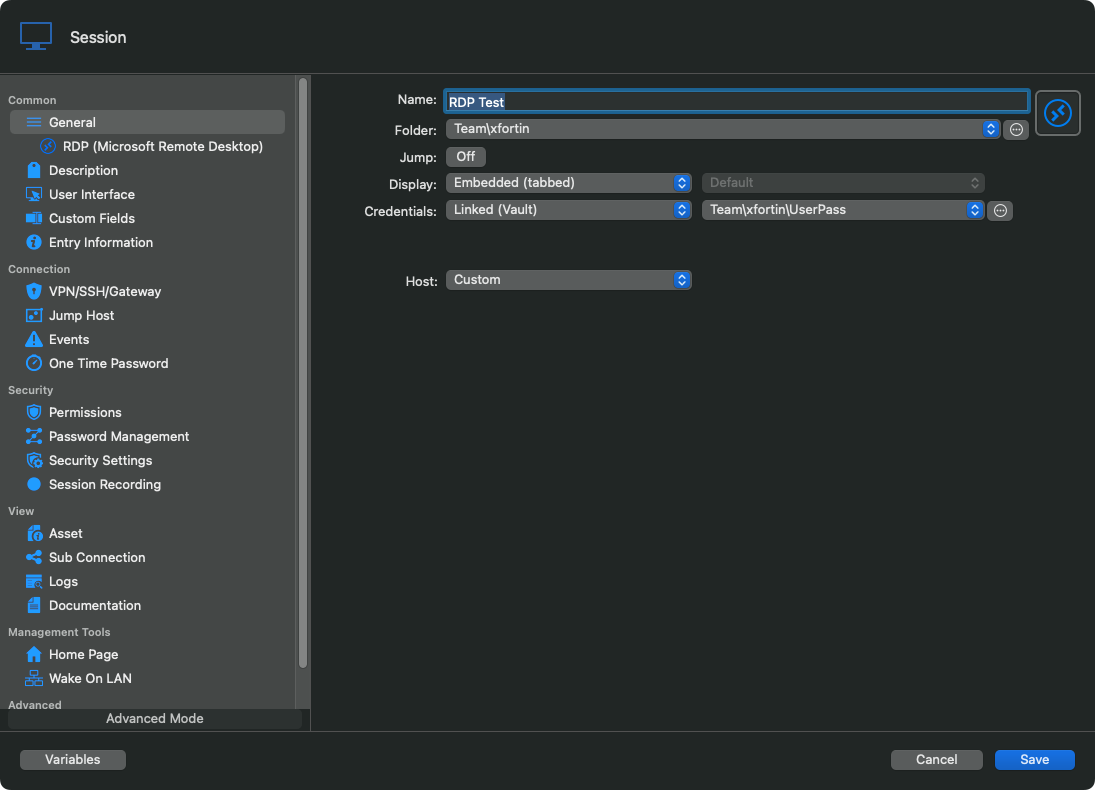
Best regards,
Xavier Fortin
EntrySettings.png
UsernamePassword.png
Hi,
Do the servers also use the same username? If so, you could simply link to a single Username & Password Credential entry in all of your sessions:
And then, in your sessions settings, you can override the credentials by using the "Linked (Vault)":
Best regards,
Much thanks! I success set password with My personal credentials.
Glad to hear it!
Do not hesitate to reach back if you have any other issues.
Best regards,
Xavier Fortin
