2FA Push from Devolutions Workspace - accept from Apple Watch

Hi Team,
As a real neat nice to have, it would be cool as a user to be able to accept/reject 2FA Push notifications from the Apple Watch. This will help me make the workflow a bit easier to accept such a trivial task from my wrist. Microsoft's Authenticator already supports this for instance. The Devolutions Workspace app already shows the notification on the Apple Watch display when it comes in.
Thanks!
Kind regards,
Patrick
All Comments (6)
Hello Patrick,
For your information, it should be already supported to accept 2FA Push notifications on the Apple Watch using the Devolutions Workspace application. I tested it personally by enabling the 2FA on my forum's account. Here are some articles that could help you configuring properly your 2FA.
https://helpcloud.devolutions.net/gettingstarted_twostepver.html
https://kb.devolutions.net/kb_rdm_configure_devolutions_authenticator_2fa.html?q=authenticator
However, you would need to scroll a little bite down to get access to the approve button.
Let me know if that helps.
Best regards,
Érica Poirier
Hi Érica,
I'm afraid this doesn't show up on my Apple Watch. See screenshot, it only shows the localized translation for 'Close' (my Apple Watch is set to Dutch) as button.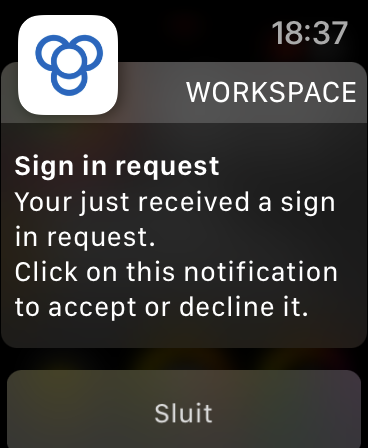
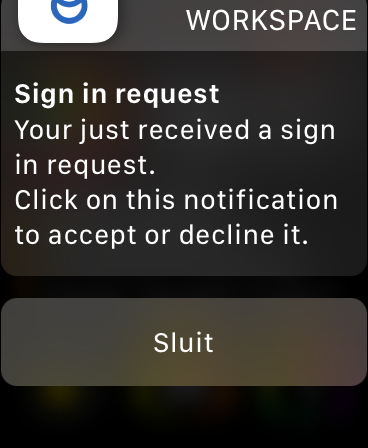
Environment details:
iPhone model: iPhone 13
iOS version: 15.6.1
iOS localization: nl_NL
iPhone app version 2022.2.1
Apple Watch model: Apple Watch SE
WatchOS version: 8.7
WatchOS localization: nl_NL
Kind regards,
Patrick
screen2.PNG
screen1.PNG
Hello,
My guess is that the Dutch language configured on your watch is the culprit here.
Just for a test, if you switch your watch to English, is it working?
Best regards,
Jeff Dagenais
Hi Jeff,
I was hoping you were right, but alas...
Changed both the language and region settings to English, still no Accept/Approve button.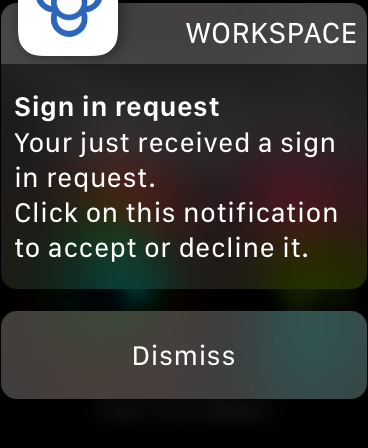
Kind regards,
Patrick
screen3.PNG
Hi Patrick,
Thank you for your feedback.
We have been able to reproduce this behaviour and it's related to the enabled biometrics parameter in Workspace. As it's a security layer managed by Apple, we cannot modify this behaviour. So that's why you get the prompt to approve it on your phone as you can unlock it using the face recognition which it's not possible on your watch.
If you disable the biometrics parameter in Workspace, then the Approve/Decline buttons will be visible on your watch.
Best regards,
Érica Poirier
Hi Érica,
Thanks for your continued support. I can confirm that when the Biometrics are disabled, I can Approve the notifications from my Apple Watch. It would be neat to still have that support even with Biometrics enabled, same way Microsoft did with their Authenticator. I understand it's not a priority, but it would be great to put this into consideration.
Thanks!
Kind regards,
Patrick