Nothing to copy to the clipboard - pop up

when I double click on some folders, always the same ones, to expend the tree I get this pop up.
couldn't find/see an option for that.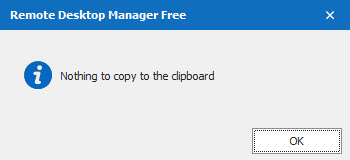
How to get rid of it and/or how to reset RDM to default settings without loosing all my stuff?
FYI, it all started after I imported a colleague's DB.
2022-07-08_12-04-10.jpg
All Comments (2)
Hello,
This is an issue that's been introduced in version 2022.2.12.0. We're currently working on a fix to prevent it in the future.
That being said, all folders that have been modified since this update will need to be edited again in order to revert back to the old behavior. The setting in question can be found here :
You can change that to "None" if you want your folder to simply expand/collapse on double click.
Sorry for the inconvenience, don't hesitate to contact us if you have any other concerns.
Regards
Jonathan Del Signore
Thank you.