"Allow password in variable"

Hi, I want to use the linked credential in a Typing Macro as the Autofill does not work. However I cannot find the "Allow password in variable" option in the Mac version of RDM. Does this exist? How do we allow the user of passwords in scripting on the Mac?
Thanks
All Comments (6)
Hello,
You should find it in Security Settings - Others of an entry's properties.
Best regards,
Érica Poirier
Hi Erica, I don't have that setting available. See attached screen shot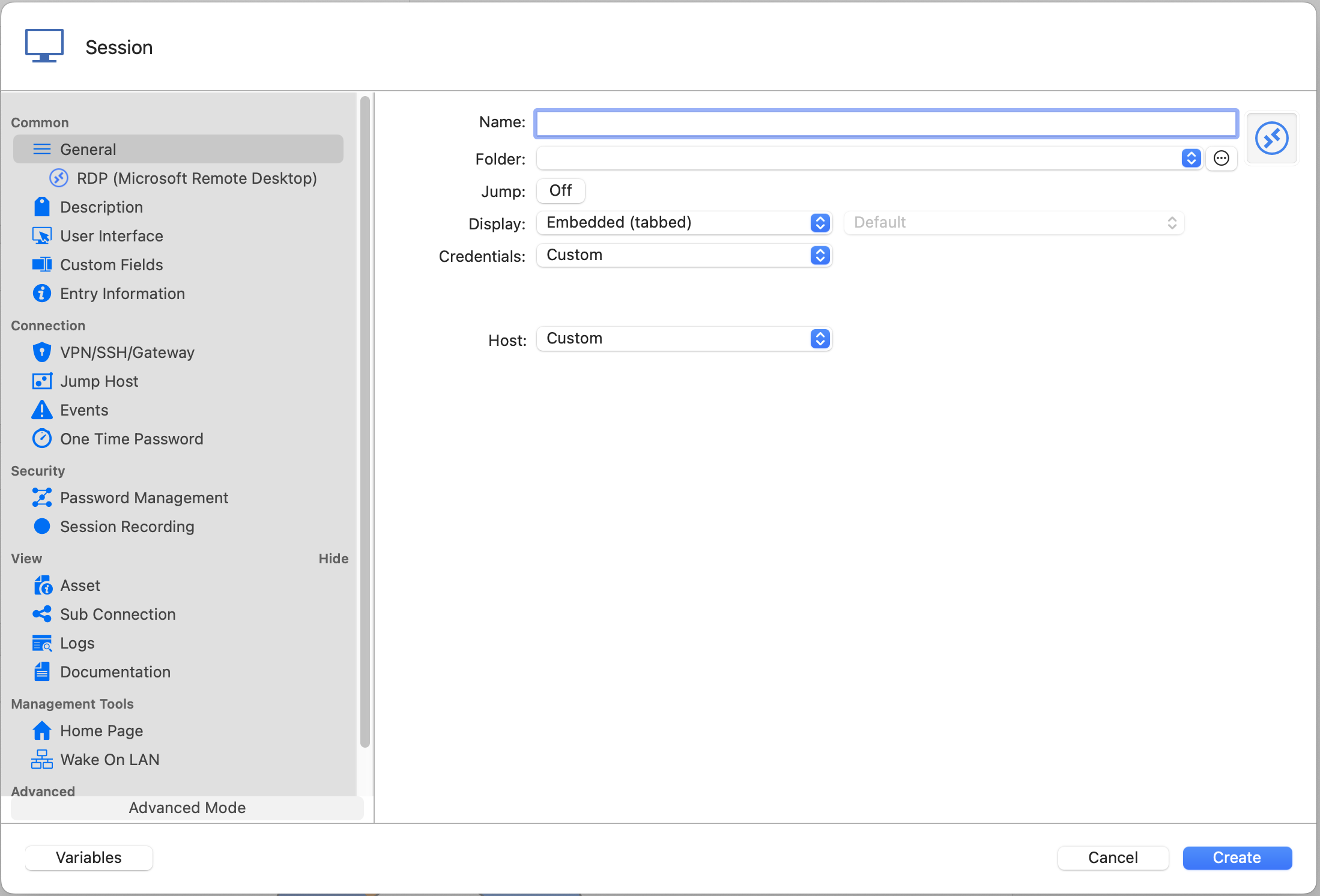
Screen Shot 2022-07-05 at 8.44.43 am.png
Hello,
What version of RDM Mac are you running and what type of datasource are you using?
Best regards,
Jeff Dagenais
Running the trial of Enterprise Edition v 2022.2.5.0, And this is occurring with a local data source and a Devolutions Online Drive.
Hi andrew,
There seems to be a bug in RDM Mac with the settings not being available from the UI in non team-based data sources (SQLite, XML, etc.) I will open a ticket to fix this.
In the mean time, you should still be able to enable the setting by using an AppleScript. To do so, Right Click on the entry and choose Edit -> Edit (Special Actions)...: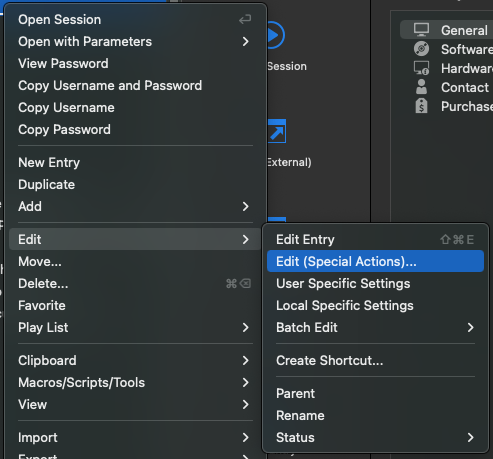
You should be presented with the following window, in it, select the Custom AppleScript option: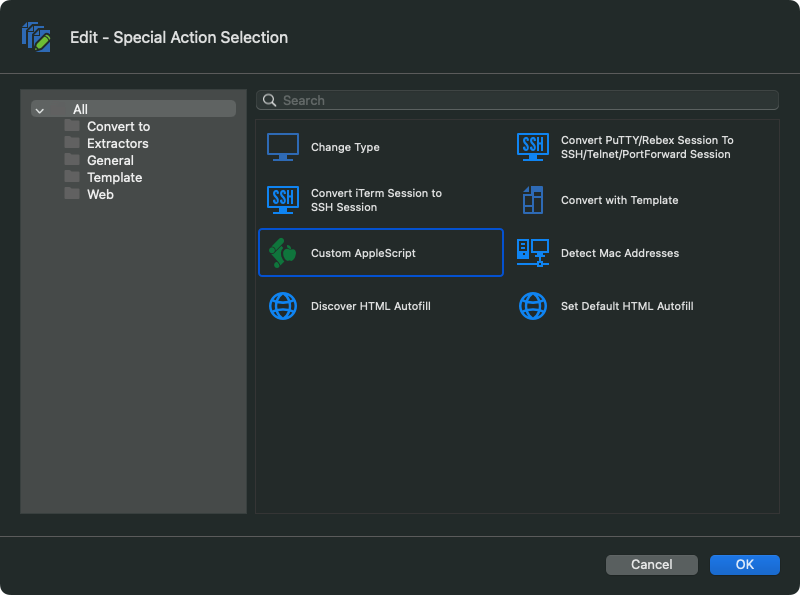
In the next window, you can enter the following script to set the value of this setting to "true":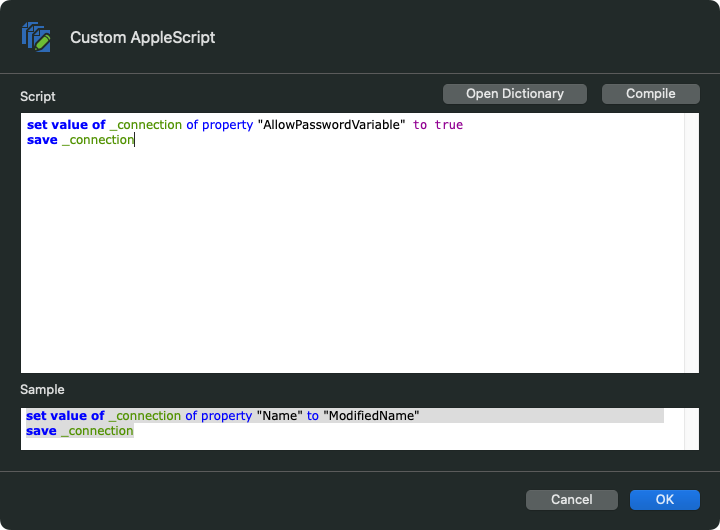
Here is the script as a text:
set value of _connection of property "AllowPasswordVariable" to true
save _connection
Please, tell me if it solves your issue.
Best regards,
Xavier Fortin
Script.png
AppleScript.png
EditSpecialActions.png
Hi andrewantonini,
The checkbox should now be available in the latest version of RDM and RDM Free for Mac (2022.2.11.0).
Best regards,
Xavier Fortin