RDMF not responding while exporting connections (.rdm)

Hi Team,
First of all my apologies if this is a duplicate post: I searched in advance but I only found old posts (5 years old) and not exactly related to my issue.
I have been using RDMF on Mac OS X flawlessly, however yesterday I decided to install it on Windows 10 and each and every single time I try to export all my connections including credentials in .rdm format (you can do that either by right clicking on the root data source and selecting Export > Export Selection (.rdm) or from the "File" menu tab and selecting Export > Export "My Personal Credentials" (.rdm)) the process stops (nothing happens) and from the Task Manager I can see the process RemoteDesktopManger turning in the "Not Responding" status.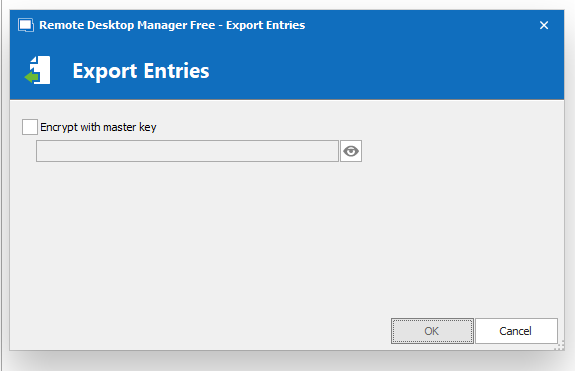
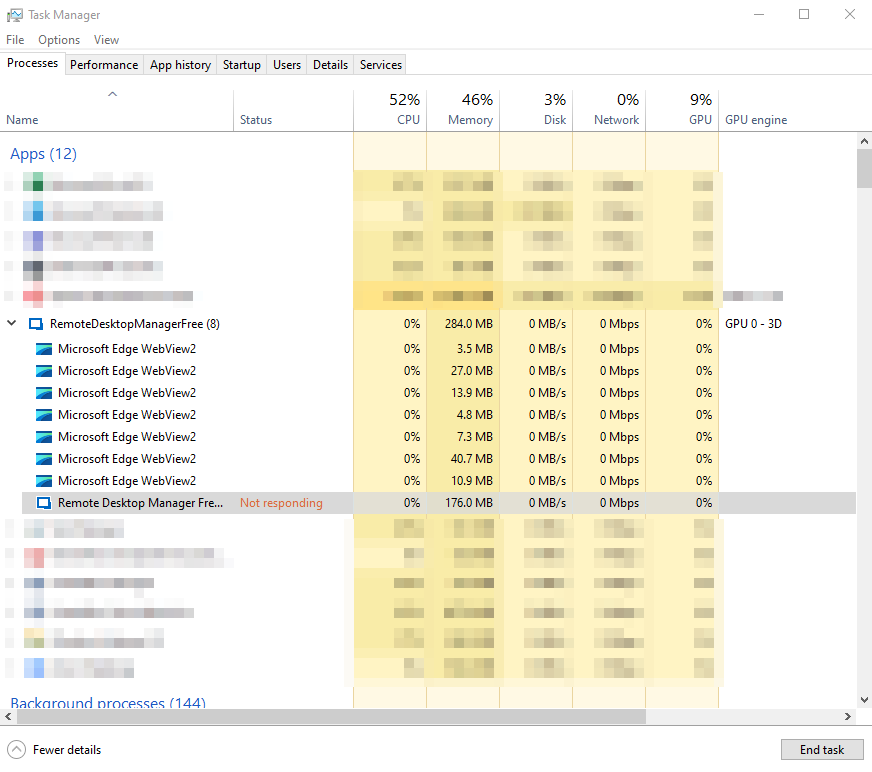
Nothing relevant in the Windows Event Viewer.
Please find below more details for your reference:
• Computer type: brand new Dell laptop with Core vPro i7, 32 GB of RAM and 500GB of SSD
• OS: Windows 10 version 21H2
• Version of RDMF: 2022.2.14.0 64-bit
I hope you can assist on this. I would like to introduce your software to my team to purchase it but I can't do this in such a case.
Thanks in advance.
Regards.
2022-06-23_072528.png
2022-06-23_072455.png
All Comments (3)
Hello,
Would it be possible to provide us with a data source diagnostic so we can verify the size of your data source: https://help.remotedesktopmanager.com/help_diagnostic.html (the data source section)?
You can send it to service@devolutions.net and mention the URL of this topic.
Best regards,
Richard Boisvert
Hi Richard,
Thanks for your follow up.
This is to inform you that a copy of my data source diagnostic has been sent to you as requested.
Looking forward to hearing from you.
Kind Regards.
Ivano Buffa
Hello,
Thank you for the data source diagnostic. Since you have less than 500 entries, the issue lies somewhere else. We will continue in the ticket that was opened for now and will report the findings here after.
Best regards,
Richard Boisvert