Devolutions Password Manager app - can’t sign-in

Hi
I have seen some errors with my workspace app, so I delete the app from my phone, but now when trying ti sign in the process just hangs: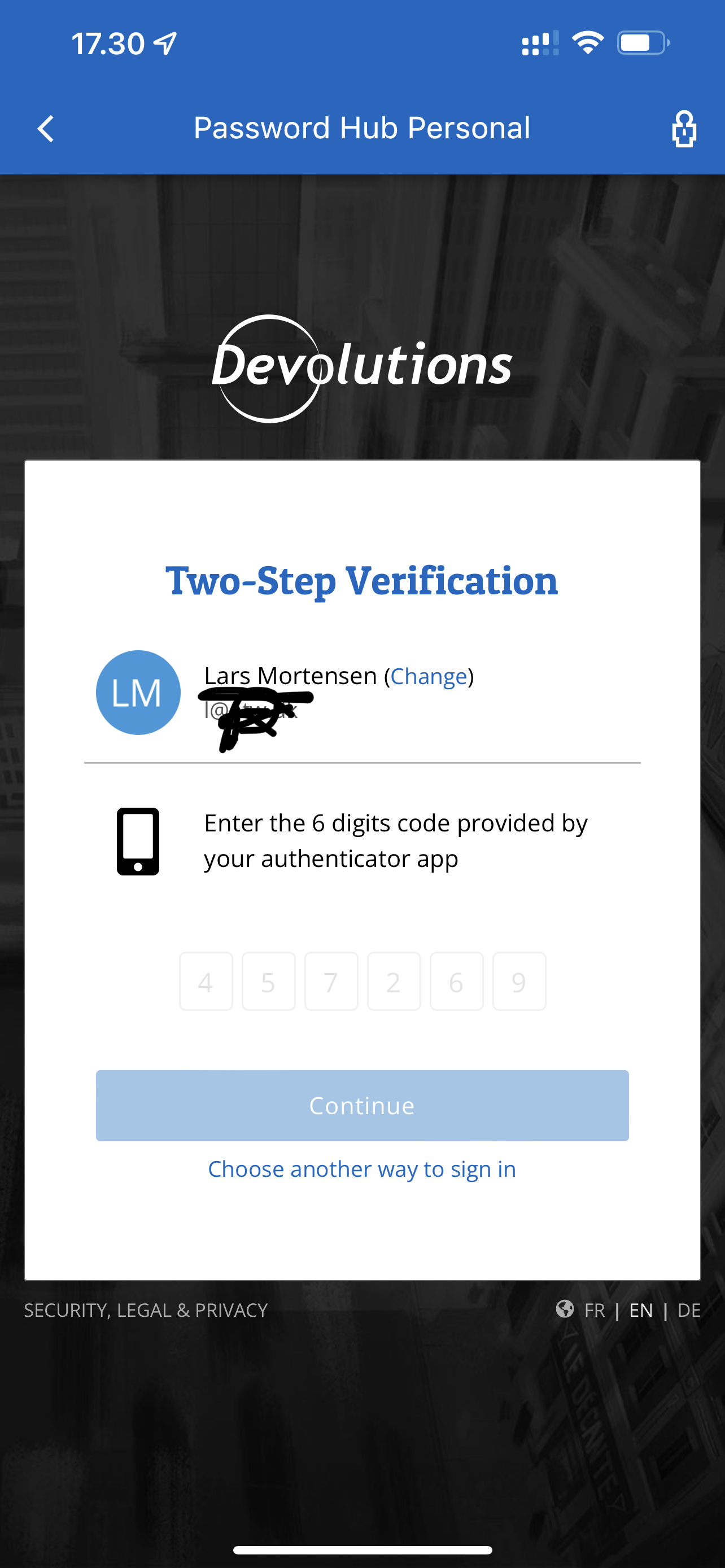
I have tried to login with two accounts and on both accounts I have tried OTP code and e-mail code and one one I also tried the push login, al resulting in the same.
Buth HUB Personal
App version 2022.2
Regards Lars
Remote Desktop Manager connected with Devolutions Server running newest versions.
------------------------Signature------------------------
Sorry if any of above sounds harsh or provoking, it is NOT meant as such, but I have Asperger's and don't always know.
My intentions is always to be friendly.
-------------------------------------------------------------
893BD333-29A5-4E43-9A5A-CC89B7A1DA09.jpeg
All Comments (6)
Hello Lars,
Thank you for reaching out! To assist you further in this matter, could you try to reproduce this behaviour on a desktop browser?
Thank you,
Luc Fauvel
I can login from the same phone via the web browser.
Remote Desktop Manager connected with Devolutions Server running newest versions.
------------------------Signature------------------------
Sorry if any of above sounds harsh or provoking, it is NOT meant as such, but I have Asperger's and don't always know.
My intentions is always to be friendly.
-------------------------------------------------------------
Hi, do you use Safari as your browser?
Sébastien Aubin
Product manager - Password Management
Not sure why, but I have now logged successfully on.
Regards Lars
Remote Desktop Manager connected with Devolutions Server running newest versions.
------------------------Signature------------------------
Sorry if any of above sounds harsh or provoking, it is NOT meant as such, but I have Asperger's and don't always know.
My intentions is always to be friendly.
-------------------------------------------------------------
I used Edge at first but thought that it probably uses Safari engine, so tried there as well.
Not sure if the successful login on Safari could have don the difference:)
Remote Desktop Manager connected with Devolutions Server running newest versions.
------------------------Signature------------------------
Sorry if any of above sounds harsh or provoking, it is NOT meant as such, but I have Asperger's and don't always know.
My intentions is always to be friendly.
-------------------------------------------------------------
Hi, thanks for your follow up. In Workspace, the used browser to login is Safari for iOS users. Maybe after a successful login on it directly in the browser updated the cache or something in the settings. As far as it work for you now it's alright. We'll keep an eye on it though. Thanks again.
Sébastien Aubin
Product manager - Password Management