Android App OTP. How to use?
0 vote

Hello, I finally started migrating my accounts from all the other apps and centralizing everything here. It's been a lot of work, but I know the end result will be amazing thanks to the work of all of you. Thank you for that.
As I am in the first days of use, many questions are arising, many of them answered here and in the support material. But one thing I'm not able to solve, is how to use OTP on some sites through the android app.
I use (used :) ) the SafeinCloud app for many, many months, years even, I believe to manage and centralize all my android app and website logins. And it has evolved in such a way that it is difficult to let go of some incredible features.
--The first one seems to be simple. When it automatically fills in with login and password, it automatically copies the OTP code to the clipboard, both on Android and in the browser extension for Windows.
I'm struggling a bit to be able to enter the OTP password on Android on sites where the OTP field appears after some interaction. The Cyberpanel login (web hosting management panel) for example, You fill in with login and password, click on enter and only after that the OTP field appears, but I don't have any more RDM interaction to enter the OTP. Am I missing something?
--Another alternative to copying the OTP password to the clipboard, which would already be perfect, would be to create a block for Android (idk about iOS), where we can update the app's interaction with the page, without having to load it. I'll upload an image for this showing how SiC does it.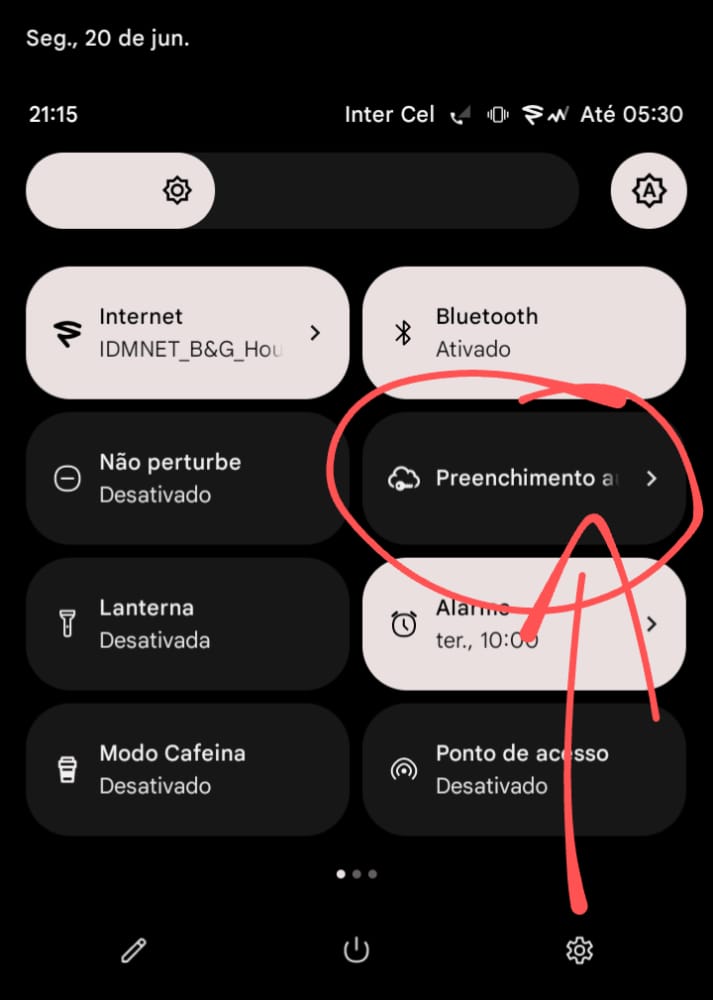
Sorry for the long text, thanks for offering solutions (even free ones) so complete and rich in functions. And sorry for my rusty english, I hope I was clear.
Image 2022-06-20 at 21.17.59.jpeg
All Comments (3)
Hi Bruno.
Just to be clear witch Mobile App of Devolutions are you referring to ?
Devolutions Workspace or Remote Desktop Manager Mobile APP
Thank you
France Lymburner
Hi.. hello!
RDM !!
I tried to use the Workspace, but it didn't accurately locate some sites that I use frequently and it showed me random results on the android keyboard, as I have almost 2k of imported entries from another app, it became unfeasible as they are not yet arranged accordingly.
Hi,
Have you enabled the autofill feature in RDM Android?
If so, once the setup is done, your username and password should be automatically filled by the application.
As for the OTP, it is not yet handled by our autofill feature.
Best Regards,
Nicolas Dufour