Unable to set iterm2 to be embedded in RDM

I am new to MacOS and trying to reconfigure my connections. I want to set a generic terminal window to stay embedded within my RDM app. Everytime I open the Term, it is always external. Is this normal behavior?
All Comments (11)
Hi,
Are you referring to the Command Line entry? If so, regardless of if you are using Terminal.app or iTerm.app, it's impossible in macOS to embed such application in a tab inside of RDM. In Windows, the WinAPI allows to embedded external application windows inside the application, but no such thing exists for macOS.
That being said, we currently have an opened ticket to adapt the terminal engine we use for SSH, Telnet and Serial Port entries to be used as a regular local embedded terminal. Would that fit your need?
Best regards,
Xavier Fortin
Ok, thank you, that is very helpful! Any idea on the progress of that ticket?
Unfortunately no, but I will post back in this thread as soon as I get more news.
Best regards,
Xavier Fortin
Hi,
RDM and RDM Free 2022.2.11.0 are now available with the Local Shell feature. An embedded Local Shell can now be opened with the Tools -> Terminal item: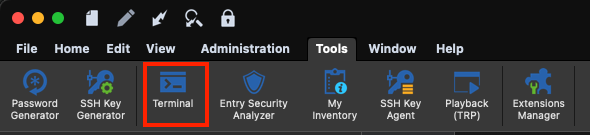
Best regards,
Xavier Fortin
Terminal.png
Xavier, thanks for the update. Is there a way to customize the terminal that gets opened?
Hi,
Yes, it shares it's setting with the SSH Terminal entry. So you can customize it from the Preferences -> Types -> Terminal page: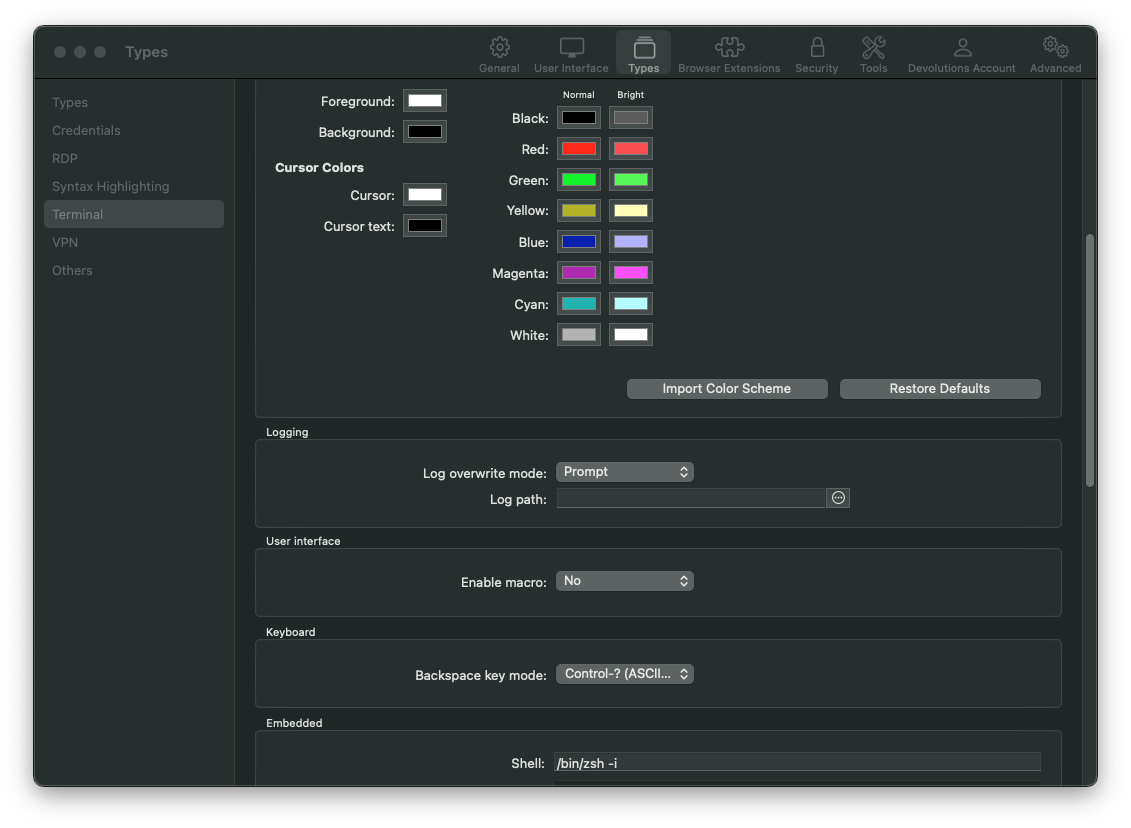
The Embedded group is exclusive to the local Terminal.
Best regards,
Xavier Fortin
TerminalPreferences.png
Great, last question. Any chance to update the terminals starting directory?
It's not possible for now, but I will open an improvement ticket.
Best regards,
Xavier Fortin
Hi,
Is there a way to inject/insert credentials into this terminal?
Our Windows users can easily open a PowerShell session and, as an example, insert AWS IAM Access Key credentials into PowerShell by linking the AWS Access Key in "Credentials" and then insert the IAM Access Key into PowerShell using the $USERNAME$ and $PASSWORD$ variables.
Hi steven,
The Local Terminal in RDM function pretty much like the Terminal app. It's a local shell that allows to do anything you would be able to do with any other local shell.
Do you have HomeBrew installed on your Mac? If so, you can install PowerShell like this:
brew install --cask powershell
And once you have PowerShell installed, you launch it with the command pwsh. You can then install the Remote Desktop Manager PowerShell module with the following command:
Install-Module RemoteDesktopManager
With this, you can use the same set of commands that would be used in the PowerShell module in RDM Windows. That being said, it's important to note that, unlike Windows, in Mac, the PowerShell module run as its own instance and, therefore, might not be able to connect to all datasources if the authentication method is not supported by the module (even if RDM can connects without issue).
Also, in my case, the PATH environment variable inside the Local Terminal in RDM was not complete, and so I had neither access to the brew nor the pwsh command. I had to copy the content of the Terminal.app PATH variable (by running env in the Terminal) to the environment variables of RDM (which can be done in Preferences -> Types -> Terminal -> Embedded -> Environment variables).
Please, do tell me if this is not quite clear.
Best regards,
Xavier Fortin
Hi christopher_malarick,
It's now possible to change the local terminal starting directory. This can be done in the preferences: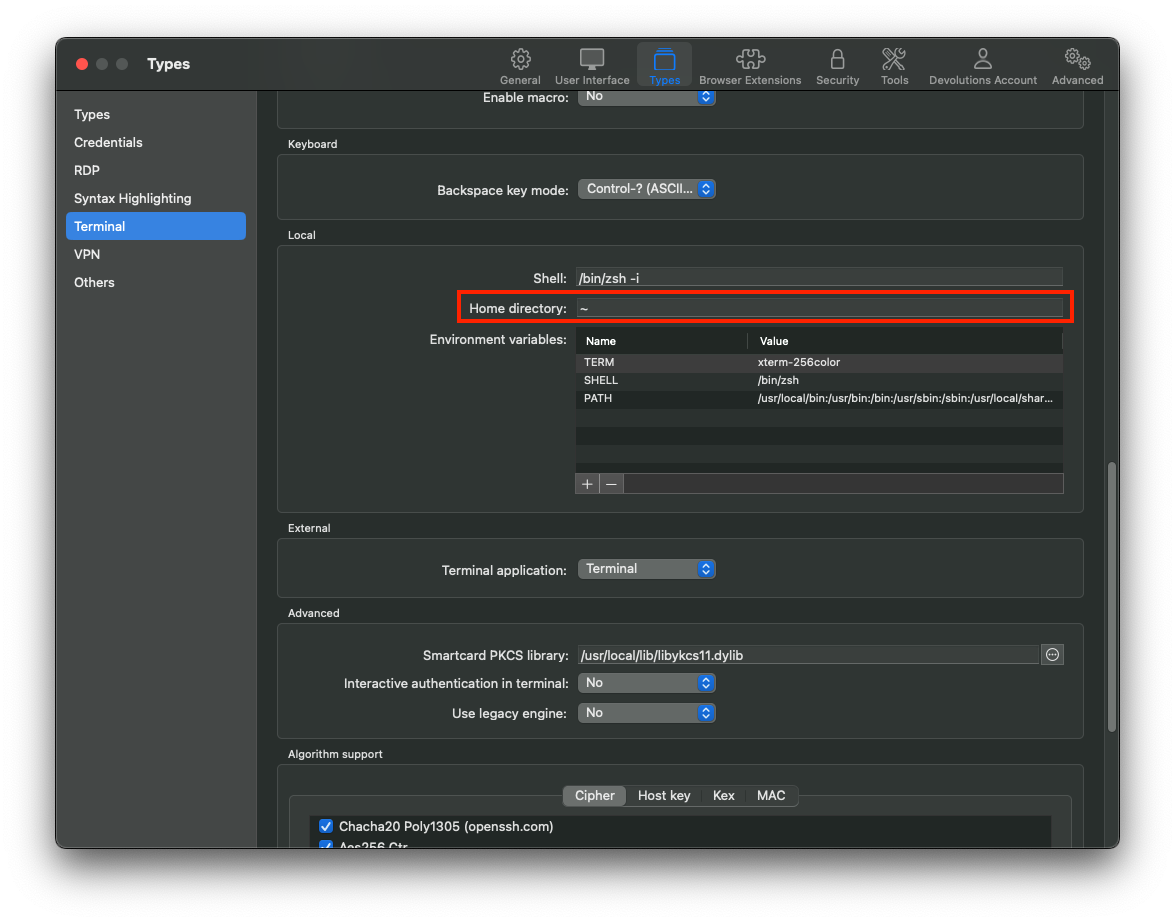
By default, it now opens on the user directory.
Best regards,
Xavier Fortin
HomeDirectory.png