Can we have a plugin for the RUSTDESK management App

Disabled
Can we have a plugin for the open source RUSTDESK management app
https://rustdesk.com/
Thanks
All Comments (32)
Hello,
Do you know if they have an API or SDK, for us to do the integration? From a quick look I couldn't find anything unfortunately.
Regards,
Hubert Mireault
I'd love to have it to. I don't know if they have an API but I saw that they have switches (exemple: rustdesk.exe --connect 123456789).
I don't know what is the others switches, the docs doesn't look to be completed yet.
Thank you for the details. I've opened a ticket so we can investigate. At least if they have command line switches we will be able to do something.
Regards,
Hubert Mireault
Disabled
That would be absolutely awesome! Willing to help in any way possible!
Regards,
--
Darrell Engelbrecht
ttsSmallGreyBanner.png
Hello,
We've been looking into the integration of RustDesk and we'd like to know if having a Connect (sending the ID) is enough for your purposes. We found support for this command line but none for passwords. If you know of such, we'd appreciate you sharing it with us here. Otherwise, if connect suffices, we could implement it.
Regards,
Jafran Majeau
For me it's ok. Can you leave the password box on? To have reference and the future.
I think they will add a switch in the next release for passing the password directly, so maybe you can upgrade it later.
Thank you very Much! :)
Hello,
We've added support for RustDesk, you will be able to enable it in the Add-on Manager located in the Tools section. This will be available in our 2022.3 version. It currently only supports the ID, we'll keep track of their developments and add password handling if they make it available.
Regards,
Jafran Majeau
Thank you very much! :)
Jafran Majeau
Please tell me if this RustDesk plugin can still save a password, so you can connect to the session and not enter it additionally? Similarly configured plugin Anydesk, but it has a field "password" in the RDM, and therefore in the remote control window Anydesk password is not necessary to enter.
Hello,
When we implemented this a few months back, RustDesk did not support sending passwords through remote configuration. This still seems to be the case from what we can tell. We do not have a password field in the entry because it simply could not be used. Feel free to contact RustDesk and request this support from them. Should they implement the necessities, we will then investigate the possibility of support it ourselves.
Regards,
Jafran Majeau
Hello,
Correct me if I am wrong, but having password recorded in RDM entry enables me to copy it to clipboard and paste it into a password field when presented by the remote system whatever it is. If so, it would make sense to enable us to record the password, regardless of the fact that it cannot be transfered for unattended login.
Regards,
Ivo
Hello,
After discussing it, we've decided to add the Password field for storing purposes. It's worth noting that after the change, you'll be able to use the Events properties of the entry to Copy the Password to your Clipboard as you're launching it (Screenshot A). This could help you save some time by copying the password automatically when opening the entry. Make sure you Allow resolving the Password variables in Security Settings of the entry as well (Screenshot B). If you're having trouble getting this specific behaviour to work, see https://kb.devolutions.net/unable_use_$password$_variable.html

Regards,
Jafran Majeau
Thank you Jafran, both for implementing this, and for suggestions how to use it.
BR,
Ivo
hello guys,
i have installed the latest version, but i can't find the password field. what am i doing wrong?

Hello,
Indeed the password isn't available yet for the RustDesk entry.
I will check with the engineering team and I will keep you posted.
Thank you for your patience.
Best regards,
Érica Poirier
Hello,
I got the confirmation from the engineering team that the password field will be available in version 2023.1.
Best regards,
Érica Poirier
Is there a way to set the ID Server and Key, for self-hosted server/rustdesk?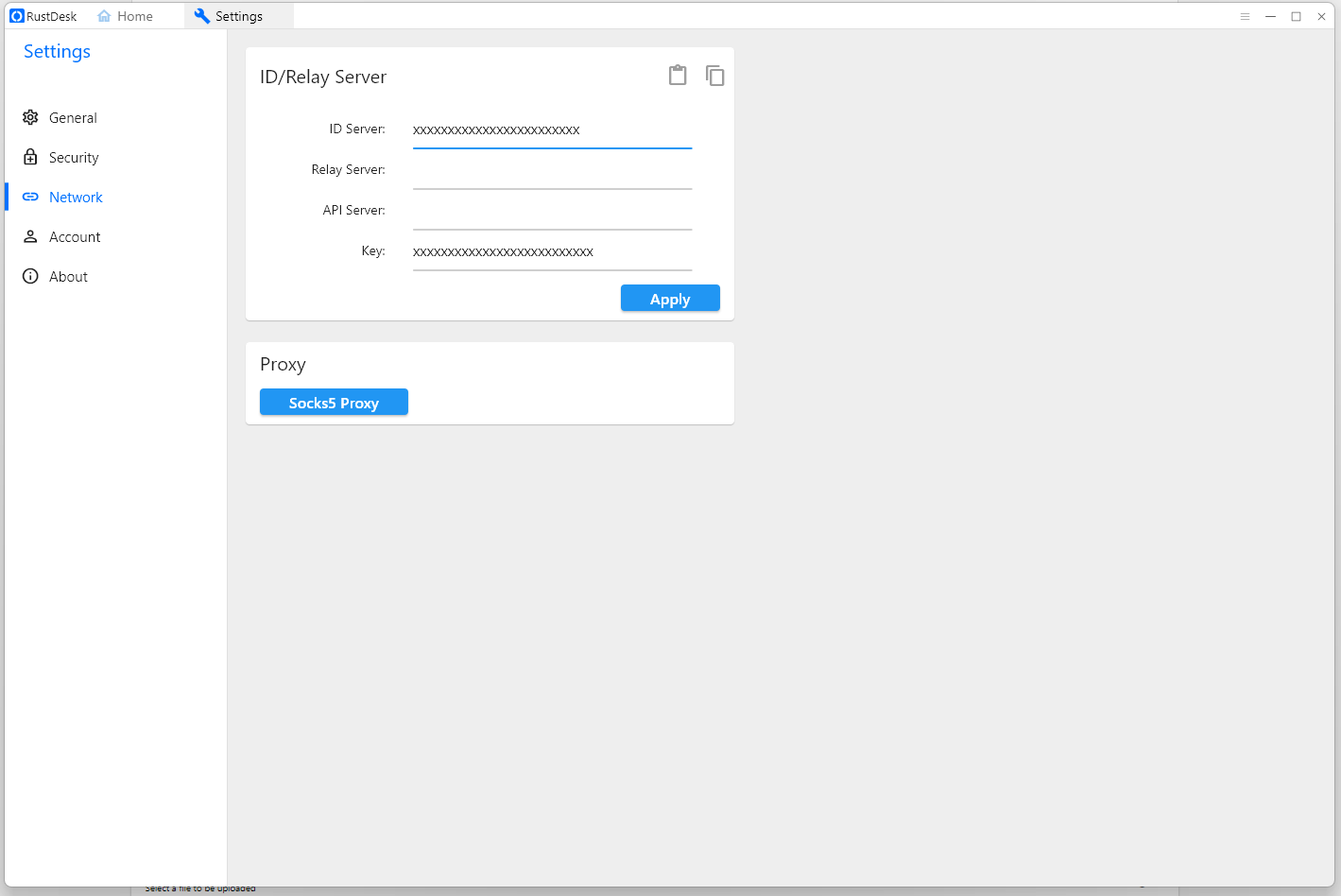
rustdesk.png
Hello,
Thank you for your feedback.
You could use the Custom fields to fill in these fields. And then use the Typing macro feature of the After Open Event of you RustDesk entry.
Let us know if that works on your end.
Best regards,
Érica Poirier
I created a power-shell connection where I wrote this script, and the password works.
Is it possible to implement in the new version, and bind the --password attribute to the rust desk password?
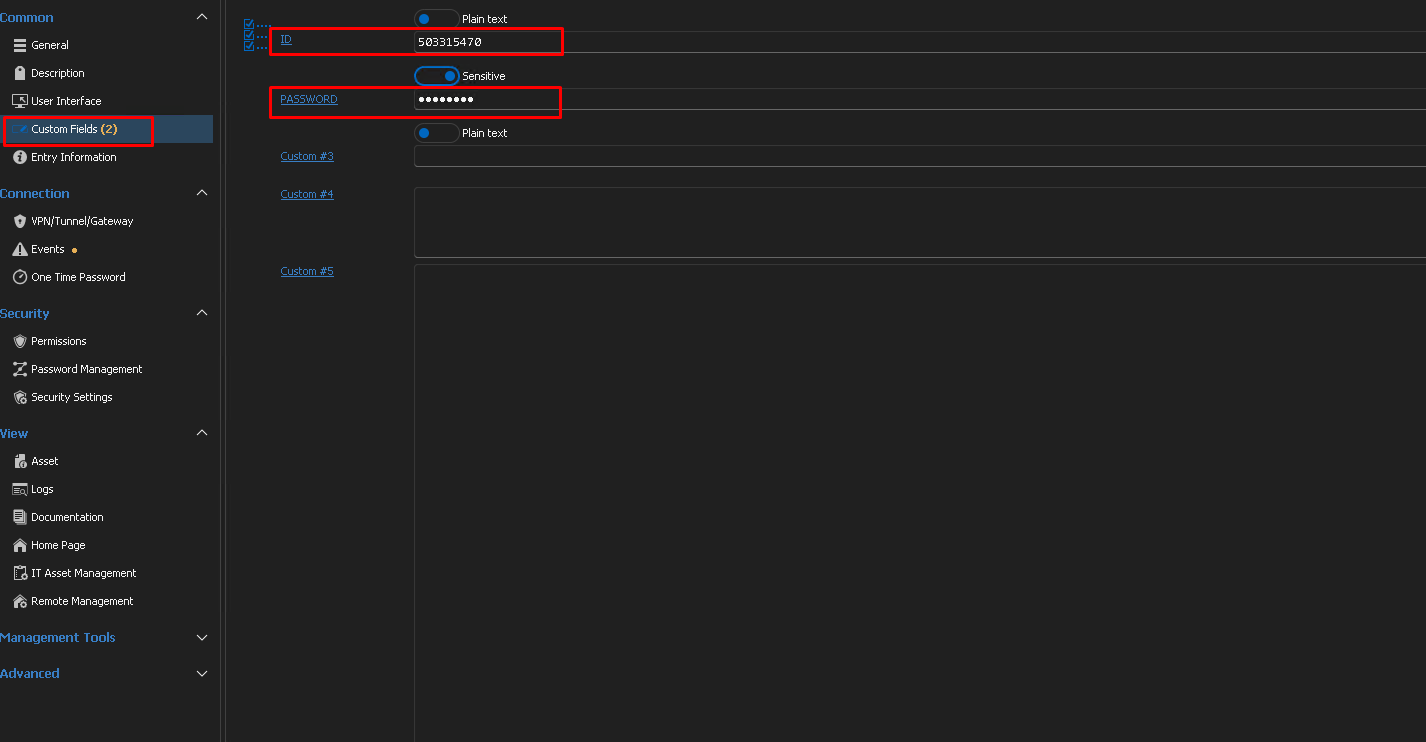
90ecba70-5416-48ee-ad90-e91575395ce2.png
Untitled-1.png
Method #2:
Using the RustDesk connection: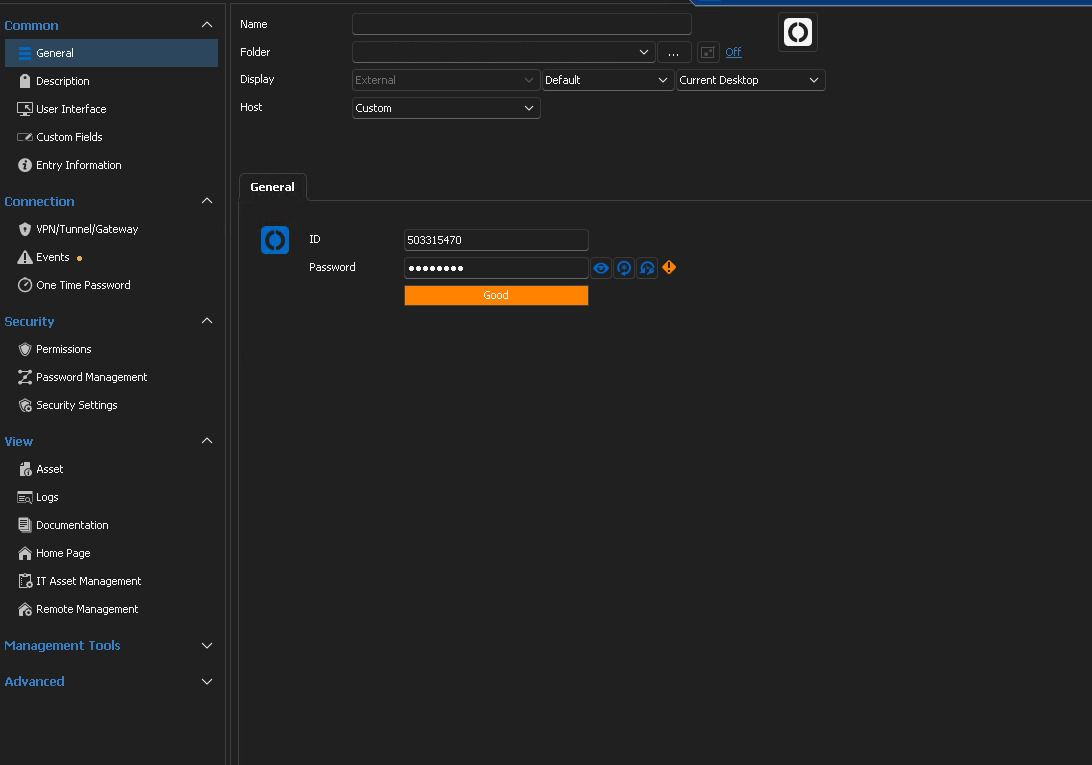
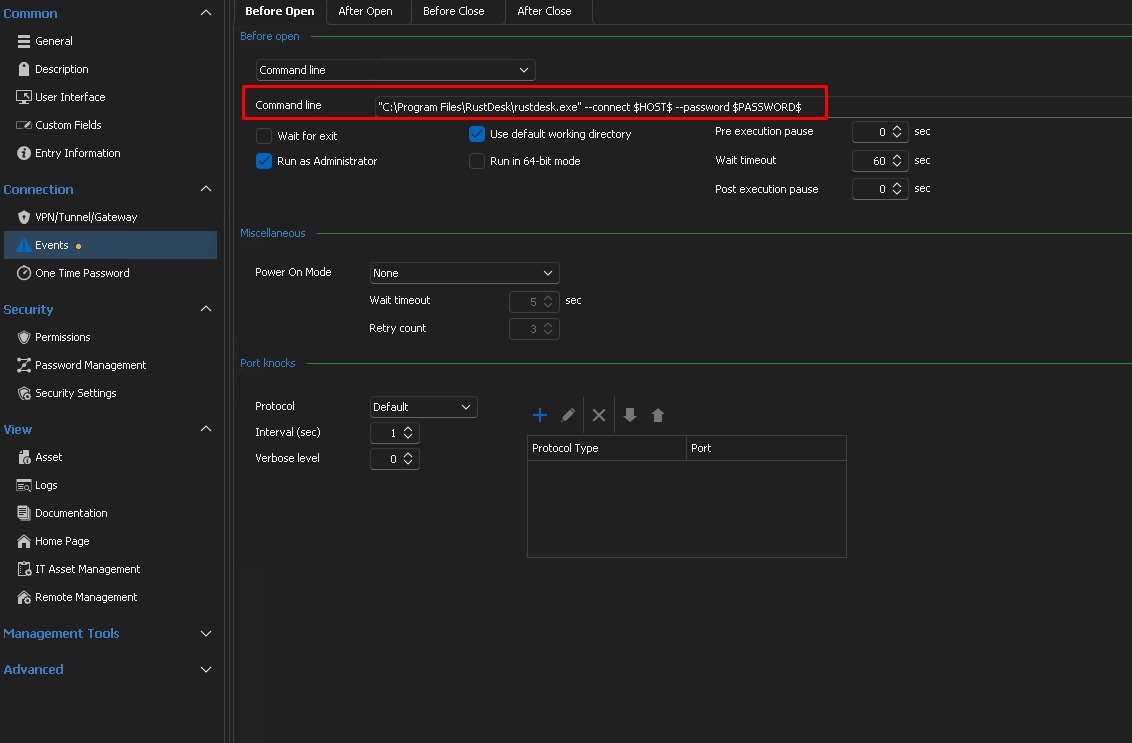
2.jpg
1.jpg
Hello,
Thank you for the update. I'm glad to see that this is now supported in RustDesk. We have updated our ticket regarding this.
Regards,
Hubert Mireault
Hello,
We've added the password handling for RustDesk, this will be available for the 2023.3 version.
Regards,
Jafran Majeau
Hello,
We've added the password handling for RustDesk, this will be available for the 2023.3 version.
Regards,
Hello! The password is incorrectly transmitted if there are more than 8 characters. Please take a look
Hello,
I was unable to recreate the issue on my end. Could you please provide more details on how the issue occurs? How exactly is the password set on your end—are you using a one-time password or a permanent password? Additionally, are you receiving any error messages?
Best regards,
Carl Marien
Hello,
I believe I was able to recreate the issue.
During my testing, I received an incorrect password message, and it seems the issue might be related to special characters in the password rather than the number of characters.
I’ve submitted a bug report to the developers, but I wanted to confirm if this aligns with your experience. Could you please let me know if the password you’re using contains any special characters?
Best regards,
Carl Marien
Hello!
The password consists of 15 characters with large and small letters, and special characters + & !
The password of 8 characters without special characters passes correctly
Hello blackxdog,
We're having trouble testing a few things internally, RustDesk's server seems to be down at the time I am typing this message. However we believe we might already have a fix, and we would like your help testing it before we implement it.
If you could open up CMD and test the following line: <Path to executable>\rustdesk.exe --connect 123123123 --password "abcABC@$*)123"
Replace the placeholder path text for the actual path leading to your rustdesk executable, placeholder ID (123123123) with your own and the placeholder password (abcABC@$*)123) with your own, but make sure you enclose the password in quotes (""). I believe that this should launch RustDesk correctly and work with your special characters.
If you could confirm this with us, we will then include this change.
Regards,
Jafran Majeau
With the password abcABC@$*)123 - it works, but if you set the password +abcABC@$*)123, it writes an incorrect password if the connection is via rdm. The password in rdm is "+abcABC@$*)123"
When entering a password through the console,-connect ID --password "+abcABC@$*)123" also writes an incorrect password, apparently there is a problem with the special character at the beginning. :)
Hello,
I have informed the developer about the issue, and we will keep you updated on any progress regarding this case.
Best regards,
Carl Marien
Hello,
Adding quotes through RDM should not work, the test I was requesting was simply for the CMD.
That said, we've finally gotten an additional setup working, and we tested with the password +abcABC@$*)123 through RDM and we encountered no issues, so I'm afraid we haven't been able to replicate your issue from our side.
From some surface research it seems like RustDesk has had some issues with password handling (on their side) throughout the years, there are certain steps we can take to try and solve your issue:
- Please make sure you are using the last updated version of RustDesk. It's likely that if you can't update RustDesk for any particular reason, that we won't be able to help you.
- Similarly, make sure you are using the latest RDM version available.
- Test out your setup again (ensuring that the password is correct on both sides).
- If the issue still persists, please provide us with a sample password that you have tested (and had issues with).
Regards,
Jafran Majeau