Default View Password Permission disallowed (inherited)

So I'm trying to change the default view password permission for my vault, but the option is greyed out and it says its inherited. But from where?! Because in the system settings, default is allowed for view password. See my screenshots below.
I'm so confused. And right now unless I make a user an Administrator they can't see the passwords. I would like to change the default to allow and then set customs for certain passwords like global admins etc. 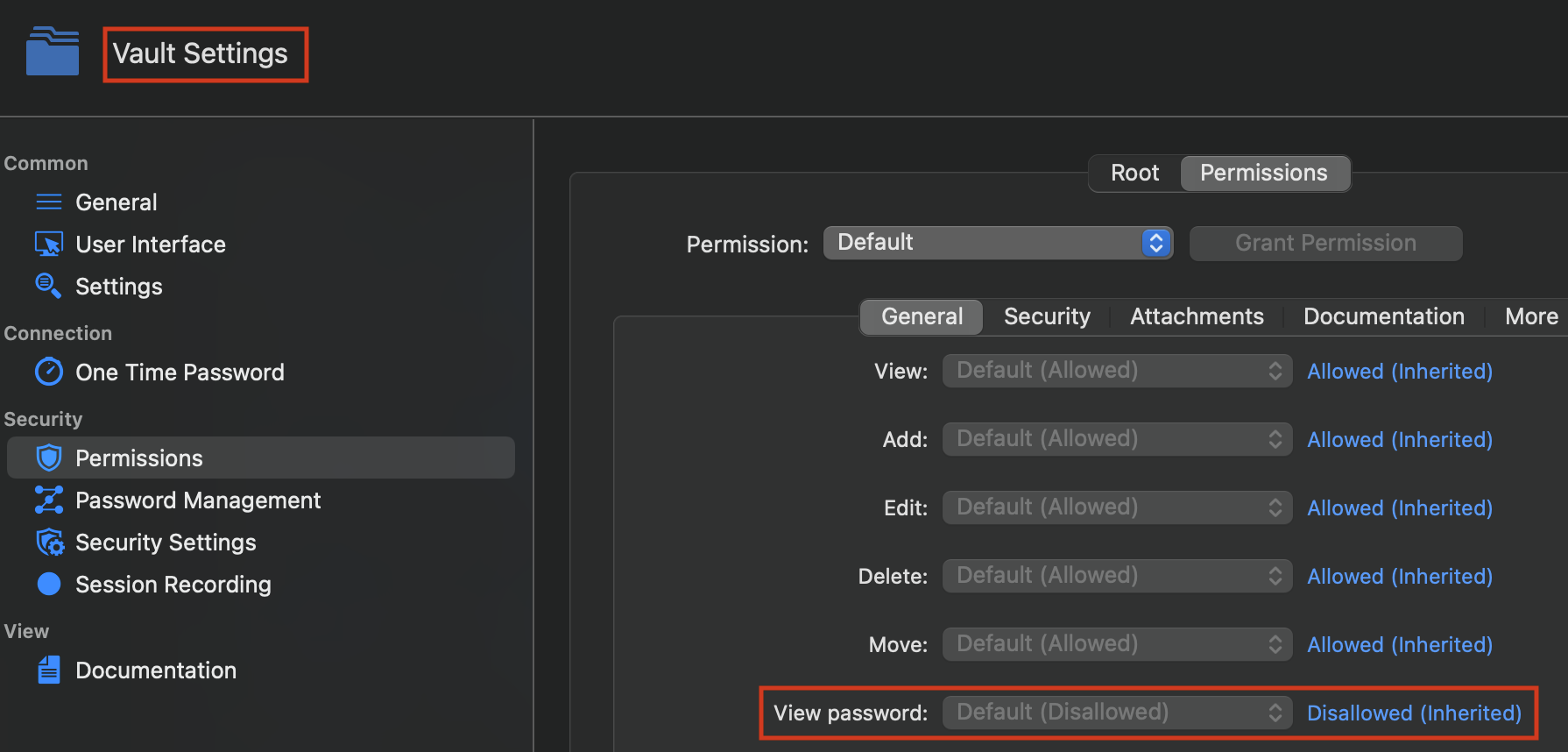
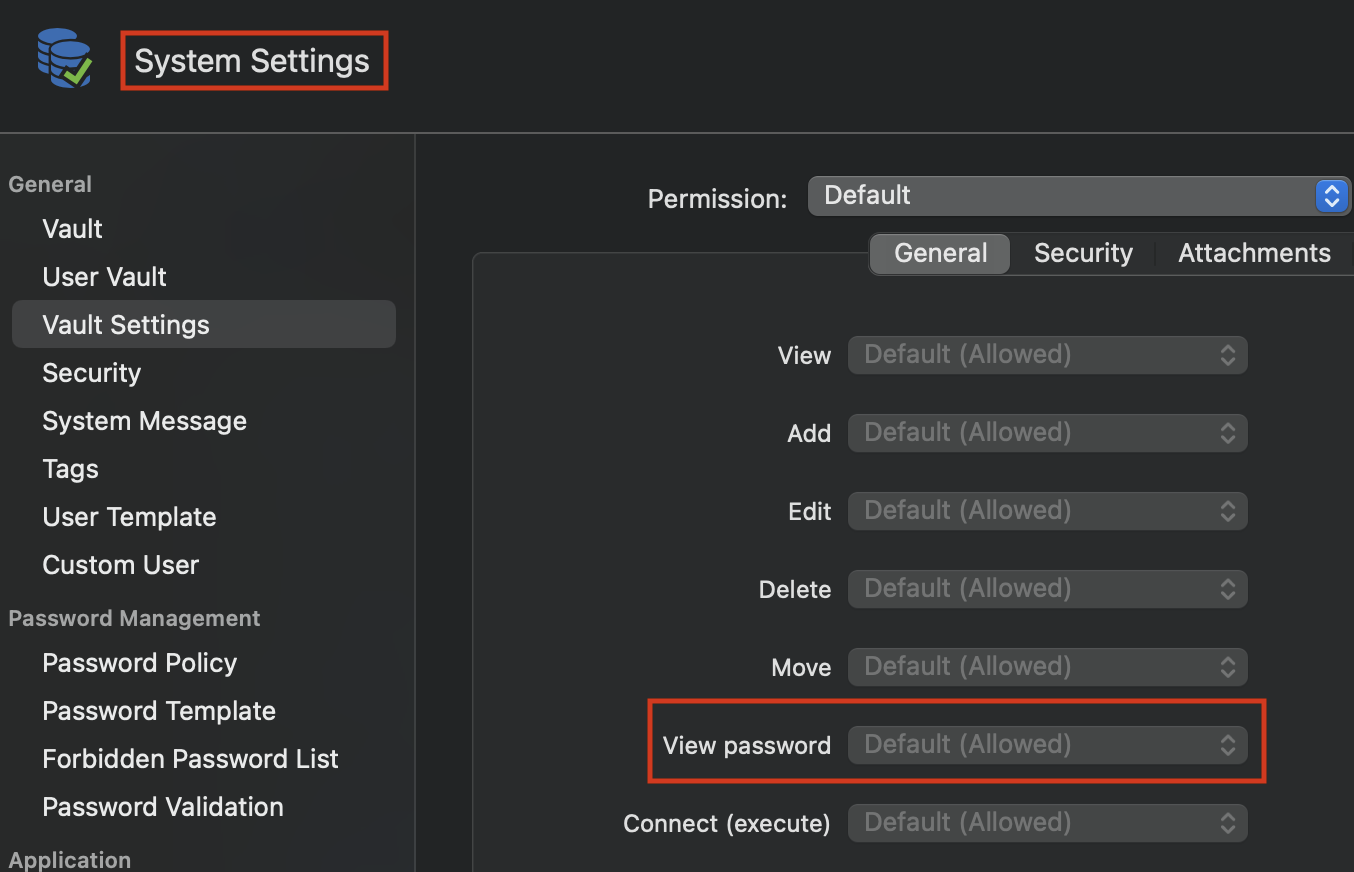
Screenshot 2022-05-16 at 14.34.14.png
Screenshot 2022-05-16 at 14.36.11.png
All Comments (8)
Hi danielniemeier,
In your screen shot, you need to change the value in the Permission field from "Default" to "Custom" (in both case, it's at the top).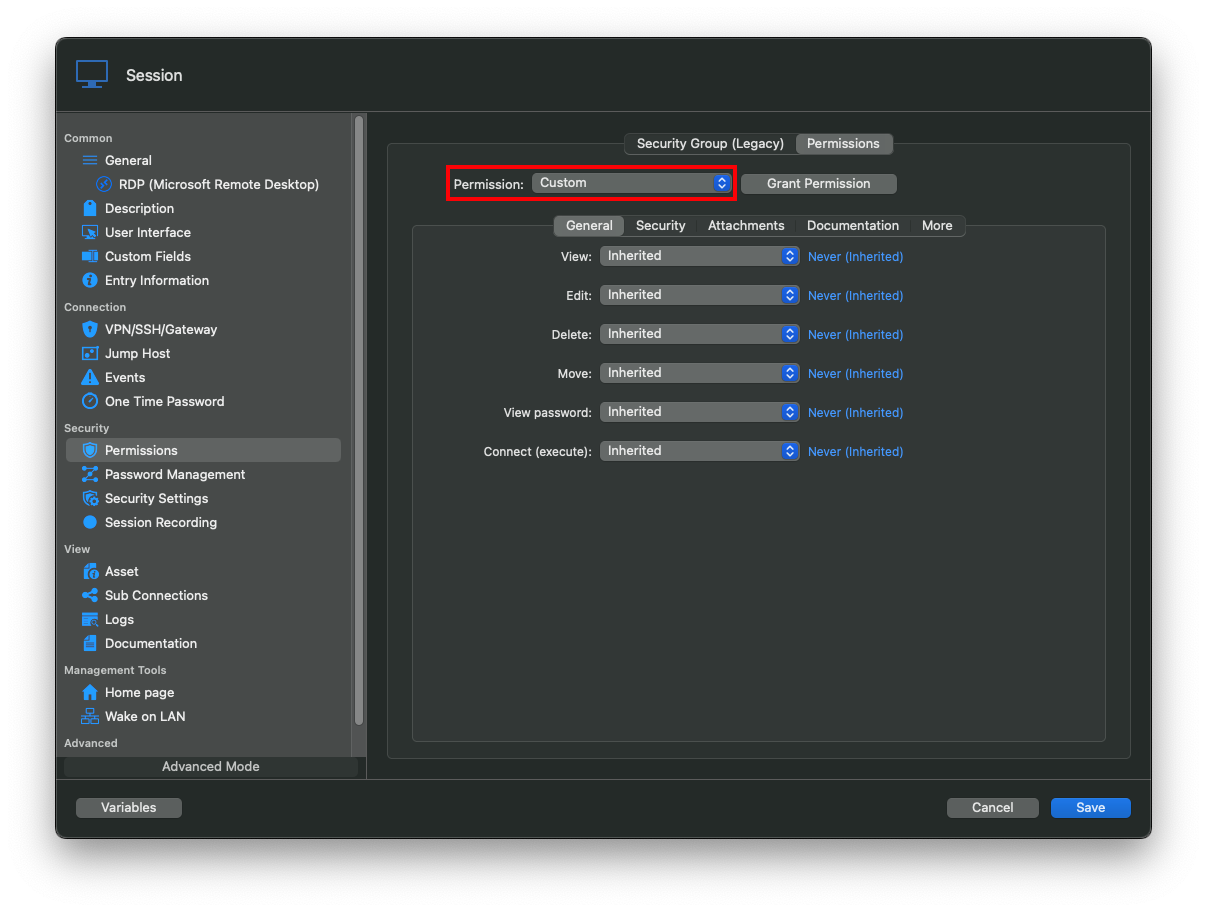
Best regards,
Xavier Fortin
Permission.png
So I can't change the default permissions? Is there a reason for that? And also the word "Inherited" kinda implies that it's getting those settings from somewhere else, which apparently is not the case?
It does get the settings from somewhere else, it gets it from the Vault Settings, which itself inherit them from the System Settings from your second screenshot. The Default (Allowed) only implies that this is the default value.
It works as such: Session permissions are inherited from the Vault Settings permissions. Vault Settings permissions are inherited from the System Settings permissions which, if not modified, holds default values (entry permissions -> vault permissions -> system permissions).
Vault Settings permissions applies to all entries in a single vaults, and System Settings permissions applies to all vaults in the data source.
The menu to access the Vault Settings can be found at the same place as the System Settings:
Best regards,
Xavier Fortin
VaultSettings.png
I'm sorry maybe I'm just dumb, but if they inherit the settings from somewhere else, shouldn't I be able to change the default values? Because I can't. Neither in the vault settings, nor in the system settings or system permissions.
Oh and also, as seen in my screenshot, the system settings for "view password" are "allowed", so why are they disallowed for the vault?
Hi,
I was wondering the same, it's a bug with the RDM Mac label. It should be (and is treated has) "Disallowed". In RDM Windows, the default is "Default (Disallowed)":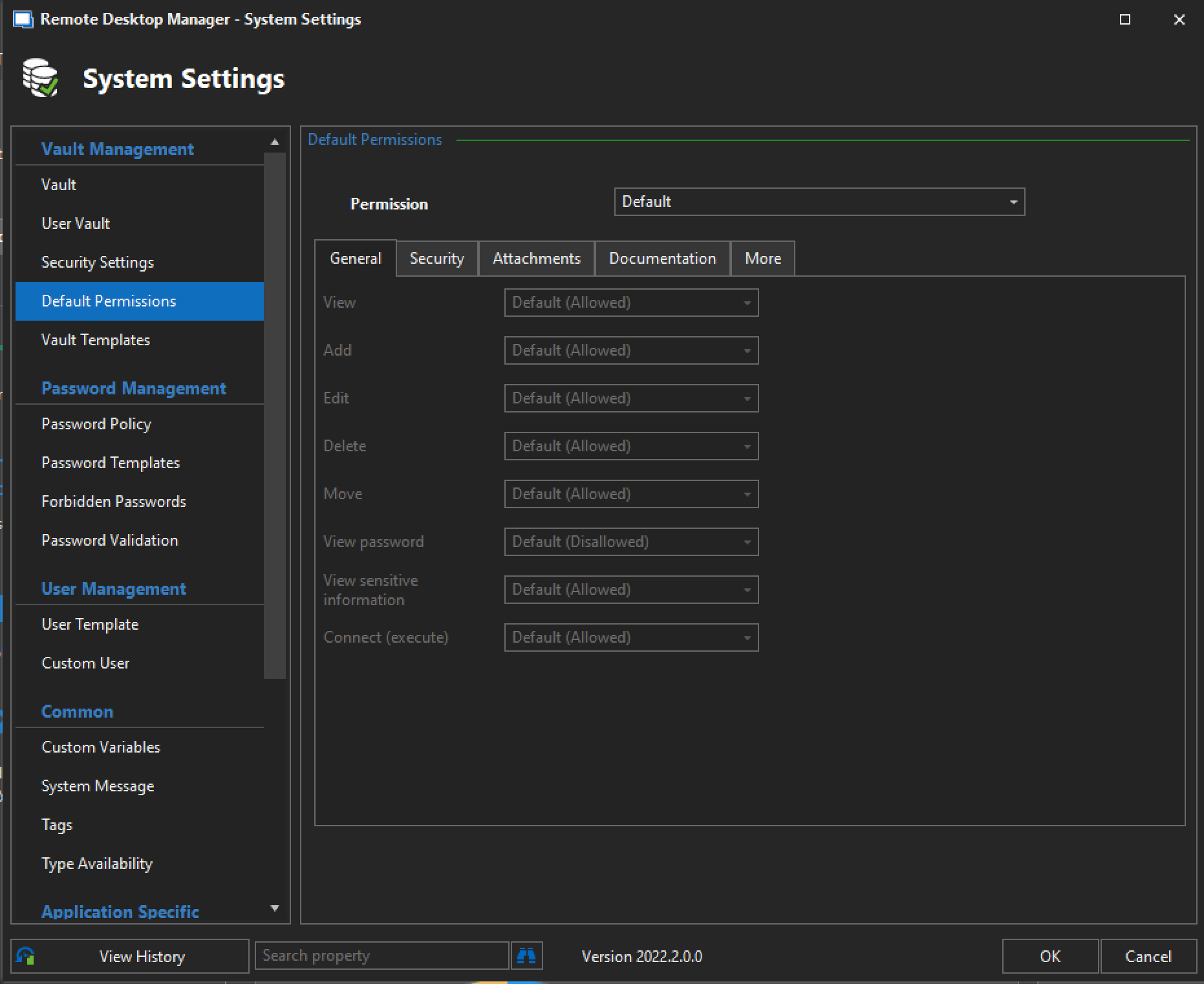
We will fix that. As for you question on how to change it: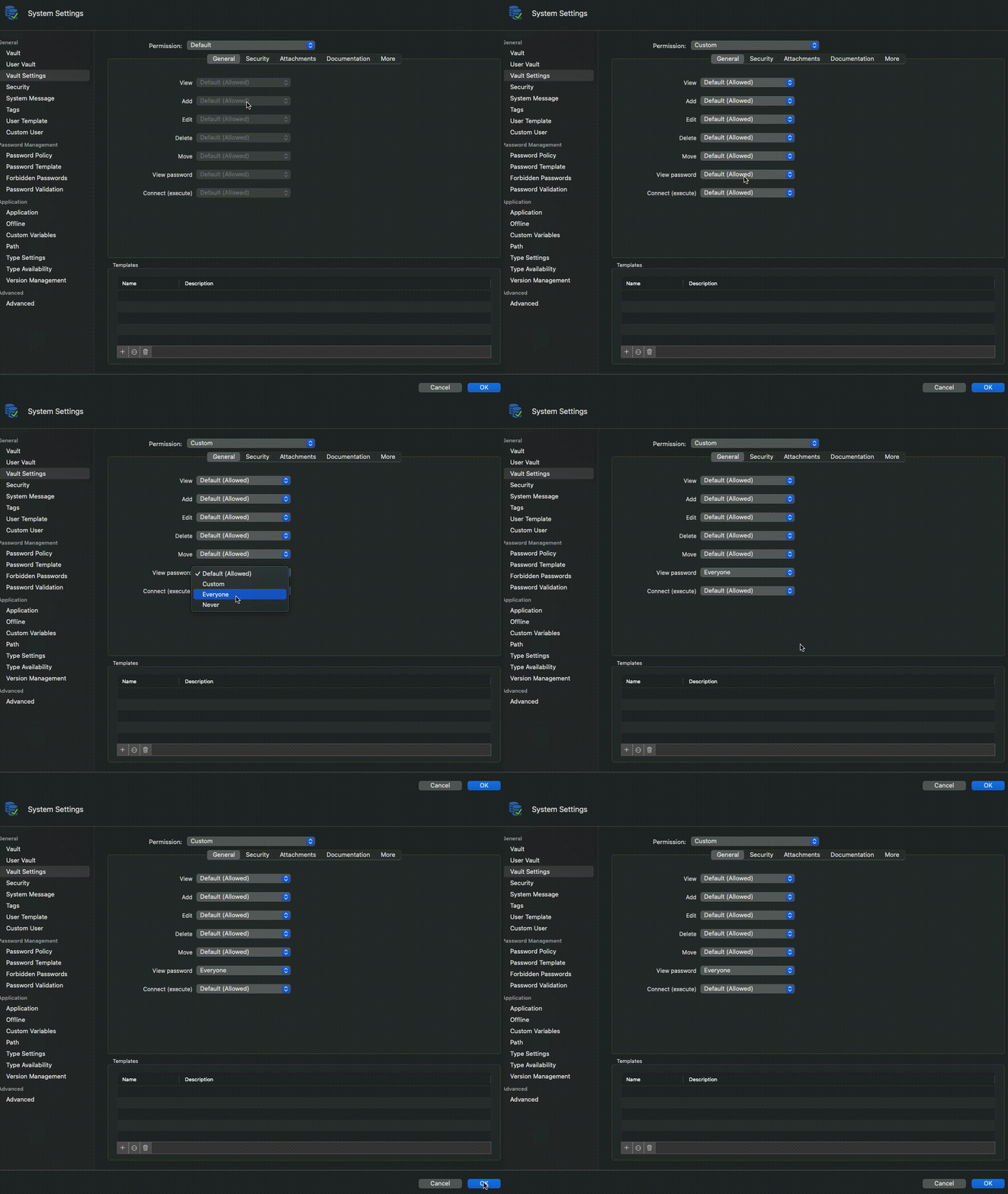
Best regards,
Xavier Fortin
ChangeDefaultPermissions.gif
SystemSettingsPermissions.png
Ok thanks!
No problem!
Do not hesitate if you have any other issues/questions.
Best regards,
Xavier Fortin