UI improvement for password list
0 vote

Hi,
Could you modify the "New entry" button that appear when you select a password list please?
If we press this button it create a new entry in the folder instead of creating a new entry in the password list.
The current situation lead to some confusion and we think it could be an easy fix.
Here is an example of our use case:
We're using a lot of password list, these are located in a folder when regular users doesn't have the right to create new objects.
A lot of them open tickets because they think they have not the right to create a new password inside a password list due to this button.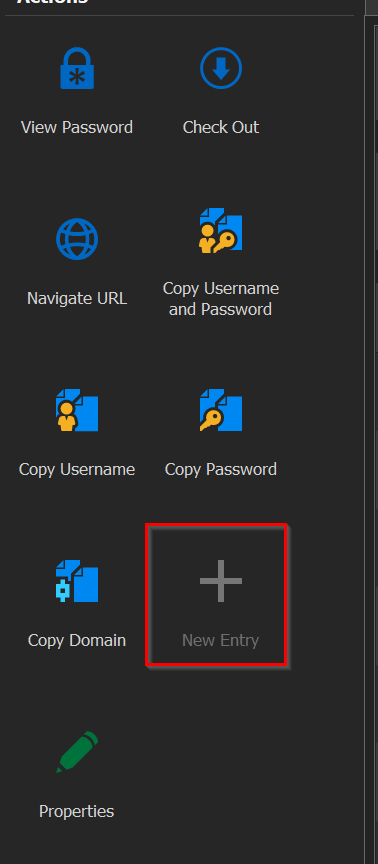
2022-05-10-10h02-work-mgmt - VMware Workstation-001064.png
All Comments (7)
Hello,
Since the "New entry" button works as expected in that context, what do you think about adding a new button "Add password to list" or something along those lines? That way it would clear any ambiguity as to what the button does, and they would see it's enabled for them (as long as they have the Edit rights).
Regards,
Hubert Mireault
Hi,
It could be a good idea to because it would clean any ambiguity as you said and will spare multiple click to add a password yes.
Oon the other way, I think a lot of people think it's confusing that some folder action appear on a selected entrie. I think RDM is the only software that do this in it's UI.
It's the same idea when we have tu click on "folder properties" instead of just "properties", the options we see when selecting an object should be related to this object and not something else.
But as I said, this is my point of view and can't speak for everyone. One or the other will be appreciated.
Best regards
Perfect, I've opened a ticket so we can add this new button.
Regarding the folder actions, did you try checking the "show folder details as selection" option? When it's checked, the dashboard buttons should map to the selected folder in the tree, rather than its first entry:
Let me know if this helps your workflow or if we could make other changes to improve this.
Regards,
Hubert Mireault
Hello,
We've added a Add Passsword to List feature which will be available on the Password List entries as early as next version. We hope this will provide the behaviour you were looking for.
Regards,
Jafran Majeau
Hi,
I'm doing the follow up :
Perfect, I've opened a ticket so we can add this new button.
Regarding the folder actions, did you try checking the "show folder details as selection" option? When it's checked, the dashboard buttons should map to the selected folder in the tree, rather than its first entry:
Let me know if this helps your workflow or if we could make other changes to improve this.
Regards,
This is exactly what I'm looking for, but I didn't find any options in the options menu (File -> Menu -> *) so I can't configure it for a package.
Did I miss it?
Hello,
We've added a Add Passsword to List feature which will be available on the Password List entries as early as next version. We hope this will provide the behaviour you were looking for.
Regards,
I just updated RDM to 2022.1.27.0 and the DVLS is still in 2022.1.12.0 but I don't see the new button.
Do I missed something?
Kind regards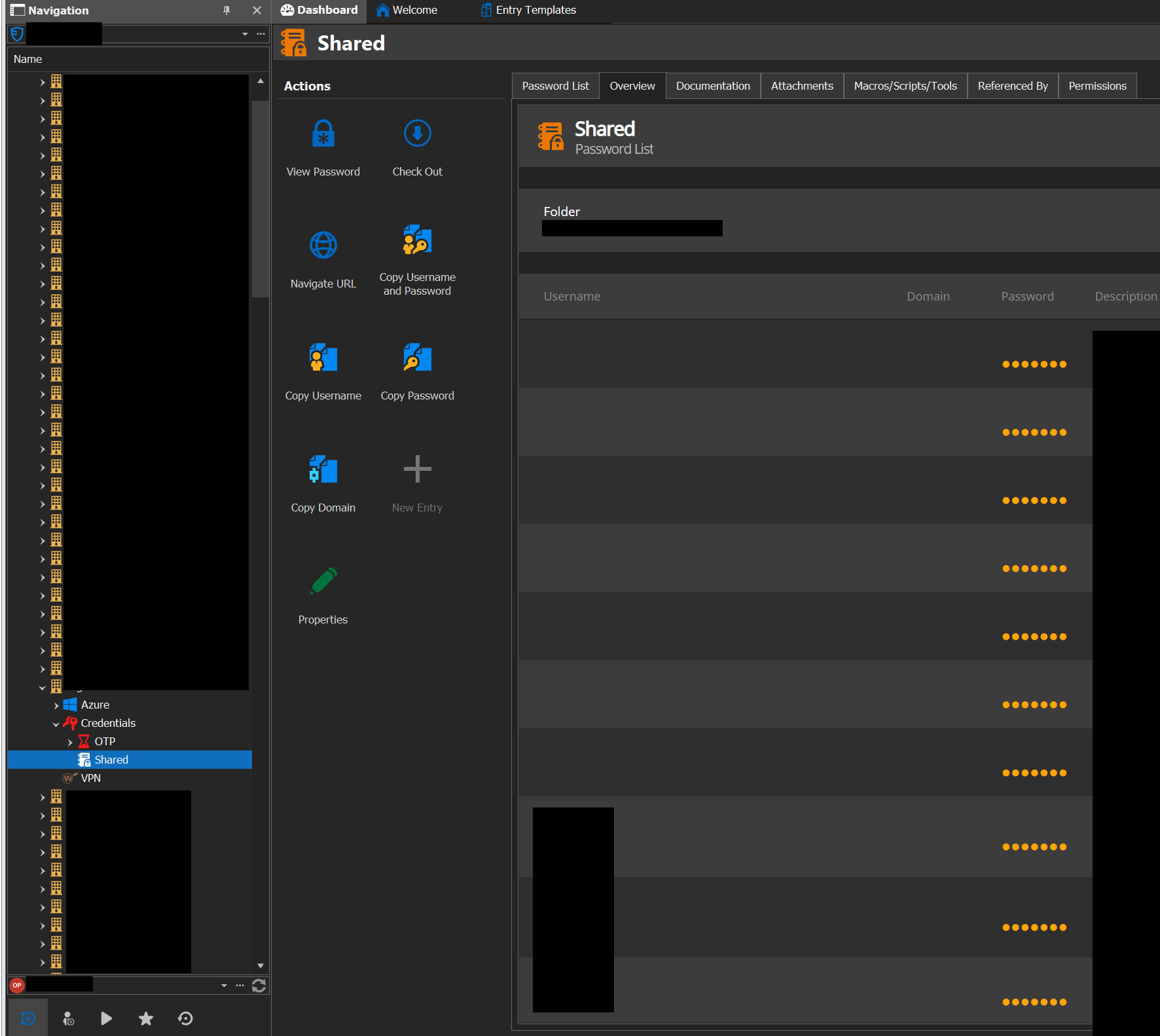
2022_06_13_15h44_work_mgmt_VMware_Workstation_001093.png
Hello Arnaud,
The "show folder details as selection" option should be checked by default, but you are correct that it is not available under File > Options.
As for the "Add Pasword to List", it will be available in the 2022.2 release, which should be available shortly. A beta for RDM is available, but not yet for DVLS.
Best regards,
Richard Boisvert
Hi Richard,
I just wanted to thank you for the implementation.
Kind regards