connection names overlap on tab and not able to identify (in Content section)
connection names overlap on tab and not able to identify (in Content section)

hi,
I switched to MacBook (from windows). Normally, I was using mRemoteNG, but this application is not available for MacBook.
Then, when I was searching for any other applicable SSH, VNC, etc. application, I found Remote Desktop Manager. I have been using Remote Desktop Manager for 4-5 days. I like it very much and I solved almost all my problems regarding usage of it.
- Most important problem for me is that when I open multiple connection, connection names start overlap each other, or in other words connection names become very very small. When I want to continue one of sessions, I have no idea which one is belong to which connection. Please find the screen shot.
As you can see, I have no idea to click the server I want to continue my work. In mRemoteNG there is a horizantal scroll and by the help of this, connection names never become smaller. you just need to use horizontal scroll to find the position of connection in tabs without losing any character from name.
I searched from settings of Remote Desktop Manager, but I couldn't able to find. I hope someone will help me to solve my important problem about it.
Thank you
Best Regards
rdm.jp2
All Comments (9)
Hi,
At the moment, there is no option in RDM to change this behaviour. I will open an improvement ticket and we will post back when we get more information.
Best regards,
Xavier Fortin
Hi,
Thank you, will glad to have this feature.
Best Regards
Samet
Hi sametkalkanci,
The cropping of the tab should be fixed in the next version of RDM Mac (2022.2.X.0).
The version should be available in the next few weeks.
Best regards,
Xavier Fortin
Hi Xavier
This is a very good news for me. Thank you and thanks to Devolutions developer team.
Best Regards
Samet
Hi,
This should now be fixed in the current version of RDM Mac (2022.2.5.0).
We should have posted an update earlier, it slipped through the cracks. Sorry for that.
Best regards,
Xavier Fortin
Hi Xavier,
My current version is: 2022.2.9.0.
If I am not wrong it was solved in one of versions between 2022.2.5.0 and 2022.2.5.9. Please find the attachment (2022-07-22_16-33_RDM_overlap).
Tabs become smaller and become meaningless if there are some connections have same prefix.
Regards
Samet
2022-07-22_16-33_RDM_overlap.jpeg
Hi,
No issue on my side on 2022.2.9.0: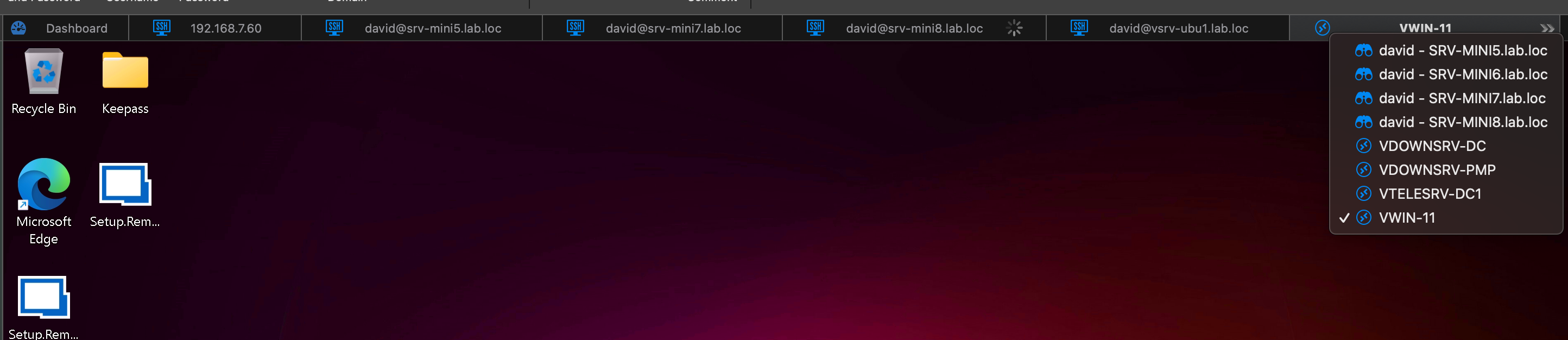
It properly hide the tabs that would cause the tab title to be cropped.
Have you possibly unchecked the following option? It should be checked by default.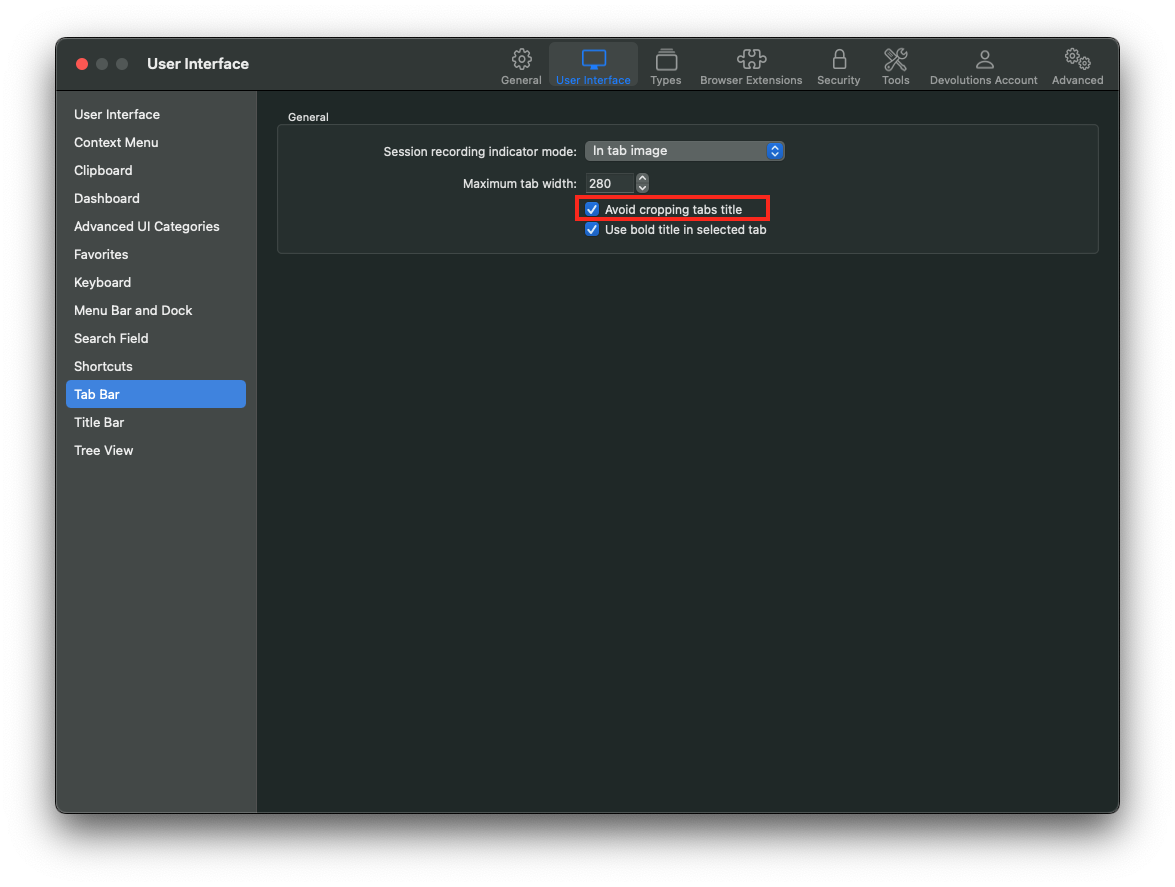
Best regards,
Xavier Fortin
AvoidCroppingTabsTitle.png
Tabs.png
Hi Xavier,
It is selected but It was resolved when I close and re-open the application. I will try next couple of days and get back to you.
Thanks for quick response.
Regards
Samet
Weird 🤔
Do keep me posted!
Best regards,
Xavier Fortin