Shutdown/Restart Computer Admin Privilege issue

Just found out about RDM and loving it. I tried searching the forums and KB but had a hard time pinpointing what I need to search for.
I am trying to get the built in Shutdown/Restart Computer Macro/Script to work either through the dashboard or going through the right click menu.
Getting the following error:
Unable to execute the command on assetname, verify that you have the access rights. You may also have to execute the application with administrator privileges. Exit code (5). 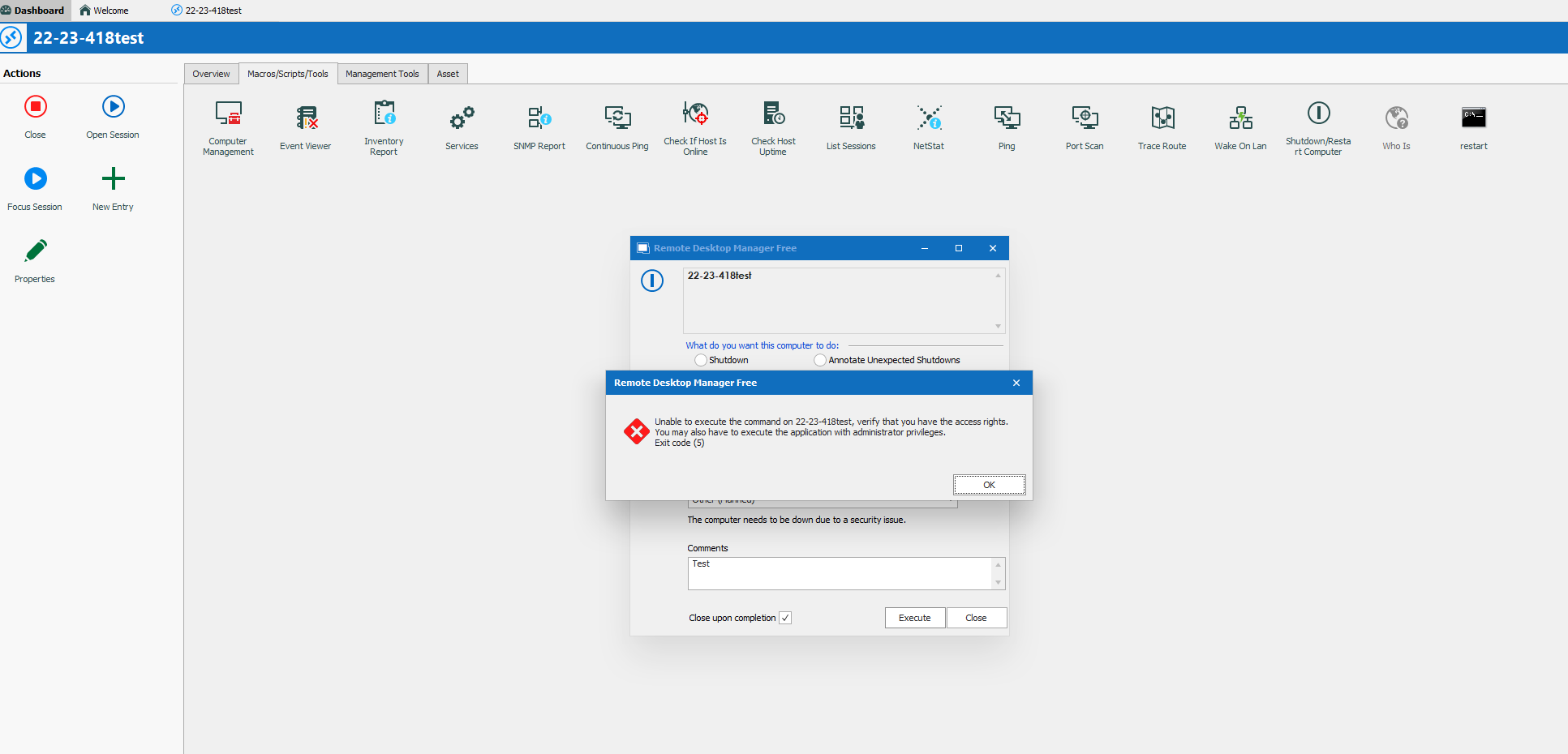
I have tried running RDM as admin, I also get similar errors when opening Computer Management through Macros/Scripts/Tools and try to expand the Task Scheduler (You do not have permission to access this computer). I have the admin credential set at the parent folder then the asset in question is inheriting said credential. I saw in some old tickets/posts there was a run as admin option in the Tools options but that was from a post like 4-8 years ago. Am I just overlooking something simple? I tried running a simple command line restart macro as well and doesnt seem to do anything, thinking it may be related?
Thanks!
*EDIT* Using Remote Desktop Manager Free 2022.1.25.0 64 bit, .NET Runtime v4.0.30319, .NET Version: Version 4.8 or better. Also using domain local administrator account at the parent credential level.
test.PNG
All Comments (6)
Hello,
Thank you for contacting us on that matter!
I will consult our engineering team for their insight on your case, so they can tell me what could be causing the error you receive.
I will get back to you as soon as I get their reply!
Best regards,
Gabriel Degrandpré
Hello,
According to our engineering team, RDM uses a command line to send the remote shutdown, and it’s the command line that returns the error you receive. This means that in its current context, RDM does not have the necessary access to send the operation.
They also let me know that this feature does not use the credentials configured in RDM, but rather those of RDM’s user since the command line sent does not contain any credentials.
To solve the problem, you would most likely need to run RDM as a user with more rights. I invite you to consult our help topic on the subject of how to run RDM as a different user, and to let me know if you have any additional questions on this topic!
https://kb.devolutions.net/rdm_manual_runas.html
Best regards,
Gabriel Degrandpré
Gabriel thanks for the update, can you help clarify so I can understand. From my understanding are you saying that RDM does not pull from the credentials configured within RDM to use the built in Macros/Scripts/Tools, but rather relies on the elevated user account of when opening the RDM program, such as opening with Local Admin/Domain Admin account?
Or is this only possible doing it manually as a Command Line Session with the runas.exe regardless if a standard user or elevated user opens the RDM program as long as the credentials within the manual runas has elevated rights?
If the latter I am not seeing the Host and Credential/Run As tabs and a lot of the left menu context options are missing compared to the KB article when I create a new CMD macro, are these only available in the Enterprise version or am I looking in the incorrect area?
Hello,
Just to situate me regarding the options that you mention being missing, would it be possible to send me a screenshot? I'm curious to see if I can figure out what's going on there
Best regards,
Gabriel Degrandpré
Apologies I was looking at the incorrect Entry. I implied the KB was referring to Command Line in Macros but it's referring to Command Line (External Application) in Miscellaneous.
I figured it all out now. I forgot I use a non admin domain account given local admin access for software installs. It will open RDM with local admin access but RDM is still carrying over the non domain admin account in which my case is it needed domain admin rights to send those cmd commands. Im so accustomed to just using Run as Admin I forgot about the logistics and flow of permissions with this. Either way resolved by running with a domain admin account. Please feel free to mark as resolved. Appreciate the help Gabriel
Hello,
Thank you for your feedback! Glad the issue is now resolved!
Best regards,
Gabriel Degrandpré