Remote Desktop Manager Version 2022.1.23.0 - Strange Navigation Pane display issue
Remote Desktop Manager Version 2022.1.23.0 - Strange Navigation Pane display issue

Hello,
Since last Friday (April 1st, 2022 / no joke), when I've updated to Remote Desktop Manager Version 2022.1.23.0, the navigation pane only shows tiny little items: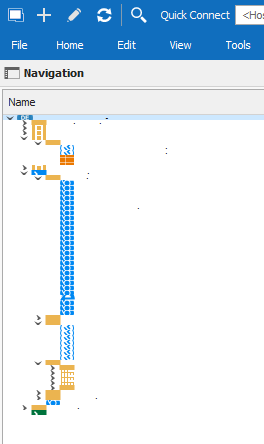
The same counts for the File => Options dialog: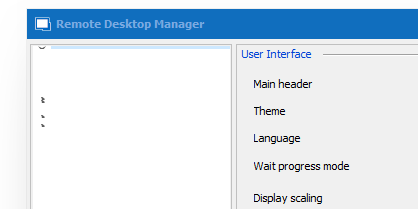
No matter what I try, I can't fix it. It doesn't seem to be a graphics driver issue, as the rest of the tool seems to work fine and is looking correct.
During one test, I stumbled across the "Microsoft Edge Webview2 Runtime" that is required with the above-mentioned RDM version. Or at least seems to be required. But it doesn't matter if it is installed or not, the issue with that tiny little navigation pane or settings persists.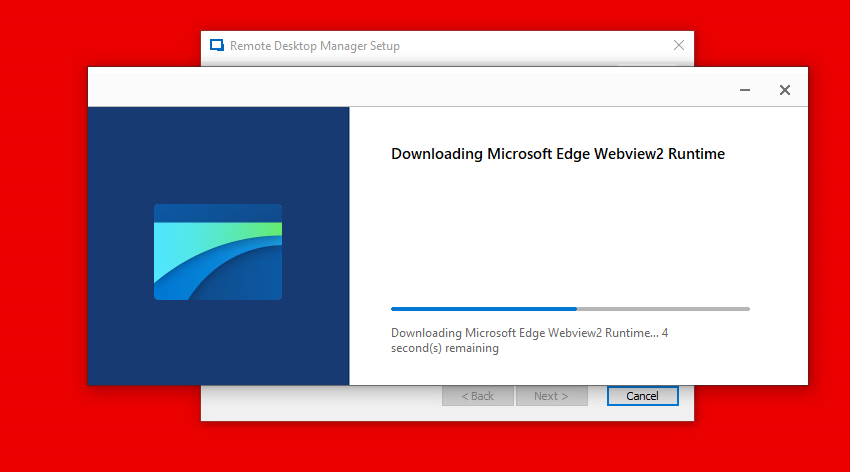
Does anyone have an idea?
Thank you!
Best regards,
Karl
2022-04-05_13h17_06.png
2022-04-01_14h38_09.png
2022-04-01_14h36_41.png
All Comments (5)
hello karl,
I've never seen this but I might have an idea on why this happen.
What scaling % is this display set to and also what resolutions?
The operating system is windows 11 ?
Potential fix/workaround:
And lastly, while the application is closed, can you navigate into the folder LocalAppData > Devolutions > RemoteDesktopManager, delete all files with the extension (.ext and .lyt) then start the application, if that doesn't work close the application and in the same folder try renaming RemoteDesktopManager.cfg.
Regards,
Alexandre Roy
Almost forgot, this option in File > Options set to "system aware" could also fix the issue right away, I'd try that first.
Alexandre Roy
Hello Alexandre,
Maybe I can deliver an update on this case. With some trial end error, and I don't have a clue how my coworkers and I stumbled across this, we've found out that this display issue may be related to the theme used by Remote Desktop Manager.
I'm running Windows 10 with two external displays, with 2560x1440 pixels each, and on 100% scaling, to answer your question. I deleted the Devolutions folder in both %appdata% and %localappdata% directories and reinstalled RDM multiple times but to no avail.
Back to the track, it seems that the "Default - Light" is broken. I switch to "Light" and restarted Remote Desktop Manager, and the problem was solved.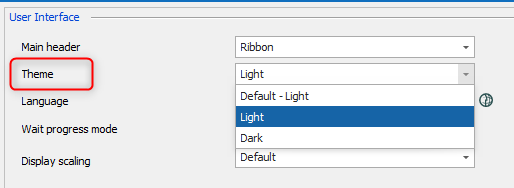
Best regards,
Karl
2022-04-05_14h57_05.png
Noted.
Thanks Karl for this report we will investigate. Glad the issue is resolved.
Best regards,
Alexandre Roy
Hi Alexandre,
My coworkers confirmed that this also happens with the "Default - Dark" theme when Windows is running in dark mode. If you then manually switch to "Dark", the issue is gone.
So there is definitely something with the "Default" in RDM.
Cheers!
Karl