running tools as a different user

I have been using RDM for years now but I still cannot for the life of me figure out how to run tools (computer management, event viewer, services, etc.) under a user with elevated privleges.
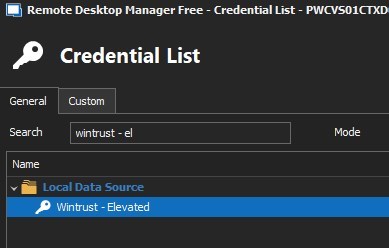
I have RDM running on my laptop in which I log into it using my standard non-privledged ID. all of my RDP sessions run from a linked with a vault credential (that is elevated).
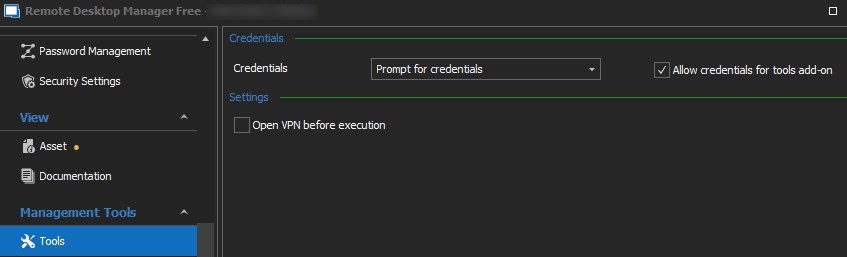
however even tho the session is linked all i get is access denied opening any of the tools. i even tried setting the tools to "prompt" and i select my elevated account from the vault.
is this something that cannot be done?? or am i just missing something. seems like i should be able to as I can do all this manually doing a "run as" ...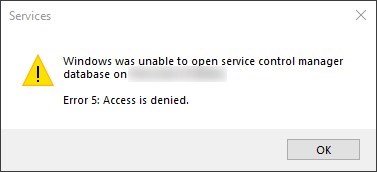
2022-03-01_14h16_55.jpg
2022-03-01_14h19_05.jpg
2022-03-01_14h21_49.jpg
All Comments (12)
Hello,
If you change the credentials option to "Custom" and set them directly in the session, do you get the same error?
Best Regards,
Etienne Lord
yes. I get the same error.
i tried setting the session itself (session properties > general) and was able to launch the RDP session successfully (this was to test that i had the PWD correct)
as well as session properties > management tools > tools
i still get the access denied errors
if I launch RDM as the elevated user, all of this works fine. however, running RDM elevated kind of defeats the purpose. one of the main points of RDM is to manage multiple elevated accounts. we have multple domains and separate elevated accounts in each domain.
Hello,
Thank you for the details, I will verify this with the engineering department for further information.
Best Regards,
Etienne Lord
i did some additional testing.
the management tools seem to ignoring what ever credential it is set to pass. (session > management tools > tools > credentials). no matter what i put in there, it ignores it and passes the credentials of the user that RDM is running under.
if I add the ID used to run RDM into the local admin group on a server, the tools run fine. this is obviously not a solution, just a test
Hello,
Sorry or the delay and thank you for the details, this is indeed a strange behavior that we will need to look at, could you confirm your Remote Desktop Manager version?
Best Regards,
Etienne Lord
i am running the free version v2022.1.16.0 64-bit
this has been an issue for me for a very long time (years) even when I was working with the Enterprise version. when I was running that, i got around it then by running RDM on a jump box which i ran under my elevated context. i dont have that luxury now.
Hello,
Thank you for the details, just to keep you updated, we got a ticket open in order to investigate on that.
Best Regards,
Etienne Lord
Hello,
Just to confirm, your are using the Management Tools from the following screenshot, correct?
And is it a specific option or all of there have the same result? 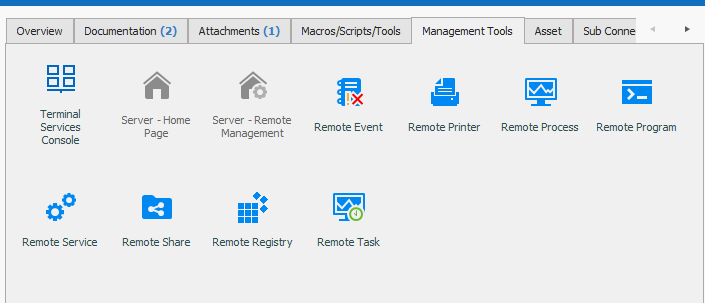
Best Regards,
Etienne Lord
image-20220322-171357.png
no. i am NOT running it from there. i am trying to run it from Macros\Scripts\Tools:
I need to be able to interact with those items so i need the GUI. Comp manangment, event viewer, services,etc.
2022-03-24_13h15_04.jpg
Hello,
My colleague from the engineering department confirmed that these option not take into consideration the credentials under "Tools". It is not something that they were able to implement in the past. These options uses mmc.exe and these isn't any built-in method to send the credentials, which is why is it currently not working in Remote Desktop Manager. They will still have a look in order to see if something could be done about that.
Best Regards,
Etienne Lord
understood and thanks for looking at it.
i dont pretend to understand programming stuff like this but there is no way to make make the call to the MMC with a "run-as"? that is how i do it from my desktop to a server to get the MMC elevated. just curious :)
Hello,
MMC is a quite peculiar program, and when we tested a few years ago, run-as wasn't working with every console, so we gave up on the project without further client demands.
When you do run-as on MMC yourself, do you do it through the command line and by loading the snap-in console at the same time? If you can confirm this works, then as you say it should be possible to do this in RDM as well.
Also, can you tell us the list of MMC consoles in RDM that you are using? You mentioned Computer Management, Event Viewer and Services, were there any others? We will prioritise these ones.
Regards,
Hubert Mireault