Unable to close fullscreen RDP session after update to 2022.1.13.0
Unable to close fullscreen RDP session after update to 2022.1.13.0

Since the update to 2022.1.13.0 I am unable to close (disconnect) a fullscreen RDP session by clicking the X on the RDP menu.
If I click the "Restore Down" button on the menu so the window becomes a tabbed window within RDM, I can then close the tab successfully and disconnect.
This does not occur if using the MSTSC.exe native client
OS Windows 10 21H2 19044.1526 Feb 22 CU.
Not a biggie, just mildly irritating as a couple of systems have to have their interactive session disconnected, not logged off.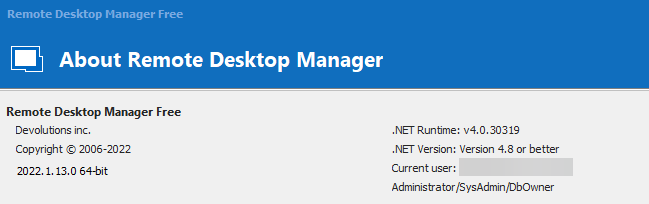

Version.png
Toolbar.png
All Comments (3)
Hello,
we've reproduced your issue and a ticket has been sent to the Engineering Team.
Best Regards,
Antoine Mauger
Hello again,
After verification, another client has already reported this issue and it will be fixed in 2022.1.15.0.
Best Regards,
Antoine Mauger
Marvellous, thank you for the very rapid response! :-)