Support for ARD (Apple Remote Desktop) Curtaining When Connecting to a macOS System
Support for ARD (Apple Remote Desktop) Curtaining When Connecting to a macOS System
0 vote

I use a licensed (individual) version of Remote Desktop Manager at work and Remote Desktop Manager Free at home. I have a couple of cases where I need to connect to a MacOS system. Using Apple Remote Desktop (ARD) in Remote Desktop Manager works great; however, I am unable to indicate in the RDM entry for a macOS system to "curtain" the remote desktop so that activity can not be seen. Apple’s application “Remote Desktop” has a curtain mode that hides the display of a target Mac system while one is working with that system.
Please consider adding a "curtaining" mode/checkbox for Apple Remote Desktop connections established within Remote Desktop Manager. Thank you.
All Comments (4)
Hi,
We already support the Apple Remote Desktop curtain mode, but the controls may not be obvious. Inside an active session, you should see a toolbar with a lock icon, click on it to enter the curtain mode message and it will lock the remote screen from view while you can keep working remotely.
Here is the end result with a laptop in curtain mode: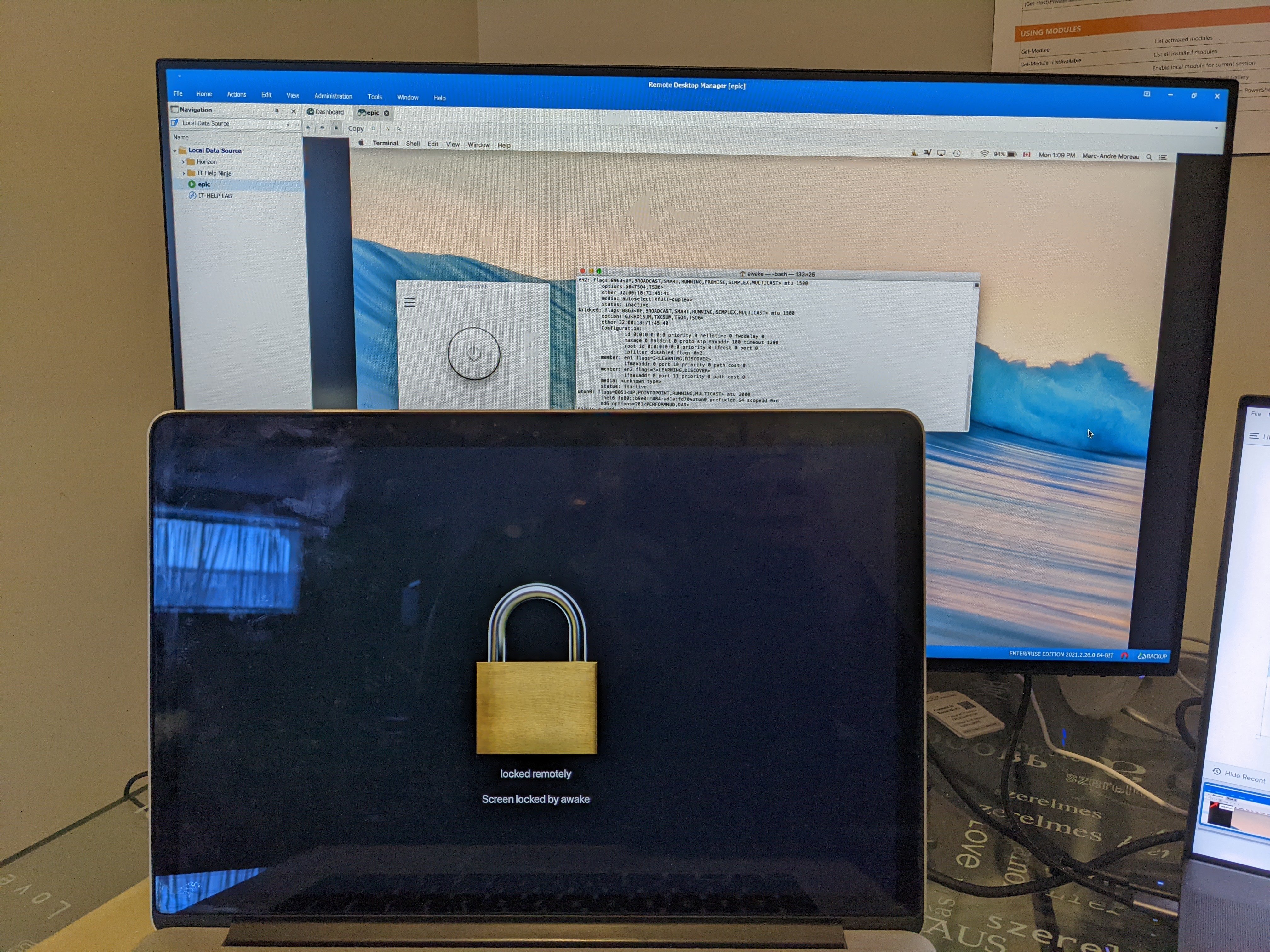
Let me know if this is what you were looking for
Best regards,
Marc-André Moreau
PXL_20220103_180959638.jpg
Hello,
I apologize. I didn’t see any indication that curtain mode was supported and when I asked via a support incident was told that it was not currently supported. At any rate, thank you very much for pointing out to me what I *should* be seeing. I say should because for whatever reason, probably something I’m doing, I do not see the toolbar with a lock icon (actually any toolbar) in an active ARD session. What I see during an active ARD session when using RDM Free is provided as an attachment.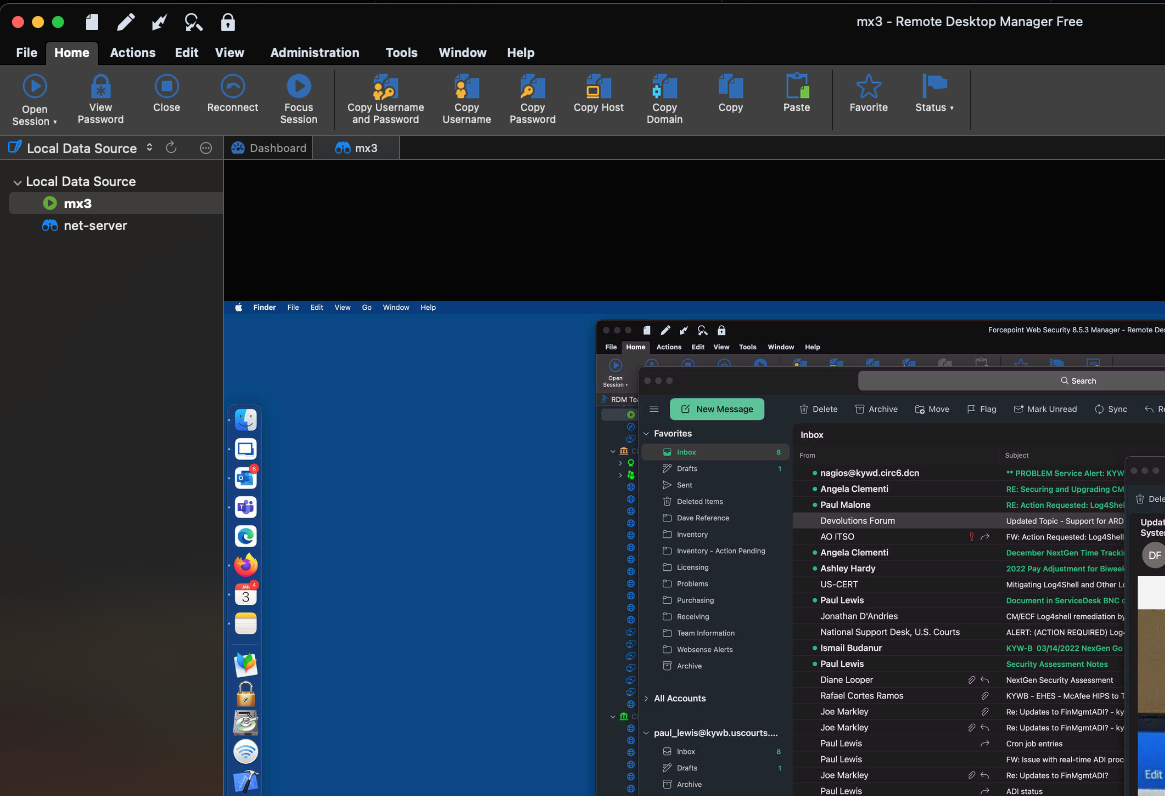
In case it matters, I am using the free version of “Remote Desktop Manager” at home on a Mac to establish an ARD session with a Mac at work (where I have a licensed version of “Remote Desktop Manager” installed). I don’t know if the free version has the capability or not? I am running the latest free version, 2021.2.11.0.
Does the toolbar always appear or is it dependent on a setting being enabled?
Unknown.png
Hello
Apologies for the confusion - we were understanding that you were using RDM on Windows on the client side.
Indeed, RDM for macOS does not expose the curtain option; so you will not see this as an available action. It should be relatively straightforward to add that and I'll create a ticket on our side. We'll update this post once there is some more news.
Thank you for your patience,
Richard Markievicz
Hello again
After investigating this with the macOS team; the "curtain" feature is already available in RDM macOS but it's (even more) hidden than on Windows.
Currently you can toggle the curtain mode with the key combination [Shift]+[Control]+L
I've raised a separate issue to improve the visibility and usability of this feature. We'll update this post once there is some more news.
Thanks and kind regards,
Richard Markievicz