Web browser (http/https) SSH tunnel not working

Hello,
when I create a web browser entry and configure SSH tunnel for it, when I try to open it, a message pops up immediately telling me, that it's unable to connect to VPN, do I want to continue. If I simply click Open VPN, nothing happens, same with the VPN/SSH/Gateway menu, if I click start there, nothing happens. Dell iDrac entry type works with the same URL, and SSH settings, even though it isn't an iDRAC site.
Version 2021.2.11.0
Thanks
All Comments (9)
Hello,
We are currently investigating the problem and we will keep you informed of any developments.
Best regards.
Michel Lambert
Hi fraas4,
Could you elaborate on what is not working? Is your SSH Tunnel not even launching? How is your SSH Tunnel configured? Could you provide screenshot?
Best regards,
Xavier Fortin
Hi,
My SSH tunnel won't even start, or won't even try to start is better.
The SSH settings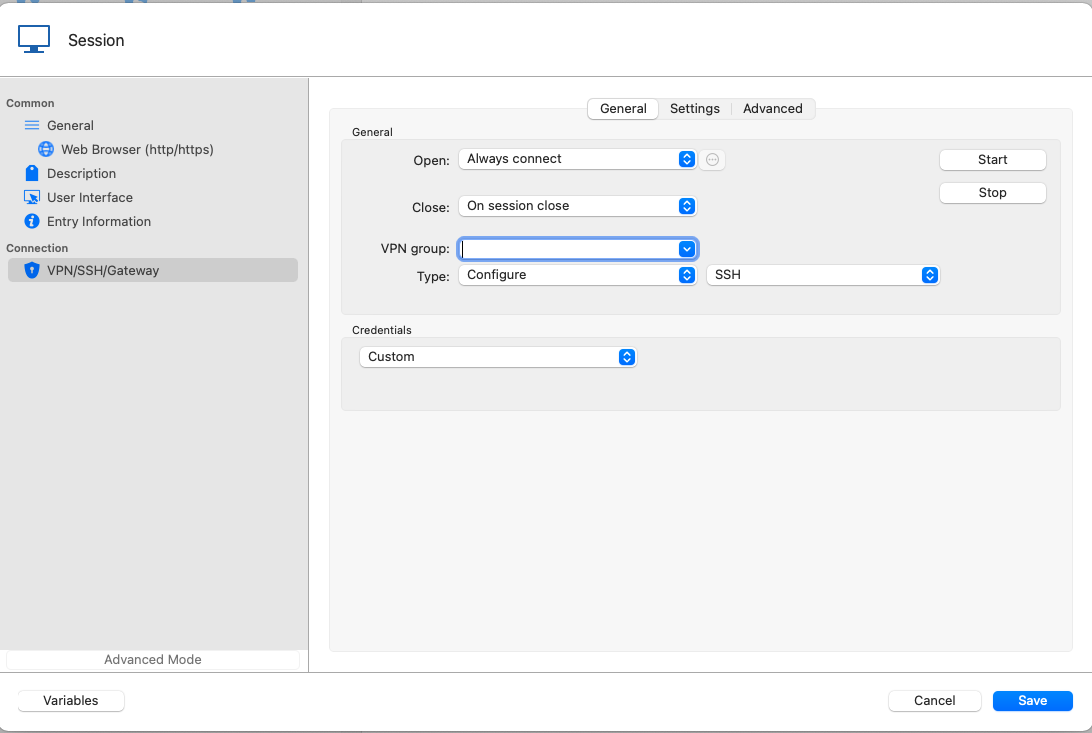
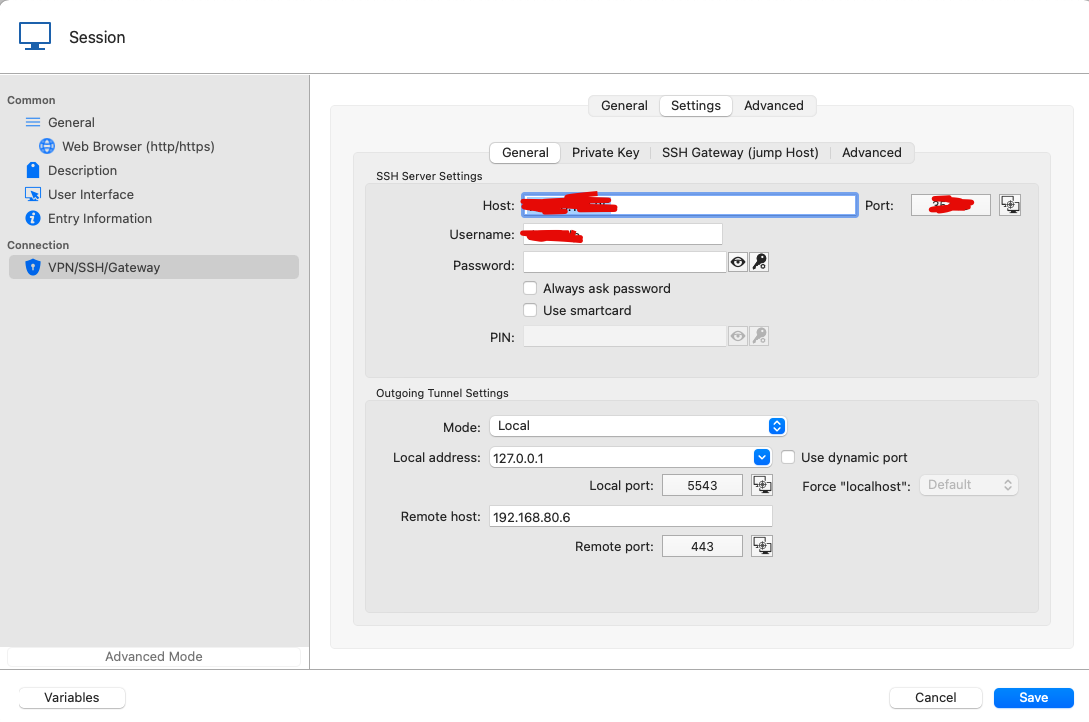
The web browser settings
Thank You
Screenshot 2022-01-17 at 13.46.03.png
Screenshot 2022-01-17 at 13.43.24.png
And the error when I try to open the session is the following
I could reproduce with similar configuration as yours (although with specific hosts for my environment). I've opened a ticket and we will start investigating this somewhere this morning.
I'll post back with more info when I have them.
Best regards,
Xavier Fortin
Hi,
We've found the issue, and it has been resolved. It should be fixed in the next release of RDM Mac (2022.1.1.0).
Best regards,
Xavier Fortin
Hi,
The fix is available in RDM 2022.1.3.0 that is available as of today.
Please, do get back in touch if you have issue with it, or anything else.
Best regards,
Xavier Fortin
Hi,
thanks for the update, the issue is indeed solved.
Best Regards
Glad to hear it!
Xavier Fortin