powershell module not found latest version

hello,
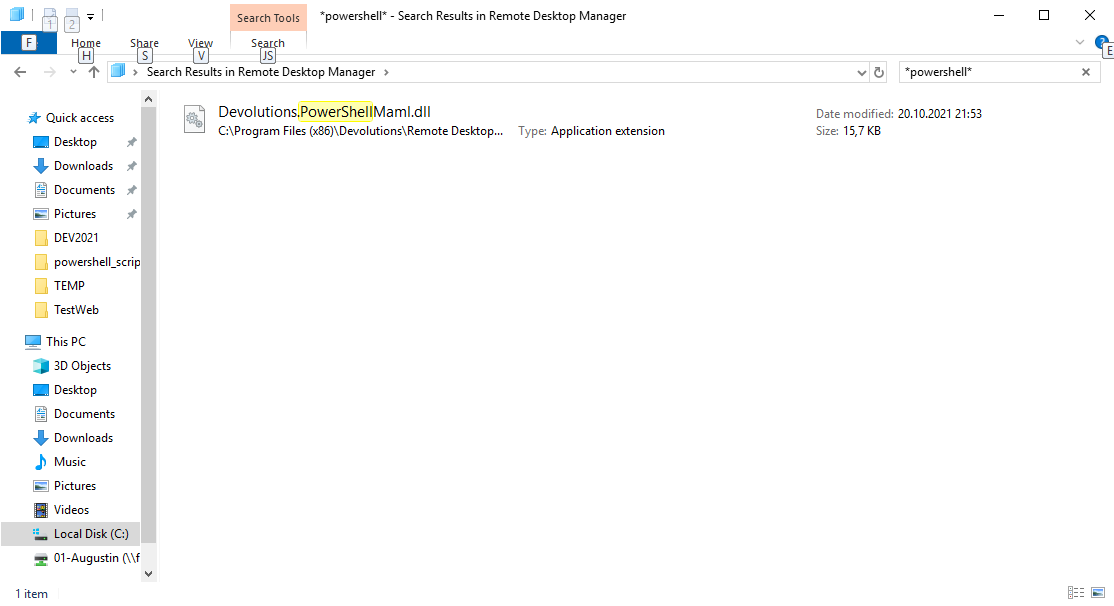
after upgrading to the latest version the powershell dlls and psd1 are missing...in the program directory
in the patchnotes : Automatically install Remote Desktop Manager PowerShell module if it is not detected when launcher a PowerShell session requiring it
but this does not happen also when i launch from inside rdm /tools/powershell we get the error that the module cannot be loaded...
i attach a screen...where is the powershell module gone? i already did a uninstall and full reinstall...as you can see in the latest screen only powershellmaml.dll is there where is the rest?
regards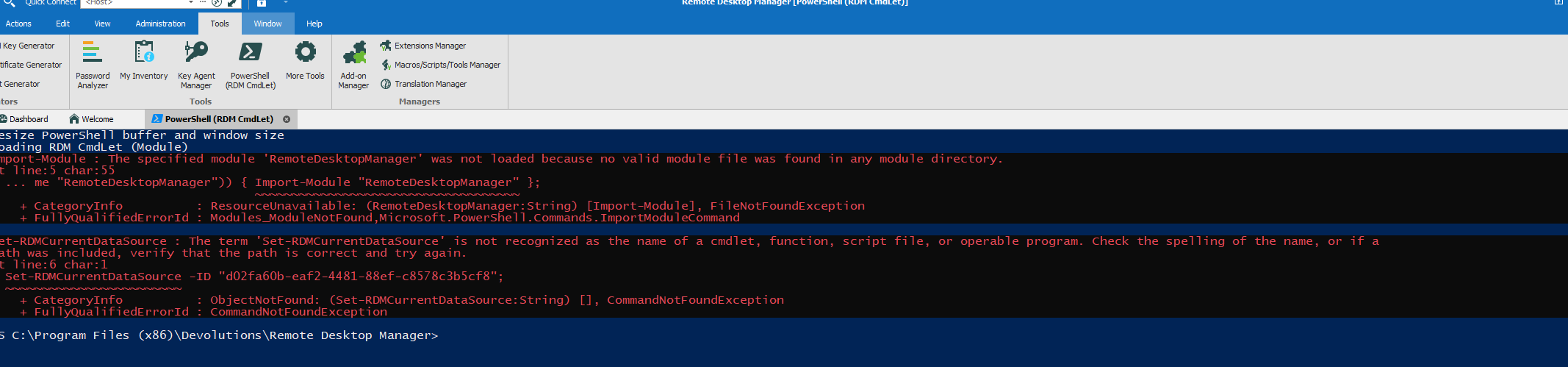
rdm_powershell_dlls.png
rdm_powershell.png
All Comments (3)
Hello,
For now, you can install the module by running this command: Install-Module RemoteDesktopManager
I will try to replicate your issue in a test environment and if I can replicate it, I will open an internal ticket to the engineering team.
Best regards,
Richard Boisvert
after running the install-module command it works again
thanks for the fast support
Hello,
My pleasure!
I was not able to reproduce your issue, however. I installed RDM on a machine and it pulled the RDM PS module automatically the first time I opened the PowerShell (RDM CmdLet):
Best regards,
Richard Boisvert